

Your Browsing History

Meet Your Seller

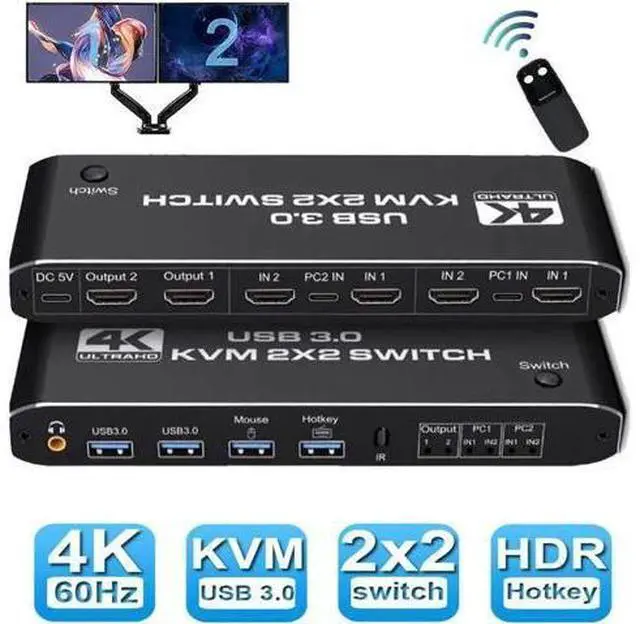


Dual Monitor HDMI USB 3.0 KVM Switch, 2x2 USB3.0 HDMI KVM Switch, 2 in 2 Out 4K @60Hz HDMI KVM Switcher 2x2 Mixed Display 2 Monitors 2 Computer for PC laptop
Limited time offer, ends 07/05 By Glovibe Tech
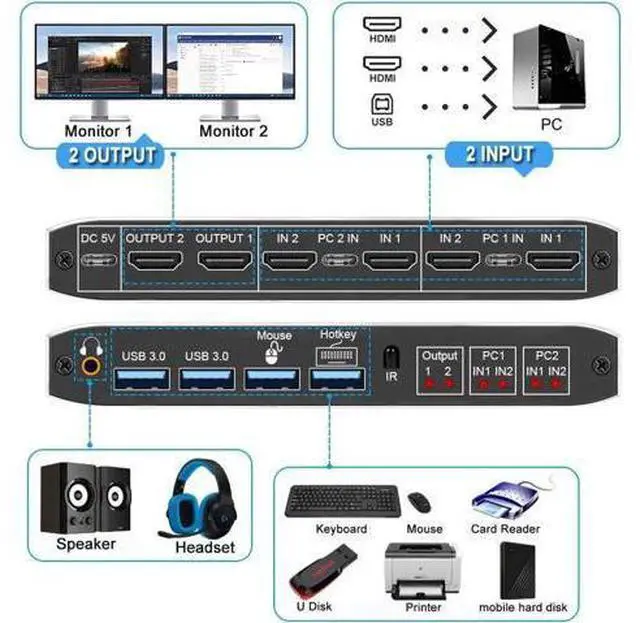
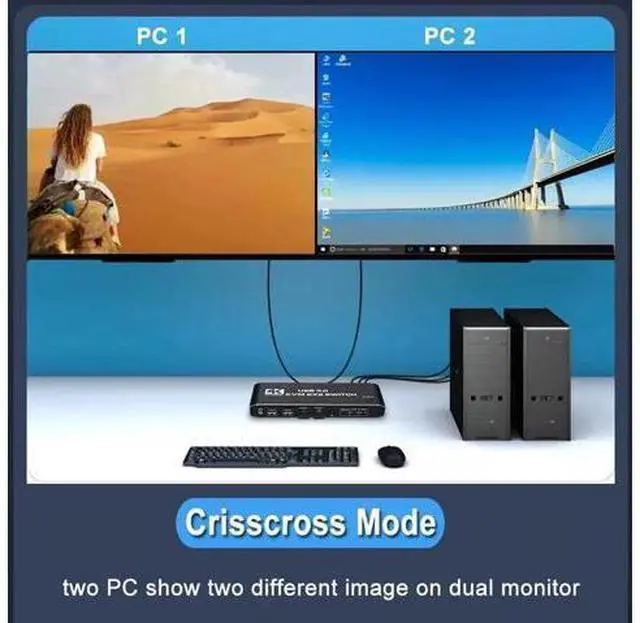
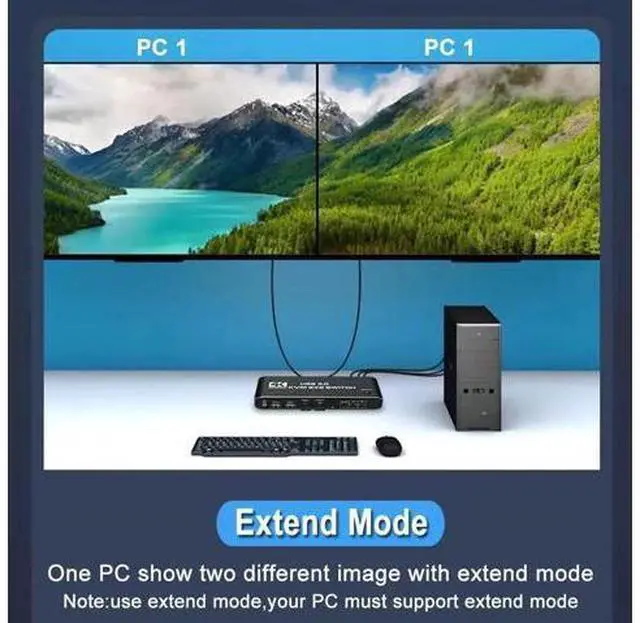
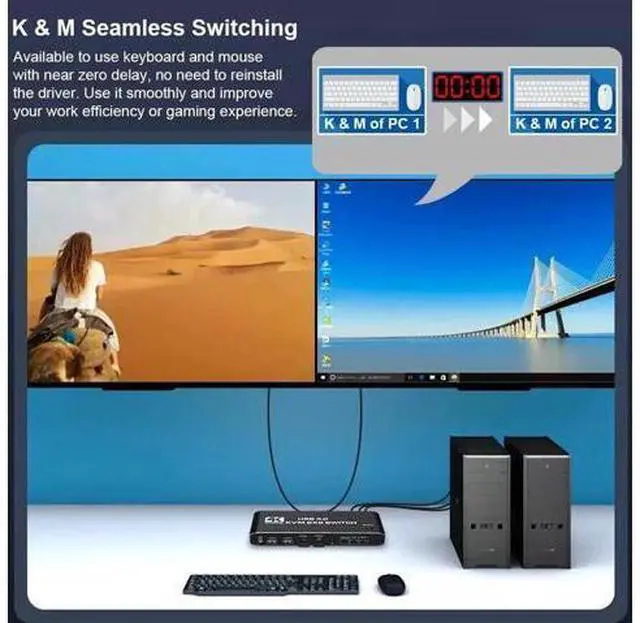
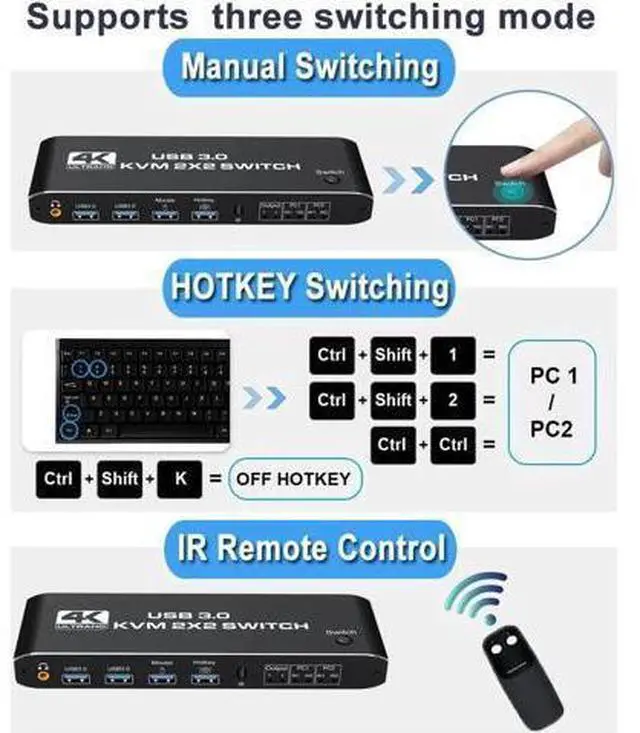
- [HDMI KVM USB switch dual monitor] This KVM Switch allows control 2 computer with one set of controls (keyboard and mouse) and two display screen. Realizes 2 in and 2 out free selection synchronous switching. You can centrally control and manage hosts laptop or game console without having to move from one workstation to another.; [UHD 4K Visual Enjoyment] Supports HDMI 2.0 and standard HDCP 2.2. Support max resolution up to 4K@60Hz,1080@144Hz, also support 1080P@120Hz or lower resolution, makes image display more exquisite and realistic.; [Dual HDMI KVM Switch with USB 3.0 Port] Supports Connecting your USB 3.0 port device such as Scanner/USB driver/3D Printer/Monitor Camera; [2.0CH Audio Extractor]Comes with a 3.5mm Audio Jack port with a DAC chip inside, which can be inserted into a 3-segment 3.5mm earpiece device.; [Wide Compatibility] This HDMI kvm switch kit support mirror mode,extend mode and crisscross mode. It has adaptive EDID, adapt to Windows, macOS, Linux, UNIX etc..
+
+
Overview
Specs
Reviews

Any questions? Our AI beta will help you find out quickly.
Try me now
The KVM switches allow you to share 2 monitors and 4 USB peripherals between 2 computers, such as a Mouse, Keyboard, Printer, Scanner, USB stick, etc. No need to constantly swap cables or set up complicated tethering software, making your life simpler and more efficient.
Two display modes: Copy
Mode: Two monitors show the screen of the same host computer;
Extended Mode: Two monitors display the main screen and extended screen of the same
Notice: Computer needs to support 2 screens or more; If your computer lacks the required connectors, you can use an adapter or conversion cable; Need to be connected to a power source, which ensures that the devices can work together; Make sure both computers support HDMI 2.0! You can't connect two computers and set one to 4K@60Hz and the other to 4K@30Hz because it won't work and your screen will stay blank, they both have to be able to display 4K@60Hz or both are 4K @30Hz.
Two display modes: Copy
Mode: Two monitors show the screen of the same host computer;
Extended Mode: Two monitors display the main screen and extended screen of the same
Notice: Computer needs to support 2 screens or more; If your computer lacks the required connectors, you can use an adapter or conversion cable; Need to be connected to a power source, which ensures that the devices can work together; Make sure both computers support HDMI 2.0! You can't connect two computers and set one to 4K@60Hz and the other to 4K@30Hz because it won't work and your screen will stay blank, they both have to be able to display 4K@60Hz or both are 4K @30Hz.
Warranty & Returns
Warranty, Returns, And Additional Information
Warranty
- Please contact the Seller directly for warranty information. Warranty information may also be found on the Manufacturer's website.
- CONTACT
Return Policies
- Return for refund within: 30 days
- Return for replacement within: non-replaceable
- This item is covered by Glovibe Tech Return Policy
Manufacturer Contact Info
- For a directory of all our manufacturers, please click below.
- Manufacturers Directory
LOADING...