

Your Browsing History

Best Sellers
 Top Rated
- $1,387.91
- + FREE SHIPPING
Top Rated- $1,399.99
- + $14.10 Shipping


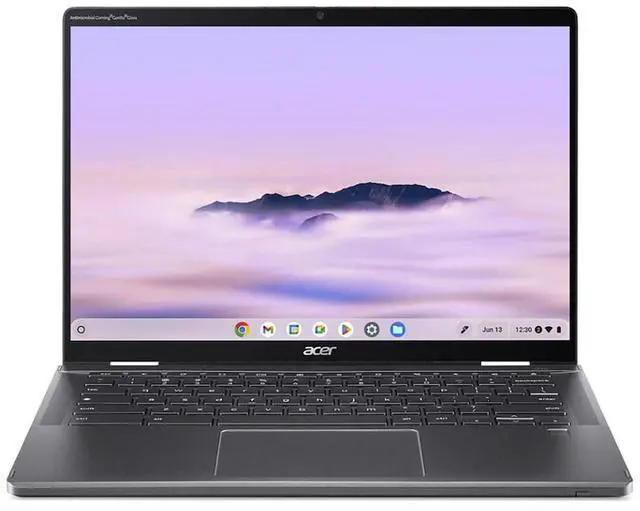
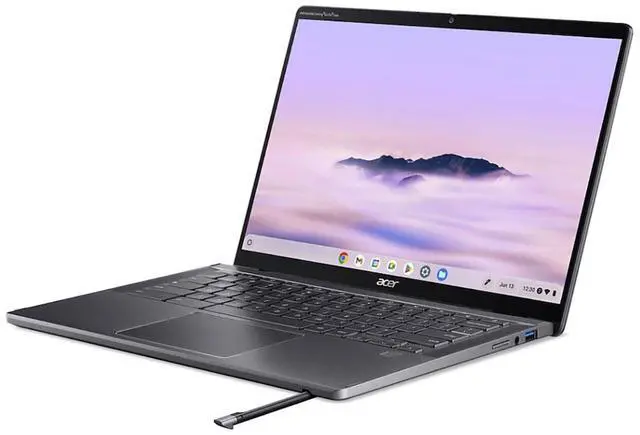
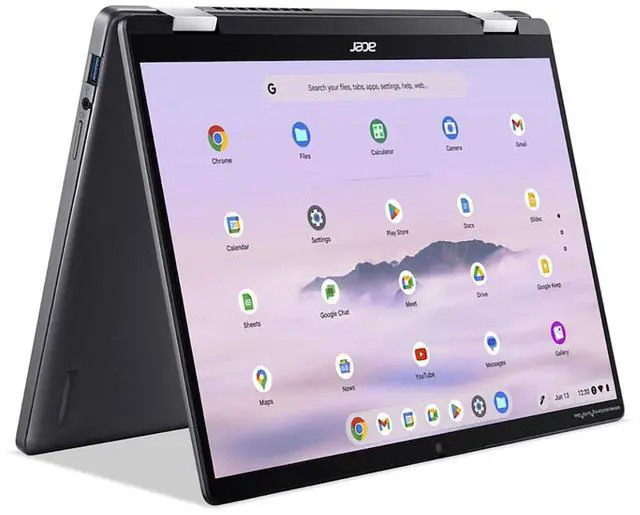
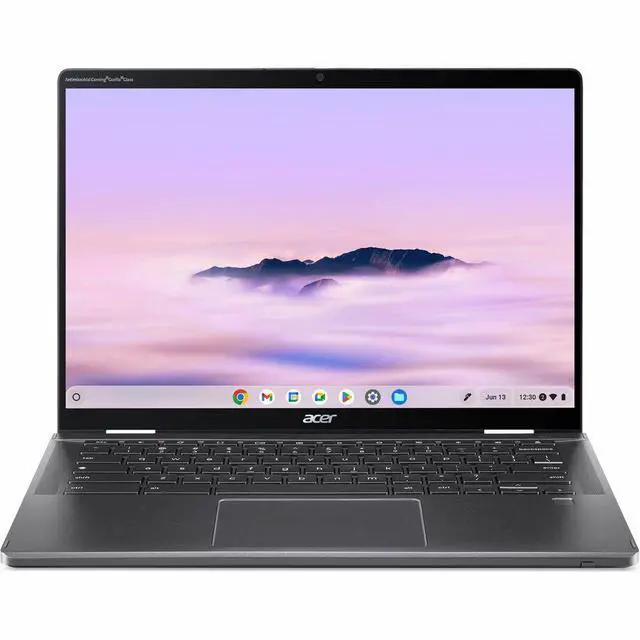
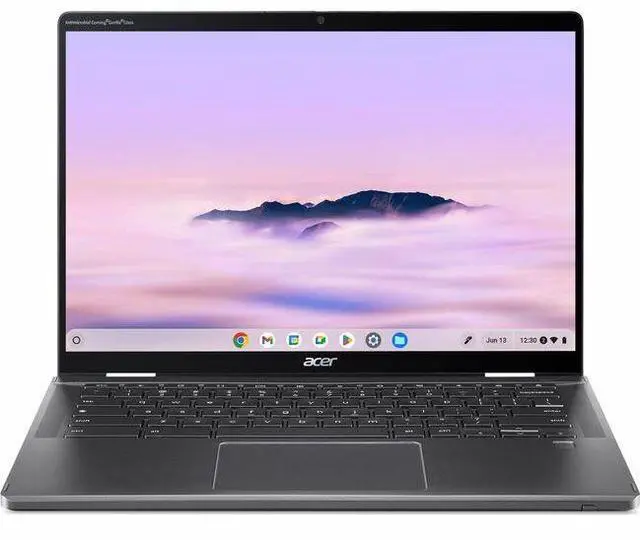
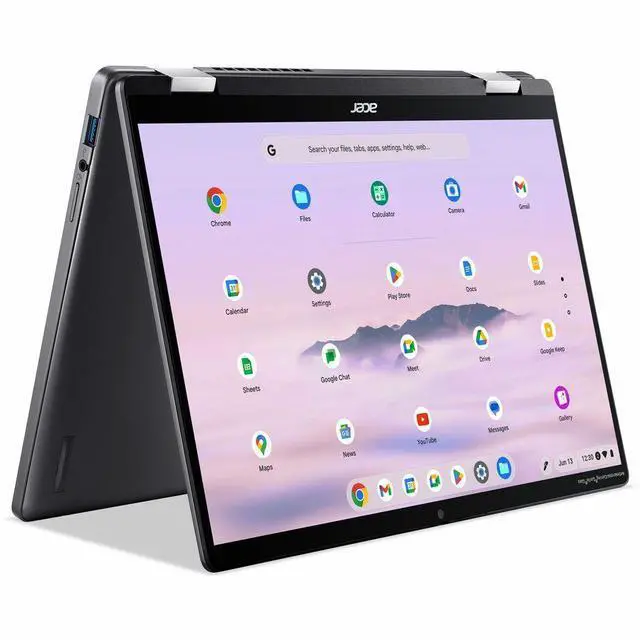
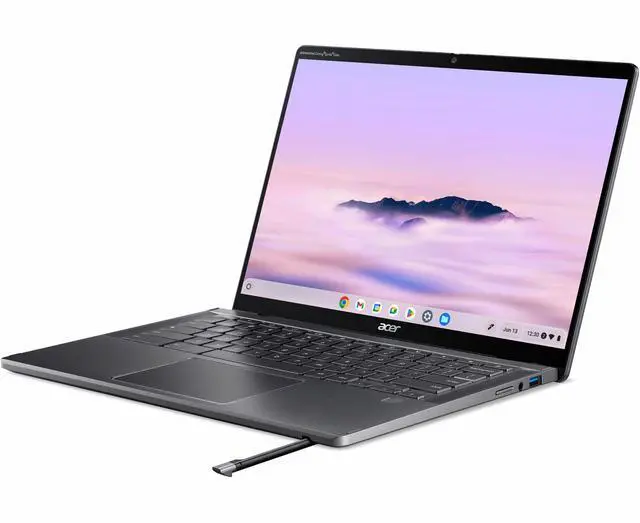
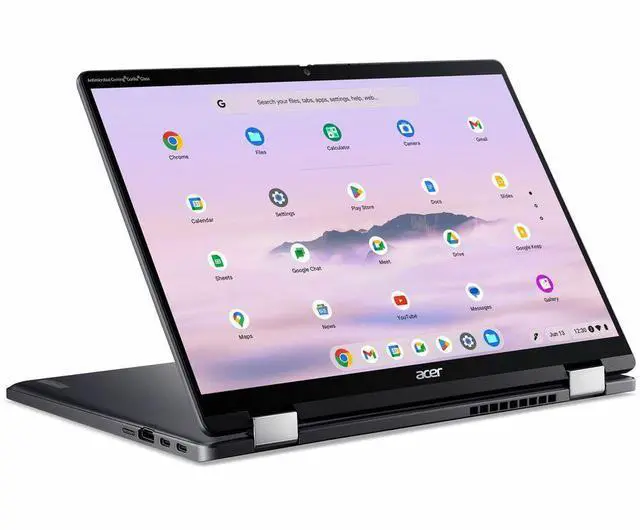
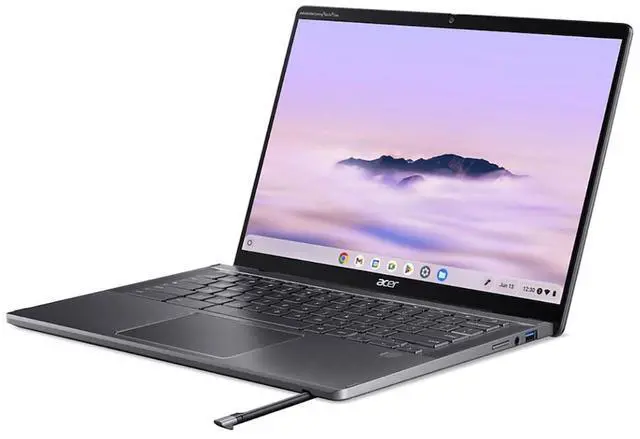
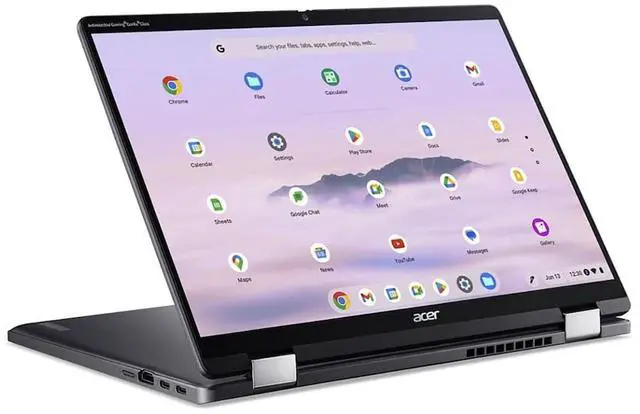
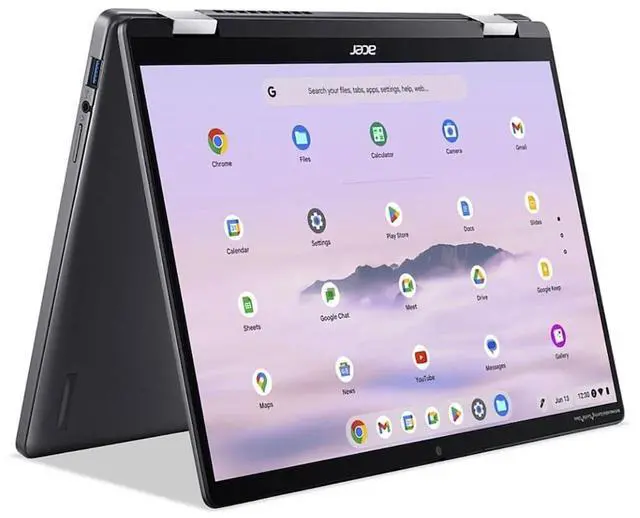
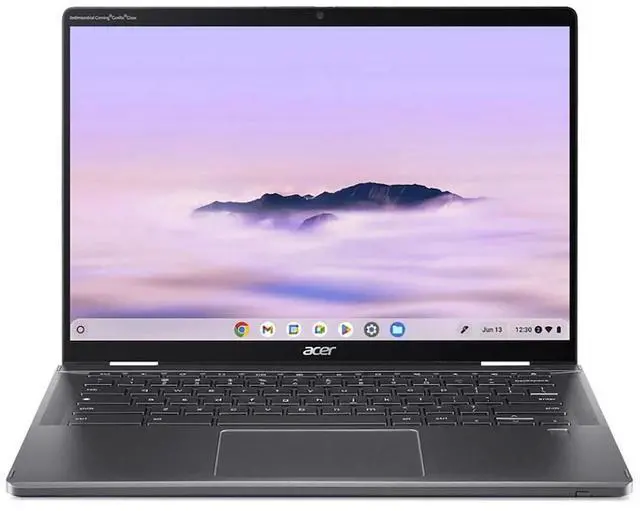
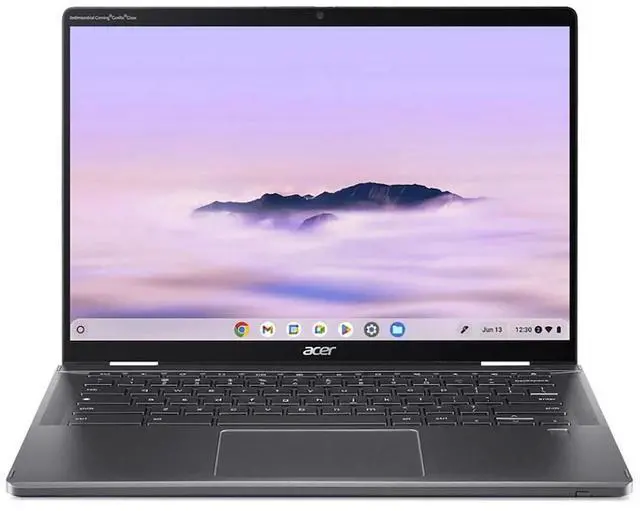


Acer Chromebook Plus Spin 714 CPE794-1N-781F 14" Touchscreen Chromebook - Intel Core Ultra 7 155U (1.70 GHz) - 16 GB - 256 GB SSD - ChromeOS -Webcam - Wi-Fi 7 NX.JHLAA.002
- FAST PERFORMANCE - Equipped with an Intel Core Ultra 7 155U processor, delivering exceptional speed up to 4.8GHz for seamless multitasking and demanding applications.
- LONG BATTERY LIFE - Enjoy up to 10 hours of productivity on a single charge with the efficient 50 Wh Lithium-ion battery, perfect for on-the-go use.
- VERSATILE TOUCHSCREEN - Experience intuitive interaction with the 14" WUXGA (1920 x 1200p) IPS touchscreen display, ideal for creative tasks and navigation.
- ENHANCED SECURITY - Benefit from integrated security features including a fingerprint reader and camera privacy shutter, safeguarding your data and privacy.
+
+
Overview
Specs
Reviews
See all Q & A 
Any questions? Our AI mode will help you find out quickly.
Try me now
Lift. Flip. Spin. Plus More PowerPowered by the latest Intel Core Ultra 7 Processor the Acer Chromebook Plus Spin 714 is the embodiment of power and portability. A premium thin and light 2-in-1 convertible Chromebook for on-the-go study, work, or play. Your Style, Your WayCarry your work around in style with thin and light 2-in-1 convertible Chromebook made with durable aluminum chassis with a touch of luxury in gold. Precision with every strokeDraw with precision using the tile and pressure sensitive Active Stylus. Store and charge your stylus in the stylus garage without worrying about losing it.
Stay productive day and night. Work through the night on a precision keyboard with backlight. Military-Grade DurabilityMade to be durable and reliable-this Chromebook undergoes stringent test procedures, meeting MIL-STD 810H standards to withstand everyday wear and tear. Performance is just the beginningWith up to 10 hours of battery life you can power through a day's work and then some, on the 2x faster Chromebook Plus powered by the latest Intel Core Ultra 7 processorReady when you areFast Boot starts you up in under 10 seconds for more doing, less waiting. Jump right into note-taking, binge-watching, photo-editing, and more.
Worry-Free SecurityFortified with layers of built-in protection, Chromebooks help keep viruses out and prevent little issues from becoming big headaches. Stress free like security should be. More Power, So You Can Do MoreDo more with Chromebook Plus. Double the memory. Double the storage. Plus AI-powered Google and Adobe apps to do more of what you love. Everything you need to get anything doneWith built-in Google Docs, Sheets, and Slides, instantly dive in to write that novel, develop a home budget, or create amazing presentations. Need Microsoft 365 apps? Chromebook Plus supports those too.
The Apps You Need to Make MagicInspire your inner creator with the built-in Google Photos app on your Chromebook Plus. Get enhanced features like the AI-powered Magic Eraser that easily removes unwanted distractions and an HDR effect to enhance brightness and contrast. Access Your Files, Online or OffNo Wi-Fi? No worries. With double the storage, File sync on your Chromebook Plus keeps your Google Docs, Sheets, and Slides always accessible, whether online or offline, so you can create wherever inspiration strikes. A Touch of MagicWitness magic on the 14" WUXGA (1920 x 1200) Antimicrobial Gorilla Glass display with touch option.
See more on the 16:10 narrow bezel display and dive into a whole new visual and audio experience with DTS audio. 340 nits Brightness 100% sRGB ColorCrystal Clear CallsThis Chromebook Plus has a 1440p QHD webcam with HDR and built-in AI-powered video call tools that enhance clarity and lighting to look your best on any video call app. Acer TNR SolutionDetects, diagnoses, and improves image quality in low-light conditions. Facial Auto-exposureAutomatically adjust the image exposure based on the lighting conditions of your face. Video Calling with PrivacyConfidently navigate the digital landscape, knowing your privacy is safeguarded with a physical camera shutter.
Connect with EaseWith fast Wi-Fi and Bluetooth connectivity, connect to all your favorite accessories and devices. Thunderbolt 4 Type C USB 3.2 Gen 1 Type A HDMI 2.0S ustainabilityFeaturing recycled materials, sustainable packaging, an energy-efficient design, and EPEAT registration this Chromebook Plus embodies the spirit of our Earthion initiative to reduce waste across the lifetime of the device. Less Plastic Waste in the OceanWe use recycled ocean-bound plastic in the OceanGlass touchpad of this Chromebook Plus. The touchpad gives you a sleek, glass-like tactile feel as your fingers scroll across its surfaceConserve Natural ResourcesOur molded pulp packaging uses recycled paper, cardboard, and other natural fibers, offering greater sustainability benefits than traditional plastic and Styrofoam packaging
Stay productive day and night. Work through the night on a precision keyboard with backlight. Military-Grade DurabilityMade to be durable and reliable-this Chromebook undergoes stringent test procedures, meeting MIL-STD 810H standards to withstand everyday wear and tear. Performance is just the beginningWith up to 10 hours of battery life you can power through a day's work and then some, on the 2x faster Chromebook Plus powered by the latest Intel Core Ultra 7 processorReady when you areFast Boot starts you up in under 10 seconds for more doing, less waiting. Jump right into note-taking, binge-watching, photo-editing, and more.
Worry-Free SecurityFortified with layers of built-in protection, Chromebooks help keep viruses out and prevent little issues from becoming big headaches. Stress free like security should be. More Power, So You Can Do MoreDo more with Chromebook Plus. Double the memory. Double the storage. Plus AI-powered Google and Adobe apps to do more of what you love. Everything you need to get anything doneWith built-in Google Docs, Sheets, and Slides, instantly dive in to write that novel, develop a home budget, or create amazing presentations. Need Microsoft 365 apps? Chromebook Plus supports those too.
The Apps You Need to Make MagicInspire your inner creator with the built-in Google Photos app on your Chromebook Plus. Get enhanced features like the AI-powered Magic Eraser that easily removes unwanted distractions and an HDR effect to enhance brightness and contrast. Access Your Files, Online or OffNo Wi-Fi? No worries. With double the storage, File sync on your Chromebook Plus keeps your Google Docs, Sheets, and Slides always accessible, whether online or offline, so you can create wherever inspiration strikes. A Touch of MagicWitness magic on the 14" WUXGA (1920 x 1200) Antimicrobial Gorilla Glass display with touch option.
See more on the 16:10 narrow bezel display and dive into a whole new visual and audio experience with DTS audio. 340 nits Brightness 100% sRGB ColorCrystal Clear CallsThis Chromebook Plus has a 1440p QHD webcam with HDR and built-in AI-powered video call tools that enhance clarity and lighting to look your best on any video call app. Acer TNR SolutionDetects, diagnoses, and improves image quality in low-light conditions. Facial Auto-exposureAutomatically adjust the image exposure based on the lighting conditions of your face. Video Calling with PrivacyConfidently navigate the digital landscape, knowing your privacy is safeguarded with a physical camera shutter.
Connect with EaseWith fast Wi-Fi and Bluetooth connectivity, connect to all your favorite accessories and devices. Thunderbolt 4 Type C USB 3.2 Gen 1 Type A HDMI 2.0S ustainabilityFeaturing recycled materials, sustainable packaging, an energy-efficient design, and EPEAT registration this Chromebook Plus embodies the spirit of our Earthion initiative to reduce waste across the lifetime of the device. Less Plastic Waste in the OceanWe use recycled ocean-bound plastic in the OceanGlass touchpad of this Chromebook Plus. The touchpad gives you a sleek, glass-like tactile feel as your fingers scroll across its surfaceConserve Natural ResourcesOur molded pulp packaging uses recycled paper, cardboard, and other natural fibers, offering greater sustainability benefits than traditional plastic and Styrofoam packaging
Warranty & Returns
Warranty, Returns, And Additional Information
Warranty
- Limited Warranty period (parts): 1 year
- Limited Warranty period (labor): 1 year
- Read full details
Return Policies
- Return for refund within: 15 days
- Return for replacement within: 15 days
- This item is covered by Newegg.com's 15-Day Return Policy.
- Read full return policy for details.
Manufacturer Contact Info
- Manufacturer Website
- Support Phone: 1-800-816-2237
- Support Website
- View other products from Acer America
LOADING...
LOADING...
Learn about this product
The Acer Chromebook Plus Spin 714 is a 14-inch 2-in-1 touchscreen Chromebook with an Intel Core Ultra 7 processor, 16GB DDR5 memory, and 256GB SSD, making it a strong fit for students, professionals, and multitaskers who want fast ChromeOS performance, stylus support, and flexible laptop-to-tablet use.
Recommended For
- Students or hybrid workers who live in the browser and need one device for writing, research, video calls, and handwritten notes. Reviews consistently point to strong everyday ChromeOS performance, a satisfying keyboard, a 2-in-1 design, and a bundled stylus that fits class and meeting workflows.
- Remote staff, freelancers, and consultants who spend most of the day in web apps and meetings but want a more polished Chromebook. The model is positioned as a premium Chromebook Plus with a sharp 14-inch 16:10 touch display, 1440p webcam, solid port selection, and enough battery life for a normal workday.
- Buyers who specifically want a Chromebook convertible for couch use, markup, form filling, sketching, or occasional tablet-mode tasks. Acer’s official positioning and community discussion both reinforce that the Spin 714 is chosen for its hinge flexibility and pen support rather than as a basic clamshell.
- ChromeOS users who want one of the higher-end options for multitasking, Android apps, and light cloud or casual gaming without moving to Windows. Review coverage repeatedly describes the Spin 714 as one of the faster Chromebook Plus models and a good fit for heavy browser tab use and general productivity.
Real-World Use Scenarios
- Working in Chrome with many tabs, Google Docs, Slack, and video calls at the same time feels responsive for typical office or school workloads, so it fits users who live in web apps more than desktop software.
- Using it as a travel or campus laptop for email, documents, browsing, and meetings should comfortably cover a normal workday, with ChromeOS also keeping setup and maintenance simple.
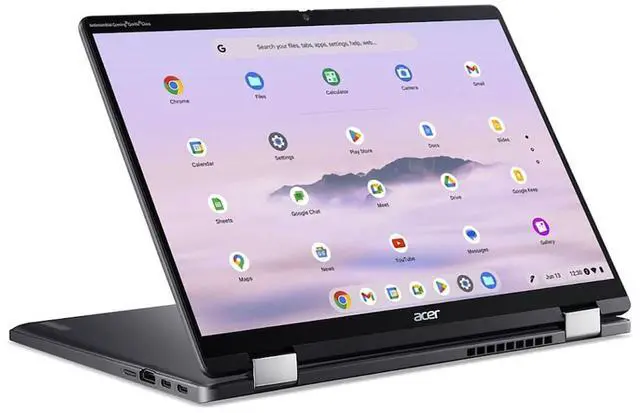
- Flipping it into tent, stand, or tablet mode works well for handwritten notes, markup, presentations, and casual couch use, especially for people who want a Chromebook that is easier to use away from a desk.
- For frequent Zoom or Google Meet use, the webcam and ChromeOS collaboration features make it a practical remote-work machine, though it is better for calls and shared documents than for heavier creator workflows.
- Streaming video, web reading, and Android app use are a comfortable fit thanks to the 14-inch 16:10 touchscreen and convertible design, but users who care a lot about speaker quality may want headphones or external audio.
- It suits buyers who want a more premium Chromebook experience for everyday productivity, but community reports suggest some users notice fan noise more than expected, so it may feel less ideal in very quiet environments.
Spec Summary
| Attribute | Value |
|---|---|
| Best For | Users who want a portable 14" convertible ChromeOS laptop for productivity and touch/stylus workflows — 2-in-1 touchscreen with stylus support, 16 GB RAM and 256 GB SSD for multitasking and everyday apps, and modern wireless connectivity (Wi‑Fi 7) |
| Processor And Core Count | Intel Core Ultra 7 155U (Intel Core Ultra 7 series), up to 4.8 GHz; processor count reported as 12 |
| GPU And VRAM | Integrated Intel graphics (integrated video processor; no discrete GPU specified) |
| Display Spec | 14.0" WUXGA (1920 x 1200) IPS touchscreen, 60 Hz refresh, up to 340 nits brightness, 100% sRGB color gamut |
| Memory Configuration | 16 GB DDR5 system memory (DDR5-6400) installed; reported maximum 16 GB |
| Storage And Expansion | 256 GB PCIe M.2 SSD (solid-state storage, M.2 form factor, PCIe interface) |
| High Speed I O | Two USB Type-C ports (supporting Thunderbolt 4, USB charging and 65 W DC-in), one USB 3.2 Gen 1 Type-A, total 3 USB ports, HDMI x1, audio output support and built-in speakers |
| Wired And Wireless Networking | Wi‑Fi 7 (802.11be) wireless LAN and Bluetooth 5.3 |
| Battery And Power | 50 Wh lithium‑ion battery (installed), rated up to 10 hours; single battery/cell configuration and supports 65 W USB-C power delivery |
| Webcam And Privacy | Front webcam present and biometric fingerprint reader for device access |
| Keyboard And Control | Backlit keyboard with OceanGlass touchpad, touchscreen input and stylus support; active stylus included in package contents |
| Audio Setup | Built-in speakers with headphone/audio output support and audio recording capability |
| Portability | Convertible 2-in-1 design, weight ~3.21 lb for on-the-go use |
| External Display And Docking Fit | Supports external displays via HDMI and Thunderbolt 4 over USB-C (works with docks and USB-C/Thunderbolt monitors) |
| Model Identifiers | Acer Chromebook Plus Spin 714 — Model CPE794-1N-781F / CPE794-1N, Part Number NX.JHLAA.002, Manufacturer Acer |
Reference Q&A
Q: Should I buy the Acer Chromebook Plus Spin 714 or the Lenovo Flex 5i Chromebook Plus?
A: Choose the Acer Chromebook Plus Spin 714 if you want a more premium 2-in-1 Chromebook with newer Intel Core Ultra platform options, Thunderbolt 4 support, an included stylus on this configuration, and stronger positioning for multitasking, video calls, and pen input. Choose the Lenovo Flex 5i Chromebook Plus if lower upfront cost matters more and your workload is mainly browsing, documents, and schoolwork. The main trade-off is that the Acer model is positioned as the more feature-rich convertible, while the Lenovo is usually the value-oriented alternative.
Q: Is the Core Ultra 7 Acer Chromebook Plus Spin 714 worth it over an 8GB or lower-tier Chromebook Plus model?
A: The Core Ultra 7 and 16GB version makes more sense if you keep many tabs open, use Linux apps, run heavier web apps, or want more headroom for AI-assisted ChromeOS features over time. A lower-tier Chromebook Plus model with 8GB RAM is usually enough for everyday browsing, streaming, email, and office work. The practical trade-off is capacity and longevity versus price, not basic usability, because standard Chromebook Plus models already meet Google's higher baseline requirements.
Q: How does the Acer Chromebook Plus Spin 714 compare with the previous Spin 714 generation?
A: Buy the newer Chromebook Plus Spin 714 if you want the updated Core Ultra platform and the Chromebook Plus-era feature set in the same premium 14-inch convertible design. Earlier Spin 714 models still make sense if you find them at a meaningful discount and mainly want strong ChromeOS performance without paying for the latest platform. The trade-off is simple: the newer model is the cleaner long-term buy, while the older model can still be a practical value option.
Q: Is the Acer Chromebook Plus Spin 714 a better choice than a fanless or battery-first Chromebook Plus model?
A: Choose the Acer Chromebook Plus Spin 714 if you want a more performance-oriented convertible with stronger connectivity, active pen support, and a premium build for mixed work and creative use. Choose a battery-first Chromebook Plus model if your priority is longer unplugged use, lighter weight, or simpler lap-and-travel use. The trade-off is that the Acer focuses more on versatility and performance, while some non-convertible or ARM-based alternatives emphasize endurance and efficiency.
Q: Should I get the Acer Chromebook Plus Spin 714 for portability or buy a larger Chromebook for desk use?
A: Get the Acer Chromebook Plus Spin 714 if you want a travel-friendly 14-inch Chromebook that can switch between laptop, tent, stand, and tablet modes without giving up full-size ports. A larger clamshell Chromebook makes more sense if you mostly work at a desk and value screen size over flexibility. The trade-off is mobility and convertible usefulness versus a larger viewing area.
Q: Is this a good Chromebook for travel, office work, and video meetings?
A: Yes, it fits that use case well. A 14-inch 1920 x 1200 touchscreen, 3.21 lb carry weight, up to 10 hours of battery life, Wi-Fi 7, a webcam, and two USB-C/Thunderbolt 4 ports make it practical for commuting, remote work, and meetings. The main trade-off is platform limits: it is strong for browser-based work, Google Workspace, web Microsoft 365, and light Linux use, but it is not the right choice if you need full Windows desktop software.
Q: Is it good for note-taking, handwriting, and tablet-style use?
A: Yes, this model is a strong fit for note-taking. It is a 2-in-1 touchscreen Chromebook and the provided product data says an active stylus is included in the box, which makes it more ready for handwritten notes than some comparable Spin 714 retail versions that require a separate pen. The trade-off is that pen support is best for ChromeOS and web apps; some Linux app workflows can be less ideal for advanced pen input.
Q: Can it run Microsoft Office or other regular laptop apps?
A: It can handle Microsoft 365 in the browser and supports Android apps and Linux apps, so it covers many school and office tasks. It is a good fit if your workflow is mainly web-based, Google Workspace, remote meetings, cloud tools, and some Linux utilities. It is a weaker fit if you specifically need native Windows desktop programs or heavy local creative software.
Q: Who is this Chromebook best suited for?
A: It is best suited for buyers who want a premium Chromebook for multitasking, research, writing, meetings, note-taking, and cloud-first productivity. This specific configuration is especially strong for users who want more headroom than typical Chromebooks because it combines a Core Ultra 7 processor with 16 GB RAM and 256 GB SSD storage. It is less suitable for buyers who need Windows-specific software, large local game libraries, or workstation-class media production.
Q: What are the main trade-offs versus another Chromebook Plus laptop?
A: The main advantage of this model is versatility: it is a 2-in-1 with touchscreen support, strong ports, and included stylus support in this configuration. Compared with simpler clamshell Chromebook Plus models, it is usually the better choice for annotations, presentations, mixed work-and-tablet use, and heavier multitasking. The trade-offs are that it is heavier than very light clamshell alternatives, battery life is good rather than class-leading, and ChromeOS still favors web and cloud workflows over traditional desktop software.
Q: Is the Acer Chromebook Plus Spin 714 a good fit for work, school, and everyday multitasking?
A: Yes for users who want a premium Chromebook for web-based work, school tasks, video calls, and heavy multitasking. This configuration has an Intel Core Ultra 7 155U, 16GB of RAM, and a 256GB SSD, which is stronger than typical Chromebook hardware. It is a better fit for people who keep many tabs and apps open than for buyers who only need a basic low-cost Chromebook.
Q: Is it good for note-taking and school use?
A: Yes, if you specifically want a 2-in-1 Chromebook with pen support. This model has a 14-inch touchscreen, convertible design, and includes an active stylus in the box, which makes it suitable for handwritten notes, annotation, and classroom use. It is a stronger choice for note-taking than a standard clamshell Chromebook, but ChromeOS app limitations still matter if you rely on specific desktop software.
Q: What are the main trade-offs of buying this model?
A: The main trade-offs are price and ChromeOS limits. The hardware is high-end for a Chromebook, but buyers should still expect ChromeOS behavior, web-first workflows, and possible app compatibility gaps versus Windows laptops. It is also heavier than ultra-light Chromebook options at 3.21 lb, so the stronger performance and convertible design come with some portability trade-off.
Q: Is it worth buying over a cheaper Chromebook?
A: It is worth paying more only if you will use the extra performance, memory, convertible touchscreen, and stylus. This model is positioned more like a premium productivity Chromebook than a budget option. If your needs are mostly browsing, streaming, and light documents, a cheaper Chromebook may offer better value.
Q: Who should avoid this Chromebook?
A: Buyers who need Windows-only or macOS-only software, maximum battery endurance, or the lightest travel laptop should look elsewhere. This model makes the most sense for users who specifically want ChromeOS, a 2-in-1 form factor, and stronger-than-average Chromebook performance.