




STREAM AND RECORD YOUR CONSOLE GAMEPLAY IN STUNNING FULL HD 1080P 60FPS or 4k 30FPS QUALITY.
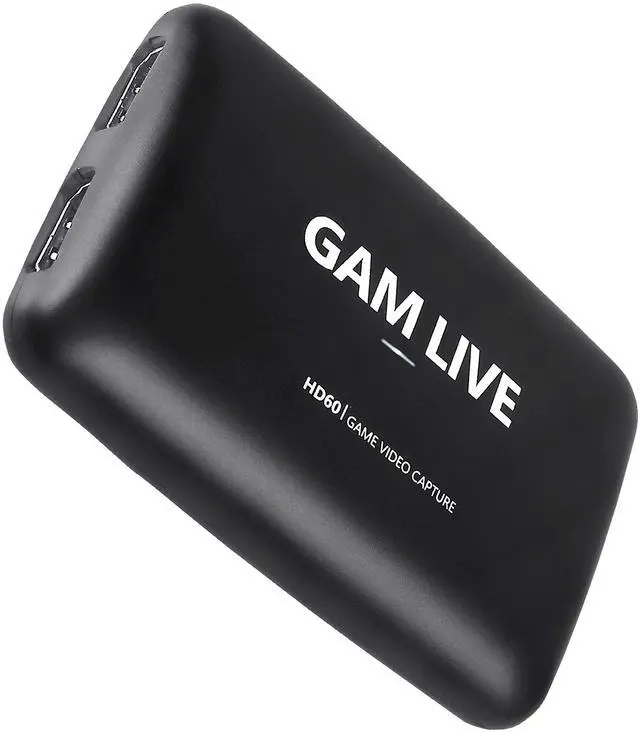
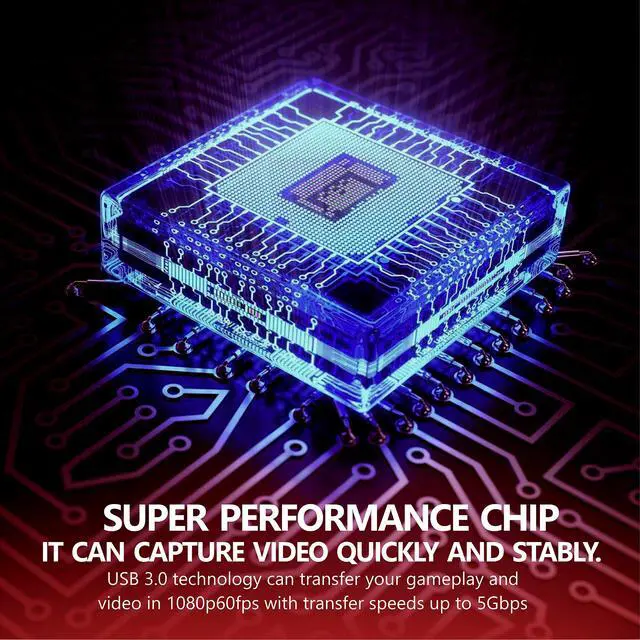
UCEC USB3.0 capture card supports 4K30 input (4K30 pass-through) and captures in 1080p60fps resolution. It also support 4k30fps resolution.
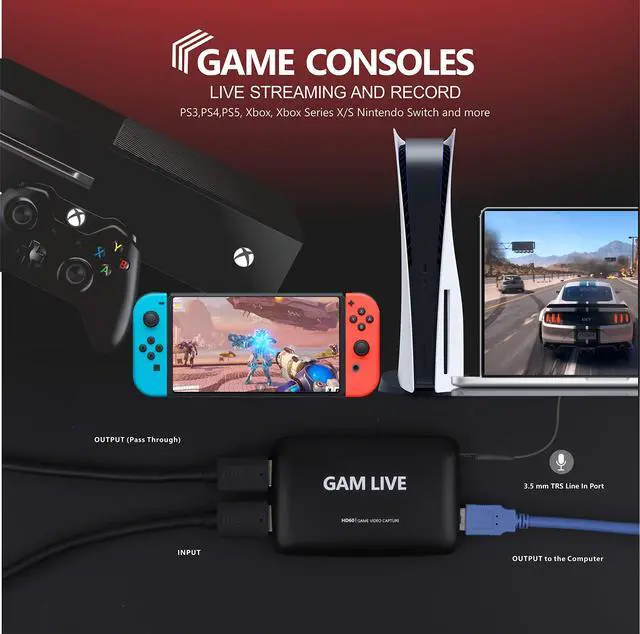
Superb quality keeps your streaming and recording more professional. This game capture card works flawlessly with most HDMI devices, such as PS5, PS4, PS3, Xbox Series X, Xbox One, Xbox 360, Wii U, Nintendo Switch, Nintendo 3DS, HDMI Camera, TV Box, etc. And DSLR to Webcam Solution, Camera Live Broadcast Capture.
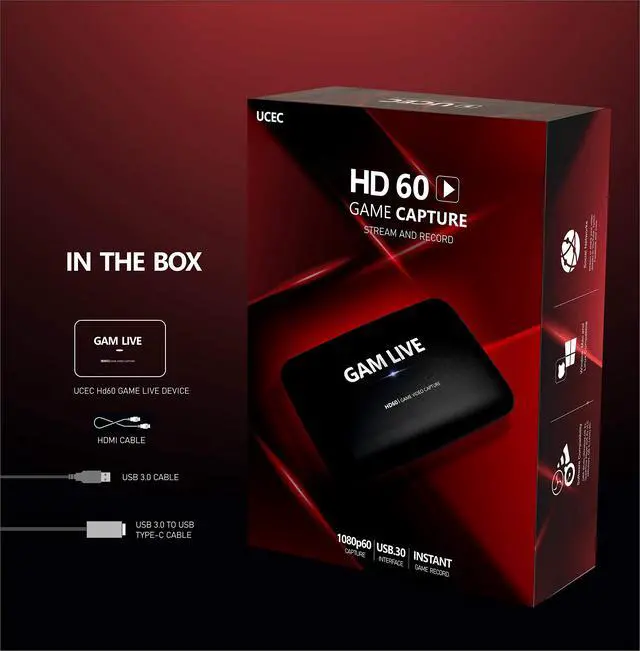
Package Included:
1 * USB 3.0 HD60 Capture Card
1 * USB 3.0 Cable
1 * USB 3.0 Type-C Cable
1 * HDMI Cable
1 * User Manual
Note: Check your computer system parameter supports the capture card's minimum requirement. It is very important for it.


- Supports 4K30 HDMI input, and 4K30 pass-through and capture . It also support 1080p120fps capture.
- The LINE IN port(UPDATED VERSION) can add external voice. It only supports 3.5mm TRS standard input.
- it supports party chat. You need to buy an adapter for party chat to work
- UVC standard, manual driver installation is not needed.
- Supports most of trird party video capture softwares.
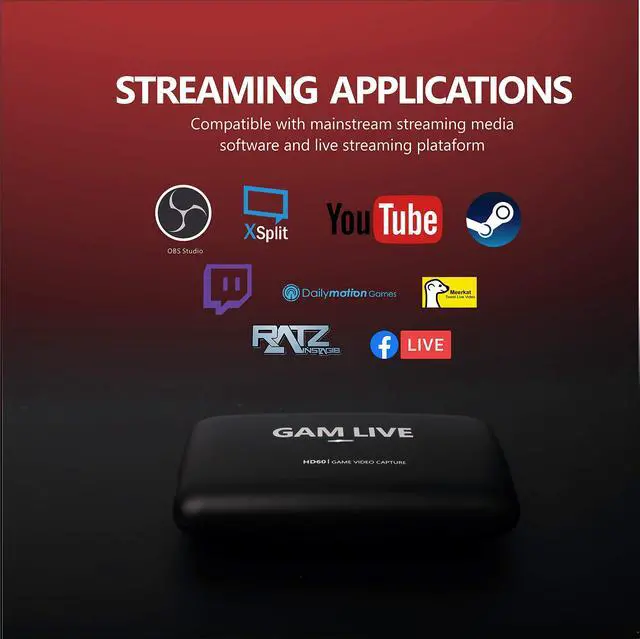
- Live Streaming for Twitch, Youtube and more Live streaming platform
- Output Video Format: YUY2, NV12, RGB

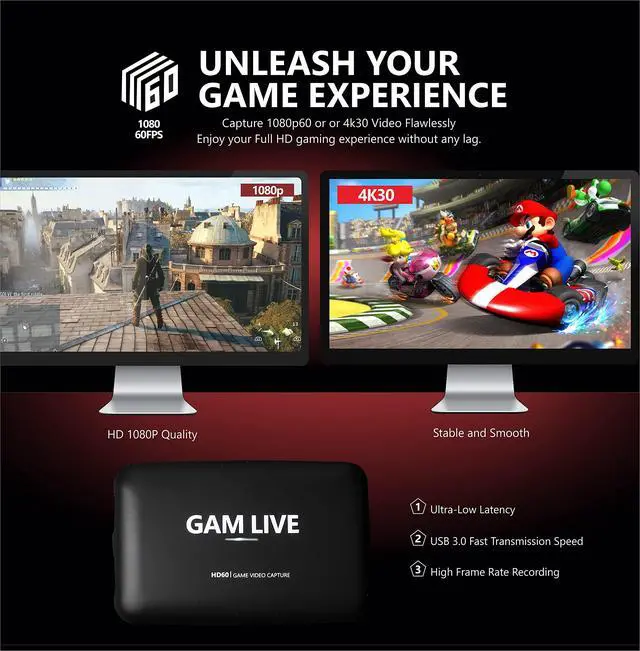
ENJOY YOUR FULL HD GAMING EXPERIENCE WITHOUT ANY LAG.
4k Capture card. There is zero latency when using the HDMI loop-out port, it provides you with an extreme experience when you are making a game live streaming with the game consoles.
FAQ:
NO VIDEO
1. First, check the“UCEC HD Video Capture” if it shows in Device Manager. Then, uninstall “UCEC HD Video Capture” In Device Manager. Second, replug the GAM LIVE into computer and game consoles. If you used other video capture cards, you also need to uninstall their drivers. Then, choose the correct device name and resolution in OBS.
2. Our GAM LIVE ONLY supports 4K30 video source input. If your video source(game console) is 4K60, you need to set it to 4k30. Then, you can choose 4k30 resolution.
3. You need to turn off the HDCP option in Game consoles.
4. Use another USB 3.0 cable and HDMI cable to test.
AUDIO ISSUE
Our GAM LIVE has a 3.5 TRS Line In port(not mic port), so this capture card is not able to capture your voice.
1. IF you don't use the Line in port function, the game sound also will be automatically recorded.
2. IF you want to capture your voice, you need a microphone and create a sound input to capture and match your microphone. Steps: Game Consoles - GAM LIVE - Use a Mic cable to connect the Mic port of the computer - add “Audio Input Capture” in OBS. Then, double click “Audio Input Capture” and choose “Microphone Realtek High Definition Audio”.
3. IF you want to capture party chat, you need to use a chat link adapter for party chat to work. Plugs directly into your compatible gaming controller.
4. You can try to adjust the audio output modes/device of the "Audio" option on your computer.

High Frame Rate Recording
1080p60fps or 1080p120fps Capture card. Support crystal clear 1080P resolution at 60/120 fps and Vibrant smooth picture.

Widely Application
Connect your DSLR, camcorder, or action cam to your PC or Mac. This HDMI video capture device is ideal for game live streaming, video recording, live broadcast, video conference, monitoring room and more.

Stream and share with your favorite app
Optimized for professional quality video streaming on social gaming and entertainment sites like Twitch, YouTube and Facebook Live.
SPECIFICATION & HARDWARE REQUIREMENTS---
 MultiOne Mini |  GAM LIVE |  GAM LIVE PRO |  GAM LIVE ULTRA | |
|---|---|---|---|---|
| Customer Reviews | — | — | — | — |
| Price | — no data | — | — no data | — no data |
| INTERFACE | USB 3.0 | USB 3.0 | USB 3.0 | Type-C USB3.1 Gen1 |
| MAX. CAPTURE RESOLUTION | 1080p60 | 4k30 | 1080p60 | 4K30 |
| MAX. PASS-THROUGH RESOLUTION | 1080p60 | 4k30 | 4KP60 HDR | 4KP60 HDR |
| 120FPS CAPTURE | x | ? | x | ? |
| RGB FORMAT RECORDING | x | ? | x | ? |
| WORKS BEST WITH | PS5/PS4, Xbox One/Series X/S, Switch | PS5, PS4, Xbox Series X, Xbox One, Xbox 360, Nintendo Switch | PS5/PS4, Xbox One/Series X/S, Switch | PS5/PS4, Xbox One/Series X/S, Switch |

Our story
How we got our start
Since 2015, UCEC has been fully engaged in the development and production of video & game capture cards.What makes our product unique
We always uphold the concept of "Experience first" and always adhere to quality first. It's safe to say that UCEC is designed for the perfect game experience.Why we love what we do
Our dream is to let more players enjoy the ultimate game experience, feel the power of the top technology.STREAM AND RECORD YOUR CONSOLE GAMEPLAY IN STUNNING FULL HD 1080P 60FPS or 4k 30FPS QUALITY.
UCEC USB3.0 capture card supports 4K30 input (4K30 pass-through) and captures in 1080p60fps resolution. It also support 4k30fps resolution.
Superb quality keeps your streaming and recording more professional. This game capture card works flawlessly with most HDMI devices, such as PS5, PS4, PS3, Xbox Series X, Xbox One, Xbox 360, Wii U, Nintendo Switch, Nintendo 3DS, HDMI Camera, TV Box, etc. And DSLR to Webcam Solution, Camera Live Broadcast Capture.
Package Included:
1 * USB 3.0 HD60 Capture Card
1 * USB 3.0 Cable
1 * USB 3.0 Type-C Cable
1 * HDMI Cable
1 * User Manual
Note: Check your computer system parameter supports the capture card's minimum requirement. It is very important for it.
- Supports 4K30 HDMI input, and 4K30 pass-through and capture . It also support 1080p120fps capture.
- The LINE IN port(UPDATED VERSION) can add external voice. It only supports 3.5mm TRS standard input.
- it supports party chat. You need to buy an adapter for party chat to work
- UVC standard, manual driver installation is not needed.
- Supports most of trird party video capture softwares.
- Live Streaming for Twitch, Youtube and more Live streaming platform
- Output Video Format: YUY2, NV12, RGB
ENJOY YOUR FULL HD GAMING EXPERIENCE WITHOUT ANY LAG.
4k Capture card. There is zero latency when using the HDMI loop-out port, it provides you with an extreme experience when you are making a game live streaming with the game consoles.
FAQ:
NO VIDEO
1. First, check the“UCEC HD Video Capture” if it shows in Device Manager. Then, uninstall “UCEC HD Video Capture” In Device Manager. Second, replug the GAM LIVE into computer and game consoles. If you used other video capture cards, you also need to uninstall their drivers. Then, choose the correct device name and resolution in OBS.
2. Our GAM LIVE ONLY supports 4K30 video source input. If your video source(game console) is 4K60, you need to set it to 4k30. Then, you can choose 4k30 resolution.
3. You need to turn off the HDCP option in Game consoles.
4. Use another USB 3.0 cable and HDMI cable to test.
AUDIO ISSUE
Our GAM LIVE has a 3.5 TRS Line In port(not mic port), so this capture card is not able to capture your voice.
1. IF you don't use the Line in port function, the game sound also will be automatically recorded.
2. IF you want to capture your voice, you need a microphone and create a sound input to capture and match your microphone. Steps: Game Consoles - GAM LIVE - Use a Mic cable to connect the Mic port of the computer - add “Audio Input Capture” in OBS. Then, double click “Audio Input Capture” and choose “Microphone Realtek High Definition Audio”.
3. IF you want to capture party chat, you need to use a chat link adapter for party chat to work. Plugs directly into your compatible gaming controller.
4. You can try to adjust the audio output modes/device of the "Audio" option on your computer.
High Frame Rate Recording
1080p60fps or 1080p120fps Capture card. Support crystal clear 1080P resolution at 60/120 fps and Vibrant smooth picture.
Widely Application
Connect your DSLR, camcorder, or action cam to your PC or Mac. This HDMI video capture device is ideal for game live streaming, video recording, live broadcast, video conference, monitoring room and more.
Stream and share with your favorite app
Optimized for professional quality video streaming on social gaming and entertainment sites like Twitch, YouTube and Facebook Live.
SPECIFICATION & HARDWARE REQUIREMENTS---
| Interface: | USB3.0,*300-500MB/s |
| Video and Audio Input: | HDMI and 3.5mm TRS LINE IN Port (UPDATED VERSION). it supports party chat. You need to buy an adapter for party chat to work |
| Input Resolution: | 4K(30fps); 1920 x 1080 (60p); 1920 x 1080 (50p); 1920 x 1080 (30p); 1920 x 1080 (25p); 1920 x 1080 (24p); 1920 x 1080 (60i); 1920 x 1080 (50i); 1280 x 720p(60p); 1280 x 720p (50p); 720 x 576 (50p); 720 x 480 (60p); |
| Capture Resolution: | 4K(30p); 1080p120fps; 1920 x 1080 (60p); 1920 x 1080 (50p); 1920 x 1080 (30p); 1920 x 1080 (25p); 1920 x 1080 (24p); 1920 x 1080 (60i); 1920 x 1080 (50i); 1280 x 720p(60p); 1280 x 720p (50p); 720 x 576 (50p); 720 x 480 (60p); |
| LED status indicator: | Will be on while USB3.0 cable is connected with computer. |
| Software Compatibility: | OBS Studio (windows,OS X); VLC (Windows, OS X, Linux); Potplayer(Windows); Windows Media Encoder (Windows); Adobe Flash Media Live -Encoder (Windows, OS X); Real Producer Plus (Windows); QuickTime Broadcaster (OS X); QuickTime Player (OS X); Wirecast (Windows,OS X); vMix(Windows), etc. |
| interface compatibility: | DirectShow (Windows), DirectSound (Windows),V4L2 (Linux), ALSA (Linux) OS X (QuickTime). |
| System Requirement: | Windows 7,8,10, OS X 10.9 or later, Linux, Android. Higher resolution needs higher hardware requirements. |
| PC: | Intel Core i5-3400 + NVIDIA GT630 or above. HIGHER-RESOLUTION RECOMMENDATION: Intel Core i7-3770 recommended, NVIDIA GeForce GTX 650 / AMD Radeon R7 250X or above, 4 GB RAM. Or Intel Core i5-6XXX / AMD, Ryzen 3 XXX or above, NVIDIA GTX 1060 / AMD RX 5700 or above, 8 GB RAM. |
| Mac: | i5 quad-core or above, VGA card supporting DirectX 10, Sound card, 4GB RAM or more. HIGHER-RESOLUTION RECOMMENDATION: Intel Core i7, Radeon Pro 555X with 2GB of GDDR5 memory, 16GB of 2400MHz DDR4 memory. Or 2.6GHz 6-core Intel Core i7, Radeon Pro 560X with 4GB of GDDR5 memory or above, 16GB of 2400MHz DDR4 memory. |
| Notebook: | Intel Core i7-3537U 2.0 GHz + NVIDIA GT735 or above. HIGHER-RESOLUTION RECOMMENDATION: Intel Core i7-4810MQ, NVIDIA GeForce GTX 870M or above, 8 GB RAM. Or Intel Core i7-7700HQ or above, NVIDIA GeForce GTX1050 Ti or above, 8 GB RAM. |
| MAX. PASS-THROUGH RESOLUTION | 4K30 |
| Output Video Format: | YUY2, NV12, RGB ; Such as 3840*2160: NV12/30; 2560*1440: NV12/60, YUY/50; 1920*1080: NV12/120, YUY/60, XRGB/30; 1280*720: NV12/60, YUY/60, XRGB/60. |
MultiOne Mini | GAM LIVE | GAM LIVE PRO | GAM LIVE ULTRA | |
|---|---|---|---|---|
| Customer Reviews | — | — | — | — |
| Price | — no data | — | — no data | — no data |
| INTERFACE | USB 3.0 | USB 3.0 | USB 3.0 | Type-C USB3.1 Gen1 |
| MAX. CAPTURE RESOLUTION | 1080p60 | 4k30 | 1080p60 | 4K30 |
| MAX. PASS-THROUGH RESOLUTION | 1080p60 | 4k30 | 4KP60 HDR | 4KP60 HDR |
| 120FPS CAPTURE | x | ? | x | ? |
| RGB FORMAT RECORDING | x | ? | x | ? |
| WORKS BEST WITH | PS5/PS4, Xbox One/Series X/S, Switch | PS5, PS4, Xbox Series X, Xbox One, Xbox 360, Nintendo Switch | PS5/PS4, Xbox One/Series X/S, Switch | PS5/PS4, Xbox One/Series X/S, Switch |
