

Your Browsing History
- Free 30-day Returns
$18.39
Ships from China.


Meet Your Seller

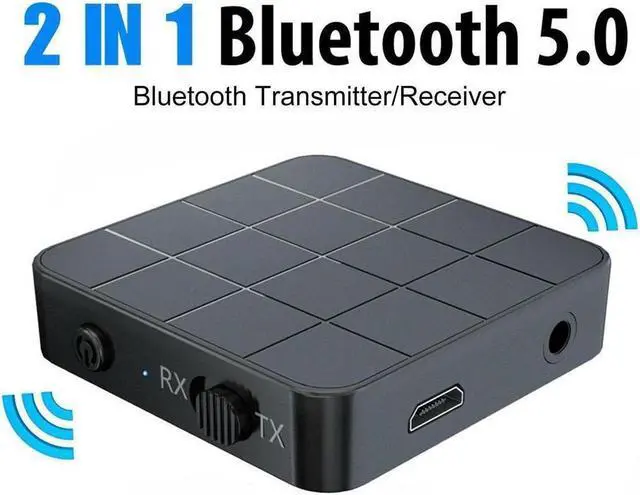
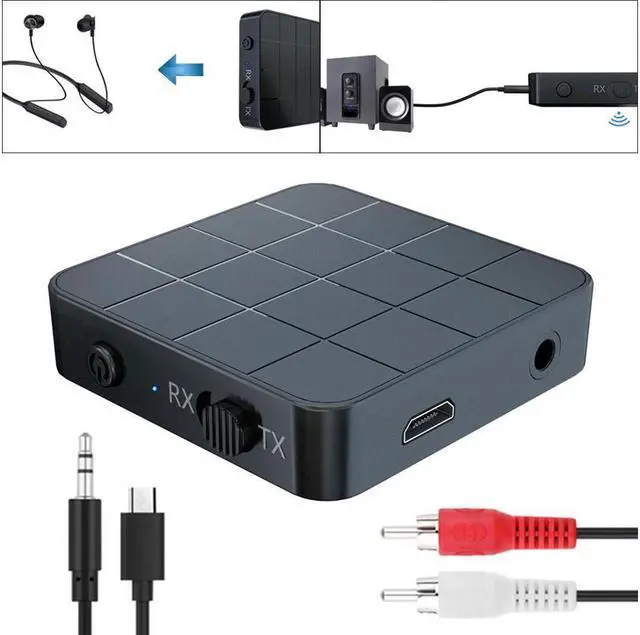


2 IN 1 Bluetooth 5.0 Transmitter Receiver Wireless Audio Aux 3.5mm Adapter For TV Computer Speaker Car Stereo 3.5mm AUX Jack RCA Adapter
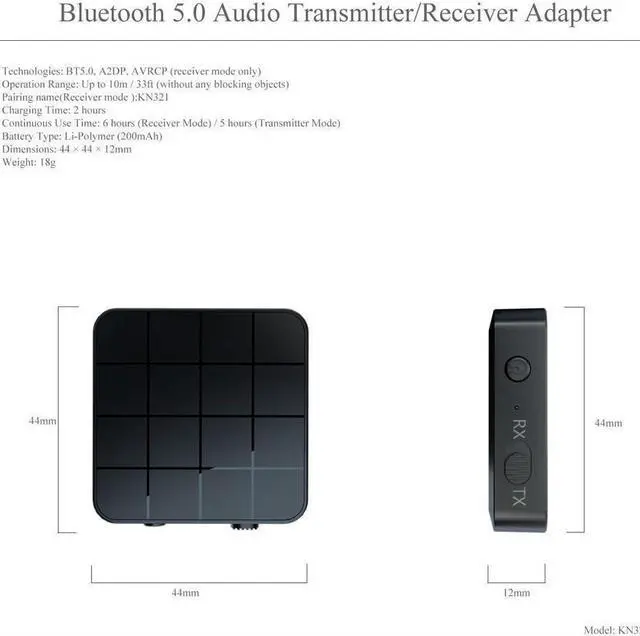
- 1, Super-Portable Audio-Streaming Power: The KN321 is just 44mm 1.73 across and weighs only 18g 0.63oz, but has got powerful wireless audio streaming capabilities. Slip this transmitter/receiver into your backpack or laptop bag and take it on-the-go without the slightest effort.
- 2, Shutdown: Press and hold the power on/off button until the LED is off
- 3, Plug one end of the audio cable into the audio output of the devices and the other end into the audio of the KN321.
+
+
Overview
Specs
Reviews

Any questions? Our AI beta will help you find out quickly.
Try me now
Specifications
Technologies: BT 5.0, A2DP, AVRCP (receiver mode only);
Operation Range: Up to 10m / 33ft (without any blocking objects);
Charging Time: 2 hours;
Battery Type: Li-Polymer (200mAh).
Feature:
1. This extremely portable, lightweight wireless audio transmitter & receiver is an ideal wireless audio solution for a wide range of situations and uses;
2.
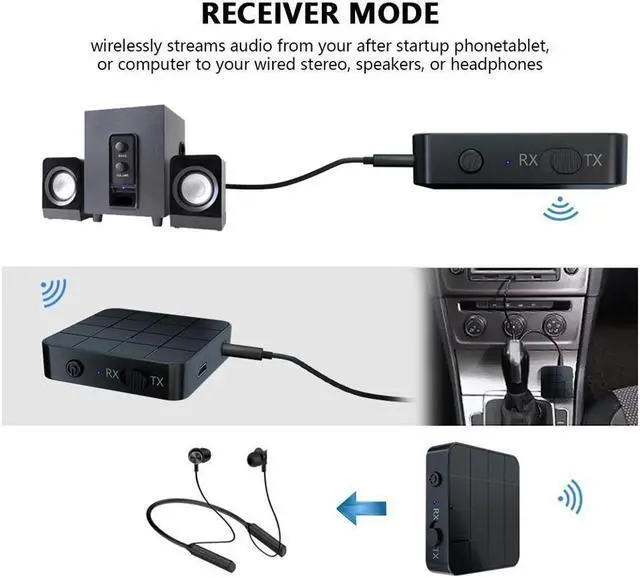
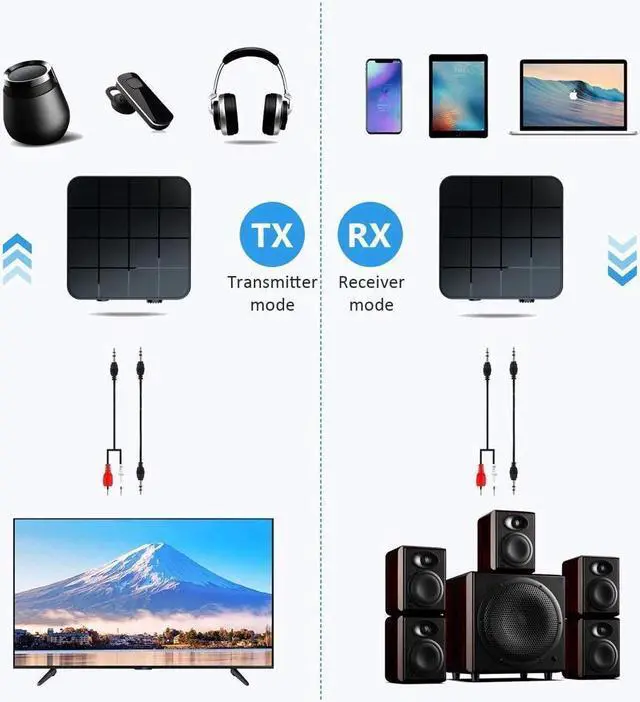
Transmitter mode: wirelessly streams audio from your non-Bluetooth TV, home stereo system, or CD player to your Bluetooth headphones or speakers;
3.
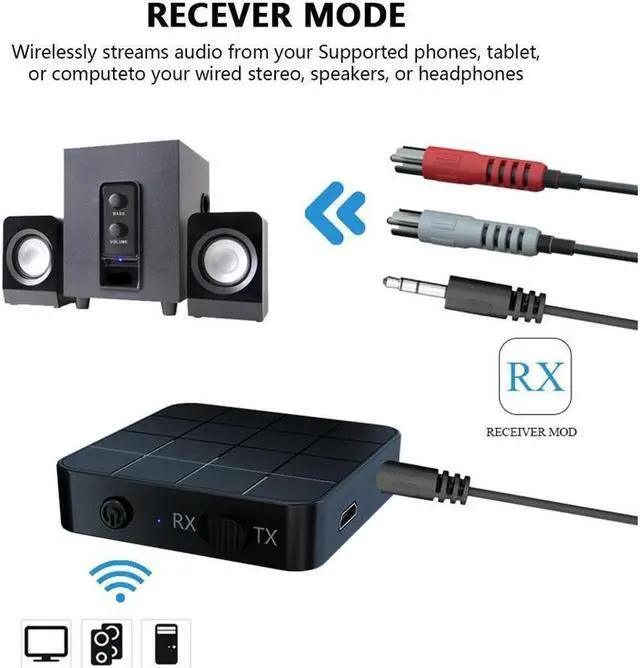
Receiver mode: wirelessly streams audio from your Bluetooth-enabled phone, tablet, or computer to your wired stereo, speakers, or headphones;
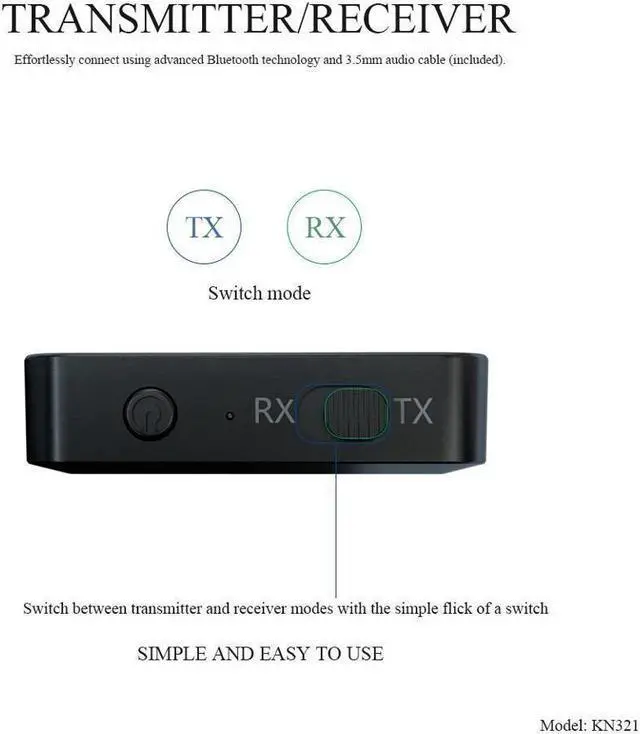
4. Switch between transmitter and receiver modes with the simple flick of a switch. Effortlessly connect using advanced Bluetooth technology and 3.5 mm audio cable (included).
5. Super-Portable Audio-Streaming Power;
6.
Broad Compatibility: With the included 3.5 mm cable and 3.5 mm to 2RCA cable, this Receiver Transmitter adapter can widely be used on your computer, laptop, home stereo system, headphone, smartphone, Mp3 player, CD player, etc.
Power on
Press and hold the power on/off button until the LED lights u
Shutdown
Press and hold the power on/off button until the LED is off
Charging
Use the DC-5V charger and micro usb charging cable. The red light is on during charging. When the battery is fully charged, the blue light is on.
Switch mode:
1) RX: Receive mode, indicator: blue LED
2) TX: Transmit mode, indicator light: red LED
RX mode:
Pairing name: KN321, find KN321 in the Bluetooth settings of the phone to pair. The blue light flashes twice a second during the pairing process, and the blue light flashes once every three seconds after the pairing is successful.
how to use:
1) Plug one end of the audio cable into the audio input of the speaker and the other end into the audio of the KN321
2) confirm that it is in RX mode (blue light flash). Find the pairing name in the
Bluetooth settings of the phone: KN321 click to pair.
TX mode:
TX mode will automatically search for other Bluetooth receiving devices (such as Bluetooth headset, Bluetooth speaker, Bluetooth receiver, etc. ), The red light flashes twice a second during the pairing process, and the red light flashes once every three seconds after the pairing is successful.
How to use:
1) Plug one end of the audio cable into the audio output of the devices and the other end into the audio of the KN321.
2) Confirm that it is in TX mode (red light flash). The KN321 will automatically search for Bluetooth headset or Bluetooth speaker pairing.
Warranty & Returns
Warranty, Returns, And Additional Information
Warranty
- Please contact the Seller directly for warranty information. Warranty information may also be found on the Manufacturer's website.
- CONTACT
Return Policies
- Return for refund within: 30 days
- Return for replacement within: 30 days
- This item is covered by Haikou Commerce Return Policy
Manufacturer Contact Info
- For a directory of all our manufacturers, please click below.
- Manufacturers Directory
LOADING...
LOADING...