


Pre-order
  • $119.99
  • Low Price Guarantee
  • Free 30-day Returns
Release Date: 4/30/2026.
Price alert
Add to wish list(Found on 6 wish lists)
Shop it at NeweggBusiness.

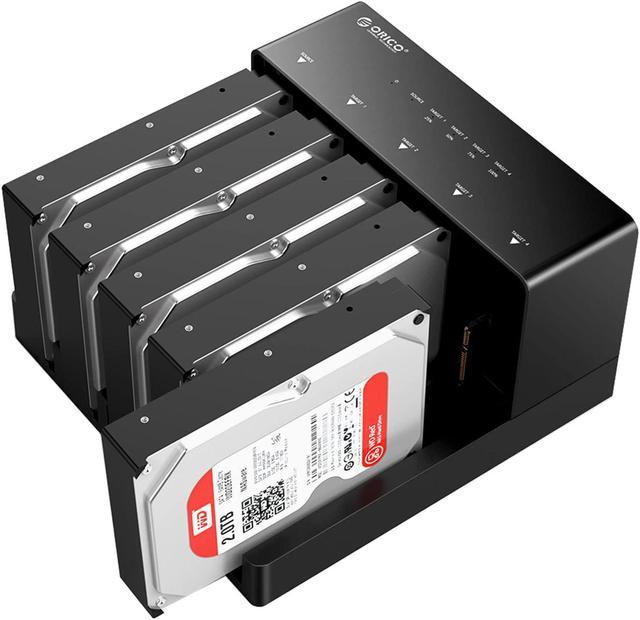
ORICO USB 3.0 5 Bay Hard Drive Docking Station with Offline Cloning for 2.5/3.5 SATA HDD SSDs Max Up to 90TB Plug and Play Flat-Down-6558US3-C

  • Single HDD
  • Dual HDD
  • No
  • 1|USB 3.0 3.5"|1 Bay USB 3.0
  • 2|USB 3.0 3.5"|2 Bay
  • 5 Bay|USB 3.0 3.5"|5 Bay
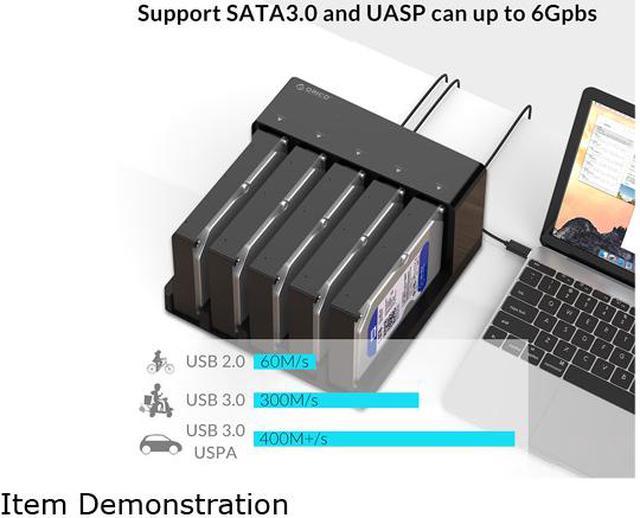
  • 5Gbps Transfer Speed.
  • Up to 90TB Expansion.
  • Offline Clone.
  • Easy to Install&Heat Dissipation.
  • Wide Compacity.
+
+
Overview
Specs
Reviews (216)
See all Q & A
avatar

Any questions? Our AI beta will help you find out quickly.

ORICO
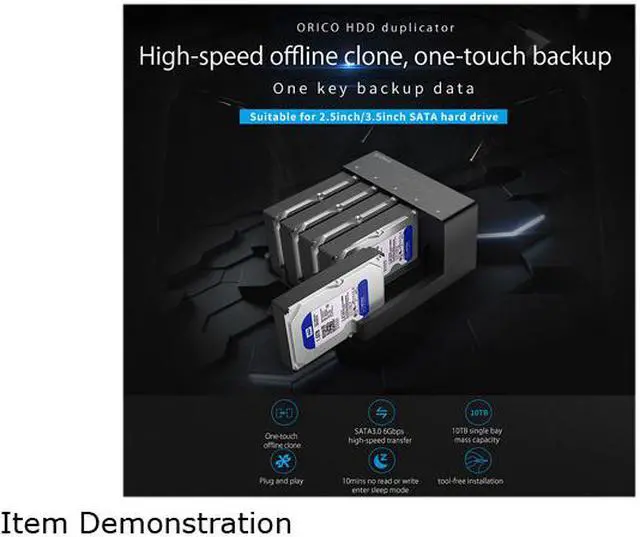
ORICO HDD Duplicator

High-speed offline clone, one-touch backup

ORICO
Multi-function HDD Duplicator
ORICO
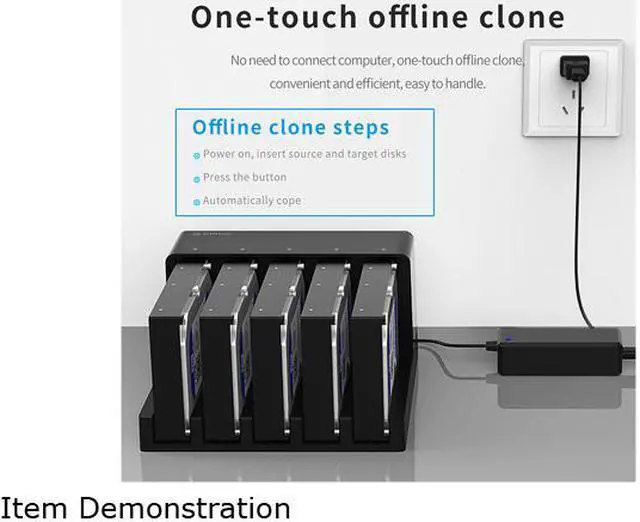
One-touch Offline Clone

No need to connect computer, one-touch offline clone, convenient and efficient, easy to handle.

ORICO
Smart Sleep Function power-saving and Protective

10mins without reading or writing, it will enter sleep mode automatically, saving energy and prolonging lifespan.

ORICO
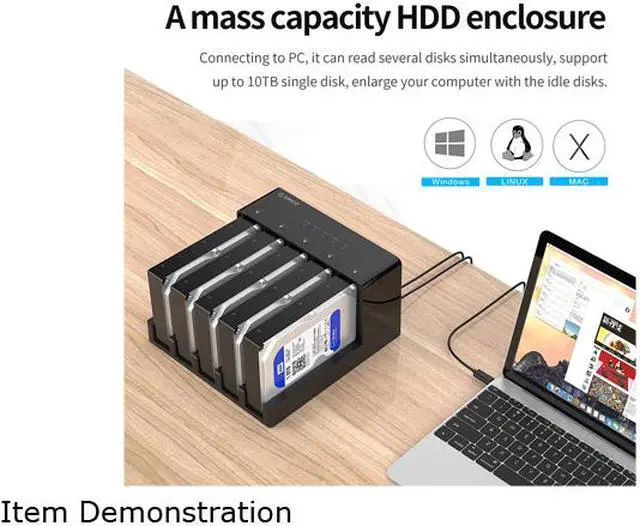
Mass Storage Support to 50TB Max

Connecting to PC, it can read several disks simultaneously, support up to 10TB single disk, enlarge your computer with the idle disks.

ORICO
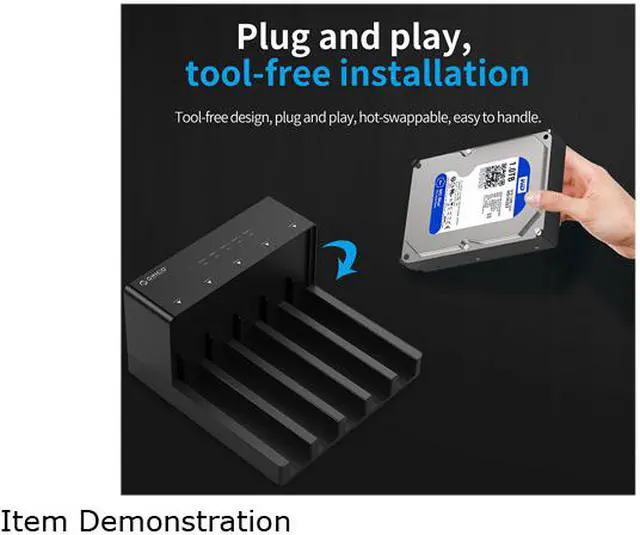
Plug and Play Tool-free Installation

Tool-free design, plug and play, hot-swappable, easy to handle.

ORICO
Support SATA Interface Drives

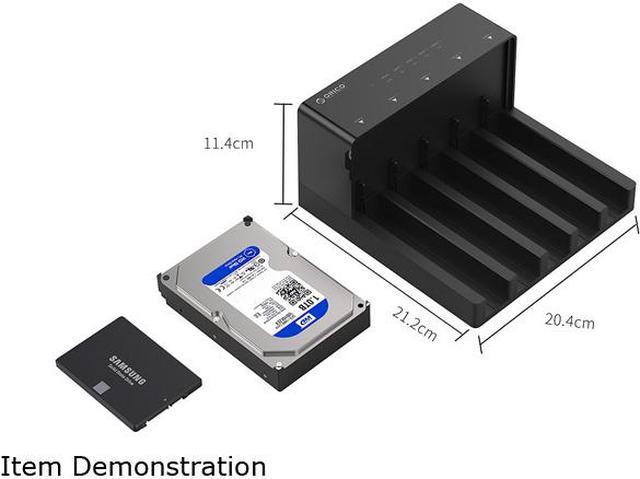
Applicable to 2.5 inch/3.5 inch SATA interface hard drives

ORICO
External Film Library

You can connect the duplicator to smart TV,HD player, Tmall box and other media devices for smooth playing and enjoy large screen videos.

ORICO
Vertical Opening Heat-dissipation

Vertical opening design, easy to dismount, good heat-dissipation performance. It adopts high quality ABS material, solid and durable, matte surface process, elegant and delicate.

ORICO
Two specifications are available to you
ORICO
Please note when offline Cloning

1. The target disk capacity is greater than the source disk.

2. Confirm the order of source disk and target disk, and export or backup the original data of target disk.

3. Do not connect the USB cable to the computer when copying offline.

Product Specification
Product model 6528US3-C 6558US3-C
Image image for this item image for this item
Material High strength engineering materials High strength engineering materials
Colors Black Black
Data Cable USB Type-A/M to USB Type-B/M, 1M USB Type-A/M to USB Type-B/M, 1M
Size 212mm(L)*114mm(W)*90mm(H) 212mm(L)*204mm(W)*114mm(H)
Scheme JMS561U JMS567+JMB391
Capacity 10TB for Single Disk,20TB Max 10TB for Single Disk, 50TB Max
Power Supply 12V4A 12V6.5A
About this item
  1. 5Gbps Transfer Speed- USB 3.0 hard drive dock boasts transfer speeds up to 230MB/s for quick file transfers and a more efficient workflow, saving more time on critical tasks; 20% faster than the traditional USB 3.0; Backward compatible with USB 2.0 and USB 1.1
  2. Up to 90TB Expansion- ORICO 6558US3 3.5 hard drive dock supports 5x18 TB capacity expansion, compatible with 2.5/3.5inch SATA I II III HDDs SSDs, which is a perfect solution to backup and batch processing data, formatting backup and so on
  3. Offline Clone- This hard drive duplicator support 1:4 offline cloning, providing multiple backups and expand storage space between your devices
  4. Easy to Install&Heat DissipationPlug and Play, Hard drive dock adopts a movable and open design, which is not only more convenient for you to install and replace the drives but also more conducive to heat dissipation of the running disks
  5. Wide Compacity- ORICO 5 Bay HDD Dock compatible with all Windows XP, 2003, Vista, 7, 2008, Windows 8, 8.1 32 or 64-bit computers, Linux and Mac 9.1/10.2 or higher; Connect to USB devices such as desktop, tablets, TV, routers, or game consoles; data cable, 12V 6.5A independent power supply


What is in the box: 1 x USB 3.0 2.5 & 3.5 inch Docking Station, 1 x User Manual, 1 x Service Card; 18 Months warranty and lifetime technical support for purchase via ORICO Customer Care Team

ORICO 5 Bay Hard Drive Docking Station Enclosure with Duplicator Offline Clone Function

1. Insert Source Disk into hard drive bay, then insert Target Disk into another.

2. Push the PC / CLONE switch on the back of the hard drive to the CLONE side.

3. Connect power supply and press the POWER switch.

4. Then press the START Button on the back.

5. A Blue LED will flash on 20% indicating that the cloning process has begun.

6. The cloning process is complete when ALL the lights turn solid Blue (20%-100%).

7. Finally press the POWER switch and eject your drives.


Note: HDD is not included.

Kindly Note:

It can only recognize 1 Bay HDD/SSD under Linux operating system.

What is in the box

1 x USB 3.0 2.5 & 3.5 inch Docking Station

1 x 12V Power Adapter

1 x 3.3F t. USB 3.0 Cable

1 x User Manual

1 x Service Card

Warranty & Returns

Warranty, Returns, And Additional Information

Warranty

  • Please contact the Seller directly for warranty information. Warranty information may also be found on the Manufacturer's website.
  • Read full details
  • CONTACT

Return Policies

Manufacturer Contact Info

LOADING...