




 here!
here!
I’m your shopping assistant for PC builds, upgrades, and everything tech.
Got questions? Ask away!
Start a conversation
here!
I’m your shopping assistant for PC builds, upgrades, and everything tech.
Got questions? Ask away!
Start a conversationShipped by Hebei XG Technology Co., Ltd.


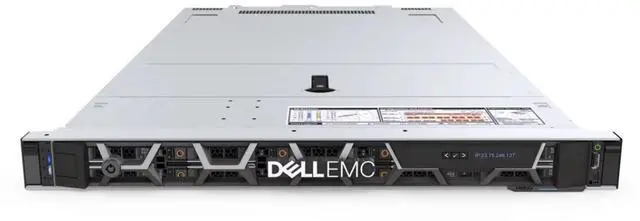
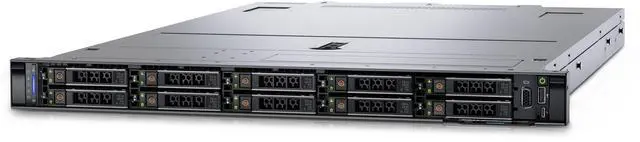
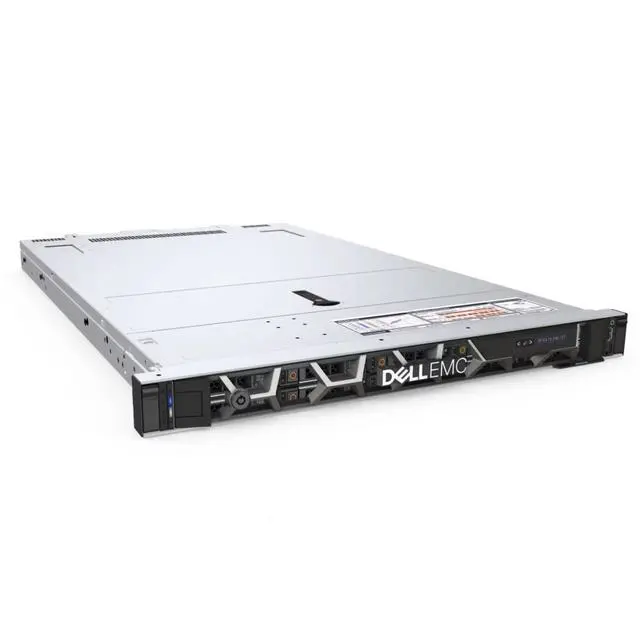
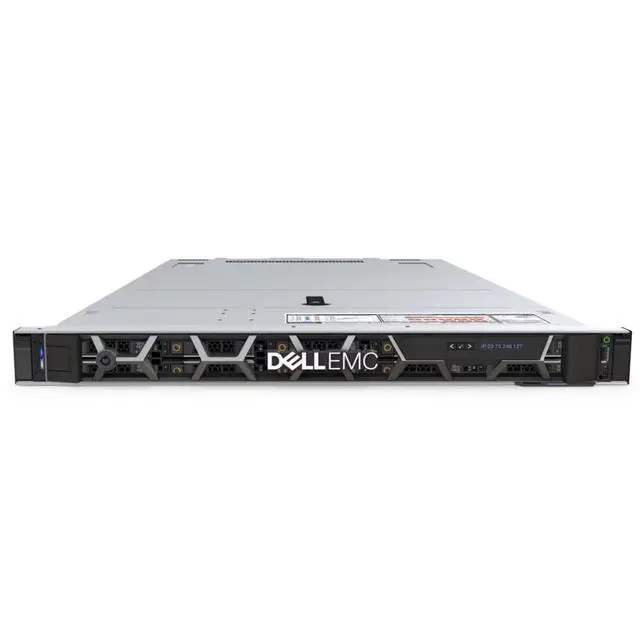



Any questions? Ask CelesteSM will help you find out quickly.
1. Highly Customizable:Without pre - installed CPU, heatsink, disk, RAID card, and power supply, users can freely choose components like the 3rd Gen Intel Xeon Scalable processors to build a customized server configuration that meets various workload requirements, such as virtualization and database operations.
2. Flexible Storage Expansion:The 8 hot - swappable 2.5 - inch drive bays support SAS and SATA storage protocols, allowing the installation of HDDs or SSDs. Additionally, the BOSS module comes with two M.2 interfaces for boot - up, enabling easy storage capacity expansion and performance optimization.
3. Space - Saving Design:The 1U rack - mount form factor takes up minimal space, making it suitable for data centers with limited space. It enables the deployment of more servers in a limited rack space, improving space utilization.
4. Cost - Controllable:The absence of pre - installed components reduces the initial purchase cost. Users can purchase components according to their needs, avoiding unnecessary expenses, which is very friendly to cost - conscious enterprises and small - scale deployment scenarios.
5. Powerful I/O Expansion:Equipped with multiple PCI - E 4.0 slots, it can expand devices like graphics cards and network cards, meeting the needs of high - speed data transmission and device expansion in different application scenarios, and enhancing the overall performance and functionality of the server.
6. Reliable Brand Assurance:As a Dell product, it adheres to Dell's strict quality standards, ensuring high reliability. Moreover, users can benefit from Dell's comprehensive after - sales service system, which provides technical support and guarantee.
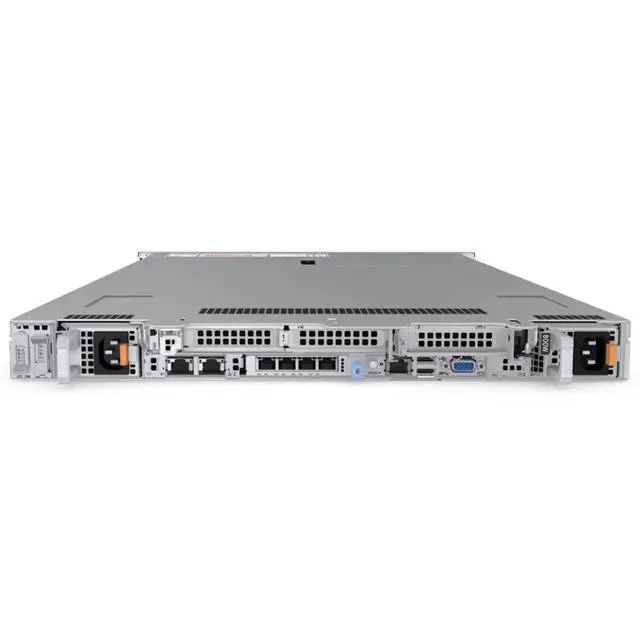
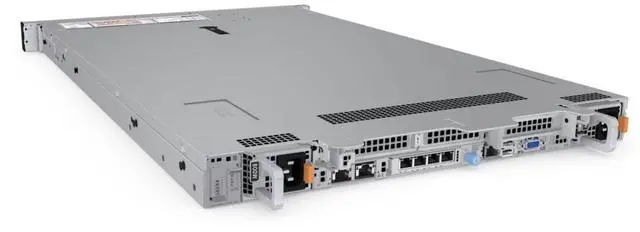
The Dell R650xs is a 1U Dell server barebone with 8 hot-swappable 2.5-inch bays, built for IT teams, MSPs, and businesses that want to configure their own compute, storage, and power setup for virtualization, database, or general data center workloads.
| Attribute | Value |
|---|---|
| Best For | Systems integrators and IT teams building custom 1U rack servers where buyers supply CPU, cooling, storage, RAID and power components; suited to dense rack deployments and use cases such as virtualization and database workloads |
| System Configuration | Diskless barebones 1U server shipped without CPU, heatsink, drives, RAID card, or power supply so components can be selected and installed by the buyer |
| Chassis And Drive Bays | 1U rack-mount chassis with eight hot-swappable 2.5-inch drive bays supporting SAS and SATA HDDs or SSDs |
| Storage And Expansion | Optional BOSS module providing two M.2 interfaces for boot/OS storage and capacity expansion |
| I O And Expansion | Multiple PCIe 4.0 expansion slots for additional NICs, network cards, or GPUs to expand networking and accelerator capabilities |
| Model Identifiers | Dell R650xs (2.5"/8 Bays) 1U server barebones |
Q: Should I choose the Dell PowerEdge R650xs or the R650 for a 1U virtualization server?
A: Choose the R650xs if you want a value-focused 1U dual-socket platform for mainstream virtualization, general infrastructure, or database workloads and you do not need the broader top-end configurability of the standard R650. Dell positions the R650xs as an "xs" model optimized for traditional virtualized environments, with support for up to two 3rd Gen Intel Xeon Scalable CPUs up to 32 cores each and a more streamlined feature set. Choose the R650 when your build requires more expansion flexibility or higher-end CPU and platform options than the R650xs is designed to target.
Q: Is the Dell R650xs a better fit than the R550 for dense rack deployments?
A: Yes, the R650xs is the better fit when rack density matters and you want a 1U dual-socket server with newer PCIe Gen4-era positioning for virtualization and general compute. The R550 is a 2U value-oriented platform that trades more chassis space for broader internal room and expansion. Choose the R650xs when you want more compute per rack unit and can work within a 1U thermal and storage envelope. Choose the R550 when lower-cost 2U deployment and roomier physical expansion are more important than density.
Q: Should I move up from the R650xs to the R750xs?
A: Move up to the R750xs when your workload benefits more from 2U capacity than 1U density. The R750xs is Dell's larger "xs" platform in the same value-oriented family and is better suited when you need more drive capacity, more physical expansion room, or a less space-constrained chassis for scaling. Stay with the R650xs when your priority is fitting dual-socket compute into a compact 1U footprint and your storage and expansion needs match that smaller platform.
Q: Is the Dell R650xs a worthwhile upgrade from the older R640?
A: Yes, the R650xs is usually the more practical choice for a refresh if you want to move from 14th Gen to 15th Gen PowerEdge hardware for mainstream server roles. It brings 3rd Gen Intel Xeon Scalable support and PCIe Gen4-era platform advantages, while keeping the same general 1U dual-socket class. The R640 still makes sense for cost-sensitive reuse or existing fleet consistency, but the R650xs is the better fit when the goal is a newer platform for ongoing virtualization, infrastructure, or database deployment.
Q: Does this server include the core parts needed to run out of the box?
A: No. This is a barebones 1U server chassis, not a ready-to-run system. Based on the product data, it ships without CPU, heatsink, storage drives, RAID card, or power supply. A buyer should expect to add the required compute, cooling, power, storage, and likely operating system components before deployment.
Q: Who is this server suitable for?
A: This model is best for IT buyers, system integrators, and businesses that already know the exact server parts they want to install. It fits planned deployments such as virtualization, database workloads, or infrastructure refreshes where customization matters more than convenience. It is not ideal for buyers who want a complete preconfigured server with all essentials included.
Q: Is this a good choice if I want maximum flexibility in storage and configuration?
A: Yes, if your goal is to build a tailored server. The 8 front 2.5-inch bays and support for SAS/SATA storage make it suitable for buyers who want to choose their own drive mix, and the barebones design gives more control over CPU, boot media, RAID, and power configuration. The trade-off is that setup is more complex and total project cost depends on the parts you add.
Q: Is this server a simple low-effort option for small offices or first-time server buyers?
A: Usually no. It can be cost-controlled at purchase because key parts are not preinstalled, but it is better suited to buyers who can source compatible components and handle assembly, validation, and deployment. First-time buyers or small offices that need a quick install may prefer a fully configured server instead of a barebones platform.
Q: Is the 1U form factor a benefit or a limitation?
A: Both. The 1U design is useful when rack space is limited and higher density matters. However, 1U systems typically require more careful planning for airflow, component fit, and service access than larger chassis. This model makes the most sense for rack environments where space efficiency is important and the buyer is comfortable with tighter hardware constraints.
Q: Who is this barebones Dell R650xs best suited for?
A: This barebones R650xs is best for IT teams, integrators, or experienced homelab buyers who already plan to source CPUs, heatsinks, storage, RAID/HBA, and power supplies separately. It makes more sense when you want to control the final configuration for virtualization or general server workloads, rather than buying a ready-to-deploy system.
Q: Is this a good buy if I want a low upfront cost server?
A: It can be a good buy only if you already understand the total build cost. The chassis price is lower because key parts are missing, but this listing does not include CPU, heatsink, disks, RAID card, or power supplies. For buyers who need a complete working server quickly, a fully configured system is usually the safer choice.
Q: Is this Dell R650xs barebones server a good fit for virtualization or lab use?
A: Yes, it can be a good fit for virtualization or lab use if you plan the missing parts correctly. Reddit discussions around R650xs deployments commonly involve ESXi clusters, SAN connectivity, RAM sizing, and power planning, which suggests the platform is used for real virtualization environments. The main trade-off is that this specific listing is not deployment-ready, so build planning matters more than with a complete server.
Q: What are the main trade-offs of buying this diskless, no-RAID, no-PSU configuration?
A: The main trade-off is flexibility versus setup effort. You get freedom to choose storage, boot method, controller, and power configuration, but you also take on compatibility checks, extra sourcing time, and a higher risk of underestimating what is required to make the system usable. This is better for planned builds than for buyers who want a simple drop-in replacement.
Q: Should I buy this as a ready-to-run replacement for an older server?
A: Not if you need immediate replacement with minimal downtime. This listing is a chassis-first purchase, not a complete server. It is more appropriate when you have time to validate CPUs, cooling, storage, controller choice, and power parts before deployment.


