


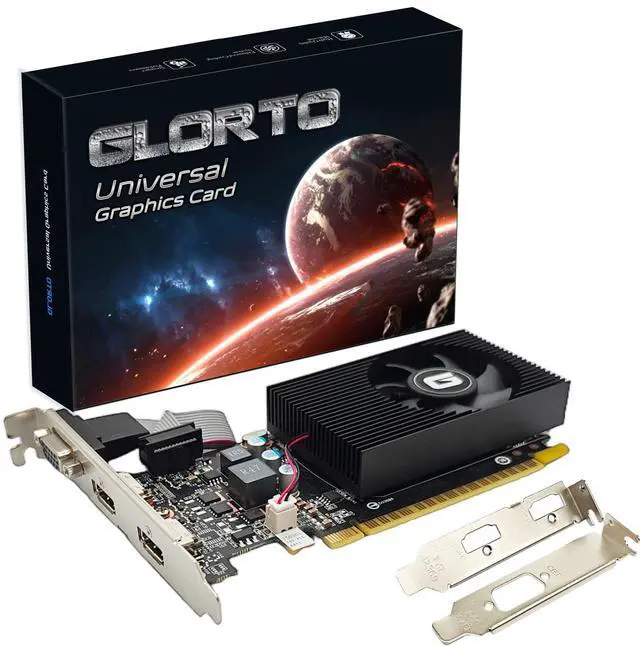
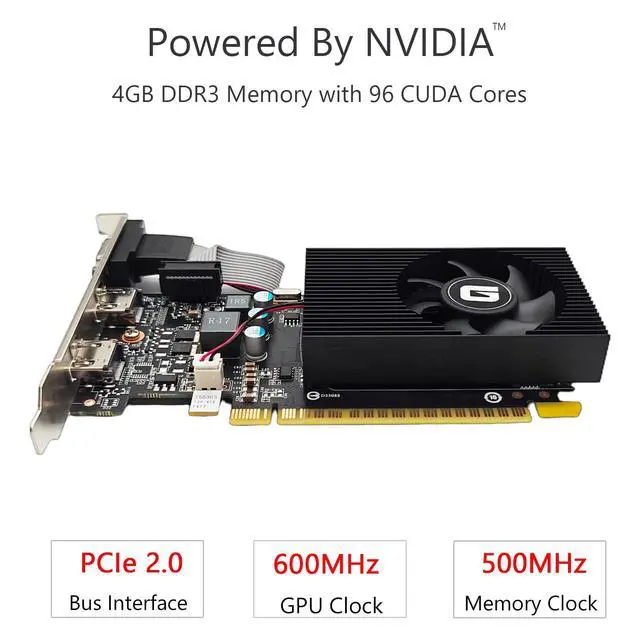
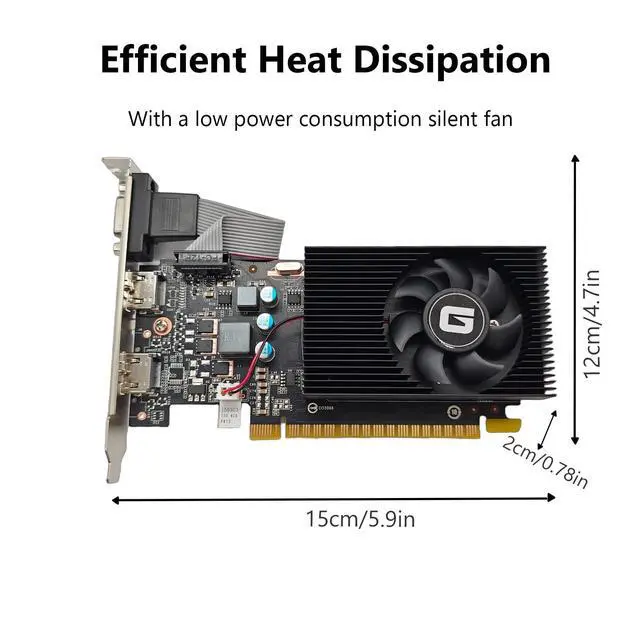
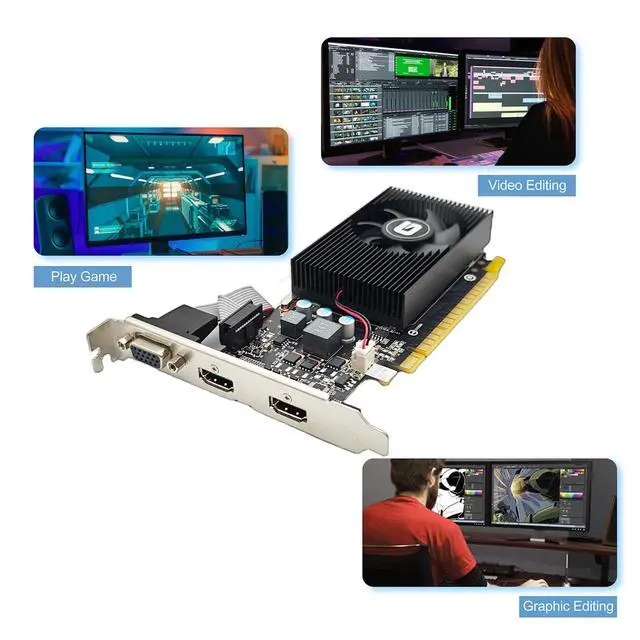


Glorto GeForce GT 730 4G Dual HDMI Graphics Card is a fantastic graphics card powered by NVIDIA which would be a great upgrade for your integrated graphics to accelerate the overall performance of your PC. Engineered with a highly-efficient silent fan and large area fin design, it dissipates heat in complete silence — making the GT 730 the perfect choice for your silent PC builds. The Glorto GeForce GT 730 packs powerful NVIDIA CUDA Cores and abundant amounts of memory that deliver a performance punch in all the video applications. You'll get super fast web browsing, incredible photo and video editing.
Unleash the power of dual HDMI connections with the GT730 graphics card, designed for seamless multimedia experiences and unrivaled editing performance. Enjoy crystal-clear visuals and seamless multitasking, thanks to its efficient dual HDMI ports. Elevate your entertainment to new heights with the GT730 - the perfect choice for all your graphic-intensive needs.

NVIDIA GeForce GT 730 4GB Dual HDMI DDR3 128Bit PCI Express 2.0 x16 Low Profile Video Card with 3 Ports for Graphics Works/Home Entertainments/Light Games
Enjoy all your videos and pictures at HD resolutions, speed up your PC experience
- With 4096MB of memory capacity, this graphics card can meet the demands of home entertainment, light gaming, and office tasks.
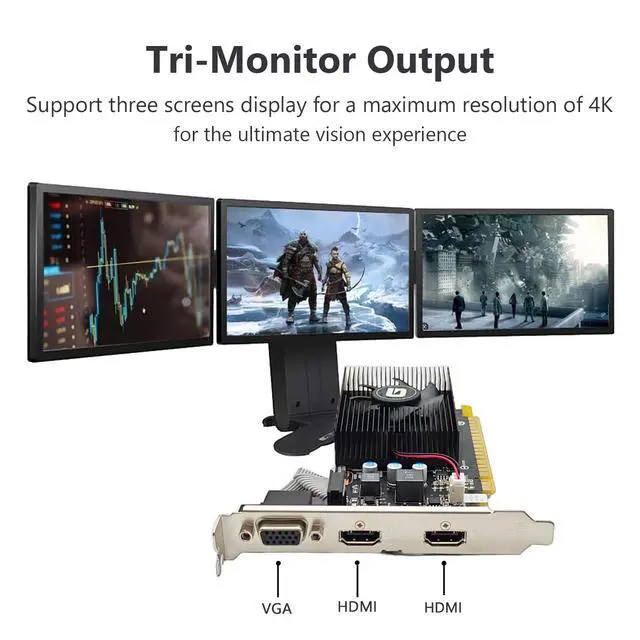
- Offers 2 HDMI and VGA interfaces, making the video card easy to connect different types of displays. The VGA interface is suitable for analog signals, and the HDMI interface supports high-definition video transmission.
- Features the original half-height design that making it compatible with various computer cases, especially SFF tower match with the included low-profile brackets.
What You Will Get:
- Glorto GeForce GT 730 4GB Dual HDMI Graphics Card x1
- Low Profile Brackets x2

Please note that this GT 730 4G DDR3 Graphics Card would not compatible with Windows 11 system!
If your computer has previously installed driver for other graphics card, please use DDU (Display Driver Uninstaller) to uninstall it and then install our graphics card. Since the gpu is an older type and cannot install the latest driver, please refer to the following steps to download and install the correct driver:
1. Use a browser to visit the NVIDIA official website.
2. Click "Drivers" in the upper right corner.
3. In the "Manual Driver Search" catalog, choose “GeForce 700 Series”. In the “Operating System”, whether your system is 64/32 bit,choose 32- bit, click to “Search”.
5. Choose the Version “391.35”, click to download and install.

Speed up your PC experience when you upgrade from integrated graphics to the new NVIDIA GeForce GT 730 4G dedicated card. Enjoy all your videos and pictures at HD resolutions, with 8X faster video editing, 9X faster photo editing, and 5X faster web browsing compared to integrated graphics. Discover 3X faster gaming performance than integrated graphics, making all your gameplay richer and smoother. You can even get the latest drivers and optimize game settings with a single click using GeForce Experience. Glorto GeForce GT 730 4G is everything you need for a better, faster PC experience.
What Glorto GeForce GT 730 Can Do:

Dual/Tri Screens Display

Graphics & Video Editing

Office Working
Specification
Troubleshooting Tips
The following troubleshooting tips may help if you experience problems. Contact GLORTO for more advanced troubleshooting information.
- Check that the card is seated properly in the PCI Express slot.
- Ensure that the display cable is securely fastened to the card's display connector.
- Make sure that the monitor and computer are plugged in and receiving power.
- If necessary, disable any built-in graphics capabilities on your motherboard. For more information, consult your computer's manual or manufacturer. (NOTE: Some manufacturers do not allow the built-in graphics to be disabled or to become the secondary display.)
- Make sure you selected the appropriate display device and graphics card when you install the graphics driver.
- Restart your computer. Press on your keyboard after system starts up. When the Windows Advanced Options Menu appears, select Safe Mode and press . After getting into Safe Mode, in Device Manager check whether the driver for the graphics card is correct.
- If you are not able to find the desired monitor color/resolution settings: The color and screen resolution options available for selection depend on the graphics card being installed. If necessary, adjust your monitor's setting using monitor's adjust panel to make the screen look focused, crisp, and sharp. (Please refer to the monitor's manual.)
- Please tell us via if you have any other problem.
Glorto GeForce GT 730 4G Dual HDMI Graphics Card is a fantastic graphics card powered by NVIDIA which would be a great upgrade for your integrated graphics to accelerate the overall performance of your PC. Engineered with a highly-efficient silent fan and large area fin design, it dissipates heat in complete silence — making the GT 730 the perfect choice for your silent PC builds. The Glorto GeForce GT 730 packs powerful NVIDIA CUDA Cores and abundant amounts of memory that deliver a performance punch in all the video applications. You'll get super fast web browsing, incredible photo and video editing.
Unleash the power of dual HDMI connections with the GT730 graphics card, designed for seamless multimedia experiences and unrivaled editing performance. Enjoy crystal-clear visuals and seamless multitasking, thanks to its efficient dual HDMI ports. Elevate your entertainment to new heights with the GT730 - the perfect choice for all your graphic-intensive needs.
NVIDIA GeForce GT 730 4GB Dual HDMI DDR3 128Bit PCI Express 2.0 x16 Low Profile Video Card with 3 Ports for Graphics Works/Home Entertainments/Light Games
Enjoy all your videos and pictures at HD resolutions, speed up your PC experience
- With 4096MB of memory capacity, this graphics card can meet the demands of home entertainment, light gaming, and office tasks.
- Offers 2 HDMI and VGA interfaces, making the video card easy to connect different types of displays. The VGA interface is suitable for analog signals, and the HDMI interface supports high-definition video transmission.
- Features the original half-height design that making it compatible with various computer cases, especially SFF tower match with the included low-profile brackets.
What You Will Get:
- Glorto GeForce GT 730 4GB Dual HDMI Graphics Card x1
- Low Profile Brackets x2
Please note that this GT 730 4G DDR3 Graphics Card would not compatible with Windows 11 system!
If your computer has previously installed driver for other graphics card, please use DDU (Display Driver Uninstaller) to uninstall it and then install our graphics card. Since the gpu is an older type and cannot install the latest driver, please refer to the following steps to download and install the correct driver:
1. Use a browser to visit the NVIDIA official website.
2. Click "Drivers" in the upper right corner.
3. In the "Manual Driver Search" catalog, choose “GeForce 700 Series”. In the “Operating System”, whether your system is 64/32 bit,choose 32- bit, click to “Search”.
5. Choose the Version “391.35”, click to download and install.
Speed up your PC experience when you upgrade from integrated graphics to the new NVIDIA GeForce GT 730 4G dedicated card. Enjoy all your videos and pictures at HD resolutions, with 8X faster video editing, 9X faster photo editing, and 5X faster web browsing compared to integrated graphics. Discover 3X faster gaming performance than integrated graphics, making all your gameplay richer and smoother. You can even get the latest drivers and optimize game settings with a single click using GeForce Experience. Glorto GeForce GT 730 4G is everything you need for a better, faster PC experience.
What Glorto GeForce GT 730 Can Do:
Dual/Tri Screens Display
Graphics & Video Editing
Office Working
Specification
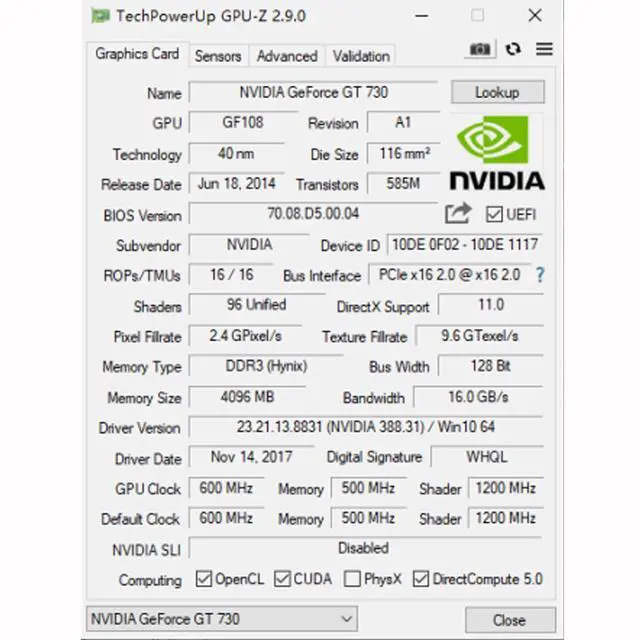
| GPU Name | GF108 |
| Memory Format | 4GB DDR3 128bits |
| Ports | 2x HDMI / VGA |
| CUDA Core | 96 |
| GPU Clock | 600 MHz |
| Memory Clock | 500 MHz |
| Shader Clock | 1200 MHz |
| Slot | PCI Express x16 2.0 |
| DirectX Support | DirectX 11.0 |
| Maximum Digital Resolution | 2560x1600 |
| Computing | OpenCL / CUDA / DirectCompute / DirectML |
| Technologies | OpenGL 4.6 / PhysX |
Troubleshooting Tips
The following troubleshooting tips may help if you experience problems. Contact GLORTO for more advanced troubleshooting information.
- Check that the card is seated properly in the PCI Express slot.
- Ensure that the display cable is securely fastened to the card's display connector.
- Make sure that the monitor and computer are plugged in and receiving power.
- If necessary, disable any built-in graphics capabilities on your motherboard. For more information, consult your computer's manual or manufacturer. (NOTE: Some manufacturers do not allow the built-in graphics to be disabled or to become the secondary display.)
- Make sure you selected the appropriate display device and graphics card when you install the graphics driver.
- Restart your computer. Press on your keyboard after system starts up. When the Windows Advanced Options Menu appears, select Safe Mode and press . After getting into Safe Mode, in Device Manager check whether the driver for the graphics card is correct.
- If you are not able to find the desired monitor color/resolution settings: The color and screen resolution options available for selection depend on the graphics card being installed. If necessary, adjust your monitor's setting using monitor's adjust panel to make the screen look focused, crisp, and sharp. (Please refer to the monitor's manual.)
- Please tell us via if you have any other problem.