System Requirements: These are the minimum system requirements for installing Windows 11 on a PC. If your device does not meet these requirements, you may not be able to install Windows 11 on your device and might want to consider purchasing a new PC. If you are unsure whether your PC meets these requirements, you can check with your PC Original Equipment Manufacturer (OEM) or, if your device is already running Windows 10, you can use the PC Health Check app to assess compatibility. Note that this app does not check for graphics card or display, as most compatible devices will meet those requirements listed below.
Your device must be running Windows 10, version 2004 or later, to upgrade. Free updates are available through Windows Update in Settings>Update and Security.
Processor: 1 gigahertz (GHz) or faster with 2 or more cores on a compatible 6...
Disclaimer: Use of this OEM System Builder Channel software is subject to the terms of the Microsoft OEM System Builder License. This software is intended for pre-installation on a new personal computer for resale. This OEM System Builder Channel software requires the assembler to provide end user support for the Windows software and cannot be transferred to another computer once it is installed. To acquire Windows software with support provided by Microsoft please see our full package "Retail" product offerings.
System Requirements: These are the minimum system requirements for installing Windows 11 on a PC. If your device does not meet these requirements, you may not be able to install Windows 11 on your device and might want to consider purchasing a new PC. If you are unsure whether your PC meets these requirements, you can check with your PC Original Equipment Manufacturer (OEM) or, if your device is already running Windows 10, you can use the PC Health Check app to assess compatibility. Note that this app does not check for graphics card or display, as most compatible devices will meet those requirements listed below.
Your device must be running Windows 10, version 2004 or later, to upgrade. Free updates are available through Windows Update in Settings>Update and Security.
Processor: 1 gigahertz (GHz) or faster with 2 or more cores on a compatible 64...
System Requirements: These are the minimum system requirements for installing Windows 11 on a PC. If your device does not meet these requirements, you may not be able to install Windows 11 on your device and might want to consider purchasing a new PC. If you are unsure whether your PC meets these requirements, you can check with your PC Original Equipment Manufacturer (OEM) or, if your device is already running Windows 10, you can use the PC Health Check app to assess compatibility. Note that this app does not check for graphics card or display, as most compatible devices will meet those requirements listed below.
Your device must be running Windows 10, version 2004 or later, to upgrade. Free updates are available through Windows Update in Settings>Update and Security.
Processor: 1 gigahertz (GHz) or faster with 2 or more cores on a compa...
Disclaimer: Terms and Conditions
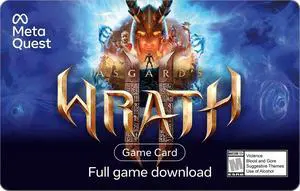
Valid only for the download of the game title listed on this card from the Meta Horizon Store. Game is intended for mature audiences (check your local rating). To redeem, you must have or create a valid Meta Account and accept applicable terms. Cards carry no service or dormancy fees. May contain in-game purchases. U.S. redemption only. Cards are not redeemable for cash and cannot be transferred, resold, returned, refunded, or exchanged, except as required by law. Issued by Meta Platforms Technologies, LLC (“Meta”). Meta is not responsible for lost or stolen cards or unauthorized use. Terms and Conditions apply; see store.meta.com/qgc/. For assistance, visit meta.com/help/quest/.
Specifications: Redemption Instructions
Redeem code on the Meta Horizon app or Meta.com. See detailed redemption instructions on meta.me/card-inst...
Disclaimer: Terms and Conditions
Valid only for the download of the game title listed on this card from the Meta Horizon Store. Game is intended for mature audiences (check your local rating). To redeem, you must have or create a valid Meta Account and accept applicable terms. Cards carry no service or dormancy fees. May contain in-game purchases. U.S. redemption only. Cards are not redeemable for cash and cannot be transferred, resold, returned, refunded, or exchanged, except as required by law. Issued by Meta Platforms Technologies, LLC (“Meta”). Meta is not responsible for lost or stolen cards or unauthorized use. Terms and Conditions apply; see store.meta.com/qgc/. For assistance, visit meta.com/help/quest/.
Specifications: Redemption Instructions
Redeem code on the Meta Horizon app or Meta.com. See detailed redemption instructions on meta.me/card-inst...
Disclaimer: Currently, this item is available for activation/installation only to customers located in the United States, excluding Puerto Rico.
Minimum age limits may apply to use of AI features. Details: https://aka.ms/Copilot-In-M365-FAQ.
Brand: Microsoft
Name: Office 365 Home - 5 Devices, 1 Year Subscription - Download
Disclaimer: Terms and Conditions
Meta Quest is for ages 13+. Meta Quest Gift Cards are solely for the purchase of content, apps and services from the Meta Quest Store. Cards do not expire and carry no service or dormancy fees. Cards are not redeemable for cash and cannot be transferred, resold, returned, refunded or exchanged, except as required by law. Recipients must be age 13 or older.
Issued by Meta Platforms Inc. or its affiliates (“Meta”). Meta is not responsible for lost or stolen gift cards or unauthorized use. Terms and Conditions apply; see store.meta.com/qgc/. For assistance, visit store.facebook.com/help/support/ quest/.
Specifications: Redemption Instructions:
Meta Quest Mobile App:
1. Install the Meta Quest app on your iPhone or Android phone
2. Sign in with (or create) your Meta account
3. Go to ‘Wallet’ in the Menu of the Meta Quest app
...
Disclaimer: Terms and Conditions
Meta Quest is for ages 13+. Meta Quest Gift Cards are solely for the purchase of content, apps and services from the Meta Quest Store. Cards do not expire and carry no service or dormancy fees. Cards are not redeemable for cash and cannot be transferred, resold, returned, refunded or exchanged, except as required by law. Recipients must be age 13 or older.
Issued by Meta Platforms Inc. or its affiliates (“Meta”). Meta is not responsible for lost or stolen gift cards or unauthorized use. Terms and Conditions apply; see store.meta.com/qgc/. For assistance, visit store.facebook.com/help/support/ quest/.
Specifications: Redemption Instructions:
Meta Quest Mobile App:
1. Install the Meta Quest app on your iPhone or Android phone
2. Sign in with (or create) your Meta account
3. Go to ‘Wallet’ in the Menu of the Meta Quest app
...
Disclaimer: Terms and Conditions
Meta Quest is for ages 13+. Meta Quest Gift Cards are solely for the purchase of content, apps and services from the Meta Quest Store. Cards do not expire and carry no service or dormancy fees. Cards are not redeemable for cash and cannot be transferred, resold, returned, refunded or exchanged, except as required by law. Recipients must be age 13 or older.
Issued by Meta Platforms Inc. or its affiliates (“Meta”). Meta is not responsible for lost or stolen gift cards or unauthorized use. Terms and Conditions apply; see store.meta.com/qgc/. For assistance, visit store.facebook.com/help/support/ quest/.
Specifications: Redemption Instructions:
Meta Quest Mobile App:
1. Install the Meta Quest app on your iPhone or Android phone
2. Sign in with (or create) your Meta account
3. Go to ‘Wallet’ in the Menu of the Meta Quest app
...
Disclaimer: Terms and Conditions
Meta Quest is for ages 13+. Meta Quest Gift Cards are solely for the purchase of content, apps and services from the Meta Quest Store. Cards do not expire and carry no service or dormancy fees. Cards are not redeemable for cash and cannot be transferred, resold, returned, refunded or exchanged, except as required by law. Recipients must be age 13 or older.
Issued by Meta Platforms Inc. or its affiliates (“Meta”). Meta is not responsible for lost or stolen gift cards or unauthorized use. Terms and Conditions apply; see store.meta.com/qgc/. For assistance, visit store.facebook.com/help/support/ quest/.
Specifications: Redemption Instructions:
Meta Quest Mobile App:
1. Install the Meta Quest app on your iPhone or Android phone
2. Sign in with (or create) your Meta account
3. Go to ‘Wallet’ in the Menu of the Meta Quest app
...
Disclaimer: Copyright 2023 Corel Corporation. All Rights Reserved.
Packaging: Download
Operating Systems Supported: Operating system: Windows11, Windows 10, Windows 8, 64 bit only
System Requirements: System Requirements
Operating system: Windows 11, Windows 10, 64 bit
Processor*: Intel Core i3 or AMD A4 3.0 GHz or higher
Intel Core i5 or i7 1.06 GHz or higher required for AVCHD & Intel Quick Sync Video support
Intel Core i7 4th generation or later or AMD Athlon A10 or higher for UHD, Multi-Camera or 360 video
RAM: 4 GB or higher, 8+GB highly recommended for UHD, Multi-Camera, or 360 video
Graphics card: Minimum resolution 1024 x 768, minimum 256MB VGA VRAM, 512MB or higher recommended for hardware decoding acceleration
DirectX graphics device recommended:
NVIDIA GeForce 700 series / Quadro 600 (Fermi-based) or newer (CUDA-e...
Disclaimer: Terms and Conditions
5000 character limit. See child safety guidance online; Accounts for 10+. Meta Quest Gift Cards are solely for the purchase of content, apps and services from the Meta Horizon Store. Cards do not expire and carry no service or dormancy fees. Cards are not redeemable for cash and cannot be transferred, resold, returned, refunded or exchanged, except as required by law.
Issued by Meta Platforms Technologies, LLC or its affiliates (“Meta”). Meta is not responsible for lost or stolen gift cards or unauthorized use. Terms and Conditions apply; see store.meta.com/qgc/. For assistance, visit meta.com/help/quest/.
Specifications: Redemption Instructions
Meta Horizon Mobile App:
1. Install the Meta Horizon app on your iPhone or Android phone
2. Sign in with (or create) your Meta account
3. Go to "Wallet" in the menu of the Met...
Disclaimer: Terms and Conditions:
Meta Quest is for ages 13+. Meta Quest Gift Cards are solely for the purchase of content, apps, and services from the Meta Quest Store. Cards do not expire and carry no service or dormancy fees. Cards are not redeemable for cash and
cannot be transferred, resold, returned, refunded, or exchanged, except as required by law.
Issued by Meta Platforms Technologies, LLC or its affiliates (“Meta”). Meta is not responsible for lost or stolen gift cards or unauthorized use. Terms and Conditions apply; see store.meta.com/qgc/. For assistance, visit meta.com/help/quest/.
Specifications: Redemption Instructions:
Meta Quest Mobile App:
1. Install the Meta Quest app on your iPhone or Android phone
2. Sign in with (or create) your Meta account
3. Go to ‘Wallet’ in the Menu of the Meta Quest app
4. Click on ‘+’ button to open ‘Add...
Disclaimer: Terms and Conditions:
Meta Quest is for ages 13+. Meta Quest Gift Cards are solely for the purchase of content, apps, and services from the Meta Quest Store. Cards do not expire and carry no service or dormancy fees. Cards are not redeemable for cash and
cannot be transferred, resold, returned, refunded, or exchanged, except as required by law.
Issued by Meta Platforms Technologies, LLC or its affiliates (“Meta”). Meta is not responsible for lost or stolen gift cards or unauthorized use. Terms and Conditions apply; see store.meta.com/qgc/. For assistance, visit meta.com/help/quest/.
Specifications: Redemption Instructions:
Meta Quest Mobile App:
1. Install the Meta Quest app on your iPhone or Android phone
2. Sign in with (or create) your Meta account
3. Go to ‘Wallet’ in the Menu of the Meta Quest app
4. Click on ‘+’ button to open ‘Add...