

Your Browsing History


Sponsored Products

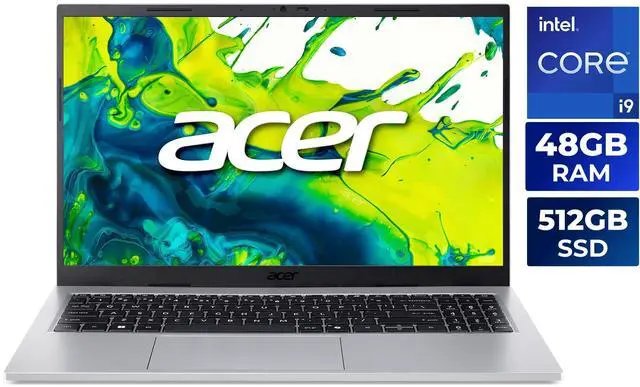
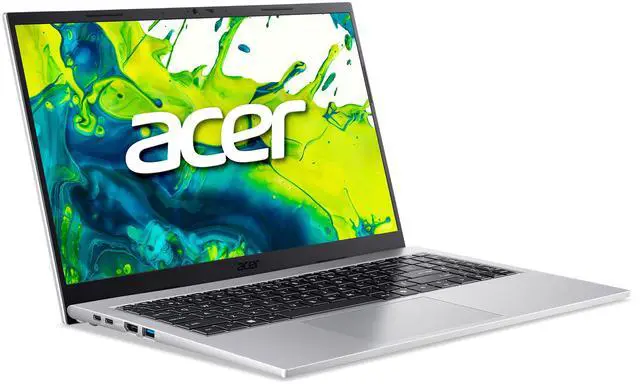
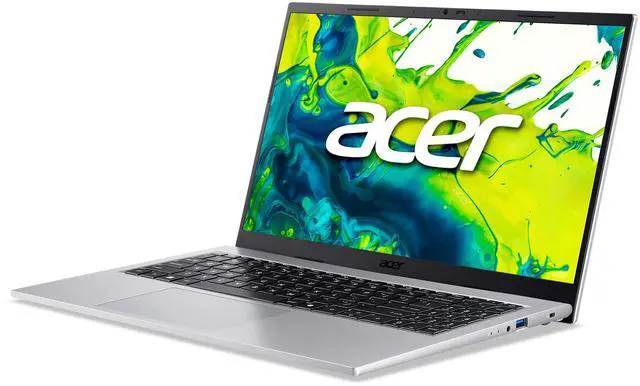
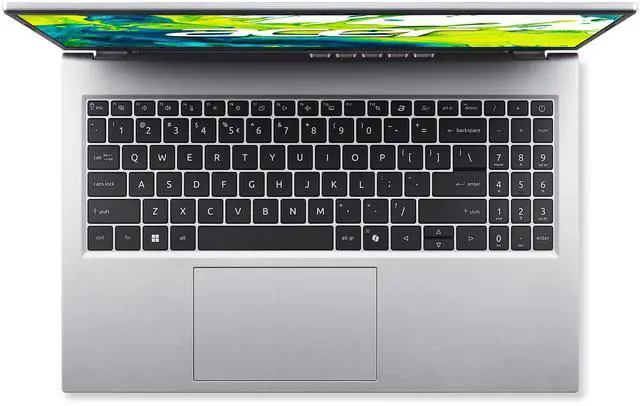
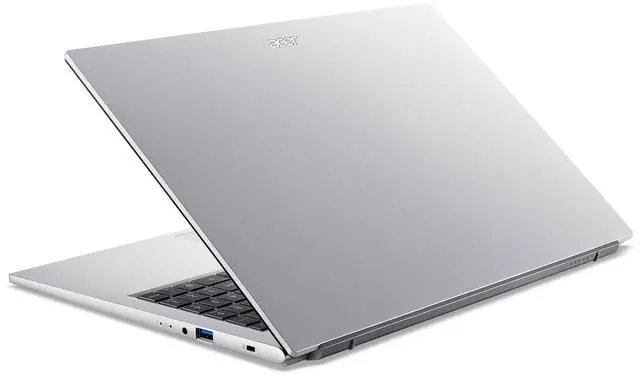
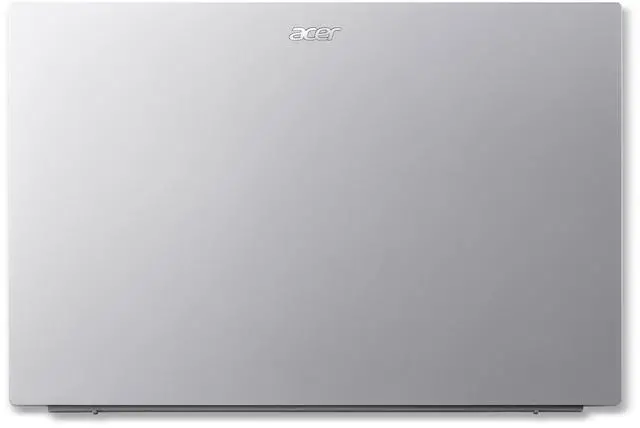


Acer Aspire Go 15 15.6" - Intel Core i9-13900H - 48GB RAM - 512GB PCIe SSD - Windows 11 Home (AG15-72P-97RC)
- Intel Core i9-13900H
- 48GB Memory / 512GB PCIe SSD
- Intel Iris Xe Graphics
- Non-Touch Screen
- 1920 x 1080
- Windows 11 Home


+
+
Overview
Specs
Reviews
See all Q & A 
Any questions? Our AI mode will help you find out quickly.
Try me now
Warranty & Returns
Warranty, Returns, And Additional Information
Warranty
- Limited Warranty period (parts): 1 year
- Limited Warranty period (labor): 1 year
- Read full details
Return Policies
- Return for refund within: 15 days
- Return for replacement within: 15 days
- This item is covered by Newegg.com's 15-Day Return Policy.
- Read full return policy for details.
Manufacturer Contact Info
- Manufacturer Product Page
- Manufacturer Website
- Support Phone: 1-800-816-2237
- Support Website
- View other products from Acer America
LOADING...
LOADING...
Learn about this product
The Acer Aspire Go 15 AG15-72P-97RC is a 15.6-inch Windows 11 laptop with an Intel Core i9-13900H, 48GB RAM, and a 512GB PCIe SSD, making it a strong fit for students, home users, and multitaskers who want fast everyday performance in a thin, lightweight design.
Recommended For
- Students or remote workers who keep many browser tabs, Office apps, PDFs, and video calls open at once, but do not need a dedicated GPU. The 48GB RAM and H-series CPU fit multitasking-heavy coursework, admin work, research, and spreadsheet use better than gaming-first or creator-first workloads.
- Home-office users who want a large 15.6-inch screen, full-size keyboard area, and a light chassis for moving between rooms, commuting, or hybrid work. Reviews consistently frame the Aspire Go 15 as a practical everyday machine rather than a premium desk replacement.
- Budget-conscious buyers who care more about CPU headroom and RAM capacity than display quality or premium materials. Community discussions around Aspire Go models often recommend them when value, basic portability, and everyday productivity matter more than color-accurate screens or luxury build.
- Users who mostly work plugged in or through half-day sessions and want modern connectivity without stepping up to a pricier class. The port mix, Wi‑Fi 6, and relatively low weight suit office, school, and web-based workflows better than all-day unplugged travel use.
Real-World Use Scenarios
- Running large spreadsheets, many browser tabs, Zoom, and Office apps at the same time feels responsive for work or school, with the extra RAM helping more than on typical budget 15-inch laptops; the main tradeoff is that battery life is better suited to part-day use than a full unplugged workday.
- Using it as a home office or remote-learning laptop works well for video calls, document work, web apps, and streaming, helped by the 1080p webcam and AI noise reduction; users should expect a practical everyday experience rather than a premium display or speaker setup.
- For coding, data work, and light local content creation, the fast H-series CPU and 48GB RAM make compiling projects, working in IDEs, handling big datasets, and multitasking more comfortable than most mainstream consumer laptops; the limit is graphics-heavy workloads such as serious 3D work or GPU-accelerated video production.
- Light gaming and older or less demanding games are realistic if settings are kept modest, but newer AAA games and GPU-heavy creative apps will run into the limits of Intel integrated graphics.
- Carrying it between classes, meetings, or rooms is easy because it is relatively light for a 15.6-inch laptop, so it fits well as a portable everyday machine; users who travel constantly should still plan around the moderate battery claims and bring the charger.
Spec Summary
| Attribute | Value |
|---|---|
| Best For | Home/personal consumers and power users who need a high-performance 14-core Intel Core i9 CPU and 48GB of RAM for heavy multitasking and demanding applications, with a 15.6-inch FHD IPS display for everyday productivity and media |
| Processor And Core Count | Intel Core i9-13900H (Raptor Lake) 14-core (6P + 8E) processor with 24 MB L3 cache |
| GPU And VRAM | Intel Iris Xe integrated graphics using shared system memory |
| Display Spec | 15.6-inch FHD (1920 x 1080) IPS non-touch display, 16:9 aspect ratio, 300 nit brightness |
| Memory Configuration | 48GB total (16GB installed + Lexar 32GB 1x32GB DDR4 3200 SO-DIMM); 2 SODIMM slots, 0 available |
| Storage And Expansion | 512GB PCIe SSD; no optical drive |
| Ports And Connectivity | 2 × USB 3.2 Gen 1 Type-A, 2 × USB 3.2 Gen 2 Type-C, 1 × HDMI 2.1, 1 × Headphone/Microphone combo jack |
| Battery And Power | Up to 6.5-hour battery life |
| Wired And Wireless Networking | 802.11ax (Wi‑Fi 6) wireless LAN and Bluetooth 5.3 |
| Webcam And Privacy | FHD webcam (1920 x 1080) with Blue Glass to reduce lens flares and Acer's TNR (Temporal Noise Reduction) technology for improved low-light imagery, supports 1080 HD video |
| Audio Setup | Two built-in stereo speakers, dual built-in microphones, and Acer PurifiedVoice Technology with AI Noise Reduction |
| Keyboard And Control | Precision Touchpad supporting Windows Modern Touchpad gestures |
| Portability | Thin-and-light 15.6-inch laptop, dimensions 14.08 in × 9.23 in × 0.48–0.7 in, weight 3.37 lbs |
| External Display And Docking Fit | Supports external displays via HDMI 2.1 |
| Box Contents | Laptop, AC adapter & power cord |
| Model Identifiers | Acer Aspire Go 15 AG15-72P-97RC (Part Number NX.JSDAA.001), Pure Silver, Windows 11 Home |
Reference Q&A
Q: Should I choose the Acer Aspire Go 15 AG15-72P over a typical Core i7 U-series 15-inch laptop for school or office work?
A: Choose the Aspire Go 15 AG15-72P if your workload includes heavier multitasking, large spreadsheets, coding, light content creation, or running many apps at once. Its Core i9-13900H is a much higher-power H-series processor than common U-series chips such as the Core i7-1355U, so it is better suited to sustained CPU work. A typical i7 U-series laptop is the better fit when battery life, lower fan activity, and efficiency matter more than peak processing headroom.
Q: Is this Aspire Go 15 a better buy than an RTX 4050 laptop?
A: Choose this Aspire Go 15 if your priority is CPU-heavy productivity in a simpler thin-and-light design and you do not need strong graphics acceleration. Choose an RTX 4050 laptop if you plan to game regularly, use GPU-accelerated creative apps, or want better performance in 3D workloads. The trade-off is that this Acer pairs a fast Core i9 with integrated Iris Xe graphics, so it favors office, coding, and general productivity more than gaming or creator workflows built around the GPU.
Q: How does this configuration compare with a lower-tier Aspire Go 15 model?
A: This configuration is the better choice if you specifically want maximum multitasking headroom from the Aspire Go 15 line. Compared with lower-tier versions that commonly use Core 5, Core i5, or Core i7-class processors and less memory, this model is positioned as the performance-oriented option for demanding everyday workloads. The trade-off is that lower-tier Aspire Go 15 models usually make more sense for web use, documents, streaming, and lighter school tasks where the extra CPU and 48GB RAM would not be fully used.
Q: Is the Aspire Go 15 AG15-72P a better fit than a portability-first laptop?
A: Choose the Aspire Go 15 AG15-72P if you want a mainstream 15.6-inch laptop with stronger processing power for desk, home, and mixed-use productivity. Choose a portability-first laptop if your top priorities are longer unplugged use, quieter low-load behavior, and easier all-day travel. At 3.37 pounds, this Acer is still reasonably mobile for a 15-inch system, but its Core i9 H-series setup is aimed more at performance-first use than maximum efficiency.
Q: Should I pick this Aspire Go 15 or a similarly priced OLED productivity laptop like an ASUS Vivobook?
A: Pick this Aspire Go 15 if you value RAM capacity, straightforward productivity use, and CPU headroom more than display-driven appeal. A similarly priced OLED laptop such as some Vivobook configurations can be the better choice for buyers who care more about screen quality for media, reading, and visual work. The trade-off is that this Acer's 1080p IPS panel is practical and mainstream, while OLED alternatives often lean harder into display quality rather than memory capacity or simple value-focused configuration.
Q: Is this Acer Aspire Go 15 a good fit for office work, note-taking, and video meetings?
A: Yes. It is well suited for office work, web apps, multitasking, and video calls because it combines a high-end Core i9-13900H processor, 48GB RAM, a 512GB SSD, Wi-Fi 6, and an FHD webcam with dual microphones. The main trade-offs are that it is a non-touch laptop and uses integrated Intel Iris Xe graphics, so it is stronger for productivity than for GPU-heavy creative or gaming workloads.
Q: Is it worth buying as a travel work laptop?
A: For travel work, it is a reasonable choice if you want strong CPU performance in a fairly light 15.6-inch laptop. At 3.37 lbs, it is portable for a full-size notebook, and the 300-nit IPS display and USB-C support help with everyday mobility. The trade-offs are battery life rated up to 6.5 hours, no touchscreen, and a larger 15.6-inch footprint than a 13- or 14-inch travel-first laptop.
Q: Who is this laptop most suitable for?
A: It is best for users who want a large-memory Windows laptop for productivity: remote workers, students with many browser tabs and office apps, and home users who value responsiveness over gaming features. It is less suitable for buyers who need dedicated graphics, all-day battery life, a touchscreen, or premium display options.
Q: What are the main trade-offs versus a similar laptop with dedicated graphics?
A: The main advantage of this Aspire Go 15 is productivity value: very strong CPU performance and unusually high 48GB memory for office and multitasking use. The main compromise is graphics capability. Compared with similarly priced or slightly higher-priced laptops that include an NVIDIA GPU, this model is a weaker choice for gaming, 3D work, GPU-accelerated video editing, and heavier creator workflows.
Q: Is this a good choice if I care about upgrade flexibility?
A: It is acceptable but not especially flexible. The included 48GB RAM is already high, but your provided specs show both memory slots are occupied, so there is no open RAM slot for simple expansion. Storage is also only 512GB out of the box, so buyers expecting lots of local files or large game libraries may want a model with more SSD capacity or a clearer upgrade path.
Q: Is the Acer Aspire Go 15 a good buy for school or general work?
A: Yes for school, office work, web use, and multitasking. This configuration has far more RAM than most entry-level school laptops and a fast Core i9-13900H, so it should handle documents, many browser tabs, video calls, and typical productivity apps easily. The main caveat is that the Aspire Go line is still positioned as a basic consumer laptop, so buyers should judge it more on price and practical needs than on the high-end CPU name alone.
Q: Is this Acer Aspire Go 15 good for gaming?
A: Not as a gaming-first laptop. Even with a strong i9 processor, this model uses Intel Iris Xe integrated graphics rather than a dedicated GPU, so it is better suited to light or older games than demanding modern AAA titles. If gaming is a priority, a laptop with dedicated graphics is the safer choice.
Q: Who is this configuration best suited for?
A: It fits buyers who want a large-screen Windows laptop for productivity, remote work, study, and heavy multitasking, but do not need dedicated graphics. The 48GB RAM is unusually high for this class and is useful for memory-heavy browser use, large spreadsheets, virtual meetings, and running many apps at once. It is less suitable for buyers who need color-critical creative work, serious gaming, or workstation-class GPU performance.
Q: What are the main trade-offs of choosing this model?
A: The trade-offs are clear: you get a fast CPU, 48GB RAM, a 15.6-inch FHD IPS display, and a relatively light 3.37 lb chassis, but you give up touchscreen support, dedicated graphics, and long battery life. The listed battery life is up to 6.5 hours, which is modest for an all-day campus or travel laptop. The 512GB SSD is also adequate rather than spacious for users with large local files.