
Your Browsing History
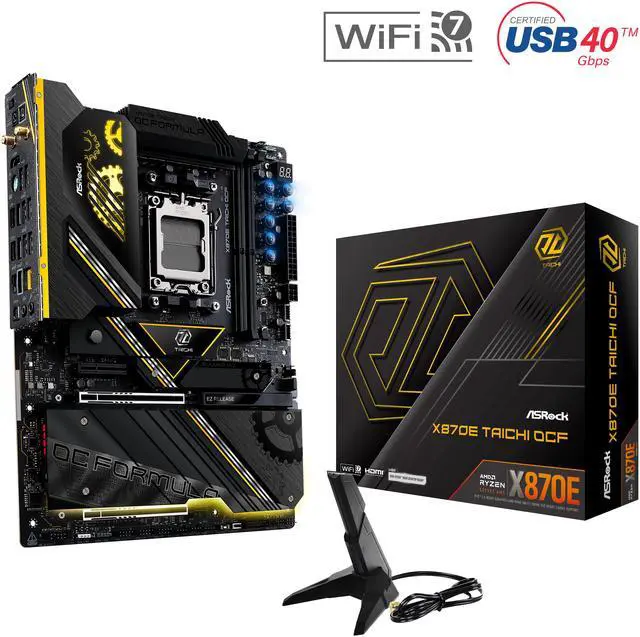
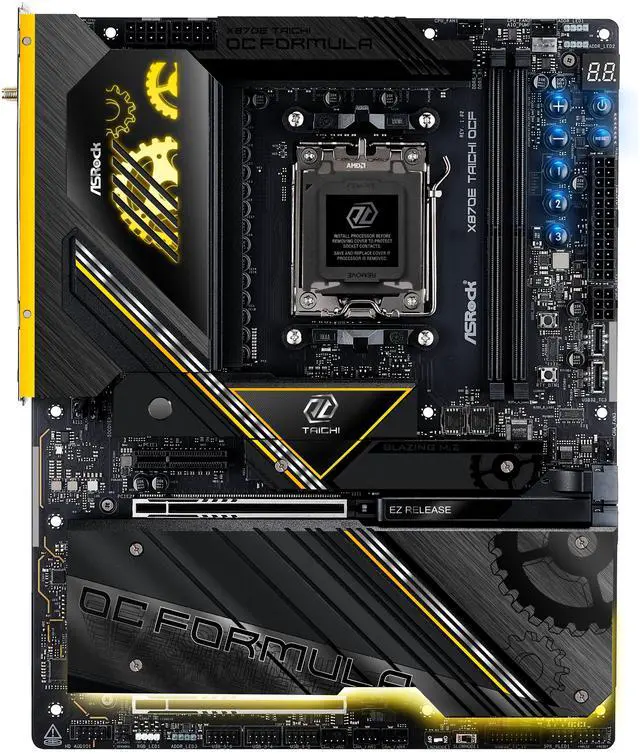
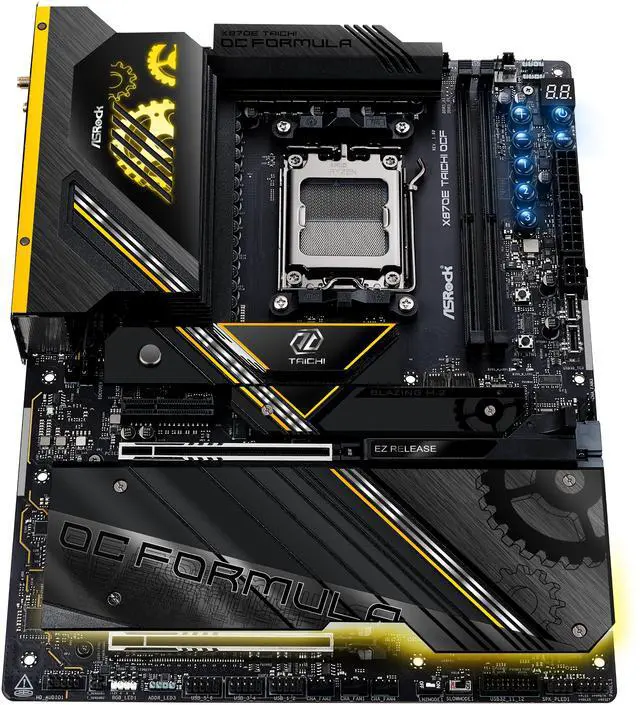
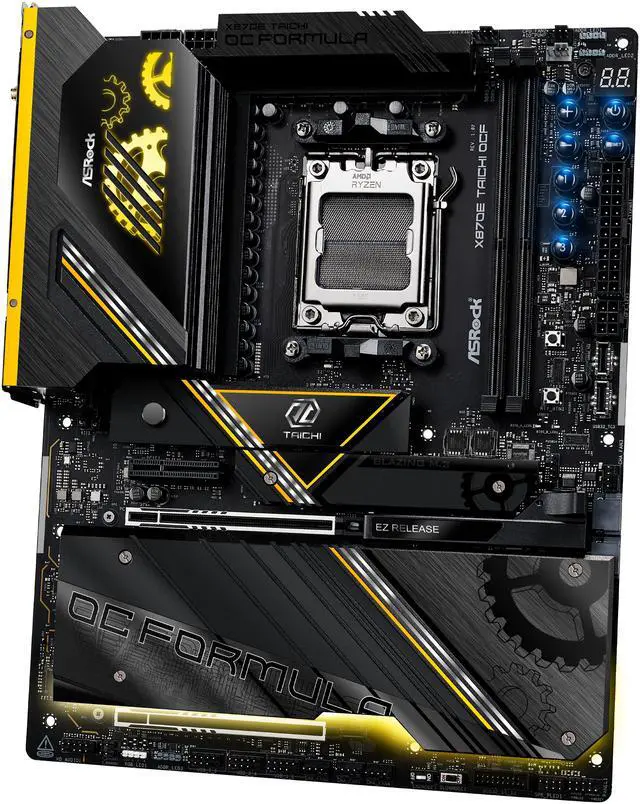
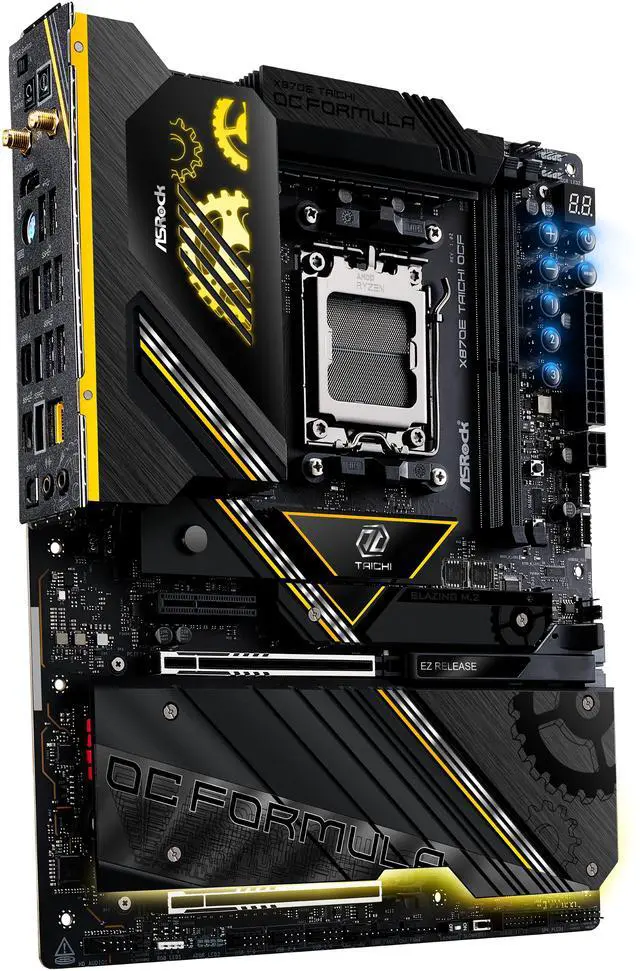
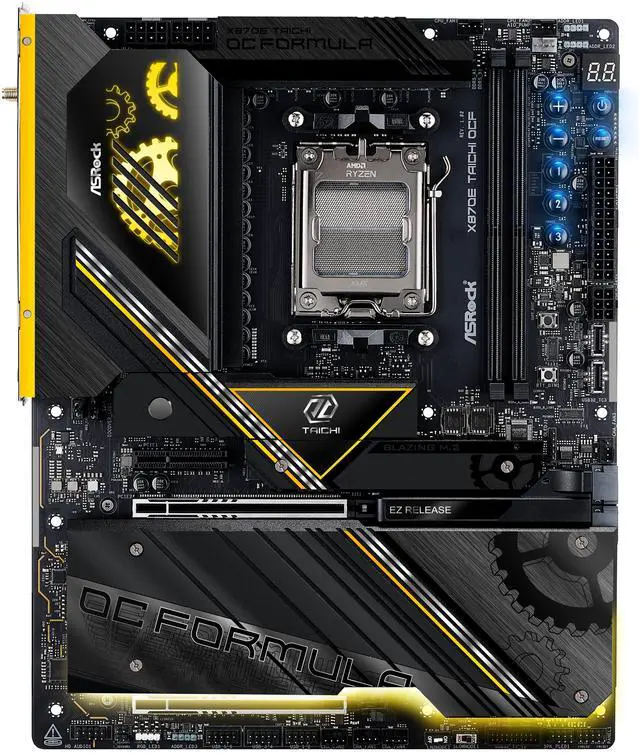
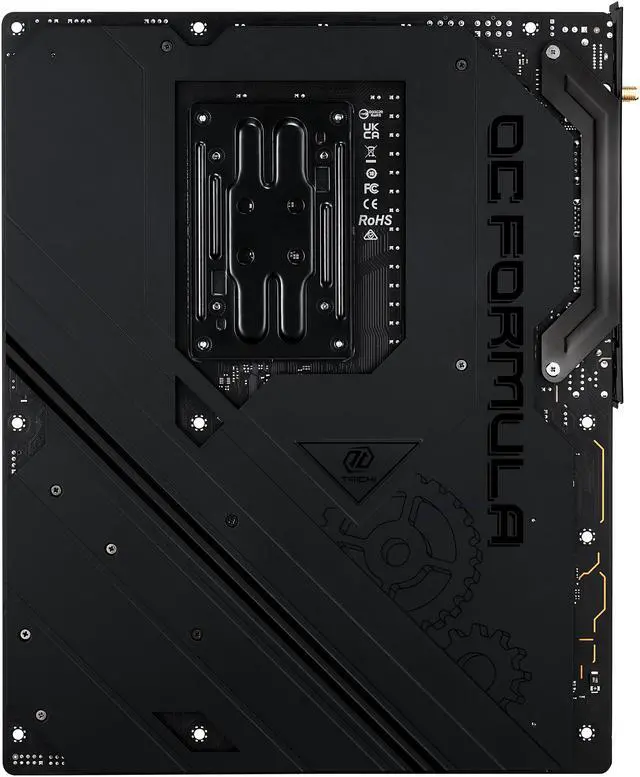
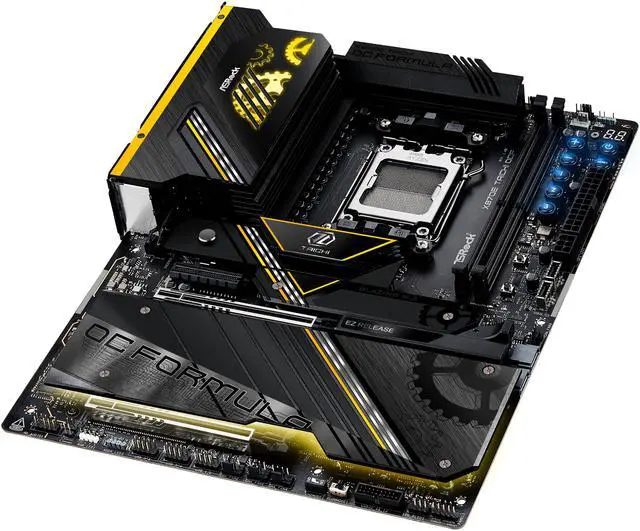
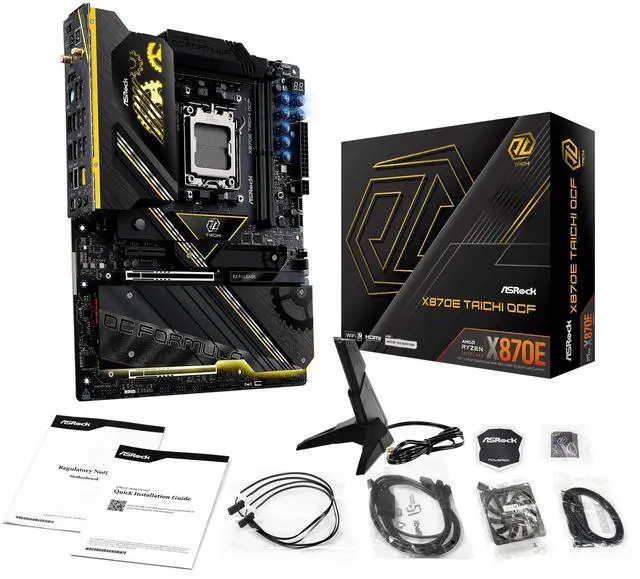





ASRock X870E Taichi OCF AM5
AMD Ryzen 9 9950X3D 16-Core 4.3 GHz
ASRock X870E Taichi OCF AM5
G.SKILL Trident Z5 Neo RGB Series Model F5-6000J3444F64GX2-TZ5NR
CORSAIR 3500X RS-R ARGB Mid-Tower PC Case – 3x Pre-Installed RS120-R ARGB Fans – GPU Anti-Sag Arm – Tempered Glass – Fits up to 10x 120mm Fans – Reverse Connection Motherboard Compatible
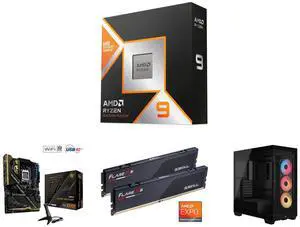
AMD Ryzen 9 9950X3D 16-Core 4.3 GHz
ASRock X870E Taichi OCF AM5
G.SKILL Flare X5 Model F5-6000J3444F64GX2-FX5
CORSAIR 3500X RS-R ARGB Mid-Tower PC Case – 3x Pre-Installed RS120-R ARGB Fans – GPU Anti-Sag Arm – Tempered Glass – Fits up to 10x 120mm Fans – Reverse Connection Motherboard Compatible
| Brand | ASRock |
|---|---|
| Model | X870E Taichi OCF |
| CPU Socket Type | AM5 |
|---|---|
| CPU Type | Ryzen 7000 Series / Ryzen 8000 Series / Ryzen 9000 Series |
| Chipset | AMD X870E |
|---|
| Number of Memory Slots | 2x288pin (DDR5) |
|---|---|
| Memory Standard | Supports up to 10400+(OC) |
| Maximum Memory Supported | 128GB |
| Channel Supported | Dual Channel |
| ECC Supported | Non-ECC |
| Buffer Supported | Un-buffered |
| Memory Feature | AMD Ryzen 9000 Series Processors supports DDR5 ECC/non-ECC, un-buffered memory up to 8400+(OC) AMD Ryzen 8000 Series Processors supports DDR5 ECC/non-ECC, un-buffered memory up to 10400+(OC) AMD Ryzen 7000 Series Processors supports DDR5 ECC/non-ECC, un-buffered memory up to 8000+(OC) |
| PCI Express 5.0 x16 | 2 x PCIe 5.0 x16 Slots (PCIE2 and PCIE3), support x16 or x8/x8 modes* * PCIE2 will run at Gen5x16 with 9000 and 7000 series processors, Gen4x8 with 8000 (Phoenix 1) series processors and Gen4x4 with 8000 (Phoenix 2) series processors. PCIE3 will be unavailable with 8000 (Phoenix 1 and Phoenix 2) series processors. |
|---|---|
| PCI Express x4 | 1 x PCIe 4.0 x4 Slot (PCIE1), supports x4 mode* *If M2_3 is occupied, PCIE1 will downgrade to x2 mode. Supports NVMe SSD as boot disks |
| Serial ATA (SATA) | 2 x SATA 6Gb/s |
|---|---|
| M.2 | CPU: - 1 x Blazing M.2 Socket (M2_1, Key M), supports type 2280 PCIe Gen5x4 (128 Gb/s) mode* - 1 x Blazing M.2 Socket (M2_2, Key M), supports type 2280 PCIe Gen5x4 (128 Gb/s) mode* Chipset: - 1 x M.2 Socket (M2_3, Key M), supports type 2280 PCIe Gen4x2 (32 Gb/s) mode* - 1 x Hyper M.2 Socket (M2_4, Key M), supports type 2280 PCIe Gen4x4 (64 Gb/s) mode* - 1 x Ultra M.2 Socket (M2_5, Key M), supports type 2280 PCIe Gen3x4 (32 Gb/s) mode* - 1 x Hyper M.2 Socket (M2_6, Key M), supports type 2280 PCIe Gen4x4 (64 Gb/s) mode* - 2 x SATA3 6.0 Gb/s Connectors* * Supports NVMe SSD as boot disks M2_1 is the first priority for M.2 installation. M2_1 will run at Gen5x4 with 9000 and 7000 series processors and Gen4x4 with 8000 (Phoenix 1 and Phoenix 2) series processors. If M2_2 is occupied, both rear USB4 Type-C Ports and M2_2 will downgrade to x2 mode. You can switch M2_2 to x4 mode in BIOS setting, but doing so will disable USB4_TC1 and USB4_TC2. If M2_3 is occupied, PCIE1 will downgrade to x2 mode. |
| SATA RAID | Supports RAID 0 and RAID 1 for SATA storage devices Supports RAID 0, RAID 1 and RAID 10 for M.2 NVMe storage devices |
| Audio Chipset | Realtek ALC4082 |
|---|---|
| Audio Channels | 5.1 Channels |
| LAN Chipset | Realtek RTL8126 |
|---|---|
| Max LAN Speed | 5Gbps |
| Wireless LAN | Wi-Fi 802.11 be |
| Bluetooth | Bluetooth 5.4 |
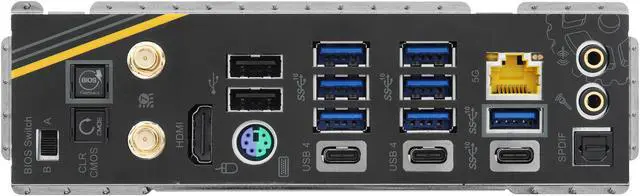
| Back I/O Ports | 2 x Antenna Ports 1 x PS/2 Mouse/Keyboard Port 1 x HDMI Port 1 x Optical SPDIF Out Port 2 x USB4 Type-C Ports (40 Gb/s)* 7 x USB 3.2 Gen2 Type-A Ports (10 Gb/s) 1 x USB 3.2 Gen2 Type-C Port (10 Gb/s) 2 x USB 2.0 Ports 1 x RJ-45 LAN Port 1 x Clear CMOS Button 1 x BIOS Flashback Button 1 x BIOS Selection Switch 1 x Line Out Jack (Gold Audio Jack) 1 x Microphone Input Jack (Gold Audio Jack) * Supports USB PD 3.0 up to 5V@3A (15W) charging USB4 controller(for USB4_TC1 and USB4_TC2) will run at Gen4x2 with with 8000 (Phoenix 2) series processors. |
|---|
| Onboard USB | 3 x USB 2.0 Headers (Support 6 USB 2.0 ports) 1 x USB 3.2 Gen1 Header (Support 2 USB 3.2 Gen1 ports) 2 x Front Panel Type C USB 3.2 Gen2x2 Headers (20 Gb/s)***** ***** USB32_TC2 supports USB PD 3.0 up to 12V@3A (36W) charging; USB32_TC3 supports USB PD 3.0 up to 5V@3A (15W) charging. |
|---|---|
| Other Connectors | 2 x Thermistor Cable Headers 1 x Power LED and Speaker Header 1 x RGB LED Header* 3 x Addressable LED Headers** 2 x CPU Fan Connector (4-pin) (Smart Fan Speed Control)*** 4 x Chassis Fan Connectors (4-pin) (Smart Fan Speed Control)*** 1 x AIO Pump Fan Connector (4-pin) (Smart Fan Speed Control)*** 1 x 24 pin ATX Power Connector (Hi-Density Power Connector) 2 x 8 pin 12V Power Connectors (Hi-Density Power Connector) 1 x 6 pin Graphics 12V Power Connector (Hi-Density Power Connector)**** 1 x Front Panel Audio Connector (15µ Gold Audio Connector) 1 x Dr. Debug with LED 1 x Power Button with LED 1 x Reset Button with LED 1 x Retry Button 1 x Safe Boot Button V-Probe: 6-set of onboard voltage measurement points laid Rapid OC Buttons: +/buttons to adjust OC frequency 1 x Slow Mode Switch 1 x LN2 Mode Switch 1 x NickShih's OC Profile 1 Button with LED 1 x NickShih's OC Profile 2 Button with LED 1 x NickShih's OC Profile 3 Button with LED * Supports in total up to 12V/3A, 36W LED Strip ** Support in total up to 5V/3A, 15W LED Strip *** CPU_FAN1 supports the fan power up to 1A (12W). CPU_FAN2, CHA_FAN1~4 and AIO_PUMP support the fan power up to 3A (36W). CPU_FAN2, CHA_FAN1~4 and AIO_PUMP can auto detect if 3-pin or 4-pin fan is in use. **** It is recommended to connect a 6 pin PCIE 12V Power Cable to GFX_36WTC2_12V1 when you use both USB32_TC2 and PCIe Slots. |
| Form Factor | ATX |
|---|---|
| Dimensions (W x L) | 12.0" x 9.6" |
| Software | Software - ASRock Formula Drive - ASRock Polychrome SYNC* UEFI - ASRock EZ Mode - ASRock Full HD UEFI - ASRock Auto Driver Installer - ASRock Instant Flash |
|---|
| First Listed on Newegg | January 21, 2026 |
|---|


