




 here!
I’m your shopping assistant for PC builds, upgrades, and everything tech.
Got questions? Ask away!
Start a conversation
here!
I’m your shopping assistant for PC builds, upgrades, and everything tech.
Got questions? Ask away!
Start a conversation







Any questions? Ask CelesteSM will help you find out quickly.
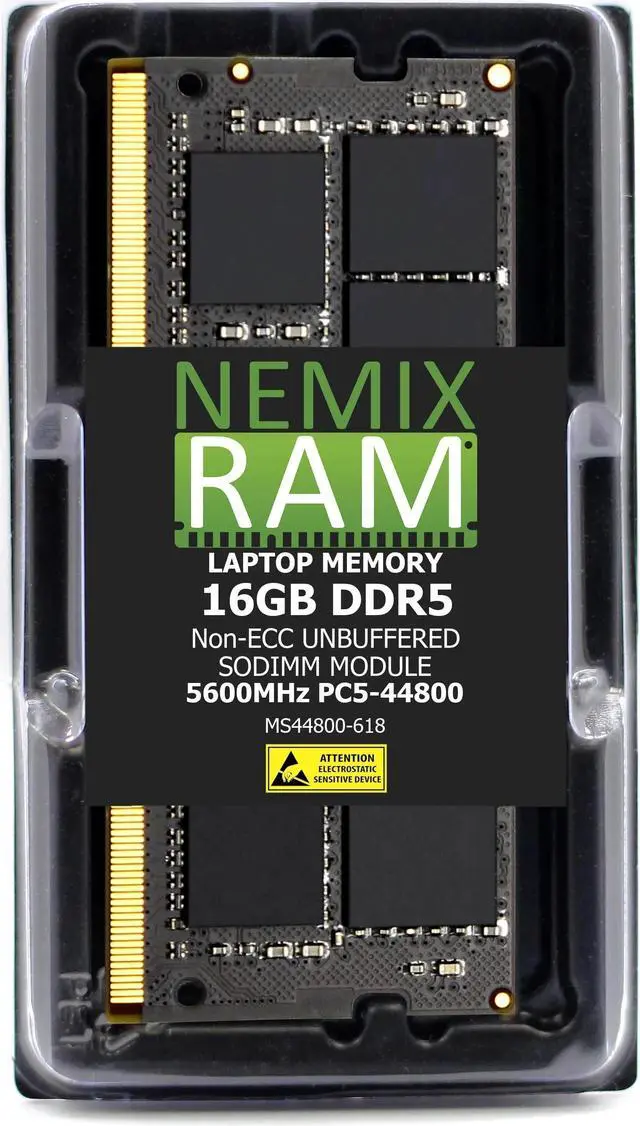
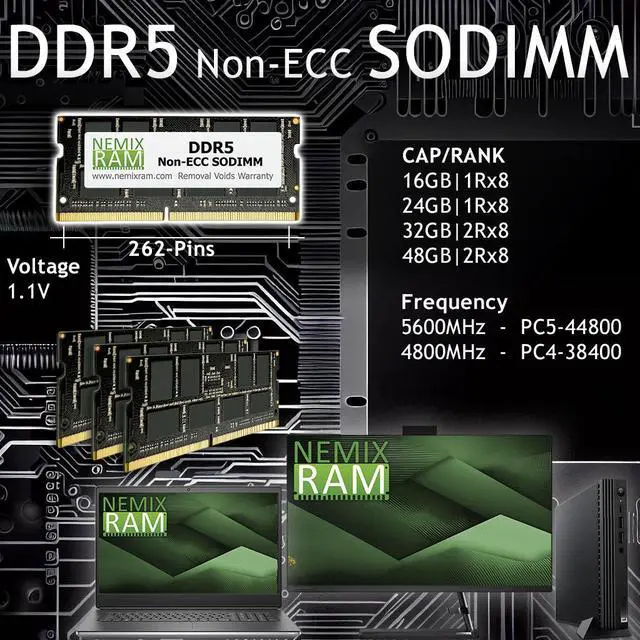
The NEMIX RAM MS44800-618K1 is a 16GB DDR5-5600 262-pin SODIMM memory module for users upgrading an ASUS Pro Q870I-C-CSM system that supports this memory specification.
| Attribute | Value |
|---|---|
| Best For | A 16GB DDR5 memory upgrade for the ASUS Pro Q870I-C-CSM |
| Capacity | 16GB |
| Memory Type And Configuration | DDR5 262-pin SO-DIMM, unbuffered, single-rank 1Rx8 |
| Speed And Timing | 5600 MHz (PC5-44800), CL46 |
| Electrical And Error Correction | 1.10V, non-ECC |
| Compatibility | Compatible with ASUS Pro Q870I-C-CSM |
| Module Components | Uses major OEM Samsung, Micron, or Hynix chips; no heat spreader |
| Color | Black |
| Model Identifiers | NEMIX RAM Original Series Memory; model DDR5 Non-ECC Unbuffered SODIMM Memory; part number MS44800-618K1 |
Q: Should I get one 16GB NEMIX DDR5-5600 module or a 32GB (2x16GB) kit?
A: Choose the 32GB (2x16GB) NEMIX kit if you want twice the memory capacity and both memory channels populated on the ASUS Pro Q870I-C-CSM. Choose this 16GB module for a 16GB starting configuration that leaves the second slot available for a later upgrade. Both options are listed as DDR5-5600 SODIMM configurations.
Q: For 16GB total, should I choose this 1x16GB module or NEMIX’s 2x8GB kit?
A: Choose the 2x8GB NEMIX kit if you want 16GB with both slots populated and the ASUS Pro Q870I-C-CSM’s dual-channel memory architecture in use. Choose this 1x16GB module if keeping a slot open for a later capacity upgrade is more important. NEMIX lists both configurations at DDR5-5600.
Q: Is this 16GB NEMIX module a better starting point than the 8GB version?
A: Choose this 16GB module when you want twice the memory capacity in one DDR5-5600 SODIMM, while keeping the second memory slot available. The 8GB version suits a lower-capacity starting configuration; NEMIX lists both as 1.1V, non-ECC, unbuffered DDR5-5600 SODIMMs.
Q: For 32GB total, should I choose one NEMIX 32GB module or this 16GB module with another 16GB?
A: Choose two 16GB modules for a 32GB configuration with both memory channels populated on the ASUS Pro Q870I-C-CSM. Choose one 32GB module if keeping a slot open for a later expansion is the priority. NEMIX lists both 32GB configurations, and ASUS specifies two SO-DIMM slots with dual-channel memory architecture.
Q: Will this memory fit the ASUS Pro Q870I-C-CSM?
A: The product information lists the ASUS Pro Q870I-C-CSM as compatible. The module is 262-pin DDR5 SODIMM, so confirm the system supports DDR5 SODIMMs and check its manual for capacity and installation requirements before buying.
Q: Will it run at 5600MHz in my system?
A: The module is rated for DDR5-5600, but its actual operating speed depends on the system’s memory support. A system that supports a lower speed may run the memory more slowly; check the motherboard or system specifications before purchase.
Q: Can I add it alongside the RAM already installed?
A: Possibly, if the system has an available slot and supports the combined capacity and module configuration. Mixing memory can affect the speed or stability of the system, so check the system manual and existing memory specifications first.
Q: What warranty and support are included?
A: The product information states that the memory includes a lifetime replacement warranty and free US-based technical support.
Q: Will this memory fit my system?
A: The product listing specifies 262-pin DDR5 SODIMM and names the ASUS Pro Q870I-C-CSM as compatible. It is not a desktop UDIMM. Before buying, verify your system’s memory type, supported capacity, and installation requirements; Reddit upgrade discussions show that similar-looking modules can still be incompatible when the DDR generation or module type differs.
Q: Will it run at 5600 MT/s in my computer?
A: 5600 MT/s is the module’s rated speed, but the system’s processor and motherboard determine the speed it actually uses. Reddit upgrade discussions report that 5600-rated SODIMMs may run at a lower speed when the system supports a lower maximum, so check the ASUS board’s memory specifications before buying.
Q: Can I add this alongside my existing RAM, even if it’s a different brand?
A: Different-brand modules can work together, but compatibility and operating speed depend on the system and both modules’ specifications. Compare the existing memory’s DDR generation, speed, capacity, and supported configuration, and check the motherboard manual for population rules; the product information alone does not guarantee a mixed-module configuration.


