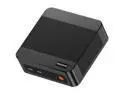
The MINISFORUM M1 Pro is a compact mini PC with an Intel Core Ultra 9 285H, 32GB DDR5 RAM, 1TB SSD, and Intel Arc 140T graphics, suited to multitasking, productivity, and creative workloads such as video editing and 3D rendering.
Recommended For
- People who run CPU-heavy creative or productivity work at a compact desk: the Core Ultra 9 285H delivers strong tested CPU performance, while the small system provides USB4 and OCuLink connectivity.
- Developers and technical users who want a compact desktop for compiling, multitasking, or workstation-style projects, with the option to connect an external graphics card over OCuLink when a project needs more GPU capacity.
- Users building a small, quiet work area who want a mini PC near their monitor: a professional review found the M1 Pro quiet in testing and noted its USB4, OCuLink, Wi-Fi 7, and Bluetooth 5.4 connections.
- Mini-PC enthusiasts who plan to expand graphics performance later: OCuLink provides a route to an external GPU, making the M1 Pro a fit for a modular setup rather than a fixed, all-in-one gaming configuration.
Real-World Use Scenarios
- For a desk setup with several monitors, office apps, and video calls, the M1 Pro can serve as a compact daily-work PC; its multiple display outputs let users keep documents, communication, and reference material visible at once.
- For compact-PC gaming, the integrated graphics are better suited to lighter titles than demanding games: a review found some heavier games ran poorly at Full HD. Connecting a discrete graphics card through OCuLink can provide a route to higher gaming performance, as shown in a hands-on eGPU test.
- For photo editing and other CPU-heavy desktop work, the M1 Pro can handle demanding workloads in a small footprint; a professional review recorded strong general-system and processor benchmark results, though results vary by app and project.
- For a home lab or development desk, users can consider running containers and services such as Home Assistant, Jellyfin, or Docker alongside everyday PC tasks; community discussions describe these plans, but actual results will depend on the software setup and workload.
Spec Summary
| Attribute | Value |
|---|
| Best For | Compact computing for business and office work, multimedia, and multitasking, with 32GB of memory and support for up to four displays |
|---|
| Processor And Core Count | Intel Core Ultra 9 285H with 16 cores (6P+8E+2LP) |
|---|
| Integrated Graphics | Intel Arc 140T integrated graphics |
|---|
| Memory Configuration | 32GB DDR5-5600 memory, dual-channel support, two memory slots, and up to 64GB supported |
|---|
| Storage And Expansion | 1TB SSD with 2× PCIe 4.0 x4 expansion and listed maximum storage capacity of 8TB |
|---|
| Video Output And Displays | One HDMI port and one DisplayPort; supports up to four displays |
|---|
| Wired And Wireless Networking | 2.5Gbps Ethernet, Wi-Fi 7 (802.11ax), and Bluetooth 5.4 |
|---|
| USB Connectivity | Three USB ports total: two front and one rear |
|---|
| Power | 19V, 6.32A, 120W power supply |
|---|
| Model Identifiers | MINISFORUM DeskMini, M1 Pro series; CPU socket FCBGA2049 |
|---|
| In The Box | Mini PC, US power adapter, HDMI cable, wall-mount bracket, and OCuLink adapter |
|---|