
 Holiday Shipping Details & Extended Holiday Returns

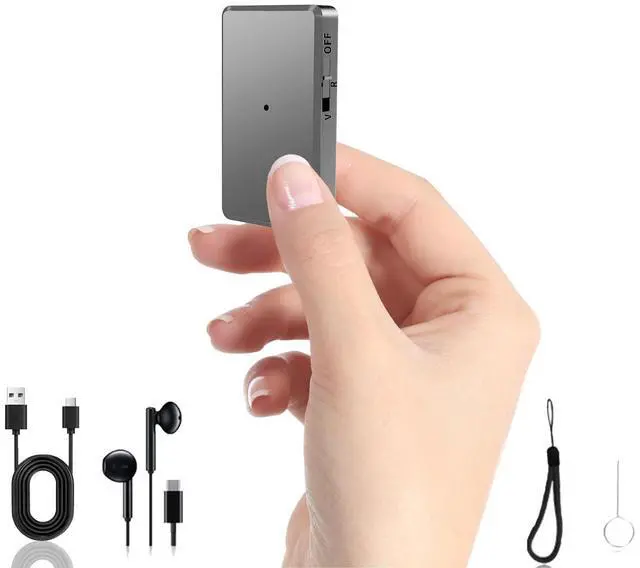







Some additional information about this Voice Recorder
1.Here are a few details to note about resetting recorder:
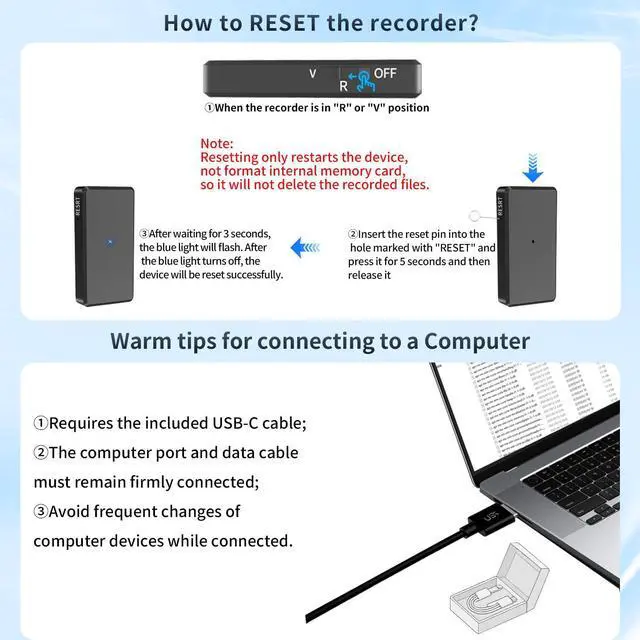
1) When should user reset the recorder: If the recorder becomes unresponsive, that is to say, there is no response to any button operations, need reset the recorder.
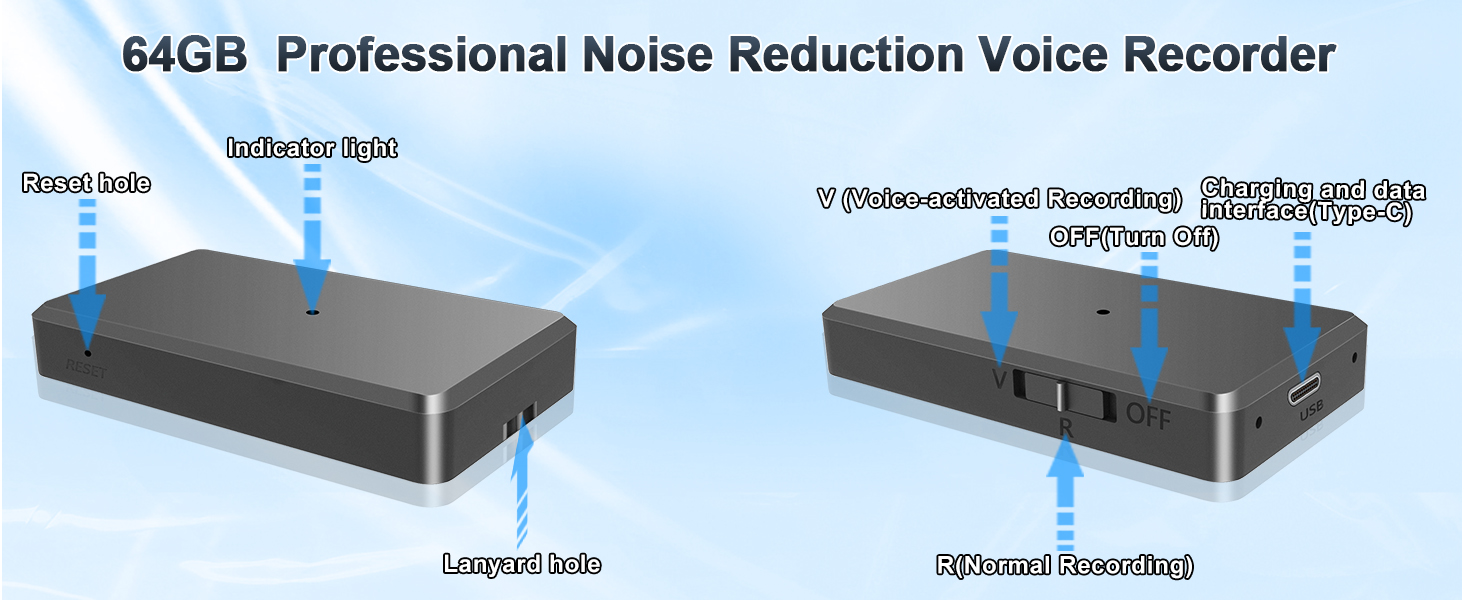
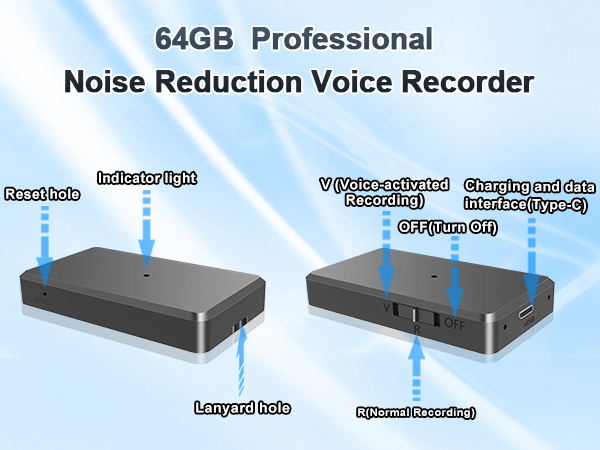
2) How to reset the recorder: When the recorder is in "R" or "V" position, insert the reset pin into the hole marked with "RESET" and press it for 5 seconds and then release it. After waiting for 3 seconds, the blue light will flash. After the blue light turns off, the device will be reset successfully.
3) Note: Resetting only restarts the device, not format internal memory card, so it will not delete the recording files.
2.If the recorder can not be connected to the computer, it may be related to the following factors:
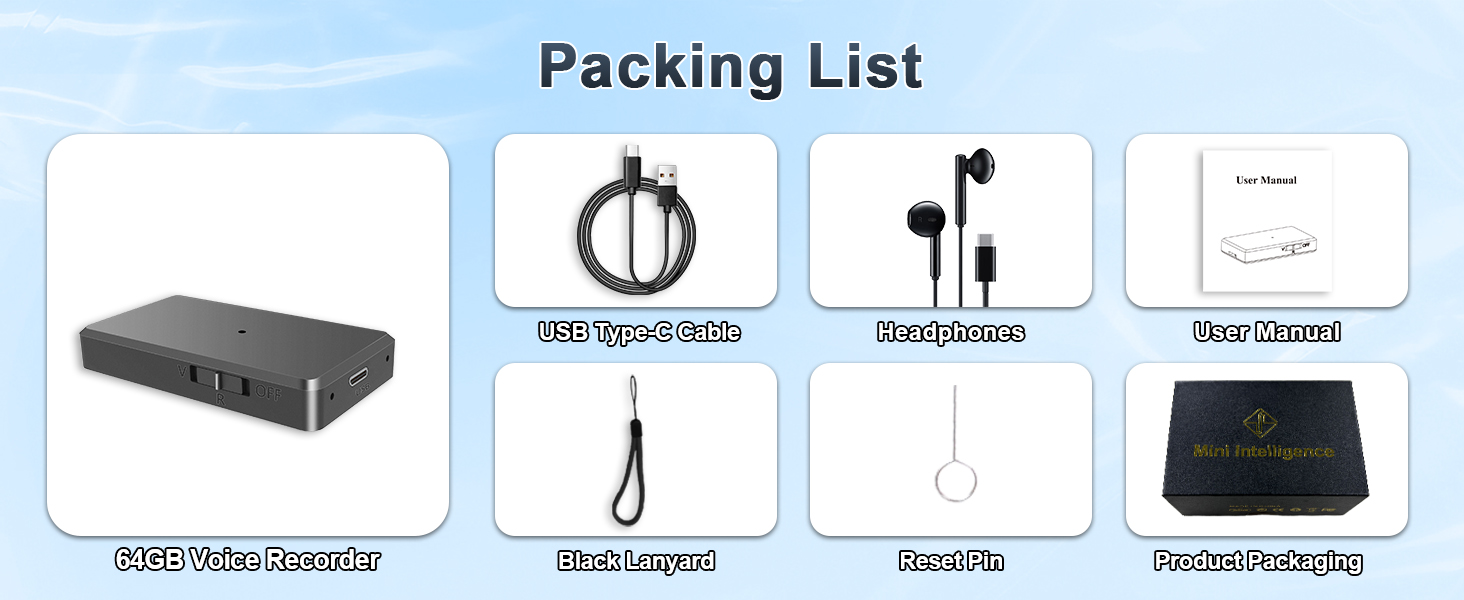
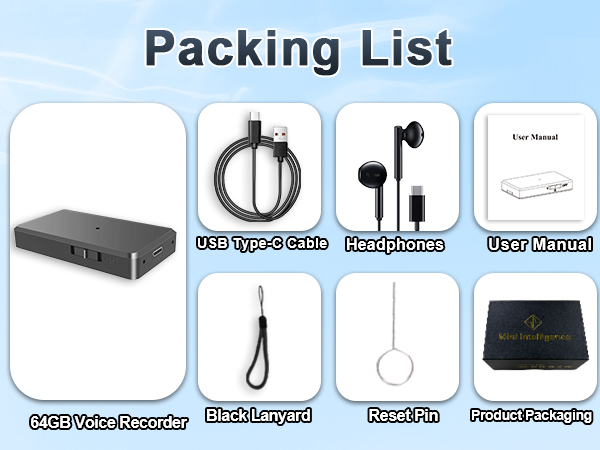
1) Not using the data cable included in our package you recieved;
2) The USB interface of the laptop may be faulty, such as poor interface contact, dust accumulation or physical damage, etc., these will seriously affect the stability of the data cable connection;
3) Frequently switching between different computers when connecting: There may be differences in the operating systems and USB driver versions of different computers. Frequently changing computers may cause the voice recorder to repeatedly install and uninstall drivers in different operating systems, resulting in connection failures.
Some operations on how to use this Voice Recorder
1.How to delete the recording files?
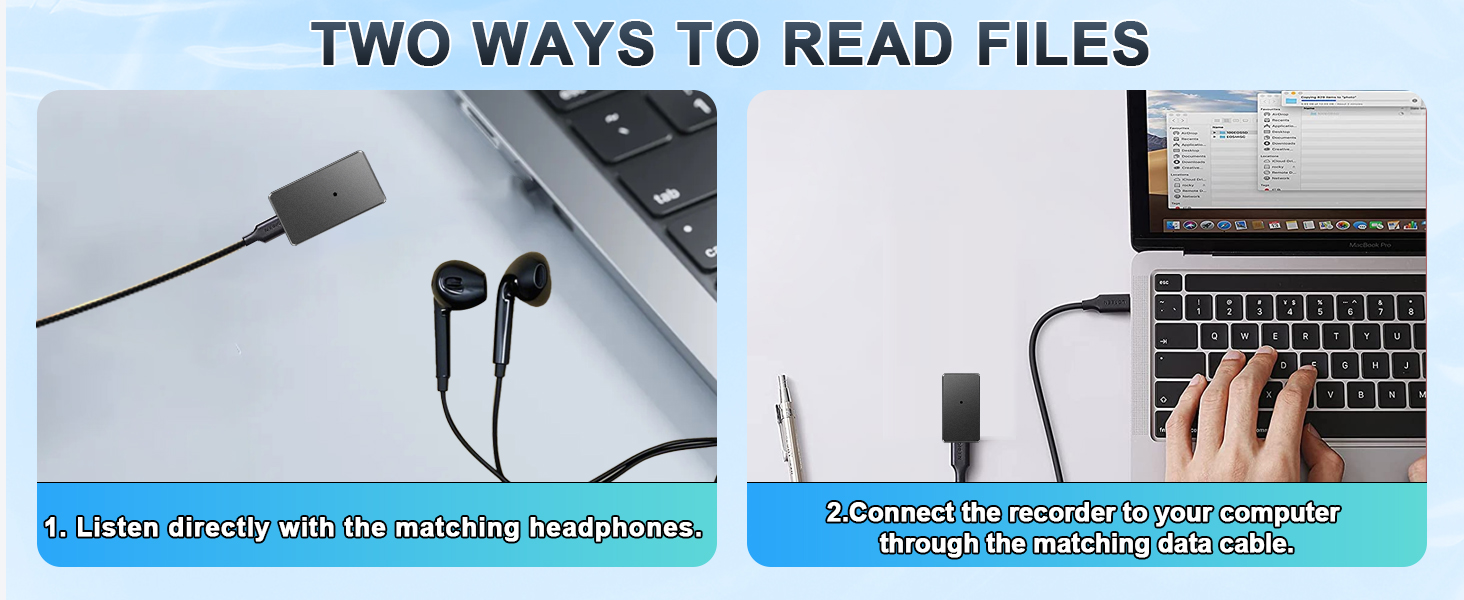
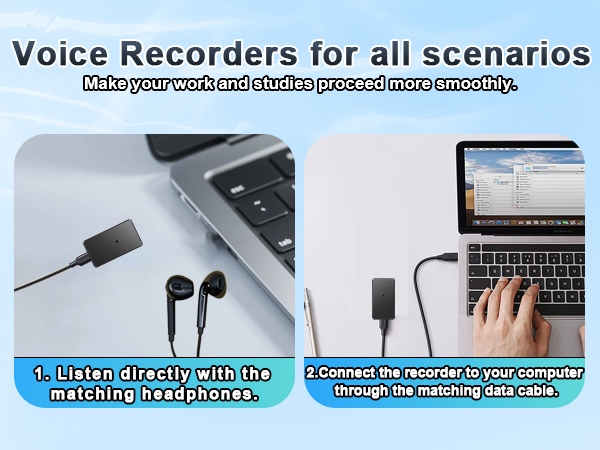
Step 1: Use a USB-C data cable(included) that can transfer data to connect the recorder to the computer.
Step 2: After a successful connection, enter "This PC" and find the corresponding "USB Drive" of the recorder, then open "RECORD" folder, select the file you want to delete.
Step 3: Select "Delete" , the page will pop out a tip that “Are you sure you want to permanently delete this file?”, click "Yes", the file will delete successfully.
Note: The delete operation is a permanent delete, the file will not be recovered, that is to say, once a file is deleted, you cannot restore it. So, please be careful about deleting files.
2.How to check the battery level?
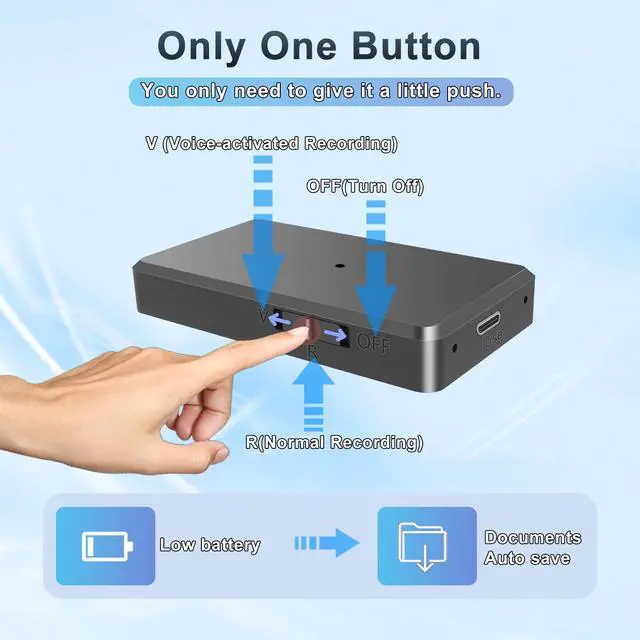
Push the button to "R" or "V" position, the blue indicator light will flash at different frequencies to indicate the current power level. Blinks once means 25% battery level, twice means 50% battery level, three times means 75% battery level and four times means 100% battery level.
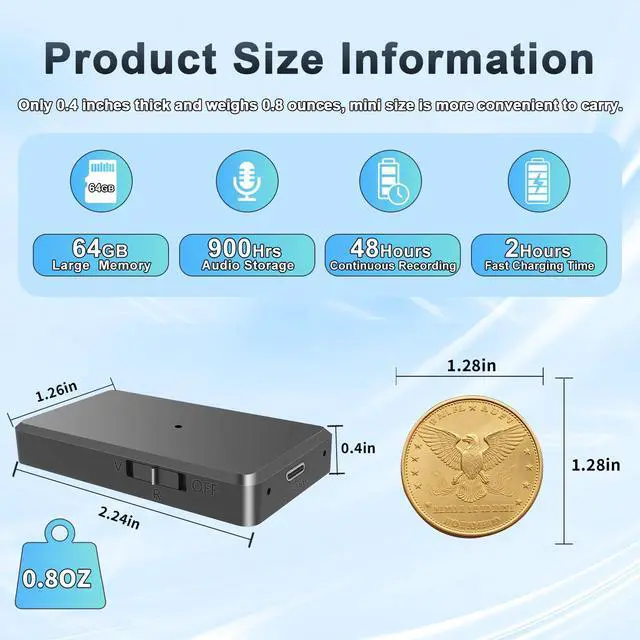
Please fully charge the product before using it. A full charge takes two hours, the red light flashes slowly during charging; when the red light turns off and the blue light stays on, charging is complete.





Some additional information about this Voice Recorder
1.Here are a few details to note about resetting recorder:
1) When should user reset the recorder: If the recorder becomes unresponsive, that is to say, there is no response to any button operations, need reset the recorder.
2) How to reset the recorder: When the recorder is in "R" or "V" position, insert the reset pin into the hole marked with "RESET" and press it for 5 seconds and then release it. After waiting for 3 seconds, the blue light will flash. After the blue light turns off, the device will be reset successfully.
3) Note: Resetting only restarts the device, not format internal memory card, so it will not delete the recording files.
2.If the recorder can not be connected to the computer, it may be related to the following factors:
1) Not using the data cable included in our package you recieved;
2) The USB interface of the laptop may be faulty, such as poor interface contact, dust accumulation or physical damage, etc., these will seriously affect the stability of the data cable connection;
3) Frequently switching between different computers when connecting: There may be differences in the operating systems and USB driver versions of different computers. Frequently changing computers may cause the voice recorder to repeatedly install and uninstall drivers in different operating systems, resulting in connection failures.
Some operations on how to use this Voice Recorder
1.How to delete the recording files?
Step 1: Use a USB-C data cable(included) that can transfer data to connect the recorder to the computer.
Step 2: After a successful connection, enter "This PC" and find the corresponding "USB Drive" of the recorder, then open "RECORD" folder, select the file you want to delete.
Step 3: Select "Delete" , the page will pop out a tip that “Are you sure you want to permanently delete this file?”, click "Yes", the file will delete successfully.
Note: The delete operation is a permanent delete, the file will not be recovered, that is to say, once a file is deleted, you cannot restore it. So, please be careful about deleting files.
2.How to check the battery level?
Push the button to "R" or "V" position, the blue indicator light will flash at different frequencies to indicate the current power level. Blinks once means 25% battery level, twice means 50% battery level, three times means 75% battery level and four times means 100% battery level.
Please fully charge the product before using it. A full charge takes two hours, the red light flashes slowly during charging; when the red light turns off and the blue light stays on, charging is complete.