

Your Browsing History
- Free 30-day Returns
$5.95

Meet Your Seller



Adafruit Push-button Power Switch Breakout - OEM
- Modules & Embedded Solutions
+
+
Overview
Specs
Reviews

Any questions? Our AI beta will help you find out quickly.
Try me now
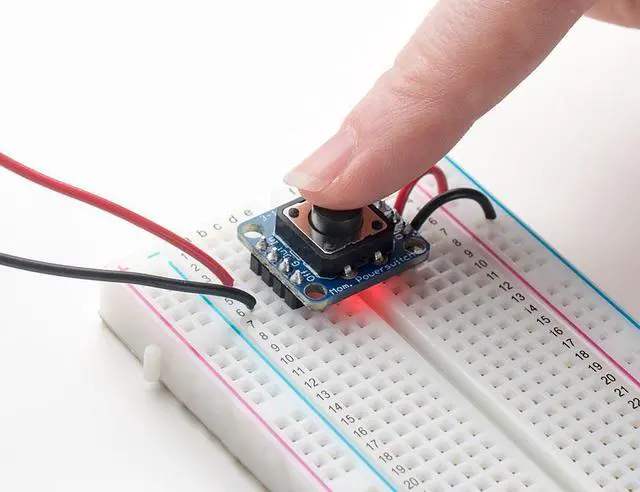
The Adafruit Push-button Power Switch is a tidy little design that lets you control a DC power source using an everyday tactile button. The breakout uses a latching analog circuit that is triggered by a push of the button. Press once to turn on, then press again to turn off. The circuit uses a 3A P-FET to connect and disconnect the IN pin to the OUT pin. Works great from 3V to 14VDC and up to 3A (although the FET gets a little toasty at continuous 3A draw) yet has only 0.5 uA quiescent current draw.
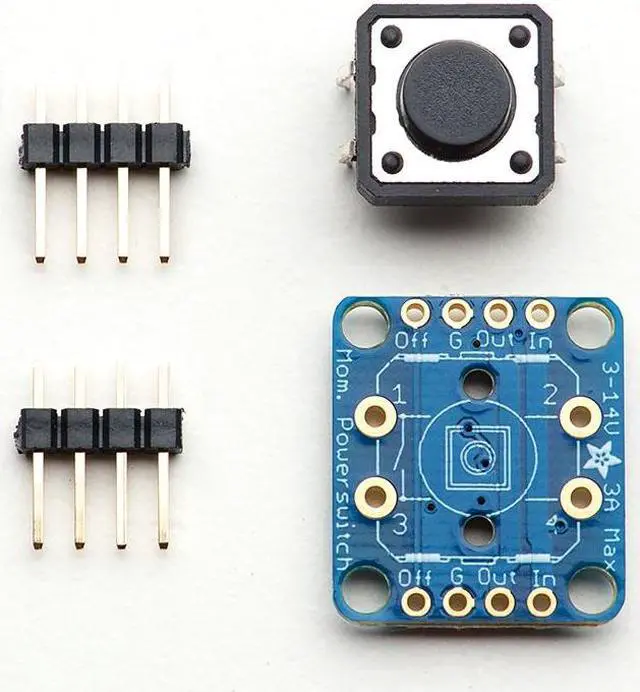
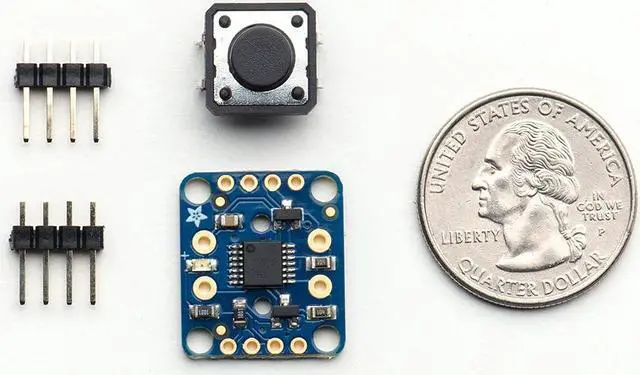
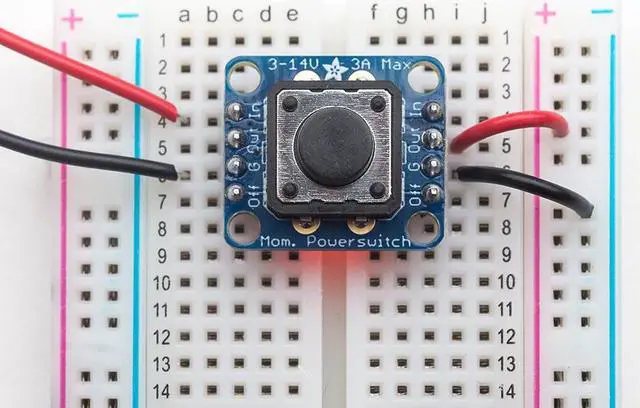
Using it is easy: connect the power source to Ground and IN, then the load from Ground to OUT. We include a 12mm tactile switch that works well but you can solder in your own switch as well. Press the button (or short the button pins) to alternate between on or off. A on-board red LED will light up when active so you know its working. There's a fourth KILL pin, which you can use to turn off the load and/or keep it off even if the button is pressed. When 1 or more volts is applied it will instantly turn off the FET. This allows your project to turn itself off. Comes with a assembled & tested bread-board friendly breakout board with four mounting holes, a 12mm tactile button, and some 0.1" male header you can solder to the board to plug it into a breadboard. The power switch is an elegant way to control power to your project, but there are some things to keep in mind: since there is a pass FET, this is only for 3-14V DC voltages. This is not a mechanical switch so there is no air-gap isolation. There is a 'body diode' in the pass FET so if the load has a voltage on it that is higher than the input voltage, current will flow back to the input. There is built-in debouncing but very bouncy switches can be annoying as they will turn on and off fast instead of latching. Adafruit Push-button Power Switch Breakout ( 11:52 )Technical
Dimensions: 20.51 mm / 0.8" x 17.75 mm / 0.69" x 2.66 mm / 0.1"H eight with
Switch: 8.69
mm / 0.34"W eight: 2.6 gMC14093 Datasheet (the NAND gate used) P-Channel Pass MOSFET
Schematic!
Using it is easy: connect the power source to Ground and IN, then the load from Ground to OUT. We include a 12mm tactile switch that works well but you can solder in your own switch as well. Press the button (or short the button pins) to alternate between on or off. A on-board red LED will light up when active so you know its working. There's a fourth KILL pin, which you can use to turn off the load and/or keep it off even if the button is pressed. When 1 or more volts is applied it will instantly turn off the FET. This allows your project to turn itself off. Comes with a assembled & tested bread-board friendly breakout board with four mounting holes, a 12mm tactile button, and some 0.1" male header you can solder to the board to plug it into a breadboard. The power switch is an elegant way to control power to your project, but there are some things to keep in mind: since there is a pass FET, this is only for 3-14V DC voltages. This is not a mechanical switch so there is no air-gap isolation. There is a 'body diode' in the pass FET so if the load has a voltage on it that is higher than the input voltage, current will flow back to the input. There is built-in debouncing but very bouncy switches can be annoying as they will turn on and off fast instead of latching. Adafruit Push-button Power Switch Breakout ( 11:52 )Technical
Details
:Dimensions: 20.51 mm / 0.8" x 17.75 mm / 0.69" x 2.66 mm / 0.1"H eight with
Switch: 8.69
mm / 0.34"W eight: 2.6 gMC14093 Datasheet (the NAND gate used) P-Channel Pass MOSFET
Schematic!
Warranty & Returns
Warranty, Returns, And Additional Information
Warranty
- Please contact the Seller directly for warranty information. Warranty information may also be found on the Manufacturer's website.
- CONTACT
Return Policies
- Return for refund within: 30 days
- Return for replacement within: 30 days
- This item is covered by Paradise Robotics Return Policy
Manufacturer Contact Info
- For a directory of all our manufacturers, please click below.
- Manufacturers Directory
LOADING...