

Your Browsing History

Meet Your Seller



WiFi Waterproof IP68 Endoscope Inspection Camera HD - iPhone, Android, PC
- 1. 100% brand new and high quality guaranteed.
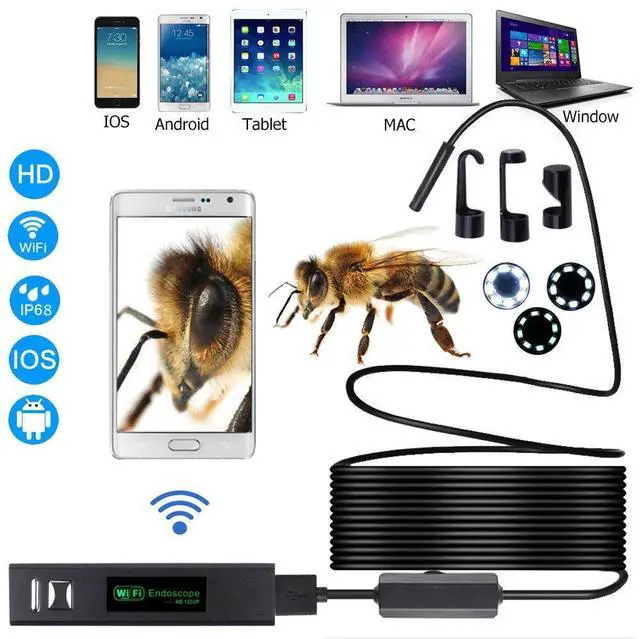
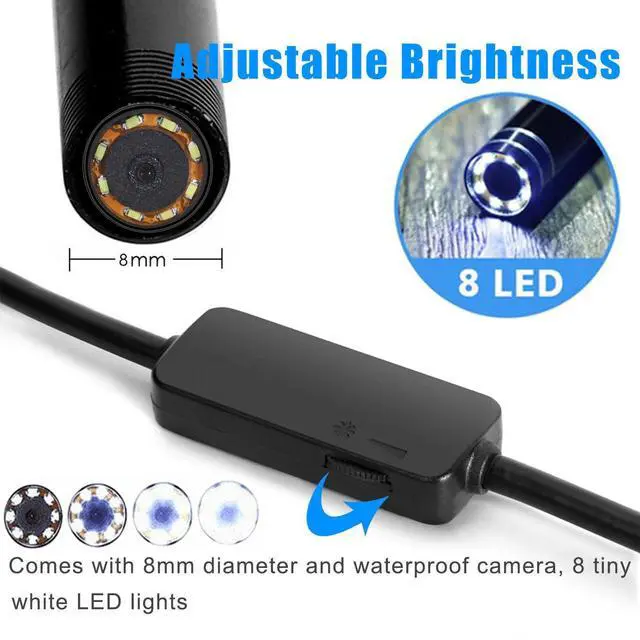
- 2. WIFI wireless connection, Built in 3.7V 600mAh lithium battery, with 8 LED Lights, brightness adjustable.
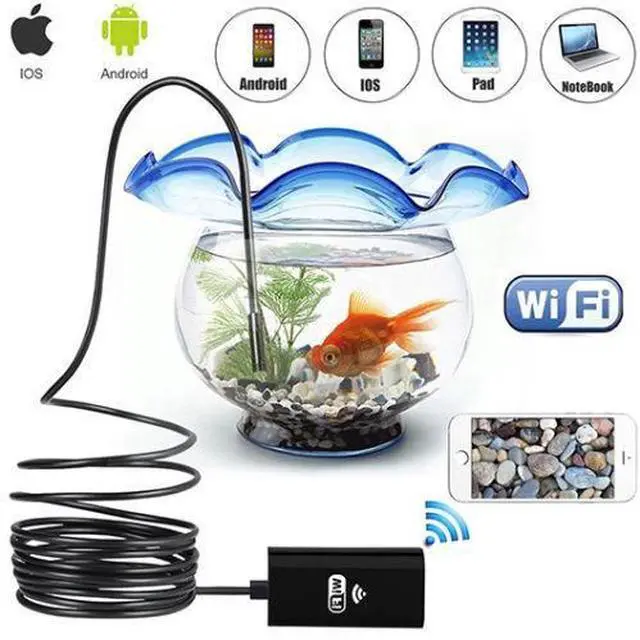
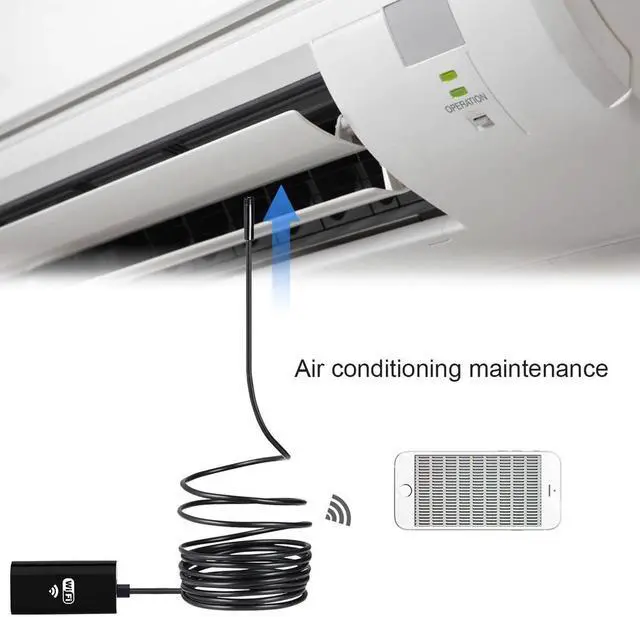
- 3. Support Android, IOS, tablet PCs, laptops, and all the mobile phones and computers that has Wi-Fi function.
- 4. It can take pictures and videos, and save in the mobile phone or computer equipment.
- 5. Support any USB interface camera connection, just need to plug into the WIFI box, USB dental endoscope, USB microscope, USB computer camera, USB endoscope.
- 6. With shutter button on WiFi box, more convenient to take photo.
- 7. Featuring 1280*720P HD CMOS camera, which provides close range HD video and snapshot image and the photo/video files will be directly stored in your Android or iOS mobile phone.
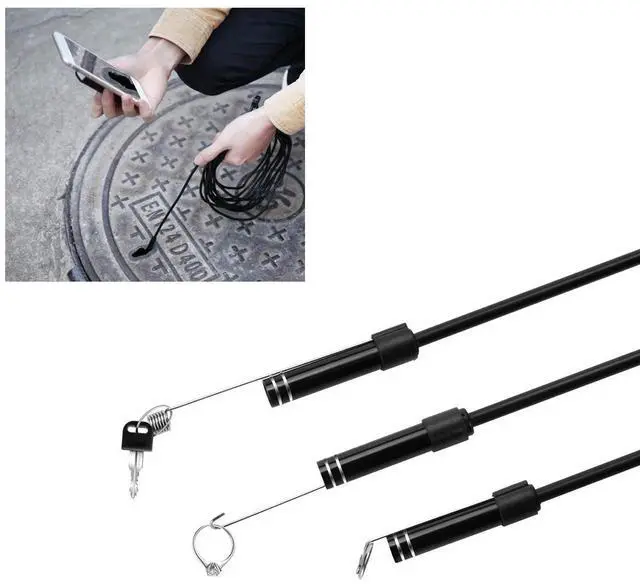
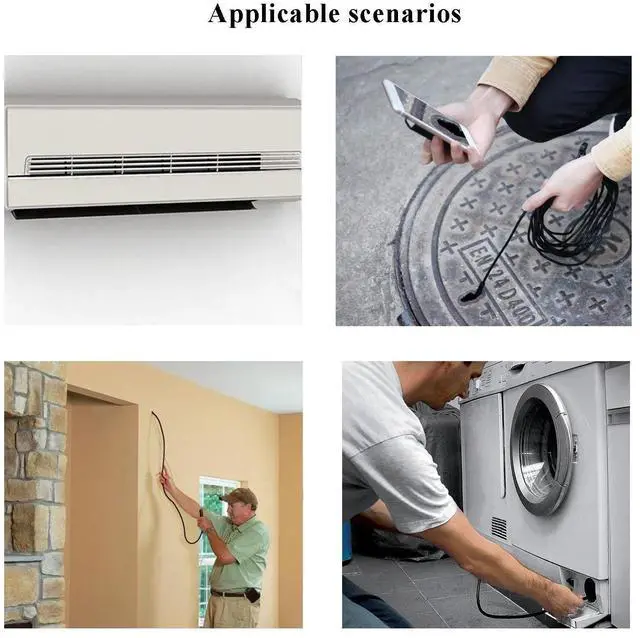
- 8. Comes with three kinds of attachment (hook, mirror and magnet), can help you to find out any small object, such as rind or small screws.
- 9. IP 68 waterproof Design.
+
+
Overview
Specs
Reviews

Any questions? Our AI beta will help you find out quickly.
Try me now
Product Specification:
1.
Type: WIFI Endoscope Inspection camera
2.
Resoution: 1280*720P
3.
View angle: 70 degree
4.
LED number: 8 adjustable white LED Lights
5.
Interface: USB
6.
Camera head diameter: 8mm
7.
Waterprrof level: IP68
8.
Frequency: 2.425GH z- 2.493GH z
9.
Transmission distance: 5-30M
10.
BatteryCapacity: 600mah(charging about 30mins, working about 2 hours. )
11.
Support system: Android / iOS 4.2 (or above) / Windows / Mac
12.
Focal distance: 1.2 - 3.2 in (3~8cm)
13.
Wireless transmitter size: 2.6 * 1.22 * 0.59 in (66*31*15mm)
14.
Camera wire length: 196.85 in (5m)
15.
Charging cable length: 9in (230mm)
16.
Color: Black
Package Include:
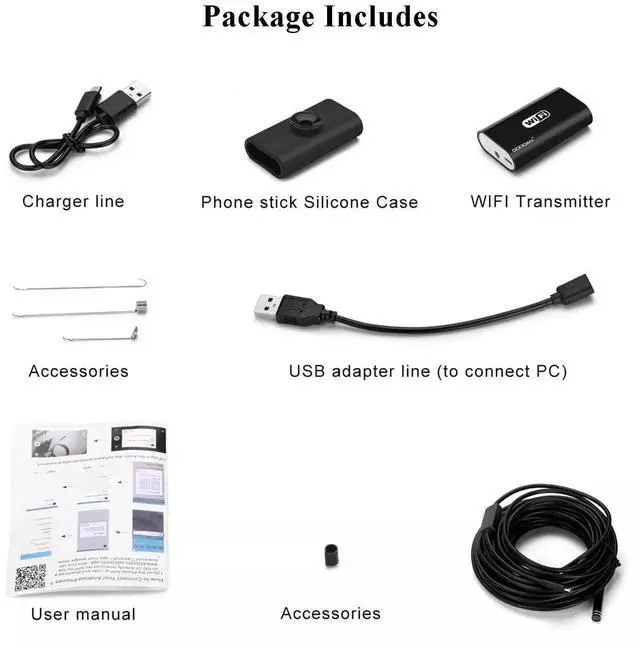
1x endoscope
1x WiFi battery box
1x charge cable
1x accessories (include a hook, magnet, side mirror and waterproof device)
1x user manual
How to use:
How to Use on Smartphone:
1. Download and install APP.
For IOS: Open APP store from iPhone/iPad. Search for HD SEE, click on download and install it.
For Android: Enter into Google Play Shop from Android. Search for HD SEE, click on download and install it.
2.
WiFi connection:
Click on the setting icon on main interface of smart mobile device, then click on the Wlan select your camera, connect smart mobile device Wi-Fi connect to tool Wi-Fi, tool initial SSID is YYC-***, enter the password of this equipment (default password is 12345678).
3.
Operation and application:
After the connection is successful, click on HD SEE icon to enter into the connected camera automatically to view the real-time video.
(Taking photos, video recording, viewing pictures and video playback, setting and other operation can be done on the smart mobile device. )
For use on Windows:
Please download the software as in user manual and install. Then plug in the USB endoscope camera and open the software, you can take pictures, videos.
For use on MAC:
Please use Photo booth, Quick Time Player, VLC (VideoLan Client).
1.
Type: WIFI Endoscope Inspection camera
2.
Resoution: 1280*720P
3.
View angle: 70 degree
4.
LED number: 8 adjustable white LED Lights
5.
Interface: USB
6.
Camera head diameter: 8mm
7.
Waterprrof level: IP68
8.
Frequency: 2.425GH z- 2.493GH z
9.
Transmission distance: 5-30M
10.
BatteryCapacity: 600mah(charging about 30mins, working about 2 hours. )
11.
Support system: Android / iOS 4.2 (or above) / Windows / Mac
12.
Focal distance: 1.2 - 3.2 in (3~8cm)
13.
Wireless transmitter size: 2.6 * 1.22 * 0.59 in (66*31*15mm)
14.
Camera wire length: 196.85 in (5m)
15.
Charging cable length: 9in (230mm)
16.
Color: Black
Package Include:
1x endoscope
1x WiFi battery box
1x charge cable
1x accessories (include a hook, magnet, side mirror and waterproof device)
1x user manual
How to use:
How to Use on Smartphone:
1. Download and install APP.
For IOS: Open APP store from iPhone/iPad. Search for HD SEE, click on download and install it.
For Android: Enter into Google Play Shop from Android. Search for HD SEE, click on download and install it.
2.
WiFi connection:
Click on the setting icon on main interface of smart mobile device, then click on the Wlan select your camera, connect smart mobile device Wi-Fi connect to tool Wi-Fi, tool initial SSID is YYC-***, enter the password of this equipment (default password is 12345678).
3.
Operation and application:
After the connection is successful, click on HD SEE icon to enter into the connected camera automatically to view the real-time video.
(Taking photos, video recording, viewing pictures and video playback, setting and other operation can be done on the smart mobile device. )
For use on Windows:
Please download the software as in user manual and install. Then plug in the USB endoscope camera and open the software, you can take pictures, videos.
For use on MAC:
Please use Photo booth, Quick Time Player, VLC (VideoLan Client).
Warranty & Returns
Warranty, Returns, And Additional Information
Warranty
- Please contact the Seller directly for warranty information. Warranty information may also be found on the Manufacturer's website.
- CONTACT
Return Policies
- Return for refund within: 30 days
- Return for replacement within: 30 days
- This item is covered by connect7 Return Policy
Manufacturer Contact Info
- For a directory of all our manufacturers, please click below.
- Manufacturers Directory
LOADING...