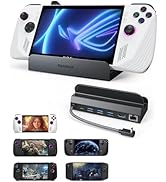
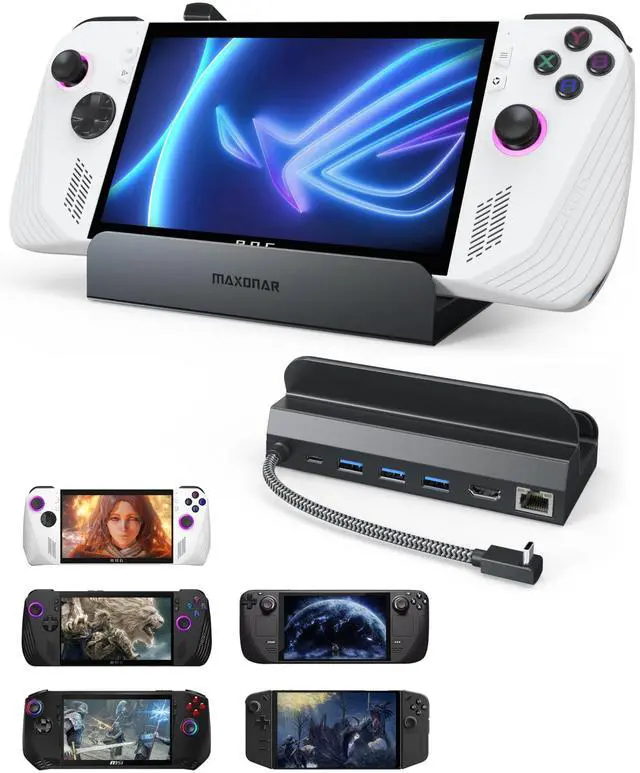
Upgraded Docking Station 4K@120Hz for ROG Ally X/Steam Deck OLED/Legion Go (S) /MSI Claw, 6-in-1 Steam Deck Dock with HDMI 2.1, 3*USB-A 3.0, Gigabit Ethernet, 100W Charge for Steam Deck LCD
HDMI 2.1 Overdrive: 4K@120Hz: Smash frame rate barriers with true 4K@120Hz 2X smoother than HDMI 2.0 docking station. Dominate high-octane matches with pixel-perfect clarity that makes every shot count. Fine-tuned for Steam Deck, ROG Ally, Legion Go & MSI Claw. (Switch not supported next-gen warriors only.)
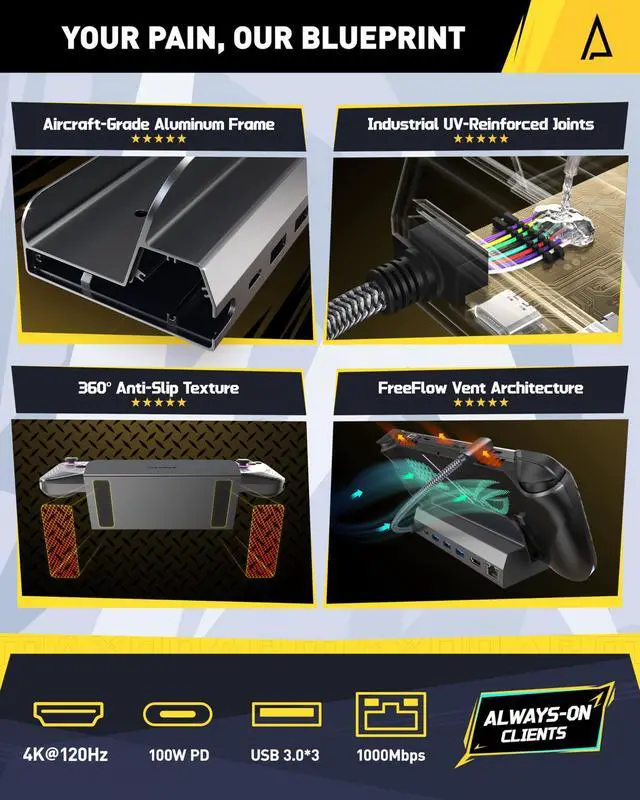
6-in-1 Versatility King: 3x USB 3.0 ports (5Gbps) for instant keyboard/mouse/controller freedom. HDMI 2.1 delivers tear-free visuals, Gigabit LAN erases ping spikes, and 100W USB-C PD fuels non-stop gaming marathons. ROG Ally pro move: Unlock 30W Turbo via BIOS v323!
GripGod Anti-Slip Matrix: Zero Rage-Quit Tolerance, 10X larger anti-skid pads vs. basic docks your rig stays planted even when fists slam the desk mid-clutch. OCD-level stability meets rage-proof engineering
100W HyperCharge: Never Miss a Killstreak. Juice up Steam Deck/ROG Ally/Legion Go/MSI Claw at full-throttle 100W speeds while gaming. 30W Turbo Mode (ROG Ally) = overkill power for overkill plays. Low battery? Not in your vocabulary
Military-Spec Chassis: Cooler Than Your Comms. Aerospace-grade aluminum armor laughs off heatwaves. The "Golden Angle" design drains thermal junk faster than you outpace campers. Built to survive 10,000 hours of sweaty grind
24/7 Gamer Guard: Humans > Bots, Got issues? Our real-person tech squad prioritizes fixes over formalities. No AI loops, no scripted replies just legit solutions from fellow gamers. We speak your language
+
+
Overview
Specs
Reviews
Any questions? Our AI beta will help you find out quickly.
Upgraded Docking Station 4K@120Hz for ROG Ally X/Steam Deck OLED/Legion Go (S) /MSI Claw, 6-in-1 Steam Deck Dock with HDMI 2.1, 3*USB-A 3.0, Gigabit Ethernet, 100W Charge for Steam Deck LCD
Learn more about the Detailed Specifications
Additional Information
First Listed on Newegg
March 17, 2026
There are no reviews yet.
Do you own this product?
Warranty & Returns
Warranty, Returns, And Additional Information
Warranty
Please contact the Seller directly for warranty information. Warranty information may also be found on the Manufacturer's website.