

Your Browsing History
- In Stock
- Sold by Newegg
- Make an Offer
- New

Any questions? Our AI beta will help you find out quickly.
Try me now
Quick View
Cyan Toner Replacement for 212A W2121A 4500 Page-Yield IVRW2121A
- Model #: IVRW2121A
- $92.99 –
- More options from $92.10
- $2.99 Shipping
Quick View
Cyan Toner Replacement for 206A W2111A Page-Yield 1250 IVRW2111A
- Model #: IVRW2111A
- $63.99 –
- More options from $63.99 - $70.80
- $4.99 Shipping
Quick View
Black Toner Replacement for 212A W2120A 5500 Page-Yield IVRW2120A
- Model #: IVRW2120A
- $89.99 –
- More options from $89.99 - $94.21
- $2.99 Shipping
Quick View
Black Toner Replacement for 414A W2020A 2400 Page-Yield IVRW2020A
- Model #: IVRW2020A
- $76.99 –
- More options from $76.99 - $84.93
- $2.99 Shipping
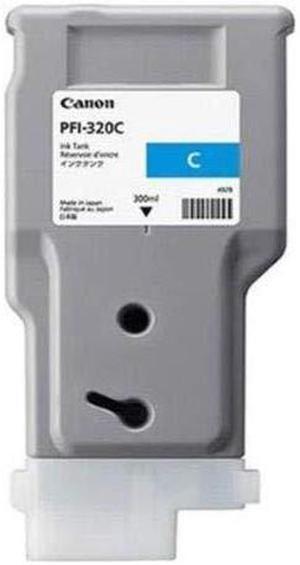
Quick View
Canon PFI-320c Original Ink Cartridge Cyan 2891C001
- Model #: 2891C001
- $158.99 –
- More options from $158.99 - $165.55
- $11.20 Shipping
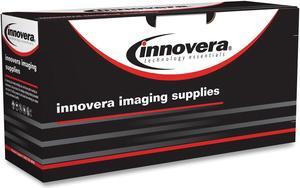
Quick View
Black Toner Replacement for 206A W2110A Page-Yield 1350 IVRW2110A
- Model #: IVRW2110A
- $55.99 –
- More options from $55.99 - $65.11
- $4.99 Shipping
Quick View
- $53.99
- $32.99 –
- Save: $21.00 (38%)
- More options from $32.99 - $44.26
- $11.22 Shipping
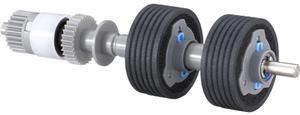
Quick View
Fujitsu Consumable Brake Roller fi-8170 fi-8190 fi-8250 fi-8270 PA038100001
- Brand: Fujitsu
- Product Type: See Description
- Model #: PA038100001
- $49.67 –
- More options from $47.82 - $146.50
- Free Shipping
Quick View
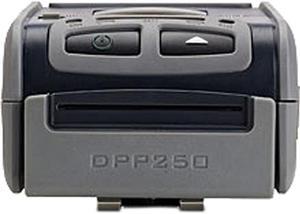
Infinite Peripherals DPP-250 DPP-250-BT Line thermal dot printing 60mms/s (480 dots/sec) at 8.5 V 203 dpi (8x9 dots/mm) Mobile Printer
- Printer Type: Mobile
- Fonts Included: Resident Fonts Font A: 12 x 24 dots (32 char. per line) Font B: 9 x 16 dots (42 char. per line) Loadable Fonts Font C: 12 x 24 dots (32 char. per line) Font D: 9 x 16 dots (42 char. per line)
- Barcode Type: 1D - EAN13, EAN8, UPC-A, UPC-E, Codebar, Code39, Code128 2D - PDF417, QR Code
- Media sizes supported: 58mm +0/-1mm X 45mm diameter, thickness 60 µm
- Model #: DPP-250-BT
- $299.00
- $216.99 –
- Save: $82.01 (27%)
- More options from $216.99 - $249.77
- $2.99 Shipping
Quick View
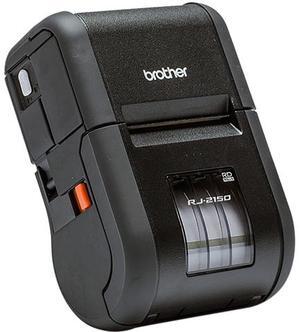
Brother RJ2150 Direct Thermal 6ips (152.4mm/sec) 203 dpi RuggedJet 2, Portable 2" Direct Thermal Receipt/Label Printer w/Wi-Fi, Bluetooth Technology/MFi, USB
- Printer Type: Portable
- Memory: Available Memory: 12 MB Flash Memory: 32MB RAM: 32MB
- Barcode Type: Code39 Code93 Code128 ITF(I-2/5) UPC-A UPC-E EAN-8 EAN-13 GS1-128 (UCC/EAN-128) GS1 DataBar (RSS) MSI Codabar (NW-7) Postnet
- Media Type: Receipts, Labels, Tags
- Model #: RJ2150
- $895.00
- $795.00 –
- Save: $100.00 (11%)
- More options from $795.00 - $914.49
- Free Shipping
Quick View
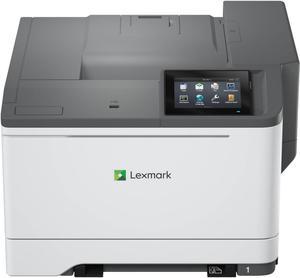
Lexmark CS632dwe Wireless Color Laser Printer 50M0060
- Model #: 50M0060
- $899.99
- $818.99 –
- Save: $81.00 (9%)
- More options from $526.49 - $1,562.88
- $22.07 Shipping
Quick View

- $109.99 –
- More options from $109.99 - $218.93
- Free Shipping

Quick View
Xerox Finisher 497K20600
- Product Type: Other Accessories
- Model #: 497K20600
- $248.62
- $242.98 –
- More options from $85.95 - $954.00
- Free Shipping
Quick View
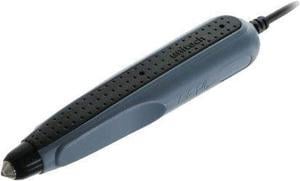
Unitech MS100-NUCB00-SG Unitech Handheld Pen / Wand Scanner (1D) - Cable Connectivity1D
- Color: N/A
- Model #: MS100NUCB00SG
- $88.51 –
- More options from $88.51 - $131.20
- Free Shipping
Quick View
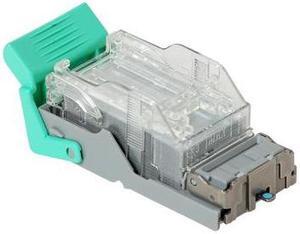
Ricoh Type V Staple Cartridge Holder With 5,000 Staples For Use In Sr4090 Sr4120
- Product Type: Other Accessories
- Color: N/A
- Model #: 416709
- $45.00 –
- More options from $43.00 - $45.47
- Free Shipping
Quick View
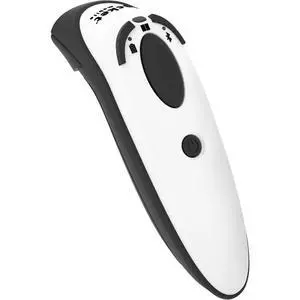
Socket Mobile D720 Barcode Scanner with rechargeable battery pre-installed
- Model #: CX4059-3122
- $377.76 –
- More options from $337.99 - $394.78
Quick View
Xerox Finisher Compatible with Select AltaLink Models 497K22560
- Product Type: Other Accessories
- Model #: 497K22560
- $2,501.99 –
- More options from $2,284.59 - $2,501.99
- Free Shipping
Quick View
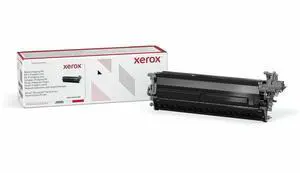
Xerox VersaLink C620/C625 Imaging Drum Black 013R00697
- Product Type: See Description
- Model #: 013R00697
- $187.52
- $118.00 –
- Save: $69.52 (37%)
- More options from $118.00 - $1,129.99
- Free Shipping
Quick View
Ricoh Original Laser Toner Cartridge Magenta 842380
- Model #: 842380
- $79.99 –
- More options from $79.99 - $312.78
- $4.99 Shipping
Quick View
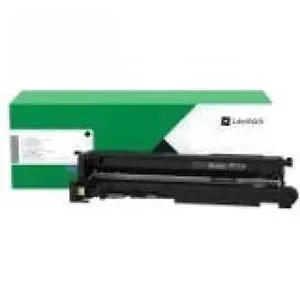
Lexmark MX931 Imaging Unit Black 63D0Z00
- Product Type: Imaging Drums and Photoconductors
- Model #: 63D0Z00
- $145.25
- $136.99 –
- Save: $8.26 (5%)
- More options from $130.99 - $542.79
- Free Shipping
Quick View
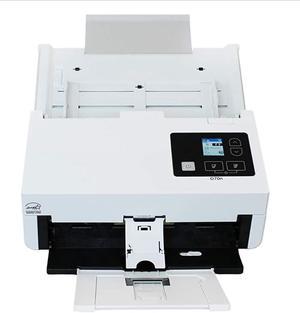
Xerox XD70N-U ADF Scanner 600 dpi Optical XD70NU
- Weight: 12
- Model #: XD70n-U
- $1,713.99 –
- More options from $995.00 - $1,713.99
Quick View
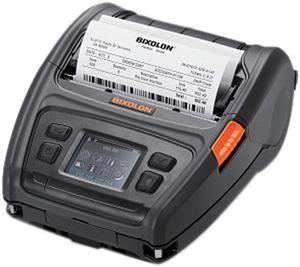
Bixolon XM7-40 Mobile Label Printer
- Printer Type: Mobile
- Memory: 128 MB SDRAM, 256 MB Flash 256 MB SDRAM, 512 MB Flash (Optional)
- Fonts Included: 10 SLCS / One SLCS / 16 BPL-Z / One BPL-Z / 7 BPL-C / 23 Code Page / Unicode supported (UTF-8, UTF-16LE, UTF-16BE)
- Barcode Type: 1D: Codabar, Code 11, Code 39, Code 93, Code 128, EAN-13, EAN-8, Industrial 2-of-5, Interleaved 2-of-5, Logmars, MSI, Plessey, Postnet, GS1 DataBar (RSS-14), Standard 2-of-5, UPC/EAN extensions, UPC-A, UPC-E, IMB 2D: Aztec, Codablock, Code 49, Data Matrix, MaxiCode, MicroPDF417, PDF417, QR code, TLC 39
- Model #: XM7-40
- $706.99 –
- More options from $705.59 - $706.99
- Free Shipping
Quick View
Xerox Booklet Maker for Office Finisher 497K20590
- Product Type: Other Accessories
- Color: N/A
- Weight: 13.9000
- Model #: 497K20590
- $745.99 –
- More options from $745.69 - $1,633.11
- Free Shipping
Quick View
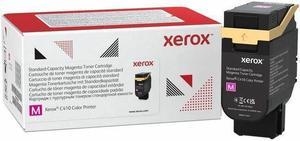
Xerox Original Standard Yield Laser Toner Magenta 006R04679
- Model #: 006R04679
- $129.99 –
- More options from $129.00 - $176.00
- $4.99 Shipping
Quick View
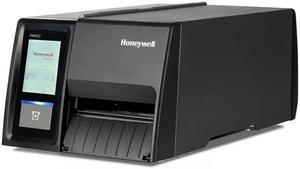
Honeywell Pm45a Thermal Transfer Printer Ethernet Bluetooth Wireless LAN US PM45A11000000201
- Model #: PM45A11000000201
- $2,137.99 –
- More options from $2,137.68 - $2,219.56
- Free Shipping
Quick View
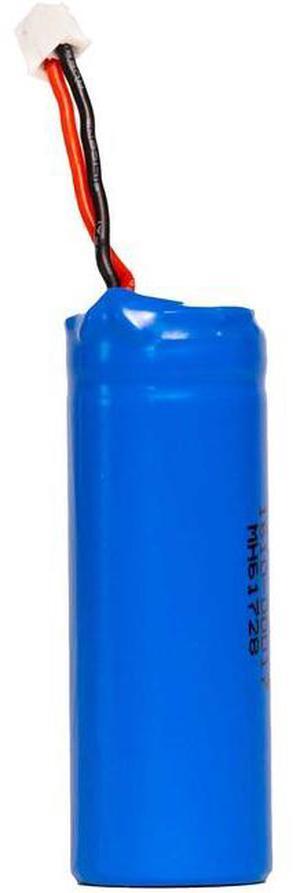
Socket Mobile Lithium ion Battery Compatible with Select Models 5Pk AC42062432
- Weight: 2.0000
- Model #: AC42062432
- $80.03
- Request Price
- More options from $79.98 - $84.47
- Free Shipping
Quick View
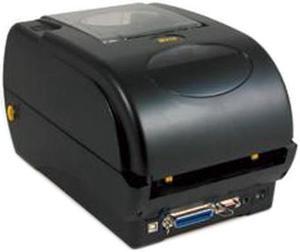
Wasp 633808402006 WPL305 Desktop Thermal Barcode Printer
- Printer Type: Desktop
- Memory: 8 MB SDRAM, 4 MB Flash
- Fonts Included: Resident fonts: Eight alphanumeric bitmap fonts, one Monotype Imaging CG Triumvirate Bold Condensed scalable font, built-in Monotype True Type Font engine Font rotation: 0°, 90°, 180°, 270°
- Barcode Type: 1D Barcodes: Code 39, Code 93, Code 128 UCC, Code 128 subset A., B., C., Codabar, Interleave 2 of 5, EAN-8, EAN-13, EAN-128, UPC-A, UPC-E, EAN and UPC 2 (5) digits add-on, MSI, PLESSEY, POSTNET, RSS-Stacked, GS1 DataBar, Code 11
- Model #: 633808402006
- $523.99 –
- $2.99 Shipping
Quick View
- $585.99 –
- More options from $585.99 - $1,162.99
- $6.99 Shipping
Quick View
- $83.74 –
- More options from $83.69 - $103.17
- Free Shipping
Quick View
Innovera Toner Cartridge Alternative for HP 206X Cyan
- Model #: IVRW2111X2
- $82.99 –
- More options from $82.99 - $91.24
- $2.99 Shipping
Quick View
Innovera Toner Cartridge Alternative for HP 206X Yellow
- Model #: IVRW2112X2
- $82.99 –
- More options from $82.99 - $91.24
- $2.99 Shipping
Quick View
- $373.10 –
- Free Shipping
Choosing the Right Printer for Your Office Needs
When it comes to office solutions, printers and scanners are essential tools for any business. Whether you need to print important documents, scan invoices, or create professional-quality marketing materials, having the right equipment is crucial. In this article, we will explore the different types of printers and scanners available in the market and provide tips on how to choose the best one for your office.
All-in-One Printers: Versatility and Convenience
all-in-one printers, also known as multifunction printers, are a popular choice for offices. These devices combine the functionality of a printer, scanner, copier, and sometimes even a fax machine into a single unit. They offer versatility and convenience, allowing you to perform multiple tasks without the need for separate devices. All-in-one printers are available in both inkjet and laser options, catering to different printing needs and budgets.
Specialized Printers for Specific Tasks
In addition to all-in-one printers, there are specialized printers designed for specific tasks. For example, 3D printers are ideal for creating prototypes or intricate models, while barcode and label printers are perfect for businesses that require efficient inventory management. laser printers are known for their fast printing speeds and high-quality output, making them suitable for offices with high-volume printing needs. inkjet printers, on the other hand, are more cost-effective and can produce vibrant color prints.
Choosing the Right Supplies
Once you have selected the right printer for your office, it is important to choose the right supplies to ensure optimal performance and longevity. When it comes to inkjet printers, using high-quality ink cartridges is essential to achieve the best print quality and prevent clogging. For laser printers, it is important to choose the right type of toner cartridges that are compatible with your printer model. Additionally, investing in high-quality paper can make a significant difference in the final print results.
FAQs: Common Questions about Printers and Scanners
| Q: How often should I replace the ink cartridges? | A: The frequency of replacing ink cartridges depends on your printing volume. However, it is recommended to replace them when the print quality starts to degrade. |
|---|---|
| Q: Can I use third-party ink cartridges with my printer? | A: While it is possible to use third-party ink cartridges, it is important to ensure compatibility with your printer model. Using incompatible cartridges may result in poor print quality or damage to the printer. |
| Q: How do I clean the scanner glass? | A: To clean the scanner glass, use a soft, lint-free cloth slightly dampened with glass cleaner. Gently wipe the glass surface to remove any smudges or debris. |
| Q: What is the difference between optical and interpolated resolution in scanners? | A: Optical resolution refers to the actual hardware resolution of the scanner, while interpolated resolution is achieved through software enhancements. Optical resolution provides more accurate and detailed scans. |
| Q: How can I improve the scanning speed? | A: To improve scanning speed, reduce the scanning resolution, use black and white mode instead of color, and ensure that the scanner is connected to a high-speed USB port. |