• $222.98
  • Free 30-day Returns
  • Ships from China.
    Price alert
    Shop it at NeweggBusiness.

    Meet Your Seller

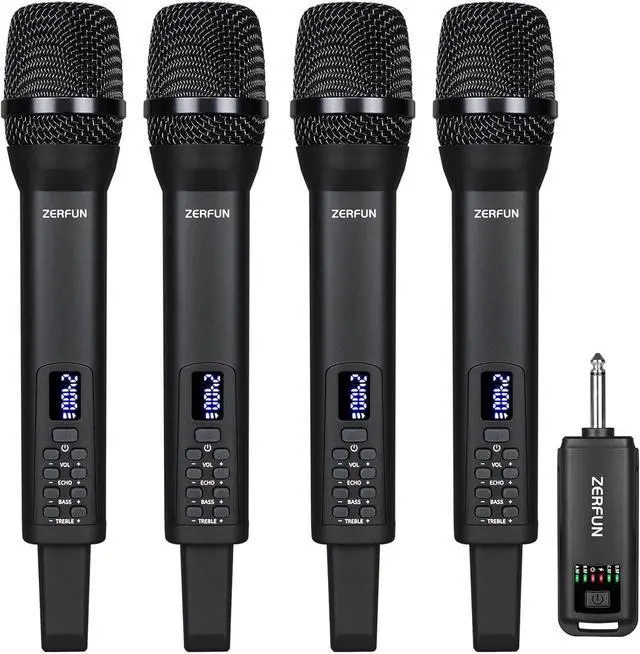
    Rechargeable Wireless Microphones 4, Pro Handheld Cordless Mics System Dynamic with Echo Treble BASS VOL Control for Karaoke Singing Church Party, 1/4'' Output, D240, Black

    • 4 RECHARGEABLE WIRELESS MICROPHONES: ZERFUN Rechargeable Wireless Microphones with independent Volume, ECHO, Treble, BASS Control. Perfect for home karaoke, meeting, party, church, DJ, wedding, and much more. They are well-made cardioid wireless mics which means they pick up noise uni-directionally(Only when we speak towards the top of the microphone will there be a sound, while there will be no sound when speaking on the side). With this pickup pattern, the directional vocals are easy to isolate from background noise.
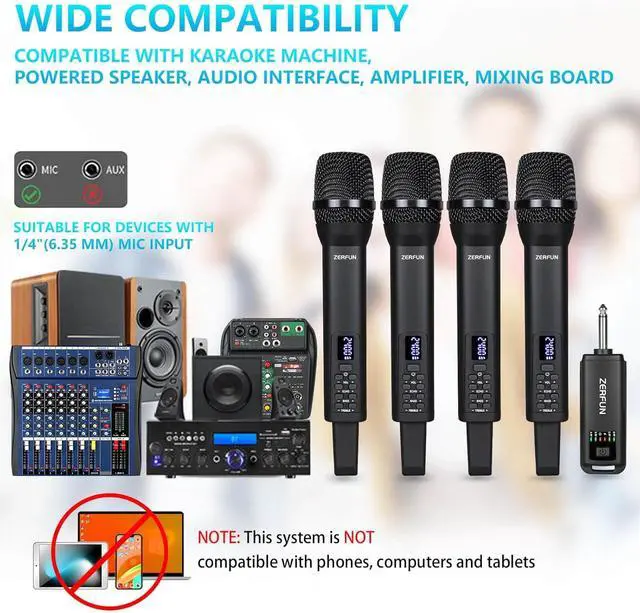
    • OUTPUT: 1/4 Inch(6.35mm) Receiver Output designed for Speaker, PA Speaker System, Power Amplifier or other devices with MIC Input(Notice: This microphone set is Not For Phone, PC, Camera).
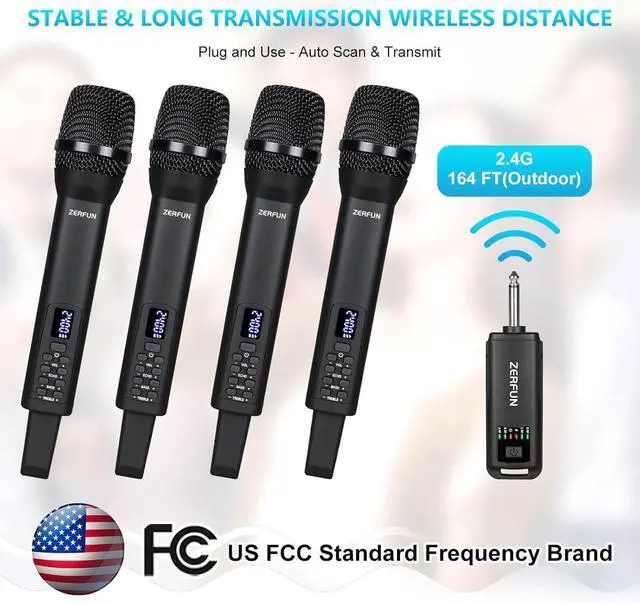
    • TRANSMISSION RANGE: The ZERFUN Cordless Microphone can support up to 164 feet range(Outdoor). The 2.4Ghz frequencies range are compliant with the FCC regulations.
    • BATTERY INFO: Both microphone and receiver with built-in rechargeable battery. When full charged, microphone working ti
    +
    +
    Overview
    Specs
    Reviews
    avatar

    Any questions? Our AI beta will help you find out quickly.

    ZERFUN Dynamic Cardioid Rechargeable Wireless Microphones
    ZERFUN Rechargeable Wireless Microphones are well-made cardioid wireless mics which means they pick up noise unidirectionally(Only when we speak towards the top of the microphone will there be a sound, while there will be no sound when speaking on the side). With this pickup pattern, the directional vocals are easy to isolate from background noise.
    How to check whether the microphone and the receiver have quality problems?
    First Check the normal working status of microphone and receiver: 1. Receiver power Indicator is on; 2. Microphone power Indicator is on; 3. Receiver RF Signal Indicator A, B, C, D is on(Means microphone A, B, C, D have connect with receiver rightly). If all yes, it means microphone and receiver device have no quality problem, can work normally.
    How to reset the microphone and the receiver connection(Repairing)?
    Power on the microphone, then press the power button of the microphone for 4 times quickly, the led display of microphone will flash and reset, then automatically connect with receiver again. Please notice the microphone RF indicator on receiver. If you encounter that both microphone and the receiver can power on, but "the microphone cannot connect to the receiver" or "the microphone has no sound", you can try to reset the connection between the microphone and the receiver and let the product can work normally.

    Warranty & Returns

    Warranty, Returns, And Additional Information

    Warranty

    • Please contact the Seller directly for warranty information. Warranty information may also be found on the Manufacturer's website.
    • CONTACT

    Return Policies

    Manufacturer Contact Info

    LOADING...
    LOADING...