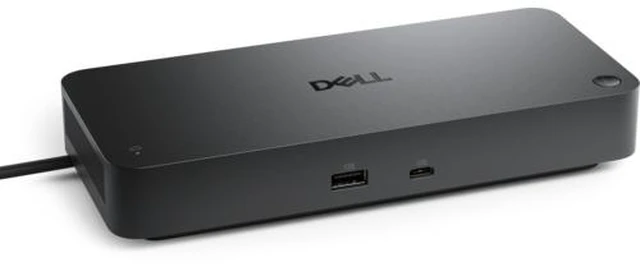
The Dell Pro Thunderbolt 4 Smart Dock (SD25TB4) is a wired laptop docking station for users building a multi-display workstation, with support for up to four external displays and up to 130W power delivery to Dell computers.
Recommended For
- Office teams standardizing on compatible Dell laptops who want one desk connection for charging, displays, Ethernet, and peripherals, with remote dock firmware and port management for IT.
- Desk-based professionals who need several external displays for multitasking, including setups with up to four 4K displays at 60 Hz, subject to host-computer and display configuration support.
- Users building a permanent Thunderbolt workstation who want wired 2.5Gb Ethernet, multiple USB ports, and several display connection options without plugging each accessory into the laptop.
- Organizations managing Dell or mixed laptop fleets that value scheduled dock firmware updates, device inventory, and enterprise features such as PXE boot and Wake-on-LAN where supported.
Real-World Use Scenarios
- At a home or office desk, connect a compatible laptop to the dock to use external displays, a keyboard, mouse, and other desk peripherals through one cable; disconnect that cable when it is time to take the laptop elsewhere.
- For work that benefits from more screen space—such as comparing documents, keeping a video call visible while taking notes, or viewing several work apps—connect multiple external monitors; the number and resolutions supported depend on the laptop and display configuration.
- At a fixed workstation, connect the dock to wired Ethernet along with displays and USB accessories; the laptop can use the desk’s wired network connection whenever it is docked.
- For a compatible laptop used as a desktop replacement, the dock can keep displays and peripherals connected while also supplying power, reducing the need to plug in several separate desk connections.
- In an organization managing Dell workstations, IT teams can use the dock’s remote management features to monitor and update deployed docks, helping maintain a consistent desk setup across users.




 here!