
Your Browsing History
- In Stock
- Sold by Newegg
- Make an Offer
- New
- Combo Deals Only

Any questions? Our AI beta will help you find out quickly.
Try me now
Quick View
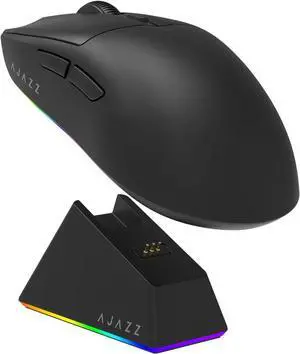
Hitoor AJ139 V2 MC Gaming Mouse with Charging Base, Adjustable 12,000 DPI, PAW3311 Sensor, 3 Modes Wireless Mouse, 500mAh Battery, 1000 Polling Rate, 66g Lightweight, Gaming Mice for Win/Mac (Black)
Limited time offer, ends 06/13
- Type: Bluetooth / 2.4GHz / Wired
- Interface: Bluetooth
- Tracking Method: Optical
- Resolution (DPI): 12000 dpi
- Model #: Z1#Q3027_B

Quick View
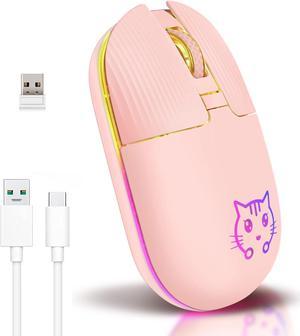
Wireless Mouse, Game Mouse 2.4Ghz Noiseless Mouse, Rechargeable Wireless Mouse with USB Receiver Portable Computer Mice for PC, Tablet, Laptop with Win/Pad/Mac/Linux/Andriod/iOS. Cute cat Style
Limited time offer, ends 06/13
- Resolution (DPI): 1600 dpi
- Power Supply: Rechargeable Battery
- Version: RF Wireless
- Package Contents: 1 x Mouse 1 x Type-c charging cable 1 x Wireless reception
- Model #: Z1#Q2636_P
Quick View
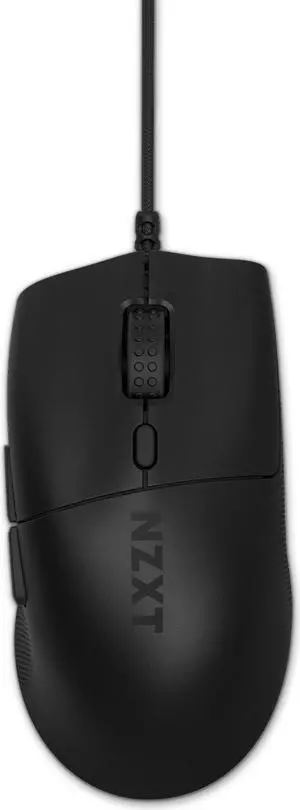
NZXT Lift 2 Ergo LIGHTWEIGHT Ergonomic Wired Gaming Mouse, optical switches, 26,000 DPI, 8K polling rate, Black
- Part Number: MS-001NB-01
- Mouse Grip Style: All
- Resolution (DPI): 26000 dpi
- Hand Orientation: Right Hand
- Model #: MS-001NB-01
Quick View
TRENDnet TK-803R 8-Port USB+PS/2 Rack Mount KVM Switch
- Type: D-Sub, USB, PS/2
- Computer Connections: 8 Ports
- Monitor Connections: 1 Port
- Video Resolution: 2048 x 1536
- Model #: TK-803R
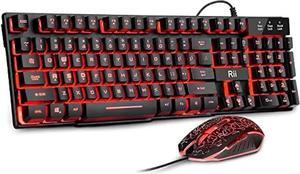
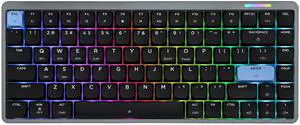
Quick View

Limited time offer, ends06/07
- Brand: EPOMAKER
- Name: Luma84
- Material: Aluminum
- Mechanical Keyboard: Mechanical
- Model #: Luma84
Quick View
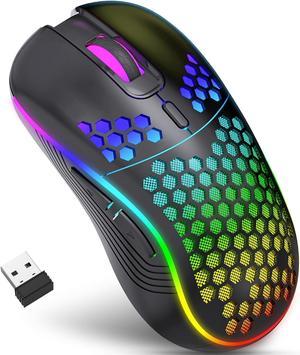
Wireless Gaming Mouse, Rechargeable Computer Mouse Ergonomic Mice Honeycomb Design with RGB Backlight, USB Receiver, 6 Buttons, Adjustable DPI (800/1600/2400 dpi), Wireless Mouse for PC/Mac/Laptop
Limited time offer, ends 06/13
- Resolution (DPI): 2400 dpi
- Operating System Supported: Compatible with 2000/XP/VISTA/7/8/10/11/MAC OS.
- Package Contents: 1 x Wireless Mouse, 1 x User Manual
- Model #: Z3#Q2512_B
Quick View
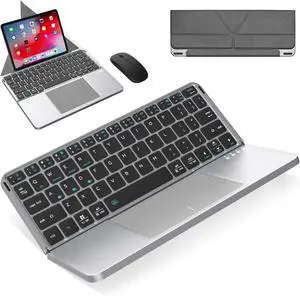
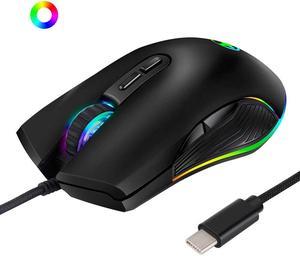
USB C Mouse, Ergonomic Type-C Mouse with Backlight, up to 3200 DPI, RGB Wired Gaming Mouse for MacBook Pro, Matebook X, MacBook 12", Chromebook, HP OMEN and More USB Type C Devices (USB C Port)
Limited time offer, ends 06/13
- Resolution (DPI): 3200 dpi
- Version: Wired
- Model #: Q0733_B

Quick View
AUBEAMTO 2x2 HDMI DP KVM switch 4K 144Hz Dual Monitor Extended Display 8K USB KVM Switcher 2 in 2 out for 2 Computers 2 Monitors
Limited time offer, ends 06/23
- Computer Connections: HDMI+DisplayPort, Dual Moniter
- Monitor Connections: 2 Ports
- Video Resolution: 7680*4320
- PC Selection: Manual Switch, Remote Control
- Model #: A-OZK10
Quick View
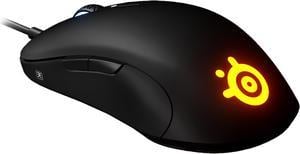
SteelSeries Sensei Ten 62527 Black 8 Buttons 1 x Wheel USB Wired Optical Gaming Mouse
- Mouse Grip Style: Claw, Fingertip, or Palm
- Resolution (DPI): 18000 dpi
- Hand Orientation: Both Hands
- System Requirement: Windows, Mac, Xbox, and Linux. USB port required SteelSeries Engine 3.15.1+, for Windows (7 or newer) and Mac OSX (10.12 or newer)
- Model #: 62527
- $108.85 –
- More options from $46.36 - $129.00
- Free Shipping
Quick View

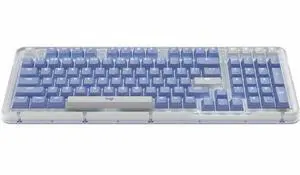
- Keyboard Interface: Bluetooth
- Design Style: Classic
- Keyboard Color: Black
- Brand: Logitech
- Model #: 920-013577
- $119.99 –
- More options from $119.55 - $221.19
- Free Shipping
Quick View
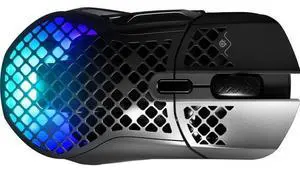
SteelSeries Aerox 5 Wireless - Lightweight Wireless Gaming Mouse - 18000 CPI -- TrueMove Air Optical Sensor - Ultra-lightweight Water Resistant Design – 180+ Hour Battery Life
- Brand: SteelSeries
- Name: Aerox 5
- Type: Dual (RF / Bluetooth Wireless)
- Interface: RF & Bluetooth
- Model #: 62406
- $105.99 –
- More options from $98.00 - $389.99
- Free Shipping
Quick View
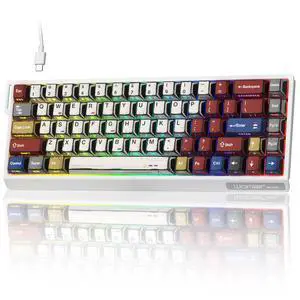
Typehaven SK68 65% Gaming Keyboard, Wired Backlit Mini Keyboard w/100% Hot-Swap Socket 68 Keys Aluminum Gaming Wired Keyboard for PC Laptop Game
Limited time offer, ends06/07
- Keyboard Interface: USB-C
- Design Style: Classic
- Keyboard Color: White
- Brand: Typehaven
- Model #: SK68
Quick View
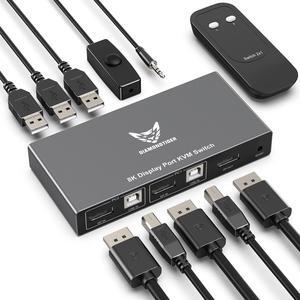
DiamondTiger KVM Switch Displayport - EDID 8K@60Hz, 4K@144Hz, DP 1.4 Display Port KVM Switch 2 Port for 2 Computers to Share 1 Monitor and 3 USB Devices Keyboard Mouse Printer
- Computer Connections: 2 Ports
- Monitor Connections: 1 Port
- Video Resolution: 7860x4320@60Hz,4k@144Hz,2k@165Hz
- PC Selection: Push Buttons/Hot Keys
- Model #: DP8K201
Quick View
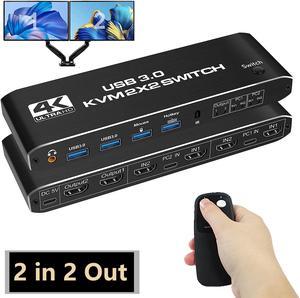
Dual Monitor HDMI KVM Switch 2 Monitors 2 Computers, 4K@60Hz HDMI KVM switches 2 in 2 Out with Audio, USB 3.0 Hub Share Keyboard Video Mouse Peripherals, Hotkey (Black)
Limited time offer, ends 06/13
- Type: HDMI, USB
- Computer Connections: 2 Port HDMI
- Monitor Connections: 2 Ports
- Video Resolution: 3840 x 2160
- Model #: AUTYUE-OKZ3
Quick View
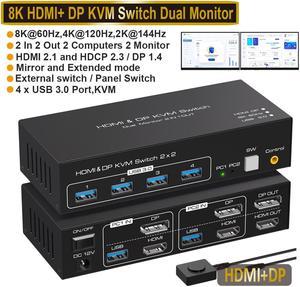
Dual Monitor DP + HDMI KVM Switch, 2 Port DisplayPort and HDMI 8K@60HZ 4K@120Hz KVM Switcher for 2 Computers 2 Monitors with 4 Ports USB 3.0, Support Copy and Extended Display and Desktop Control
Limited time offer, ends 06/13
- Type: HDMI
- PC Connectors: 2 PCs
- Computer Connections: 2 Port HDMI+Display
- Monitor Connections: Dual Monitor
- Model #: A01#Q2206_B
Quick View
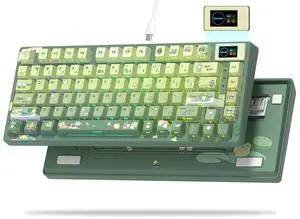
Womier SK80 75% Keyboard with Color Multimedia Display Mechanical Gaming Keyboard Cute Green Frog Wired Hot Swappable Gasket Mount RGB Custom Key Board, Pre-lubed Stabilizer for Mac/Win, Green
Limited time offer, ends 06/30
- Brand: Philips
- Part Number: SK80 75% Gaming Keyboard
- Material: Plastic
- Design Style: Gaming
- Model #: JP-Womier-S-K80-lv-qingwa
Quick View
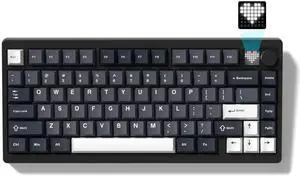
Womier 75% Wireless Mechanical Gaming Keyboard with Knob & Display, Bluetooth 5.0/2.4GHz/USB C Thocky Creamy Keyboard for PC Computer, 8000mAh Battery Hot Swappable Key Board for Win/Mac (MT75-Grey)
Limited time offer, ends 06/30
- Brand: Philips
- Series: MT75
- Material: Polybutylene Terephthalate
- Keyboard Interface: USB
- Model #: JP-Womier-MT75-hei-huihuibai-SM
Quick View
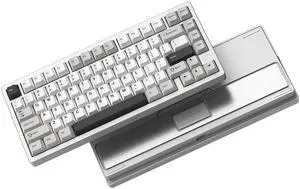
Womier RD75 Pro 75% Wireless Gaming Keyboard, Quick Release Aluminum Keyboard, QMK/VIA Tri-Mode Mechanical Key Board Custom Hot Swappable with RGB Creamy for Windows/Mac/PC - Silver
Limited time offer, ends 06/30
- Brand: Philips
- Series: RD75 Pro
- Material: Aluminum
- Layout: 75%
- Model #: JP-womierRD75-yinse-naibaizhou-lasi
Quick View
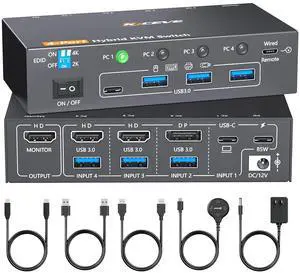
AUTYUE 4K KVM Switch 1 Monitors 4 Computers USB-C HDMI DP, EDID Emulator USB 3.0 KVM Switch 4 Port 4K@60Hz for 4 Computer Share Keyboard Mouse and 1 HDMI Monitor, with Power Adapter and Wired Remote
Limited time offer, ends 06/13
- Type: USB-C & Displayport & Dual HDMI
- Computer Connections: 4 Ports
- Monitor Connections: 1 Port
- Video Resolution: 4 port Hybrid KVM switch supports max resolution up to 3840*2160@60Hz, 2560*1440@60Hz/120Hz, 1920*1080@60Hz/120Hz/144Hz, making the image more delicate and lifelike and is backwards compatible with lower resolutions.
- Model #: Q3062_B_US
Quick View
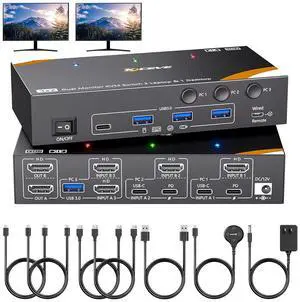
IHDAPP KVM Switch 2 Monitors 3 Computers USB C, USB 3.0 Dual Monitor HDMI KVM Switch for 2 Laptops 1 Desktop Share 4 USB 3.0 Device Keyboard, Mouse, 85W PD, 4K@60Hz, Power Adapter and Wired Remote
Limited time offer, ends 06/13
- Type: KVM Switch 2 Monitors 3 Computers USB C
- Computer Connections: 3 Ports
- Monitor Connections: 2 Ports
- Video Resolution: HDMI KVM switch 3 computers support 4K@60Hz, 4K@30Hz, 2K@144Hz, 1080P@144hz backward compatibility.
- Model #: 302HX#Q3054_B_US
Quick View
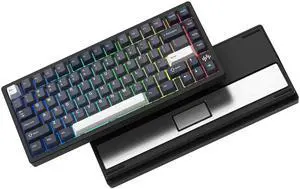
Womier RD75 Pro 75% Wireless Gaming Keyboard, Quick Release Aluminum Keyboard, QMK/VIA Tri-Mode Mechanical Key Board Custom Hot Swappable with RGB Creamy for Windows/Mac/PC (Black)
Limited time offer, ends 06/30
- Brand: Philips
- Material: Aluminum
- Design Style: Gaming
- Layout: 75%
- Model #: JP-womierRD75-heise-huizhou-lasi
Quick View
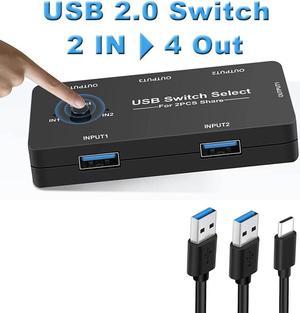
USB Switch, Jansicotek USB Switcher 2 Computers Sharing 4 USB Devices KVM Switcher Box for PC, Printer, Scanner, Mouse, Keyboard with 2 Pack USB Cable(Compatible with Mac/Windows/Linux)
Limited time offer, ends 06/23
- Type: USB
- Computer Connections: 2 Ports
- PC Selection: Manual Switch
- LED Indicators: Yes
- Model #: W-OZU7-1
Quick View
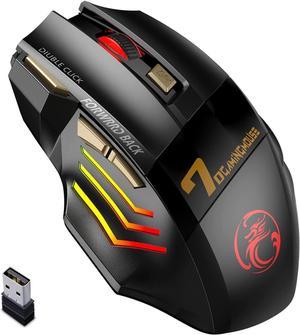
2.4G Wireless + Bluetooth Rechargeable Gaming Mouse, 4 DPI Adjustable, 6 Buttons, 7 Color RGB LED Breathing Light, 2.4G Low Noise Computer Optical Mouse (Wireless+Bluetooth)
Limited time offer, ends 06/13
- Resolution (DPI): 5500 dpi
- Operating System Supported: Perfect for Windows XP, Windows Vista, Windows 7, Mac OS and more
- Features: 1.3D Anti-skid Texture,Comfort and stable 3D anti-skid design , fits your fingers 2.10 Meters Wireless Plug And Play Mini receiver plug and play , no need to install software 3.Mute Buttons Won't Disturbing Others With the mute buttons , the clicking is almost silent not afraid of disturbing others 4.Colorful Streamer RGB Lights 7-color RGB breathing light
- Package Contents: 1 x Gaming Mouse 1 x User Manual
- Model #: Z1#Q2114_B
Quick View
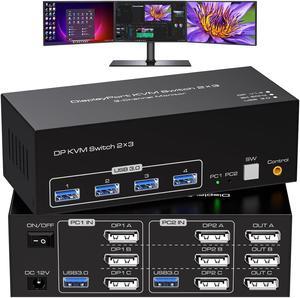
8K Displayport KVM Switch 3 Monitors 2 Computers, 8K@60Hz Support Extended & Duplicate Mode with 4 USB 3.0 Hub, 8K@60Hz 3 Port DP KVM Switches,EDID Adaptive, Plug and Play
Limited time offer, ends 06/23
- Type: DisplayPort, USB
- Computer Connections: 3 Ports
- Monitor Connections: 3 Ports
- Video Resolution: 8K 60Hz
- Model #: W-SW233-3DP-2
Quick View
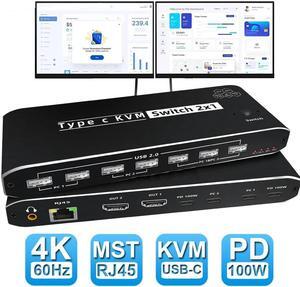
2X1 USB-C KVM Switch 2 PCs Share 1 Monitor + 7 USB Devices + 3.5mm Audio + Ethernet , 8K@60Hz USB C KVM Switch 100W PD , 2 Channel Type C PC to one HDMI/DP Output for Mac, Windows
Limited time offer, ends 06/23
- Type: USB C
- Computer Connections: 2 Ports
- Monitor Connections: 1 Port
- Video Resolution: 7680*4320
- Model #: W-OZK8-3
Quick View
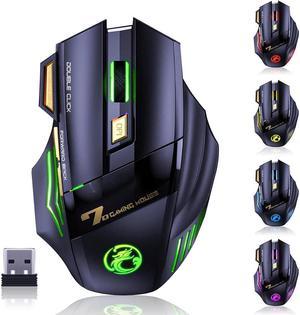
2.4G RF Wireless Gaming Mouse, Rechargeable Silent Wireless Mouse with 3200DPI Adjustable, Double Click Key, Colorful RGB Lights, Computer Gaming Mice with Thumb Rest for PC/Mac Gamer
Limited time offer, ends 06/13
- Resolution (DPI): 3200 dpi
- Operating System Supported: compatible with laptop desktop computer Chromebook and Windows 10, 8, 7, Vista, Mac OS/Linus and other systems.
- Package Contents: 1 x Wireless Mouse 1 x Charging Cable 1 x RF Receiver 1 x User Manual
- Model #: X7#Q1392_B
Quick View
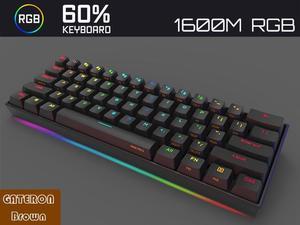
Anne Pro 2 Mechanical Gaming Tenkeyless Keyboard 60% True RGB Backlit - Wired/Wireless Bluetooth 4.0 PBT Type-c Up to 8 Hours Battery Life, Linux Mac Full Keys Programmable (Gateron Brown, Black)
- Brand: Anne Pro
- Name: Anne Pro 2
- Keyboard Interface: USB Wired and Bluetooth Wireless
- Design Style: 60%
- Model #: GATERON Brown-Black-

Quick View
M.2 NVMe SSD Convert Adapter Card for MacBook Air Pro Retina (Year 2013-2017), NVME/AHCI SSD Upgraded Kit for A1465 A1466 A1398 A1502
Limited time offer, ends 06/08
- Color: Black
- Specifications: Applications: 1. Make sure to move to High Sierra while still on your old drive, so that a newer firmware is installed that can handle NVMe. 2. Do a full backup to your TimeMachine. 3. Create a High Sierra Installer on a bootable USB stick. 4. Open the macbook and disconnect the battery while wsitching out the drive and make sure both adapter and new SSD sit snug. Finally reconnect the battery before closing the shell. 5. Insert the installer USB stick from step2, and press the option key while the machine starts. Once its up you can now go to the disk utils to format.
- Package Contents: 1x M.2 NVMe SSD Adapter Card for Upgrade of Macbook 2013-2017.
- Model #: NVMETMAC
- $11.95 –
- Free Shipping
Quick View
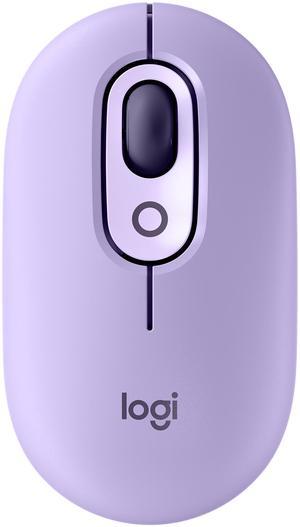
- Brand: Logitech
- Name: POP
- Color: Cosmos
- Buttons: 4 (Left/Right-click, Scroll-wheel with middle click, top button) Top button customizable with Emoji Software Multi-device: 3 Easy-Switch channels On/Off Switch with power-saving technology
- Model #: 910-006624
- $39.99
- $23.99 –
- Save: $16.00 (40%)
- More options from $23.99 - $74.68
- Free Shipping
Quick View

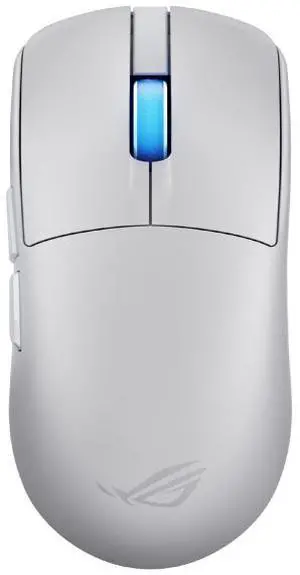
- Brand: ASUS
- Part Number: 90MP0490-BMAA10
- Type: Bluetooth / 2.4GHz / Wired
- Interface: USB
- Model #: 90MP0490-BMAA10
- $169.99 –
- More options from $158.04 - $189.89
- Free Shipping