
Your Browsing History
- Sold by Newegg
- Make an Offer

Any questions? Our AI beta will help you find out quickly.
Try me now

Quick View
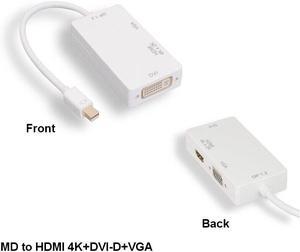
Kentek Mini Displayport 1.2 to 4K HDMI/VGA/DVI 3IN1 Adapter PC MAC Thunderbolt 2
- Model #: PT252DPP046mC
- $56.82 –
- Free Shipping
Quick View
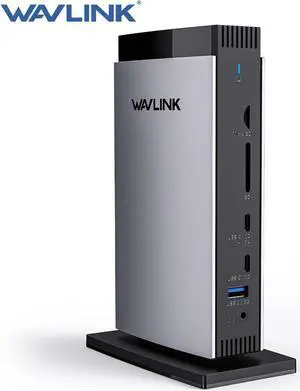
WAVLINK Universal Triple 4K DisplayLink Laptop Docking Station, for New MacBook Neo, Mac M1/M2/M3 and Windows, with 3 HDMI, 2 DP, RJ45, Audio/Mic, SD/TF, 5 USB Ports, Does Not Charge Laptops

Limited time offer, ends 06/07
- Part Number: All through a single USB C-C connection, the dock easily turns your laptop's type-c port into 3 HDMI ports, 2 DisplayPort, a host USB-C port, 2 USB-C ports, 3 USB-A ports, an RJ45 ethernet port, SD/TF card slots, and a 4-pole phone jack. A perfect solution for your home or
- Compatibility: Perfect for laptops with a full-function type-C port or thunderbolt 3/4 port. Support Windows 11/10/8.1/8/7/XP/Vista, Mac OS 10.14-14.x and latest, Chrome OS, Ubuntu, Android and Harmony OS. Not compatible with Unix systems, Linux, iOS and iPad OS. *Does not support plug and play; the installation of the latest DisplayLink driver is required....
- Model #: WL-UG69DK13
Sponsored
Quick View
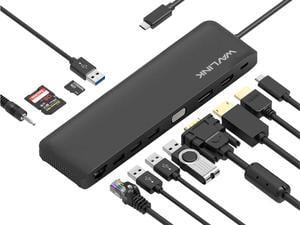
Wavlink Triple Display USB C Docking Station With DP & HDMI &VGA, 85W PC Charging, USB 3.0 & 2.0 Ports, SD TF Card Reader, Gigabit Ethernet, Audio For Dell XPS 13/15,Lenovo Yoga,MacBook Pro, etc
Limited time offer, ends 06/07
- Compatibility: Plug and Play installation on any Chromebook/Windows/Mac/Linux hosts which support DisplayPort Alternate Mode (Alt Mode) video output functionality. USB C Dock has been fully tested for functionality on the 2018+ iPad Pro (mirroring only)/MacBook Air/iMac and iMac Pro/MacBook and MacBook Pro/Google Pixelbook/Dell XPS 13 & XPS 15/Lenovo Thinkpad/HP Spectre x360/Samsung DeX capable devices/Surface Laptop 3 and Surface Go/and many other systems which support USB-C DP Alt Mode.
- Ports Spec: USB-C: PD Power Adapter I/P Single DisplayPort: 4K/30Hz max. Single HDMI: 4K/30Hz max. Single VGA: 2K/60Hz max. 2 x USB-A Port: 5Gbps 2 x USB-A Port: 480Mbps RJ45: Gigabit Ethernet Card Reader: SD / TF Phone Jack: Stereo 4pole TRRS Stereo
- Model #: WL-UMD04
Sponsored
Quick View
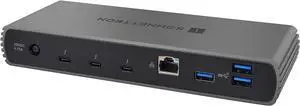
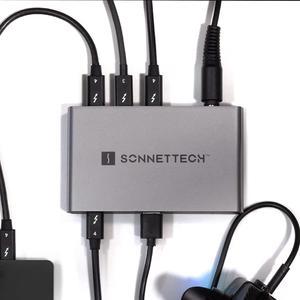
Sonnet Echo 11 Universal Thunderbolt 4 Docking Station with Four Thunderbolt 4 Ports and 8K Display Support
- Model #: BEECHO-DK11-T4
- $369.00 –
- Free Shipping
Quick View
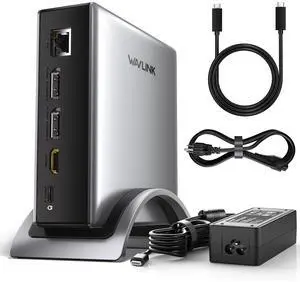
WAVLINK PD3.1 Triple Display USB C Docking Station with 140W Power, 8K Displayport*2 + 8K HDMI Triple Display Dock, RJ45, 10G USB-C, 2 USB-A 3.0,3.5mm Audio/Mic, for M1/M2/M3&Win
Limited time offer, ends 06/07
- Compatibility: Windows 11/10/8.1/8/7, macOS 11 or later (Can extend a different display ONLY), Chrome OS, Linux, iPadOS, Harmony OS, Android, iOS Works with your USB-C desktop PCs, laptops, tablets, and mobile phones (OTG function required).Computer at least has one full-functional USB-C port
- Ports Spec: with 2 DisplayPort and 1 HDMI port, supporting up to 8K@30Hz or 4K@144Hz on a single display. Charge your laptop at 125W via the PD 3.1 port, transfer data quickly with 2 USB-A (5Gbps) and 1 USB-C (10Gbps) ports, and connect to wired networks with the Gigabit Ethernet port. A...
- Model #: WL-UMD29 Pro
Sponsored
Quick View
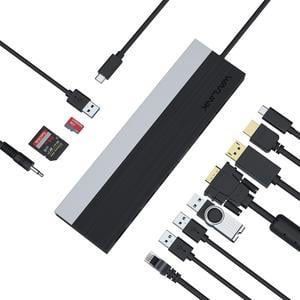
Wavlink USB C Docking Station 4K Triple Display USB C Hub With DP& HDMI& VGA, 85W PC Charging, SD TF Card Reader, Gigabit Ethernet, 4 USB Ports, Audio for Dell XPS 13/15,Lenovo Yoga, MacBook Pro
Limited time offer, ends 06/07
- Compatibility: Support OS Windows 7 / 8 / 10; Max OSX 10; Linux or the latest version
- Ports Spec: 1 x USB-C 2 x USB 3.0 2 x USB 2.0 1 x DisplayPort 1 x HDMI 1 x VGA 1 x RJ45 Gigabit Ethernet 4-Pole phone Jack SD/TF CardReader
- Features: Compatible with Type-C USB3.1 Gen2 full specification PC Computer. USB-C power port support PD3.0 for upstream power charging to PC computer maximum up to 100Watt. DisplayPort support V1.2a; HDMI port support HDMI V1.4b. Support single display, DP or HDMI up to 3840x2160@30, VGA up to 2048x1152@60. Support dual display, up to 2048x1152@60. Support triple display,
- Content: 1 x UMD03 USB-C Triple Display MST Docking Station 1 x Quick Installation Guide...
- Model #: WL-UMD03
Sponsored
Quick View
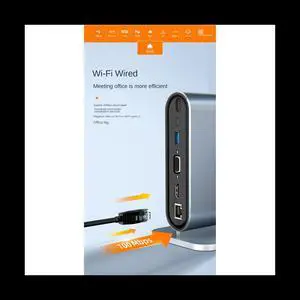
12 in 1 Type C HUB USB 3.0 Vertical Dock Station USB-C Splitter TF Reader Ethernet Adapter 4K PD 100W for Laptop PC
- Type: Accessories
- Model #: ff-tt-049
- $122.00 –
- Free Shipping
Quick View
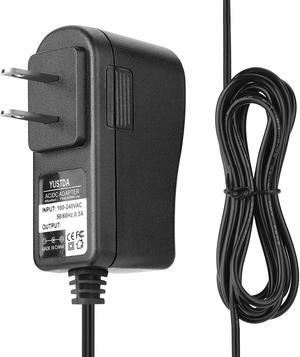
Yustda AC/DC Adapter for IOGEAR Network GCE611 GCE611U DVI USB KVM Console Extender ;Iogear GCS1204 GCS1204G 4-Port Dual-Link DVI KVMP Pro Power Supply Cord Cable PS Wall Home Battery Charger
- Battery Type: N/A
- Model #: 4741640576017
- $18.99 –
- $6.99 Shipping
Quick View
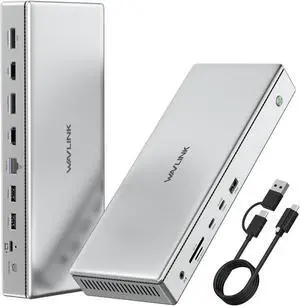
WAVLINK 10K USB C DisplayLink Docking Station, 2xDisplayPort(1.4)&2xHDMI2.0, Single 10K@60Hz, Dual 8K@60Hz,Quad 4K@60Hz with 100W PD Charging, 2.5G LAN, for New MacBook Neo, Windows 10/11 Mac M1/2/3
Limited time offer, ends 06/07
- Part Number: 2xDisplayPort++(1.4) &2xHDMI(2.0) ports, 2.5G Ethernet port, USB C 3.2(10Gbps+PD30W), 2xUSB C 3.2(10Gbps), 3xUSB A 3.2(10Gbps), SD4.0 slot(312MB/s), DC in, 100W PD charging port, 3.5mm Audio & Mic jack.
- Compatibility: -Windows 11/10 -Mac OS 11.x-13.x or later -Chrome OS -Ubuntu
- Ports Spec: 2xDisplayPort++(1.4) &2xHDMI(2.0) ports, 2.5G Ethernet port, USB C 3.2(10Gbps+PD30W), 2xUSB C 3.2(10Gbps), 3xUSB A 3.2(10Gbps), SD4.0 slot(312MB/s), DC in, 100W PD charging port, 3.5mm Audio & Mic jack. Driver required for this product, pls go to the displaylink website to download the driver....
- Model #: WL-UG75PD1-DH2
Sponsored
Quick View
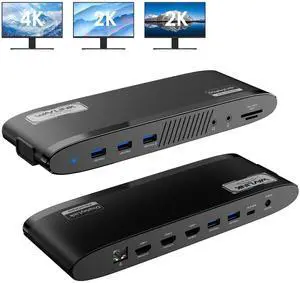
WAVLINK DisplayLink Docking Station 3 Monitors, MacBook Neo Triple Monitor, Dual 2K + 4K with 100W Charging, 3 HDMI, 5 USB Ports, Ethernet, SD/TF, Audio for New MacBook Neo, Mac M1/M2/M3/M4 & Windows
Limited time offer, ends 06/07
- Part Number: Ports: Side 1: Power LED; 3x USB-A 5Gbps; 1x 3.5mm Earphone; 1x 3.5mm Mic; SD/TF Card Reader(312MB/s) Side 2: 1x RJ45(10/100/1000Mbps); 2x HDMI (2K@60Hz); 1x 4K HDMI(Alt. Mode); 2x USB-A 5Gbps; 1x USB-C Upstream (Host, PD100W); 1x DC IN(20V)
- Compatibility: Works with Windows 10/11, Mac OS 11.x-15.x and later, Chrome OS, Ubuntu, Android, and HarmonyOS. Compatible with popular laptops like M1/M2/M3/M4 MacBooks, Dell, ASUS, etc. *Not compatible with Linux, Unix, iOS, iPadOS. Requires DisplayLink driver installation; not plug-and-play.
- Features: - Three HDMI ports support video output simultaneously: one HDMI port can support the resolution up to 4K@60Hz and the other two support up to 2K@60Hz. - Extend/Mirror video modes are available for multiple tasks. - 130W Power Supply delivers maximum 100W power upstream to charge your laptop. - A...
- Model #: WL-UG39PD11
Sponsored
Quick View
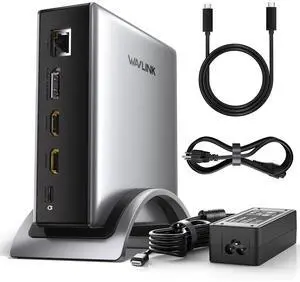
WAVLINK PD3.1 Triple Display USB C Docking Station with 140W Power, 8K HDMI x 2 + 8K Displayport Triple Display Dock, RJ45, 10G USB-C, 2 USB-A 3.0,3.5mm Audio/Mic, for M1/M2/M3&Win
Limited time offer, ends 06/07
- Brand: Wavlink
- Color: Gray
- Compatibility: Windows 11/10/8.1/8/7, macOS 11 or later(Can extend a different display ONLY), Chrome OS, Linux, iPadOS, Harmony OS, Android, iOS Works with your USB-C desktop PCs, laptops, tablets, and mobile phones (OTG function required). Computer at least has one full-functional USB-C port
- Ports Spec: with 2 HDMI and 1 DP port, supporting up to 8K@30Hz or 4K@144Hz on a single display. Charge your laptop at 125W via the PD 3.1 port, transfer data quickly with 2 USB-A (5Gbps) and 1 USB-C (10Gbps) ports, and connect to wired networks with the Gigabit Ethernet port. A 3.5mm audio/mic port ensures crystal-clear sound.
- Model #: WL-UMD27 Pro
Sponsored
Quick View
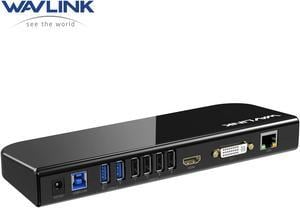
Wavlink USB 3.0 Universal Laptop Docking Station Dual Monitors with HDMI/DVI/VGA, Gigabit Ethernet, 6 USB Ports, Audio for New MacBook Neo, M1/M2/M3 Mac,Windows, MacOS, ChromeOS, Ubuntu 20.04, 22.04
Limited time offer, ends 06/07
- Part Number: 4 x USB-A 2.02 x USB-A 3.01 x USB-B1 x DC Power Input Port1 x Microphone Input Port1 x Audio Output Port1 x HDMI1 x DVI or VGA (through converter)1 x RJ45 Gigabit Ethernet
- Compatibility: Compatible with Windows11, 10, 8, 8.1, 7, MacOS 10.14-13.X and latest, Ubuntu 20.04, 22.04, ChromeOS, Android 5 (Lollipop) onwards with USB OTG mode. Plug and play driver installation via Windows Update. This universal docking station offers broad compatibility with various laptops and devices, making it an ideal choice for remote
- Ports Spec: Built-in HDMI and DVI outputs each resolution up to 1920x1200 @ 60Hz, HDMI port supports resolutions up to 2560x1440@ 50Hz with a single HDMI display only. Includes DVI to VGA and DVI to HDMI adapters are supplied for added flexibility, allowing you to extend your desktop or mirror your screen...
- Model #: WL-UG39DK1
Sponsored
Quick View
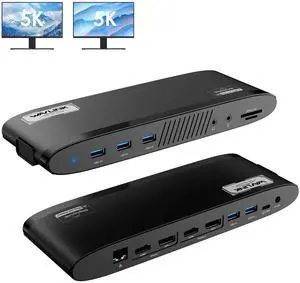
WAVLINK Dual 5K DisplayLink Docking Station, MacBook Neo Multi-monitor For New MacBook Neo, Mac M1/M2/M3/M4, Windows with 100W Charging, 2 DP, 2 HDMI, 5 USB Ports, Ethernet, SD/TF, Phone Jacks
Limited time offer, ends 06/07
- Part Number: Side 1: Power LED; 3x USB-A 5Gbps; 1x 3.5mm Earphone; 1x 3.5mm Mic; SD/TF Card Reader(312MB/s) Side 2: 1x RJ45(10/100/1000Mbps); Display 1 (HDMI/DP++); Display 2 (HDMI/DP++); 2x USB-A 5Gbps; 1x USB-C Upstream (Host, PD100W); 1x DC IN(20V)
- Compatibility: Works with Windows 10/11, Mac OS 11.x-15.x and later, Chrome OS, Ubuntu, Android, and HarmonyOS. Compatible with popular laptops like M1/M2/M3/M4 MacBooks, Dell, ASUS, etc. *Not compatible with Linux, Unix, iOS, iPadOS. Requires DisplayLink driver installation; not plug-and-play.
- Dimension: 1.32" x 7.95" x 5.83"...
- Model #: WL-UG69PD11
Sponsored

Quick View
WAVLINK USB C 4K Laptop Docking Station Triple Display With 100W PD3.0 Charging (65W for PC), Dual HDMI, 1 Displayport, 4xUSB-A 3.0 , Gigabit Ethernet, SD&TF Card Slot Audio Jack For Windows, Mac
Limited time offer, ends 06/07
- Compatibility: Installation Before using this dock, please make sure that the latest PC/laptop drivers are installed (including USB, graphics card etc) because the network port needs specific drivers. For Windows 10, the system detects and automatically installs them after the dock is connected to the network. If drivers cannot be automatically installed, the network port can’t perform properly. Please install them manually. For MAC OS system, you need to install the network port driver manually, please visit www.wavlink.com > Support > Driver > PC peripherals > USB Docking. 1. The dock is driver free, therefore you don’t need to install any driver before using it. 2. Plug the power adapter of the dock in a power outlet. 3. Connect the USB-C connector of the dock to your host laptop/PC, the LED light on the dock will turn blue. 4. Connect your monitor(s) to video ports of ...
- Model #: WL-UMD05
Sponsored