

Your Browsing History

Any questions? Our AI mode will help you find out quickly.
Try me now
Quick View
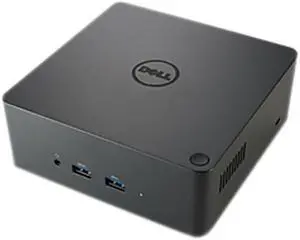
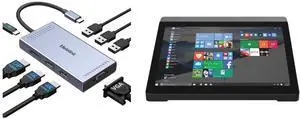
Dell - 2PMR2 - Dell-IMSourcing Business Thunderbolt Dock - TB16 with 180W Adapter - for Notebook/Tablet PC - 180 W -
- Compatibility: This product is compatible with the following systems: XPS 13 (9350) XPS 12 (9250) Precision 15 3000 Series (3510) Latitude E5570 Latitude 7275 Latitude 7370 XPS 13 (9360) Latitude 5480 Latitude 5580 XPS 9365 Latitude 7280 Precision 3520 Latitude 7480
- Ports Spec: Supports 3 displays Two USB 2.0 ports Three USB 3.0 ports Thunderbolt 3 (USB-C) port Speaker output (rear) Combo audio (front) Gigabit Ethernet Kensington Lock Slot 7.4 mm DC-IN Power Input
- Dimension: 5.70" x 5.70" x 2.00"
- Weight: 25.39 oz.
- Model #: 2PMR2
- $104.99 –
- Free Shipping

Quick View
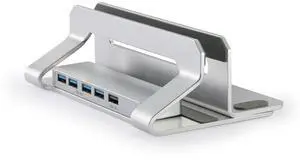
N51-3 Vertical Laptop Stand with USB 3.0 Hub (4 Ports) & HDMI Adjustable Width Aluminum Desktop Holder, Space-Saving Docking Station for MacBook, Dell, HP
Limited time offer, ends 10/07
- Model #: 26-6CXY12124
- $70.25 –
- Free Shipping
Quick View

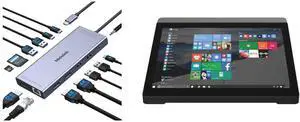
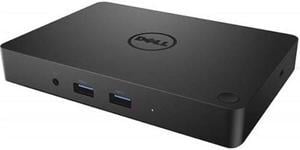
- Compatibility: Compatibility: Dell Notebooks/Tablet PCs: Inspiron 13 5000 Series (5368), Inspiron 13 7000 Series (7368), Inspiron 15 5000 Series (5568), Inspiron 15 7000 Series (7569), Inspiron 17 7000 Series (7778), Latitude 11 (5175), Latitude 11 (5179), Latitude 7275, Latitude 7370, Venue 10 Pro (5056), Venue 8 Pro (5855), XPS 12 (9250), XPS 13 (9350).
- Ports Spec: HDMI / DVI / VGA
- Parts: 30 DAYS WARRANTY
- Labor: 30 DAYS WARRANTY
- Model #: DELL DOCK-130W
- $134.99 –
- More options from $29.90 - $134.99
- Free Shipping
Quick View
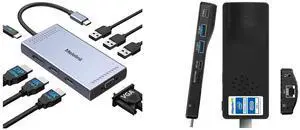
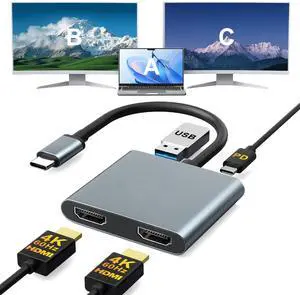
USB C to Dual HDMI Adapter 4K@30Hz, Bailink USB C Hub Multiport Adapter with 2xHDMI, USB 3.0, 100W PD, Support USB C to HDMI Splitter Extended Display for MacBook Pro (MST is not Supported on MacOS)
Limited time offer, ends 10/04
- Brand: Bailink
- Series: USB C to Dual HDMI Adapter
- Model: 4-in-1 HDMI Splitter for Dual Monitors
- Part Number: BL-DUALHDMI
- Model #: BL-DUALHDMI

Quick View
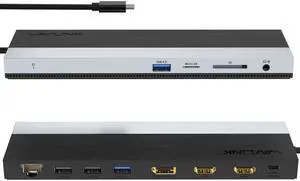
Wavlink USB-C Docking Station Triple Display Max 4K@60Hz with DisplayPort, 2xHDMI, PD, 85W Charging for PC, 2xUSB 3.0, 2x2.0, Gigabit Ethernet, SD/TF Slot, Audio Jack For Windows&Mac etc

Limited time offer, ends 10/04
- Part Number: 1x USB-C to Host with integrated cable 50cm length 2 x HDMI 2.0 1 x DisplayPort 1.4 1x USB-C supports PD 100W IN 2x USB-A 5Gbps 2x USB-A 480Mbps 1x Gigabit Ethernet 1x SD/Micro SD 3.0 1x Combo Audio 1x LED light Indicator
- Compatibility: Suitable for your thunderbolt 3/4 laptops or devices with full-featured type-c port(support charging and video output). Works with MacBook Pro/Air 2021/2020/2019/2018/2017/2016, iMac/ iMac Pro, Google Chromebook Pixel, Huawei MateBook Pro, Dell, Surface Book 2, HP, Lenovo, etc.
- Ports Spec: PD3.0 supports up to 85W Pass Through Charging, 2 x USB3.0 A port speed up to 5Gbps, 2 x USB2.0 A port speed up to 480Mbps, 2 x HDMI (2.0), 1 x DisplayPort (1.4), Integrated TRRS 4-pole phone jack, SD/Micro SD V3.0 Card Reader slot, 1x RJ45 10/100/1000Mbps Ethernet, 1x LED Power Indicator
- Parts: 1 Year...
- Model #: WL-UMD08
Quick View
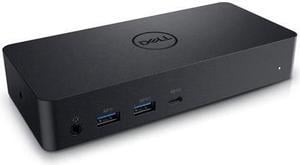
Dell Docking Station Universal Dock D6000 (FNVXM / 452-BCYT)
- Compatibility: Designed For Inspiron 14 7460, 15 Gaming 7567; Latitude 13 3379 2-in-1, 13 3380, 3189, 3480, 3580, 5280, 5285 2-in-1, 5289 2-In-1, 5480, 5580, 7280, 7480; Vostro 14 5468, 15 3568, 15 5568; XPS 13 9365 2-in-1 System Requirements OS Required Windows 7, 8, 8.1, 10 (32/64bit) or later System Requirement (Recommended) PC's equipped with USB3.0 or USB-C port DisplayLink Driver installation Refer user guide for details of system specs requirement
- Ports Spec: 1 x USB Type C 1 x display / video - HDMI 2 x display / video - DisplayPort 1 x USB host 3 x SuperSpeed USB 3.0 1 x SuperSpeed USB 3.0 with PowerShare 1 x USB Type C with PowerShare 1 x headphones / speakers
- Dimension: 1.20" x 3.10" x 6.60"
- Weight: 0.84 lb.
- Model #: DELL D6000
- $94.99 –
- More options from $94.94 - $383.04
- Free Shipping
Quick View
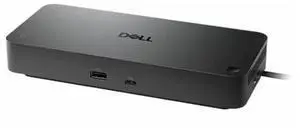
in 30 days
- Brand: Dell
- Series: Pro
- Part Number: WD25Z
- Features: Dell Pro Dock WD25Z. 3 Year Basic Hardware Service with Advance Exchange after remote diagnosis (Disti SnS).
- Model #: DELL-WD25Z
Quick View
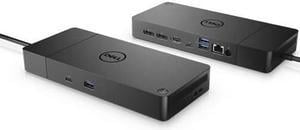
- Part Number: WD19S-130W-N
- Compatibility: Dell
- Ports Spec: 2 x display / video - DisplayPort - 20 pin DisplayPort 1 x display / video - HDMI - 19 pin HDMI Type A 1 x USB-C 3 x USB 3.1 Gen 1 - 9 pin USB Type A 2 x USB-C 3.1 Gen 2 1 x network - Ethernet 1000 - RJ-45
- Dimension: 1.10" x 8.10" x 3.50"
- Model #: Dell-WD19S130W
- $108.00
- $104.97 –
- More options from $64.99 - $348.15
- Free Shipping
Quick View
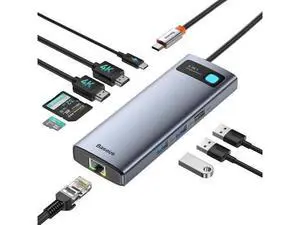
9-in-1 USB C Docking Station, Dual Monitor Laptop Hub with 4K Dual HDMI, 1000Mbps LAN, 100W PD Charging, SD/TF Card Reader, 3 USB Ports, Compatible with MacBook Dell HP Surface Lenovo Steam Deck
Limited time offer, ends 10/07
- Model #: C7FKOYS-721-0093
- $86.87 –
- Free Shipping
Quick View
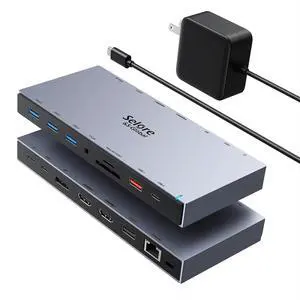
Selore Docking Station 3 Monitors 15-in-1 Laptop Hub with 65W Power Adapter | Dual 4K HDMI, DisplayPort, 10Gbps USB-A/C, Gigabit Ethernet, SD/microSD Card Reader,100W PD, for Dell XPS/HP/Lenovo
Limited time offer, ends 10/05
- Model #: 178947221779
- $159.99
- See price in cart
- Free Shipping