




 here!
here!
I’m your shopping assistant for PC builds, upgrades, and everything tech.
Got questions? Ask away!
Start a conversation
here!
I’m your shopping assistant for PC builds, upgrades, and everything tech.
Got questions? Ask away!
Start a conversationShipped by Hebei XG Technology Co., Ltd.


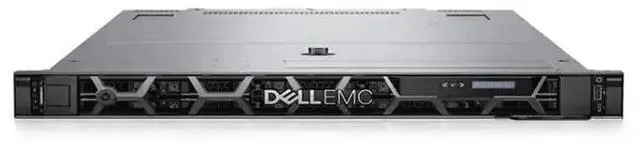

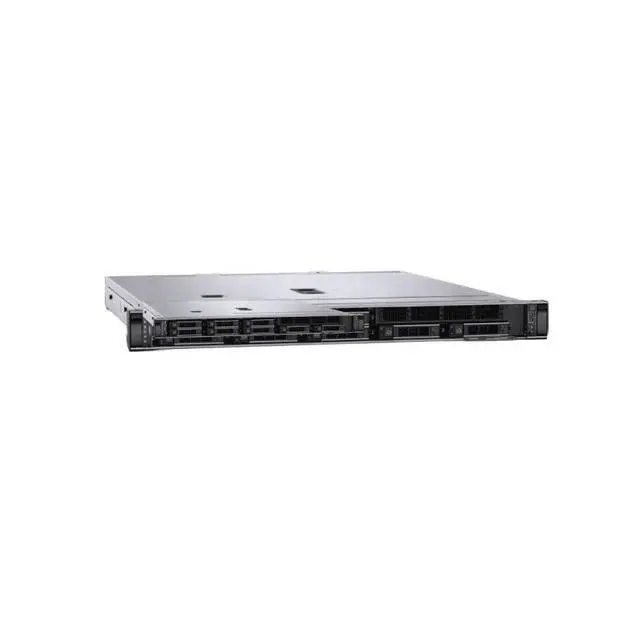
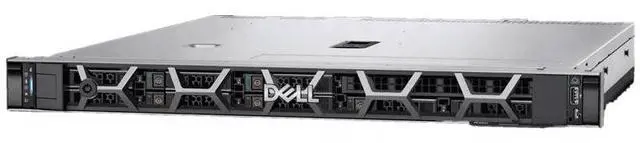
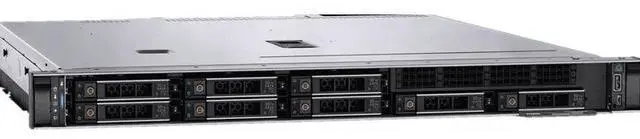




Any questions? Ask CelesteSM will help you find out quickly.
1. Unparalleled Customization:With no pre - installed CPU, heatsink, disk, RAID card, or power supply, you have the freedom to hand - pick components. This allows for a server build that's perfectly tailored to your unique business needs, whether it's for high - end data analytics, cloud computing, or simple file - serving tasks.
2. High - Performance Readiness:The R660XS server's architecture is engineered to support top - tier processors. Even without a pre - installed CPU, it stands ready to deliver exceptional computing power for the most data - intensive and resource - hungry applications.
3. Flexible Storage Strategies:The absence of a pre - installed disk gives you the liberty to choose between high - speed SSDs for quick data access in transactional systems or large - capacity HDDs for cost - effective long - term data storage and archiving.
4. Scalable I/O Capabilities:The server is equipped with ample expansion slots, providing room for future upgrades such as adding a high - performance RAID card. This ensures that your server can keep up with growing data transfer and processing demands.
5. Cost - Effective Solution:By not including pre - installed components, Dell offers a more budget - friendly starting point. You can invest in components as your business grows, controlling costs while still achieving a powerful and customized server setup.
The Dell PowerEdge R660XS is a server barebones chassis for custom rack server builds, best suited for IT teams, system integrators, and businesses that want to choose their own CPU, storage, RAID, and power configuration for tailored infrastructure deployments.
| Attribute | Value |
|---|---|
| Best For | System integrators and IT teams building custom rack servers or replacing nodes in data center racks; suited to barebones PowerEdge R660XS deployments that require component-level configuration |
| Model Identifiers | Dell PowerEdge R660XS — brand and model family identifier for ordering and compatibility |
| CPU And Socket | Rack server platform with LGA 3647 CPU socket for compatible server processors |
Q: Should I choose the Dell PowerEdge R660xs or the standard R660 for a custom 1U build?
A: Choose the PowerEdge R660xs if you want a 1U platform for virtualization, cloud, scale-out database, or similar mainstream data center workloads and you do not need the full expansion and memory envelope of the standard R660. Dell positions the R660xs as a right-sized model, while the R660 is positioned for denser virtualization and analytics. In practice, the R660xs supports up to 16 DDR5 DIMM slots and up to 1.5 TB memory, while the R660 supports 32 DIMM slots and up to 8 TB. The R660 is the better fit when your build depends on very high memory capacity, broader accelerator support, or more configuration headroom. The R660xs is the better fit when rack density, simpler configuration, and controlled platform cost matter more than maximum expandability.
Q: Is the PowerEdge R660xs a better choice than the R760xs?
A: Choose the R660xs if you want a denser 1U server and your workload fits within a 1U thermal and expansion profile. Choose the R760xs if you want more chassis room for storage and add-in flexibility in a 2U form factor. Dell positions both xs models as right-sized servers for popular workloads, but the R660xs is the 1U option and the R760xs is the 2U option. The R660xs supports up to 10 NVMe drives and 16 DIMM slots, while the R760xs keeps the same 16-DIMM memory class but offers a larger 2U chassis with broader drive layout options and some entry accelerator support. For a barebones custom build, the R660xs makes more sense when rack space is the constraint; the R760xs makes more sense when storage layout flexibility and easier future expansion are the priority.
Q: Should I buy this barebones R660xs or a preconfigured server?
A: Choose this barebones R660xs if you already know your CPU, memory, storage, RAID, and power plan and want to control the final bill of materials. A barebones server is usually the better route for standardizing on existing parts, matching a specific storage stack, or building around validated enterprise components. A preconfigured server is the better choice when you want a supported, ready-to-deploy configuration with less integration work. The trade-off is not raw platform quality but build responsibility: the barebones option gives you more component freedom, while a factory-configured system reduces selection and assembly complexity.
Q: Is the PowerEdge R660xs a good upgrade from an older 1U dual-socket Dell server like the R640?
A: Yes, the R660xs is a sensible upgrade path if you want a newer 1U dual-socket platform with DDR5-era architecture and support for 4th or 5th Gen Intel Xeon Scalable processors. It is especially relevant when your current server is sized for mainstream virtualization or application hosting and you want newer platform efficiency and component support without moving to a larger 2U chassis. The main reason to choose a different upgrade path is not that the R660xs is too small for typical 1U use, but that some environments may need the higher memory ceiling and broader expansion options available in the standard R660 or larger platforms.
Q: Should I use the R660xs for performance-first compute, or move to a higher-tier PowerEdge model?
A: Use the R660xs when your priority is mainstream two-socket compute in a compact 1U footprint and your workload does not require large accelerator support or very large memory pools. Move to a higher-tier model such as the standard R660, R760, or accelerator-focused variants when your design depends on more memory capacity, more PCIe headroom, or GPU support. Dell's product positioning makes this distinction fairly clear: the R660xs is for right-sized, popular workloads, while higher-tier models are aimed at demanding mixed workloads, heavier analytics, or accelerator-driven deployments. For a custom barebones build, the R660xs is the stronger value choice when component limits align with your plan; higher-tier models are the better choice when future expansion is a central requirement.
Q: Who is this barebones Dell PowerEdge R660XS suitable for?
A: This model is best for IT teams, integrators, and buyers who already plan to choose their own CPU, memory, storage, RAID, and power configuration. It is not a ready-to-deploy server. The main advantage is control over the final build, but it requires component planning, compatibility checks, and server setup experience.
Q: Does this server include the parts needed to power on and run right away?
A: No. Based on the listing, this R660XS barebones unit does not include a CPU, memory, RAID card, or power supply, and the provided product data also says there is no heatsink or disk. In practical terms, it is a chassis and platform for a custom build, not a complete working server out of the box.
Q: Is this a good choice if I want to customize storage and expansion later?
A: Yes, if your goal is to build around your own storage and add-in plan. The listing indicates 8 x 2.5-inch drive bays, and Dell's R660 platform documentation shows optional networking, PCIe expansion, and supported server operating systems. That makes it suitable for buyers who want flexibility, but the trade-off is that storage, RAID strategy, and expansion hardware must all be selected separately.
Q: Do I need to plan for an operating system and drivers separately?
A: Yes. A barebones server should be treated as hardware only unless the listing explicitly includes an OS. You should expect to install the operating system yourself after adding the required hardware. Dell's R660 documentation lists supported server operating systems, but software deployment, drivers, firmware, and storage configuration are still part of the build process.
Q: Is this a cost-effective server for buyers on a budget?
A: It can be cost-effective for experienced buyers who already have a component plan or want to spread costs across selected parts. The lower starting configuration avoids paying for bundled components you may replace anyway. The trade-off is that the total cost can rise quickly once you add processor, heatsink, memory, storage, RAID, power supplies, and setup time.
Q: Who is this Dell PowerEdge R660xs barebones server actually suitable for?
A: This listing is best suited to experienced IT buyers, labs, or businesses that already know the exact CPU, storage, RAID, and power configuration they need. Because it ships without CPU, heatsink, disks, RAID card, or power supplies, it is not a ready-to-run server. It makes more sense for custom infrastructure builds than for first-time server buyers.
Q: Is this a good buy if I want a cheaper base for a custom server build?
A: It can be a sensible buy only if you already have a parts plan and understand total build cost. The barebones chassis lowers the entry price, but you still need to source major components such as CPUs, compatible heatsinks, storage, RAID or NVMe enablement, and power supplies. In practice, the final cost can rise quickly, so the value depends more on your access to compatible parts than on the chassis price alone.
Q: What are the main trade-offs of choosing an R660xs instead of a fuller R660 configuration?
A: The main trade-off is flexibility versus peak capability. Community discussion around the R660xs repeatedly frames it as a cut-down or more cost-focused version of the R660, with lower-end CPU positioning and fewer high-end expansion options. For buyers who do not need maximum GPU support or the most aggressive NVMe configurations, that can be a reasonable compromise. For buyers who want top-end expansion from day one, it is a weaker fit.
Q: Can I treat this barebones unit as plug-and-play for NVMe storage later?
A: No. NVMe support on the R660xs depends on the specific chassis and installed backplane or enablement hardware. Reddit discussions around this model show that buyers often need to verify whether the server was configured for NVMe rather than assuming any 2.5-inch bay setup will support U.2 drives. For this listing, storage expansion should be treated as a compatibility check, not an automatic upgrade path.
Q: Is this a good choice for a first server or homelab beginner?
A: Usually no. A barebones R660xs is better for buyers who already understand server parts compatibility, rack power, cooling, and storage planning. Beginners are more likely to have a smoother experience with a complete server that already includes CPU, memory, storage path, and power hardware. This listing is more appropriate as a custom project platform than as a simple first-server purchase.


