


Sold by Direct from manufacturerSoulangh

Shipped by Newegg

Price alert
Shop it at NeweggBusiness.

Meet Your Seller

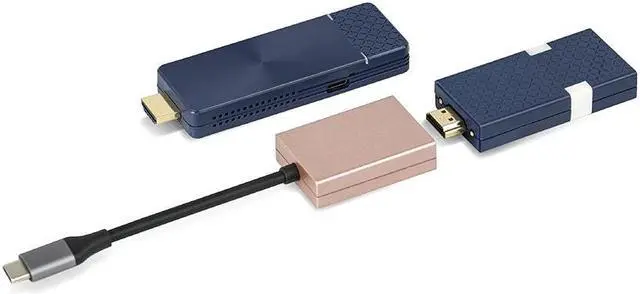
GK Cast Wireless Display Transmitter and Receiver Kit Support 4K, USB-C & HDMI Dual Transmit Ports, Wireless Presentation Equipment for Laptop, PC, Smartphone, Projector, HDTV 165FT/50M. (PINK)

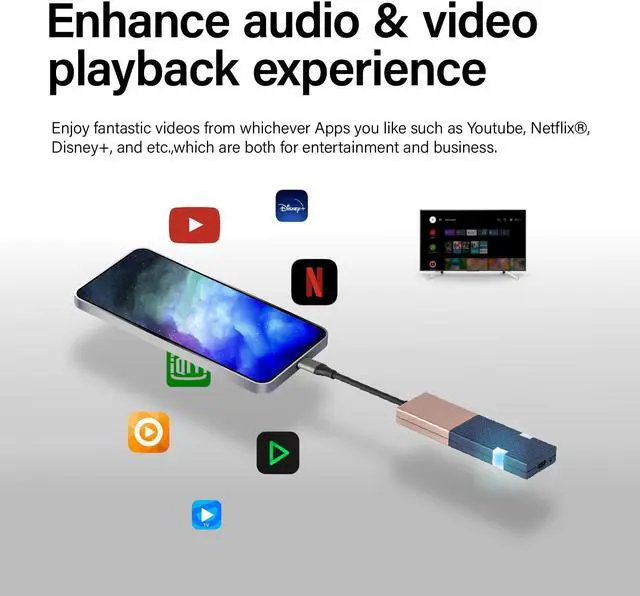
  • 4k@30Hz Wireless Display Transmission 165FT/50MGKCast has a resolution of 720P, 1080P, and 4K@30Hz, and the signal is strong enough that the transmission range is up to 165FT. Suitable for casting Netflix, Disney+, YouTube, etc. NOTE: No need to power the TX USB-C connector.
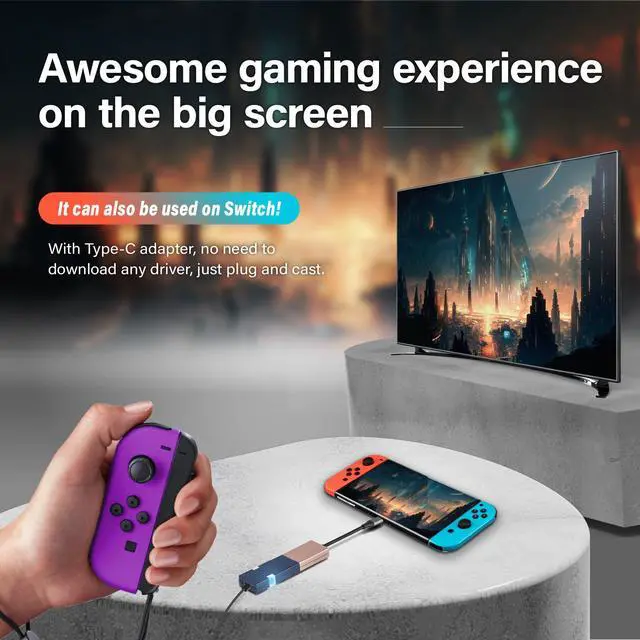
  • 2-in-1 Interface of Transmitter GKCast transmitter widely supports HDMI and USB C devices and is compatible with all mainstream operating systems, including Windows/MacOS/iOS/Android. NOTE: Ensure your USB C devices support "DP Alt Mode".
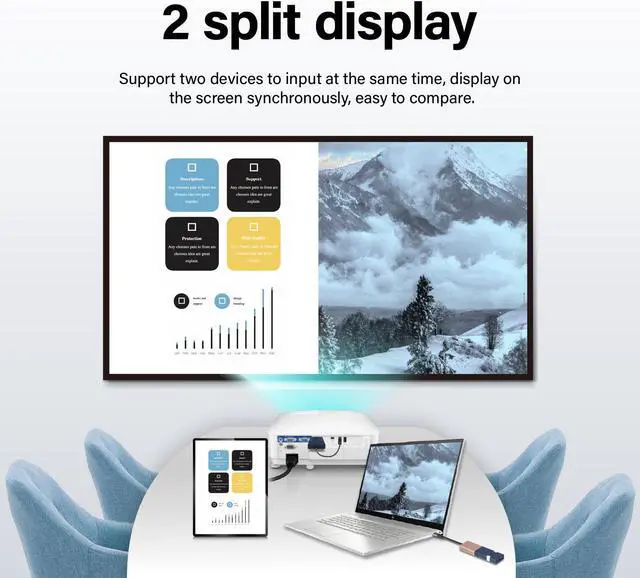
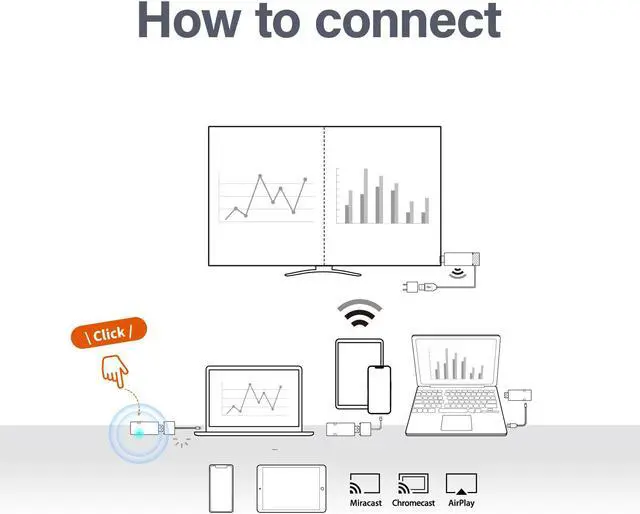
  • Support 2-to-1 Split-Screen GKCast supports up to 2 display sources in a split-screen to facilitate content comparison. Easy and efficient for presenting any content at business meetings or multimedia education.
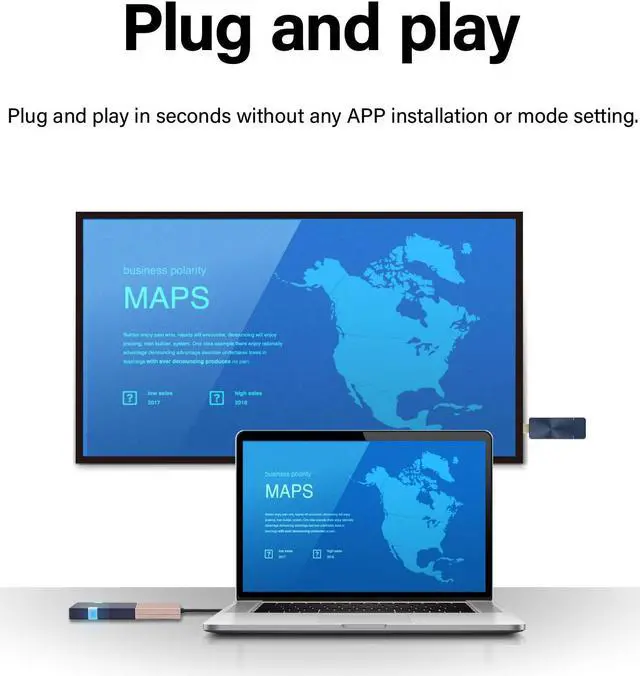
  • Plug and PlayGKCast wireless display kit is truly auto-paired. No APP, WIFI, or Bluetooth is required.
  • Pocket SizeGKCast kits are lightweight and perfect for on-the-go use, ideal for business conferences, office meetings, and classroom presentations.
+
+
Overview
Specs
Reviews
avatar

Any questions? Our AI mode will help you find out quickly.

wireless display transmitter and receiver kit
Receiver & Transmitter
About GKCast
Using
Miracast&Airplay
split screen & Multi device

Pairing Method

pairing

Charging Both TX and RX

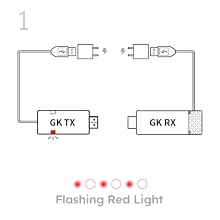
Connect the receiver and the transmitter to the power source, but there's no need to connect them to the devices yet. The transmitter will start flashing RED light.

NOTE: To avoid system error, do not press and hold the transmitter button before charging.
pairing

Start the Pairing Process

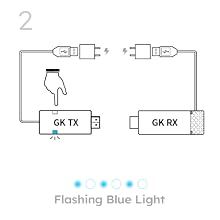
Press and hold the WHITE button of the transmitter (about 10 seconds). Then release the button when the BLUE light starts flashing rapidly.
pairing

Using Pairing Connector

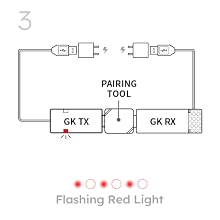
Once the BLUE light turns to flashing RED light, using the pairing tool to connect the receiver and transmitter.

During the pairing process, the transmitter still shows the flashing RED light.

NOTE: A pairing tool (pairing connector) is included.
pairing

Completion of the pairing process

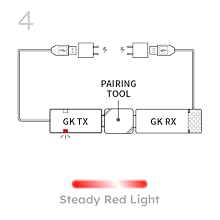
The pairing process has been completed, the light will turn steady RED to BLUE.

The final step is to disconnect the receiver and the transmitter from the power source.

wireless display transmitter and receiver kit
Receiver & Transmitter
About GKCast
Using
Miracast&Airplay
split screen & Multi device

Pairing Method

pairing

Charging Both TX and RX

Connect the receiver and the transmitter to the power source, but there's no need to connect them to the devices yet. The transmitter will start flashing RED light.

NOTE: To avoid system error, do not press and hold the transmitter button before charging.

pairing

Start the Pairing Process

Press and hold the WHITE button of the transmitter (about 10 seconds). Then release the button when the BLUE light starts flashing rapidly.

pairing

Using Pairing Connector

Once the BLUE light turns to flashing RED light, using the pairing tool to connect the receiver and transmitter.

During the pairing process, the transmitter still shows the flashing RED light.

NOTE: A pairing tool (pairing connector) is included.

pairing

Completion of the pairing process

The pairing process has been completed, the light will turn steady RED to BLUE.

The final step is to disconnect the receiver and the transmitter from the power source.

wireless display HDMI extender kit
Specifications
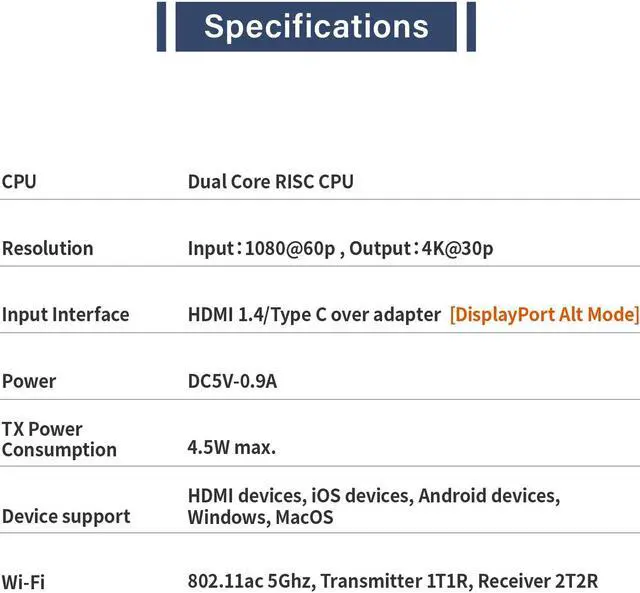
CPU Dual Code RISC CPU
Resolution Input: 1080@60P, Output: 4K@30P
Input Interface HDMI 1.4 / USB C over adapter [Display Port Alt Mode]
Power DC 5V-0.9A
TX Power Consumption 4.5W Max
Connectivity HDMI, WIFI, Airpaly, Miracast
WIFI 802.11ac 5Ghz, TX-1T1R RX-2T2R
GK Cast kits are lightweight and perfect for on-the-go use, ideal for business conferences, office meetings, and classroom presentations. Besides, it features a 2T2R antenna in the receiver for better performance.

Warranty & Returns

Warranty, Returns, And Additional Information

Warranty

  • Please contact the Seller directly for warranty information. Warranty information may also be found on the Manufacturer's website.
  • CONTACT

Return Policies

  • Return for refund within: 30 days
  • Return for replacement within: 30 days
  • This item is covered by Soulangh Return Policy

Manufacturer Contact Info

LOADING...