

Your Browsing History


Nathaniel K.
Joined on 09/11/07
0
0
product reviews
- 3
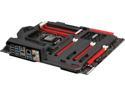
ASUS MAXIMUS VI FORMULA LGA 1150 Intel Z87 HDMI USB 3.0 ATX gaming board with double-sided ROG Armor, 23C-degrees cooler CrossChill and 120dB SNR, 600ohm audio
Pros: - The full metal backplate makes this board very rigid, I wouldn't worry about hanging heavy heatsinks or video cards off this board. - The colour theme is very thorough, entirely red and black. - Fan headers every where. - Optional water cooling for the VRMs - Build in sound chip really enhances value, falls somewhere between ASUS's Xonar DX and STX. - Wifi and Bluetooth via proprietary add on card near the top of the board. - AI Suite 3 is pretty good, comes with its own ROG themed CPU-Z. - Back I/O is very tidy and organized, 8 of the USB ports are all together.
Cons: - Wifi add on card is pretty hard to install, the back of the antenna hookups kind of interfere with the OPT_FAN 2 header, I got both in, but it took some effort. - Some of the mounting holes are pretty deep underneat the plastic PCB cover, getting them out required flipping the board over. - No PCI-E slot covers like the Sabertooth. - USB 3 header should have been along the bottom edge of the board in my opinion.
9/9/2013See more detail
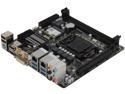
GIGABYTE GA-Z87N-WIFI LGA 1150 Intel Z87 HDMI USB 3.0 Mini ITX Intel Motherboard
Pros: This board is fairly well featured for a reasonable price. The rear I/O is fantastic for ITX, and I like the placement of the SATA and 24 pin power.
Cons: The CPU socket placement is way too low. Larger low-profile coolers such as the Noctua NH-L12 will interfere with the PCIE slot when installed, but would easily clear if the socket was only a centimeter or two higher. The USB3 front panel connector is poorly placed, being pretty much as far away from an ideal location as possible. This board also only has two fan headers. I know it's small form factor, but it really should have a third header.
6/4/2014See more detail
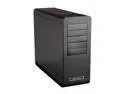
SilverStone Fortress Series FT02B-W-USB3.0 Black Aluminum / Steel Computer Case with Window Side Panel with 2 x USB3.0 ports (Black)
Pros: - The aluminum unibody looks fantastic. - Pretty spacious compared to a mid tower. - Build quality seems excellent. - Nice touches on minor details, like small rubber washers on the thumbscrews that hold the side panel on. - The hard drive cage isn't quite toolless, but the mounts for the drive are pretty much straight rubber, and the sleds feel very solid despite being plastic. - The optional hot swap bay is nice and can be changed to a different bay if desired. - All intakes are filtered, including the power supply intake. - The three 180mm Air Penetrators are exceptionally quiet, and move a ton of air, all have sleeved cables. - Can (just barely) fit a Phanteks CPU cooler
Cons: These are all nitpicks - There are not enough cable tie points, 6 in total, 2 near the PSU side of the bottom cut out, 2 near the drive cage side of the bottom cut out, and two going up along side the drive bays. - The CPU cut out on the back of the motherboard tray is too small, and I imagine most motherboards wll have to be removed entirely to install a backplate. - The cables for the top fan and front panel (sans audio) are not sleeved/black, something I would have expected on the refreshed model. - The power and drive activity LEDs are very, very bright. - The dust filters for the bottom fans are all inside the case, so the side panel must be removed to access them. - There is little room between the back of the motherboard tray and the back side panel, and it took some effort to not have it bulge out. - The hard drive cage is not modular and riveted in place
Overall Review: - The fan control switches all seem to just turn the fans off when set to low. Probably because I have them plugged into my motherboard rather than a molex adaptor
9/9/2013See more detail