

Your Browsing History


Peter W.
Joined on 08/08/05
0
0
product reviews
- 6
Very happy so far!
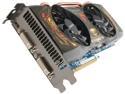
GIGABYTE Super Overclock Series GeForce GTX 560 Ti (Fermi) 1GB GDDR5 PCI Express 2.0 x16 SLI Support Graphics Card GV-N560SO-1GI-950
Pros: 1. Very fast! I upgraded from a 8800GTS and its amazing the difference for the price. I've tested it the most with BFBC2, STALKER 2009, FARCRY2 and Fallout New Vegas and Amnesia Dark Descent. All run amazingly smooth and look great. Pushing all games to 1920x1080 with full detail! 2. Fans run very quiet and speed up when needed. 3. OC Guru software works very well. 4. Have not had to adjust anything from its default mhz or voltage settings. Hope I am not shooting myself in the foot by posting a 5 egg review so soon after getting it running but so far I am very impressed!
Cons: 1. It is long so make sure you have the room 2. Potential to get a bad card appears high 3. Fans seem to blow air into the case rather than out the rear vents. Not a big deal if you have good airflow but something to keep in mind.
Overall Review: When I installed the card, Windows 7 automatically upgraded the driver to 266.66 from my older version. I started to get all the issues people were reporting about the driver failing all the time. I downgraded to the version on the included CD and tested for a week and the problems went away. I then upgraded to the Nvidia version of the 266.66 and so far they are also working fine. If no problems occur, I am just going to chalk it up to Windows doing an incomplete installation of the drivers. To test the card, I ran Furmark and Heaven Benchmarking. Both completed successfully with no issues. Furmark pushed the card to 88 degrees C over 15 minutes before it stabilized with no failures. The fans auto adjusted their speed and were cranking at 95%. They idle at 40%. Heaven ran at 1920x1080 with full detail and achieved an average FPS of 45 on my machine which has older specs. Q6600 2.4 Ghz 4 Gig Kingston HyperX DDR2 800 hec Win550 Watt power supply (38 amps) Windows 7 64
3/30/2011See more detail
Very happy
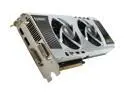
Palit NE5X570HF10DA GeForce GTX 570 (Fermi) Sonic Platinum 1280MB 320-bit GDDR5 PCI Express 2.0 x16 HDCP Ready SLI Support Video Card
Pros: Great performing card. Running all my current games (BFBC2, Dragon Age 2, New Vegas, Crysis 2, Amnesia) at highest detail on a somewhat older processor and having no issues at all so far. All framerates around 60 fps avg at 1920x1080. Sturdy card and looks great as well. No issues with heat (36c idle at high 60's when stressed). I do have a side case fan blowing outside air onto it though.
Cons: Some may not like plastic cover but not a big deal and probably stays cooler than a metal one which is looks like. It does vent into case rather than out the back due to two large fans on the front of the card. This could cause heat issues for an improperly cooled case. It is louder than my old 8800 but my case is solid metal so the sound is quite buffered when its closed up. Pulls a lot of watts (around 365 max) so you need a beefy PSU if doing SLI. Included overclocking and monitoring software is pretty lackluster.
Overall Review: The description of this card says it requires a 6 pin and and 8 pin power connector. My card is revision 1101 which requires 2 six pin connectors instead. The original revision 1100 requires the 6 and 8 pin. It does ship with an adapter to create a 6 pin from two 4 pin plugs but not one to create an 8 pin which I would think more people would need. PC Specs that matter: Q6600 at 2.4 Ghz 4 Gig DDR2 1600 (800 in dual channel mode) MSI P6N Platinum motherboard LG 27inch LCD monitor (1920x1080 rez) 650 watt PSU with 52 amps on 12v rail Windows 7 64bit Ultimate
4/25/2011See more detail
Wonderful
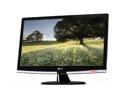
LG W2453V-PF Black 24" 2ms(GTG) HDMI Full HD 1080P Widescreen LCD Monitor 300 cd/m2 50000:1 w/ Smart Package
Pros: Very bright and crisp. Love the touch controls. Auto adjusting brightness responds nicely to changes in room light levels. Very thin. Games look great and smooth with no ghosting. Not a single bad pixel. Its actually amazing how much more gaming graphic detail I noticed.
Cons: Same as what most others have mentioned. No HDMI/DVI cable included. Included VGA cable is rather short. No height adjustments on stand. Because of how my computer desk is situated, none of these really bothered me so I didn't knock the rating at all.
Overall Review: I've only used this monitor for a day so far but I am very impressed! The touch controls are nice but rather than just lighting up a small dot under each button it would have been nice if they light up the text of what the button does so you could see them in the dark. The monitor is so bright it makes the text hard to see. Not sure how useful the "Fun" features such as photo color styles are but they are interesting.
12/30/2009See more detail
Wonderful
Intel Core 2 Quad Q6600 - Core 2 Quad Quad-Core 2.4 GHz LGA 775 105W None Integrated Graphics Processor - BX80562Q6600
Pros: I upgraded from an Athlon 3200 XP chip to this and its amazing how fast it is. Running Windows Vista 64x and the response I get in the OS is amazing. DVDs and videos encode amazingly fast. All my games run soooo much better. Even the ones that don't take advantage of multi-core processors.
Cons: Not enough software takes advantage of it yet!
2/28/2008See more detail
Fast!
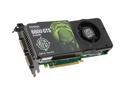
BFG Tech GeForce 8800GTS (G92) 512MB GDDR3 PCI Express 2.0 x16 SLI Support Graphics Card BFGE88512GTSE
Pros: I have bought a lot of video cards over the years and this by far is the fastest card I have ever used. Normally I buy ATI cards so this is actually my first nVidia card. I have been very pleased with it. Games that I thought ran smooth before are amzaing now. Running Crysis, UT3, Witcher and CnC3 with every graphic option maxed (except Crysis which is running on High, not Very High) and it is very smooth and playable. It doesn't block anything on my MSI P6N Diamond motherboard which is also nice.
Cons: Takes up two slots and covers my PCI Express 1x slot. Not a big deal in my case since the MSI P6N has four 16x slots so I have plenty of extras. I could also just move it to another 16x slot if I need too.
2/28/2008See more detail
No problems
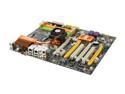
MSI P6N Diamond LGA 775 NVIDIA nForce 680i SLI ATX Intel Motherboard
Pros: This is the first motherboard I have purchased with PCI Express, SATA as well as 64 bit processor support. After much research this board had everything I have been looking for. I normally buy ASUS motherboards but thought I would take a chance on MSI. So far I have not been disappointed. Running an Intel Quad Q6600 with 2 gig of Kingston Gamer HyperX DDR800 Ram as well as a GeForce 8800GTS 512 and it handles them all at stock speeds very well. Haven't tried any overclocking yet.
Cons: A wireless LAN option instead of 2 onboard LAN ports would be a nice extra.
Overall Review: The onboard X-Fi really sealed the deal for me with this board. Sure I could just buy an add in Sound Blaster card but the fact that I didn't have to really made my mind up for me. Just be sure to use the driver disk that comes with the motherboard!
2/28/2008See more detail