




 here!
here!
I’m your shopping assistant for PC builds, upgrades, and everything tech.
Got questions? Ask away!
Start a conversation
here!
I’m your shopping assistant for PC builds, upgrades, and everything tech.
Got questions? Ask away!
Start a conversation

Joined on 07/18/05
VA panels still just can't compete with the speed of the old tried and true TN panels.
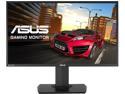
Pros: - TN panel is super fast and has substantially less blur then even Samsung's latest "1ms" VA panels - No dead pixels - Color looks great - Viewing angles aren't an issue what so ever when the monitor is sitting right in front of you. - Great stand that takes up less space on desk than newer options and is fully adjustable. - Control "joy stick" makes setup easy
Cons: - TN might not have the best viewing angle or color accuracy. But this panel does very well. - Not curved for best immersion - No fancy back-lighting like the newer options, which really went nicely with the theme of my place. Oh well. Function over form. - USB3 hub is underneath on I/O panel, not on the side for easy access. But don't think I'd even use that since the PC is already so close.
Overall Review: Before purchasing this MG278Q, I tried the new ASUS ROG Strix 35" ultra-wide (XG35VQ) and the latest Samsung C27HG70 w/ HDR, QLED, Freesync2 and 1ms VA panel. Both of these other much newer screens have substantially more motion blur with all the fastest options enabled. Perhaps for some people it's not enough to notice. I have seen several friends that couldn't see the difference when my TV was doing 60hz vs 720hz. But for someone like me that has exceptionally good eyesight (20/10), slow screens are very hard to tolerate in gaming or video.
Incompatible with PhenomII x4 955
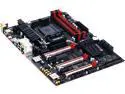
Pros: Lots of modern features: USB-C, NVME M.2 (PCIe 2.0 4x - 20GBs), Ambient LED strip etc Sure it would be fine on a FX8*** CPU
Cons: Board won't set the correct multiplier on my PhenomII 955. It's been a known issues for nearly 2years. But guess there's two few wanting to use this board with PhenomII to make a BIOS update worth their time.
Overall Review: Every.... Single.... Time...... I buy something other than an ASUS I regret it.
2400Mhz on XMP - Without issues since 2015
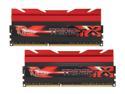
Pros: XMP set without issues. 2200Mhz on Z77/i7-3770s @ 10-11-11-28. 1.64v (Couldn't get 2400 stable. CPU's fault) 2600Mhz on Z97/i74790 @ 11-13-13-32. 1.64v Solid RAM for 1 day past the 2 year mark now.
Cons: Not free? ;-)
Overall Review: Really hard to beat G.SKILL on the price/performance ratio. I've build hundreds of systems since the Win95 days. Only seen one bad stick from G.SKILL. Pretty darn good considering how many I've installed over they years.
ASUS ROG Radeon RX 480 STRIX - ASUS or AMD Manufacturing issues?
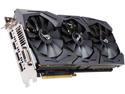
Pros: - HDMI 2.0 (even though I was just going to use DP for freesync) - Latest Polaris architecture - 8GB GDDR5 - Liked the RGB lighting - Was hopping for typical ASUS quality
Cons: - Definitely not up to the task for 4K freesync - Both me and a friend had very similar issues with this same card (ordered the same day) - New Window Boxes not being displayed/opened. - Mouse cursor disappearing - Screen randomly going black and eventually restarting PC - Tried 4 different driver revisions and 2x different freesync monitors. No change. Exchanged for Fury X now that it's $380.
Overall Review: You always pay a premium for ASUS quality. Even if this card didn't have issues, I'm not sure the performance is worth the $299 price tag. The ASUS clock speeds aren't any higher then others at a lower price. Also, from what I've read, these RX480's have very little GPU overclocking room. RAM can be pushed a bit.
Blown Away!
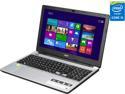
Pros: Snapped this up immediately when it went on sale for $549. Unquestionably the most laptop for the money I've even seen! Full Tech Specs: Intel Core i5 4210U - 2.4GHz on Turbo, 2 cores / 4 Threads 8GB RAM (2x4GB DDR3 1600MHz at 11-11-11-28) Nvidia 840M (384 cuda cores, 2GB DDR3-1800MHz over 64bit) 1TB 5400RPM SATA3 HDD 1366x768 Screen (guessing 5ms response / lower res helps keep FPS high)
Cons: Low-ish 1366x768 screen res (wish it was a 1080p touch screen) But it's not nearly as bad as I expected! Looks great in games. Response time might a bit slow but it's good enough for a laptop. Slow 5400RPM HDD. (I installed a Samsung 850 Pro SSD and used the slow HDD in and external USB3 enclosure.
Overall Review: Hahaha! I sold my old 2009 Core2 Duo MacBook Pro (8GB DDR3 1066, Core 2 Duo P7550 2.26GHz, Nvidia 9400GT graphics and 128GB SSD for $500. So it only cost me $50 to upgrade to this beast! Hahaha! So glad crazy Mac fanatics exist. :-)
Only USB3 works

Pros: Would be such a sweet upgrade option if it worked. USB 3 works.
Cons: SATA6 controller isn't even seen by OS. SYBA has no drivers on the web site for the SATA controller. Just the USB. No HDD/SSD is seen by the OS when plugged in to internal SATA plug. Jumpers are set to 2-3 for internal. The driver CD that came with it is a joke. It's a disk that has drivers for, what looks like, every single SYBA product made. They're all in folders that are not labeled in any logical way. Just randomly labeled folders. How hard is it to make a CD for each product. Talk about poor product execution.
Overall Review: Would be such a sweet upgrade option if it worked. Another manufacturer needs to step up and make a proper 1xPCIe card with 1xSATA6 and 1xUSB3
Quick shipping - got what I ordered
Received the RAM I ordered a couple days later. Great service!
Quick
Correct product came quick and worked great


