

Your Browsing History


Matthew S.
Joined on 03/04/04
0
0
product reviews
- 4
Works great
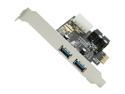
SYBA USB 3.0 2-port PCI-e Controller Card, VLI VL80x Chipset, with On-board 20-pin Header Model SD-PEX20122
Pros: Bought some of these at work for use with the SYBA SY-HUB20134. No issues other than having a power cable long enough to reach the back of the case. Backup to a WD Passport drive over USB 3.0 is nice and fast now.
Cons: I imagine some power supplies do not have Molex connectors these days. I would have been nice to have a SATA-style power connector on the board.
Overall Review: Because I didn't have a long enough power cable to reach the card on a 1U rack mount workstation and I was only hooking up a powered USB 3.0 hub, I tried it without the power connected. It did not work. Make sure you have all the ancillary cables required. Note the Molex power connector.
9/30/2013See more detail
Will look nice with 5.56mm holes in it
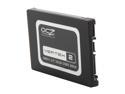
OCZ Vertex 2 2.5" 55GB SATA II MLC Internal Solid State Drive (SSD) OCZSSD2-2VTXE60G
Pros: Way faster than my old software RAID0 with 7200rpm drives. Software installs were crazy fast. Quiet.
Cons: Completely dead after two months. For a while I had issues when powering on/rebooting the PC. The BIOS would fail to see the drive, I would CTRL-ALT-DEL 3 - 4 times, and then everything was fine. Running on a XPS 420.
Overall Review: I hesitate to RMA even though it's still under warranty. It's full of personal data that's probably unrecoverable (yes, I have backups) but you never know who will get ahold of a RMA'd drive. Low risk, high impact, and I'm paranoid. To me it's not worth the hundred bucks.
7/22/2011See more detail
Trouble with DD-WRT bridge
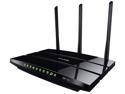
TP-LINK Archer C7 Wireless AC1750 Dual Band Gigabit Router, 450 Mbps on 2.4 GHz + 1300 Mbps on 5 GHz, 1 USB Port, IPv6, Guest Network
Pros: Good signal strength, speed was good with 5 GHz 802.11n clients (don't have any AC clients as of yet). I like the actual power switch
Cons: After using DD-WRT for years the firmware leaves much to be desired. I have an old Linksys WRT320N running DD-WRT that I use as a bridge (client bridge mode) to connect two clients in my bedroom (TiVo and Raspberry Pi). With my previous router (a different Linksys N router, again with DD-WRT) everything worked just fine (albeit slowly). Clients connected through the bridge could talk to clients connected to the router directly. With the Archer C7 clients on the bridge would lose connectivity with other local clients after some period of time, usually less than 2 hours. Note this did not happen immediately. Internet connectivity was unaffected. After pulling my hair out for 5 days I decided to return the Archer C7 and get what I should have bought in the first place: either the Asus RT-AC66 or RT-AC68. You get what you pay for.
Overall Review: Should be fine for most consumer-level installs. Nice design and kudos for skipping the obnoxiously bright blue LEDs like some devices have these days. I don't need my router to double as an annoying blinking nightlight.
1/21/2014See more detail
Good so far
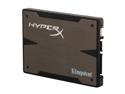
HyperX 3K 2.5" 120GB SATA III MLC Internal Solid State Drive (SSD) (Stand-Alone Drive) SH103S3/120G
Pros: Scores a WEI of 7.9 and makes my 4 year old machine speedy again.
Cons: Nothing yet. My last SSD (another brand) died after two months, so we'll see.
Overall Review: My last SSD died (I think) from putting the system to sleep. Now I'm paranoid to use sleep mode with this new drive. The Kingston SSD Toolbox downloadable from their website is a .rar file and I didn't have any rar utilities installed. They say it's an .exe self-contained rar, but it's not. Anyhow the only useful thing is it tells you the firmware installed. I can't seem to locate any firmware on the Kingston website so I have no idea if I have the latest.
5/16/2012See more detail