

Your Browsing History


Steve C.
Joined on 08/03/04
0
0
product reviews
- 19
Works great, nice display
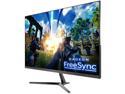
Pixio New PX277 27 inch 144Hz AMD Freesync Adaptive sync WQHD 2560 x 1440 Wide Screen Bezel Less Display Professional IPS (AH-VA) Gaming Monitor
Pros: Love the Freesync, like the high frame rate, 1440P crisp resolution, colors are very good, monitor is thin and attractive, feels like it is solid all around.
Cons: To get Freesync to work I often have to start the game, then turn the monitor off and back on again. If I don't do this, Freesync doesn't work. But once it is on, what a difference, like sync technology a lot. This is with a Radeon 290.
Overall Review: Would buy it a gain for the price I paid, really solid monitor. The power on/off thing for Freesync is a bit annoying, but I can live with it.. but have to go 4/5 rating because of that. Monitor is great otherwise.
8/13/2018See more detail
Look at a different board if you OC
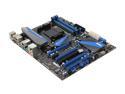
MSI 990FXA-GD80 V2 AM3+ AMD 990FX + SB950 USB 3.0 ATX AMD Motherboard
Pros: This board does what it should, I am running an FX 9370 in it without a problem. The board looks nice when powered on and is well laid out.
Cons: For a board aimed at overclocking it is a real problem that there is no load line calibration. While overclocking my CPU voltage drop by almost a full .1 volts. Even with a smallish overclock and voltage bump, Kill-a-Watt shows only ~420 watts use during heavy stress test (and I have a decent power supply rated for well over twice that load). and I get terrible vdroop. I'm under water and will drop from 1.55 volts as set in the bios to 1.45-1.48 (it bounces around) when stress testing. This really is a big issue and kills this board as any kind of serious overclocking board.
Overall Review: If you're going to use factory settings or even a moderate overclock on the eight core CPU's, this board should be fine. But for the higher end overclocking crowd (which is what this board is meant to do and the market it is aimed at) I would suggest looking at a different motherboard. I would have giving this board a higher rating if I was not overclocking, but I bought this board thinking it would be a good part for pushing my FX 9370 and because I've liked my previous MSI motherboards, but I can't help but feel like this one is a big disappointment because of the vdroop that kills overclocks.
12/18/2013See more detail
Solid board
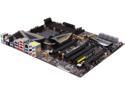
ASRock 990FX Extreme9 AM3+ AMD 990FX + SB950 USB 3.0 ATX AMD Motherboard with UEFI BIOS
Pros: Lots of features, great overclocking potential. Nice layout, easy to install everything. Got my FX9370 @ 5.34GHz under water on this board, stable power delivery (and an FX at those speeds and required voltages uses plenty of power).
Cons: The board can be picky regarding which SATA ports to use for RAID, I found this out when I couldn't get my harddrives both recognized. The bios takes a little more getting used to than other manufacturers, but that is just my personal taste. LLC settings seem backwards, had to set them at stock clocks and write down where my voltages ended up while using them to get a better understanding of them.
Overall Review: Great board for the hobbyist overclocker with lots of usable features. I'd buy this one again.
6/9/2014See more detail
FX 9370 with voltage and custom water.
AMD FX-9370 Vishera 8-Core 4.4 GHz Socket AM3+ 220W FD9370FHHKBOF Desktop Processor - Black Edition
Pros: Love this CPU, fun build as a hobbyist. With a custom water setup I am able to get 5.3+GHz stable in everything but P95 on eight cores. Good enough. I can drop the voltage quite a bit and keep it running at stock clocks, while using less power than an 8350 while being 400MHz faster on base and 500MHz faster on turbo. Almost get 9 points in Cinebench 11.5 at 5.3+GHz.
Cons: Uses a lot of power for what it is, but playing around I was able to keep it at the stock 4.4GHz/4.7GH turbo at under 1.25 volts with good cooling. But, as is it runs warm, but not unbearable, but good cooling is a must even without overclocking. At 5.2GHz, on Torch Light 2 I can make it drop in to the mid 30FPS range so far.... there is a lot going on, one cored pegged, the others not doing much. Obviously this isn't going to beat Intel CPU's in single threaded performance, but at 5+GHz, it isn't bad, just not as good. When I REALLY push this CPU, I can get it to almost use 400 watts by itself... but I didn't buy this to not play around with it or for good power consumption. ;)
Overall Review: I don't regret getting this CPU, I tend to lean towards AMD CPU's (that doesn't mean Intel isn't putting out some very fast and tempting parts). I kind of wanted to build a rig to handle this monster and even overclock it more than get the best bang for the buck I could around this price. I really enjoyed building around this CPU, now if I could just get an even better binned 9590. :) One last thing, the CPU cover was a bit concave on my 9370, I had to lap it down to the copper to get the clocks I got. Great CPU, fun build despite it's flaws.
6/2/2014See more detail
Faster, cooler running, and two more cores than my old PhII
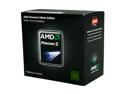
AMD Phenom II X6 1090T Black Edition - Phenom II X6 Thuban 6-Core 3.2 GHz Socket AM3 125W Desktop Processor - HDT90ZFBGRBOX
Pros: While I don't need more than a quad core, having a few more cores certainly doesn't hurt. I have a 125 watt AM2+ motherboard, this was a drop in replacement (just needed a bios update... thanks MSI!) I'm running at 2.4GHz on the memory controller/L3 and 3.96GHz on the cores. I haven't gone for more yet, but this was a very quick and easy overclock... I may push it further yet, but I'm happy with the time spent on the co vs. the temps and stability, so I probably won't push it much further.
Cons: It's still going to trail Sandy Bridge more often than not. I wish there was more that I use that would take advantage of all these cores.
Overall Review: My old PhII needed over 1.5v to reach 2.4/3.6GHz and wouldn't budge any higher no matter what. This chip is running at a higher clock speed, with more cores, and a lower voltage bump (I'm running 1.46v). There are better performing parts by Intel, but for the price and being a drop in replacement (for me) there's not much to complain about here... I have a higher clock than my old chip with less voltage, run cooler (I top out around 49-50C running six instances of prime, though this time of year it's a bit cooler in my home) and have two more cores than before. All done with a two minute bios install, a five minute install and a five minute overclock, and the price was right. This was a good bang for the buck upgrade.
10/22/2011See more detail
I'm driving my wife nuts
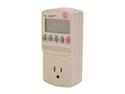
P3 Kill A Watt Electricity Load Meter and Monitor
Pros: Works well, does what it is supposed to do. Easy to use, also.
Cons: I'm driving my wife crazy because I keep checking how much power anything we plug in uses. :)
Overall Review: Fun toy and/or very useful for productive purposes. I found that my Phenom II @ 3.6GHz with a single 5870 uses about 335 watts in Furmark (1920x1200, 4xAA). With a second 5870 in Crossfire I use 515 watts in the same test!
2/24/2011See more detail