

Your Browsing History


Yaroslav F.
Joined on 09/28/13
0
0
product reviews
- 9
Excellent Linux Machine!
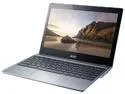
Acer Chromebook Intel Celeron 2955U 4GB Memory 16GB SSD 11.6" Non-Touch Screen Chrome OS C720-2844 (NX.SHEAA.004)
Pros: - Snappy 64 Bit Intel dual core CPU allows this laptop to run any software you would want (even Windows, although not recommended). It's miles better than any Chromebooks with ARM SoC. - It uses an SSD, meaning very fast boot and app launching times. (MUCH faster than typical Hard Drives). My Manjaro install boots up in about 7-8 seconds. - The 4GB is plenty and allows for great multitasking. - Excellent Battery Life. it charges very quickly too. (~2 hours) - It's very quiet, even though it has active cooling. - The display, although only 1368x768 in resolution, looks great in the 11.6' screen. I find colors to be fairly accurate and good looking. It's Matte too, so you won't have any glare. - Usable Keyboard and track-pad, not amazing but I use them well. - Chrome OS, although not meant for everything, can still power 90% of what you daily do with your computer. It's lightweight and very simple to use. It's perfect for elderly people, or anyone who has no knowledge in computers. - It has an option for Coreboot with SeaBIOS, so you can boot Legacy storage through it. A MUST for anyone wanting to run Linux. I was able to boot a Manjaro live USB and install it. - Price is unbeatable for these specs
Cons: - It has only 1 USB 3.0 and 1 USB 2.0 ports, which can be lacking if you use them up (I use the 3.0 port for additional storage and the 2.0 for a mouse occasionally). - The screen isn't very bright, viewing in direct sunlight can be hard without cranking brightness to max. The viewing angles are pretty bad too. - The whole Chromebook is made of plastic, giving it a cheap feeling. The touch-pad took getting used to and is a pain to get working in Linux. - The webcam, although capable of HD video, shoots it in only 10 FPS which is disappointing. You can sacrifice resolution for FPS if you want to (in Linux at least). The quality is good enough for Google Hangouts/Skype. - Only 16GB of internal storage means no real space for alot of video or music. You can upgrade to a bigger SSD (up to 256GB!) but you need to first buy one, and then open up the Chromebook to replace it with the old one. I personally use a 64GB USB 3.0 Flash disk for that.
Overall Review: I followed some guides on the internet for installing Linux distros on this Chroembook. The easy way is to use Crouton or Chrubuntu, while the slightly more technical way is to use the SeaBIOS (Although for both you need to turn your Chromebook into developer mode). I used the SeaBIOS method to install Manjaro 0.8.10 64bit (Note: I couldn't boot the 64bit 0.8.11 installer for some reason, 0.8.10 works though). Then, I updated the system, the kernel to 3.17.4 and added the standby and touch-pad fixes. Works like a charm now! Now I got the power of Linux to do anything, with the great hardware of the C720. Definitely recommend trying Manjaro out on your Chromebook.
12/17/2014See more detail
Not Worth the Money.
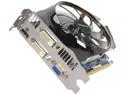
GIGABYTE GeForce GT 640 2GB DDR3 PCI Express 3.0 Graphics Card GV-N640OC-2GI Rev2.0
Pros: - It runs pretty cool thanks to the big fan. - 2GB of RAM allows you to crank up those texture levels. - Doesn't require PCI-E power 6/8 pin power connectors, so it's good for those old PSU's. - Pretty low power consumption.
Cons: - The price/performance is simply not good. You're better off buying a R7 250 for the 90$, which will greatly outperform this card (Yes, I know this card was released before the new AMD GPUs, but I am talking about now, not the past). - The PCI-E connector is weak - The card keeps moving inside my case and if it's slightly out of the connector, the PC will either not boot or I experience performance issues. I am sick of having to open up my case just to re-insert the card every time I move my PC. - Plastic parts that break very easily.
Overall Review: Just don't buy this card. It's not suited for gaming and if you want it just for media/general uses you can either buy a cheaper card or use the integrated Intel GPU (if you have a new core i3/5/7 CPU). Both will work just as well. For reference - I was struggling to run Battlefield Bad Company 2 (a 3.5 year old game) at 1080p and high settings. Got an average of 25 FPS. I barely ran Battlefield 3, 1080p low/medium settings, at 30 FPS and with endless shuttering.
10/19/2013See more detail
Pretty Good!
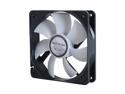
GELID Solutions FN-PX12-15 Case cooler
Pros: - The fans are well made. Sturdy and spin with ease. Covered wire so no fear of scratching it. - They are really quiet at low RPMs. Even at max they are more quiet than most fans. - Deliver great amount of airflow. - The PWN function is nice, they work silently when idling and spin faster when your CPU gets hot. - Cheaper than other 120 mm fans that offer these functions.
Cons: - The rubber mounting is really confusing to install. I honestly didn't like it all. Had to use some spare screws to keep it in. -No quick guide on how to install it or even use those rubber things... What a shame, I actually thought they can be nice.
Overall Review: I bought 2 of these to try and connect them together - too bad I forgot I have only 1 FAN plug on my MB. I have no idea how to daisy chain them, so had to leave one unused (4 fans is plenty enough, although the other 3 suck)
1/14/2014See more detail
Runs Great!
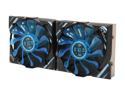
GELID Solutions GC-VGA02-02 Ball VGA Cooler
Pros: - Great cooling, Reduced the temps of my R9 290 from 83C average to 53C average on Battlefield 4 @ 1080p Ultra.(30C difference!!!). My card now idles at around 33C. - Quiet, much more quiet than any stock cooler, even at 100% fan speed!. My PC is now a peaceful paradise once more. - Much cheaper than alternatives like Arctic Xtreme 3, and performs just slightly worse. Can't get anything better for the buck. - Looks cool. - Packaging was very compact and had everything you ever need - thermal liquid, lots of ram heat sinks - enough for any card, a lot of screws and a nice fan adapter. The only thing that was lacking is thermal stickers for the RAM heat sinks - very crucial in cases when you need to use all of it ( Like with the R9 290 and it's 16 RAM chips). Try not to waste them (Or just buy thermal glue).
Cons: - The installation is long and exhausting. Putting on the RAM heat-sinks was annoying, but not as much as most people make it to be. Make sure you have spare two hours. Don't rush, follow instructions word by word and use common logic, or else you WILL screw things up (Both meanings). - No PWN fan control - 100% fan speed. It's quiet but still audible. - It's quite big, and takes 3 slots so keep it in mind if your'e going to Crossfire or SLI.
Overall Review: Something important to note - if you have a R9 290/290x like me, there will be a "lonely" RAM chip that won't be fully covered since the plate that connects the board with the cooler gets in the way. Take care of it only after you've installed the cooling body. I put a heat sink over half of it - hope that's enough. The instructions are OK. I honestly didn't use them at all - only once to see which screws I was suppose to use. Worked out wonderfully from first try. I highly suggest you watch videos before installing, since they visualize the process better.
1/10/2014See more detail
Amazing Card
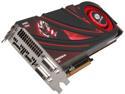
SAPPHIRE Radeon R9 290 4GB GDDR5 PCI Express 3.0 x16 CrossFireX Support Graphics Card 100362SR
Pros: - Really fast - able to handle any game I give it at 1080p with very high settings, and get beyond 60 FPS. Getting around 80-70 in Far Cry 3 and Battlefield 4. Crysis 3 on Very High is around 50 FPS. The performance blew me away. My last card was the GT 640 which simply sucked! Barely got 25 FPS on Bad Company 2. Tried it with this one - over 100 FPS!!! - 4 GB of VRAM will make sure you can play at VERY high resolutions like 4K. Slight future-proofing when 1440p becomes the new standard. - Will support AMD's new Mantle API coming out soon. Rumored to increase performance by alot! - Supposed to have AMD's True Audio (some kind of sound processing chip). Will have to wait for developers to utilize it for better sound quality and immersion. - Much cheaper than Nvidia's GTX 780 (by 100$) , which is equivalent in power. Perfect if your'e on budget.
Cons: - HOT HOT HOT! Unless you live in Antarctica, this card will reach very high temperatures (~95 C as stated by AMD and reviewers). Touching the back-plate during gaming almost scorched my finger. A way I found of dealing with it - using vsync to cap the FPS on 60 (unless you have a 120 HZ monitor) .Makes the card work less hard and generate less heat. - Loud! Going over the default 47% fan speed, the card gets very loud (Tried 100% once, now my cat is scared of my PC). I used MSI Afterburner to create a custom fan control scheme, now I idle at 40C with 35% fan speed (which is quiet) and game at around 80-85C with 50% fan speed (A bit loud, but bearable, nothing if you use headphones). - This thing is HUGE! Maybe I think so because I've never had a high end GPU before. Make sure your case has enough space for it !(It's about 11 inches long)
Overall Review: Overall I am very satisfied with the video card and would recommend to anyone. You can deal with the issues by waiting for the models from Sapphire/Asus/MSI/HIS... which will provide much superior cooling and noise levels (when they come out on January) or by buying a custom cooler (Waterblocks work great too!). Planning on getting my self a Gelid Icy Vision Rev.2 for some overclocking and less heat (Saw people are getting 65C on max load with that!).
12/5/2013See more detail
Amazing Card
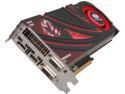
SAPPHIRE Radeon R9 290 4GB GDDR5 PCI Express 3.0 CrossFireX Support Graphics Card 100362BF4SR
Pros: - Really fast - able to handle any game I give it at 1080p with very high settings, and get beyond 60 FPS. Getting around 80-70 in Far Cry 3 and Battlefield 4. Crysis 3 on Very High is around 50 FPS. The performance blew me away. My last card was the GT 640 which simply sucked! Barely got 25 FPS on Bad Company 2. Tried it with this one - over 100 FPS!!! - 4 GB of VRAM will make sure you can play at VERY high resolutions like 4K. Slight future-proofing when 1440p becomes the new standard. - Will support AMD's new Mantle API coming out soon. Rumored to increase performance by alot! - Supposed to have AMD's True Audio (some kind of sound processing chip). Will have to wait for developers to utilize it for better sound quality and immersion. - Much cheaper than Nvidia's GTX 780 (by 100$) , which is equivalent in power. Perfect if your'e on budget.
Cons: - HOT HOT HOT! Unless you live in Antarctica, this card will reach very high temperatures (~95 C as stated by AMD and reviewers). Touching the back-plate during gaming almost scorched my finger. A way I found of dealing with it - using vsync to cap the FPS on 60 (unless you have a 120 HZ monitor) .Makes the card work less hard and generate less heat. - Loud! Going over the default 47% fan speed, the card gets very loud (Tried 100% once, now my cat is scared of my PC). I used MSI Afterburner to create a custom fan control scheme, now I idle at 40C with 40% fan speed (which is quiet) and game at around 80-85C with 50% fan speed (A bit loud, but bearable, nothing if you use headphones). - This thing is HUGE! Maybe I think so because I've never had a high end GPU before. Make sure your case has enough space for it !(It's about 11 inches long)
Overall Review: * Note, I didn't buy the BF4 edition (got the normal 400$ one) but they are the same anyway. Bought the game later, and it's average.... Multiplayer is very harsh for newcomers. Overall I am very satisfied with the video card and would recommend to anyone. You can deal with the issues by waiting for the models from Sapphire/Asus/MSI/HIS... which will provide much superior cooling and noise levels (when they come out on January) or by buying a custom cooler (Waterblocks work great too!). Planning on getting my self a Gelid Icy Vision Rev.2 for some overclocking and less heat (Saw people are getting 65C on max load with that!).
12/2/2013See more detail