


Your Browsing History


John R.
Joined on 04/12/11
0
0
product reviews
- 6
Very Nice Case

AMS KRAKEN by Trident Case - iPAD Mini - Blue
Pros: Very sturdy construction. Built in screen protector (and a nice one at that) Looks very nice. Has a modular system of add-ons so you can add a case handle or tripod or whatnot.
Cons: Limited information as to what AMS accessories will actually work with the iPad Mini case. It would be very nice to know if the phone accessories will work with the tablet cases. (I would love to know if the tripod add-on works with this) There is a hole in the back of the case. It is the port for the accessories. It would be nice to have some kind of clear plastic there so that things like sand , dirt , and rain do not get into it. It might be possible that the outer hard shell and the inner rubber shell might be compressed to make some sort of seal there, but I can not tell just by looking at it.
Overall Review: Titan, the makers of this case need to be more proactive about getting information about their products out there. I can not for the life of me tell what add-ons work with this case. I received the case on time and was charged the price that was listed so I got what I was expecting from the seller. If something happens to change my opinion of this case I will post that as well (You cant really tell how well a case will hold up in 1 day) But so far so good.
8/23/2013See more detail
240 watt Power Supply?
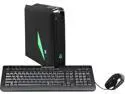
Alienware Desktop PC X51 (AX51R2-5724BK) Intel Core i5-4430 8GB DDR3 1TB HDD NVIDIA GeForce GTX 645 1GB Windows 8
Pros: None
Cons: Darn near a Grand for a "GAMING" PC with a fairly #$%@ graphics card and a 240 watt power supply. Good luck upgrading this thing. Dell needs to either sell Alienware back to the people who made it a household name or just take it out back and shoot it.
Overall Review: What is it with Dell taking fairly decent computers and ruining them with wimpy power supplies. 240 watts is pathetic. The most I have seen in a Dell computer is 300 watts. Dell needs to step up its game.
9/24/2013See more detail
Fast drive that died fast.
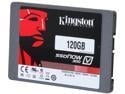
Kingston SSDNow V300 Series 2.5" 120GB SATA III Internal Solid State Drive (SSD) SV300S37A/120G
Pros: Fast
Cons: Died in just over a year. (It died on thanksgiving of 2015, yes I am reviewing much later)
Overall Review: I had heard great things about Kingston but after buying this drive I think I'll stay away for awhile.
3/5/2016See more detail
Just called Seagate Customer service
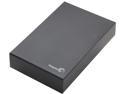
Seagate Expansion 4TB USB 3.0 3.5" Desktop External Hard Drive STBV4000100
Pros: I just called Seagate Customer service and it took 20 mins to get someone on the line.
Cons: After talking to the Seagate rep he informed me that the problem seems to be that I am leaving my computer on and the external hard drive plugged in 24 hours a day. He said Seagate external hard drives are NOT built to handle that...(remember that I have had it for less than 3 months.) He suggested that I unplug the Seagate hard drive from m computer whenever it is not in use. Plus he kept throwing in little comments "hinting" that I was doing something to my hard drives that was killing them, but didn't have the courage to outright come out and say it. My original hard drive purchase was in Feb. They are saying that my warranty expired in October. That is less than 10 months. what hard drive comes with a less than 10 month warranty??? Then they said they might be able to extend that warranty. He then connected me to the warranty office but after waiting on hold for another 5 mins the call was dropped so I had to start all over again...... ALMOST had to start all over again. I got a call from their warranty department and they apologized for the disconnect. She gathered my information and told me that since I had a second drive died they were going to send me a different drive to see if that cleared the issue up. Honestly I was about ready to give up on this company but after talking to Brittany I am going to give it one more try. BTW You should hire more people like Brittany and give her a raise...... I will update this after I get the new drive and let you all know how it is doing after a few months.
Overall Review: DO NOT BUY an external hard drive that the company itself says can not handle being plugged into your computer all the time.
11/14/2014See more detail
Avoid like the plague
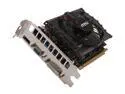
MSI GeForce GT 630 4GB DDR3 PCI Express 2.0 x16 Graphics Card N630GT-MD4GD3
Pros: It didn't kill my dog.
Cons: doesn't work. No choice on giving ZERO eggs for a review
Overall Review: Installed the card and the drivers. Worked for about 5 mins. Computer shut down for no reason. After a restart the computer did not recognize the card. Went to the Nvidia website and used their software to re-install the drivers. Restarted the computer. Worked fine. Five mins later computer shut down again and forgot the card. Removed card re-installed old card. Problem gone. Will RMA this card and report back on how that went.
3/15/2013See more detail
3 months and So Far So Good
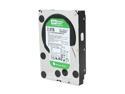
Western Digital WD Green WD20EARS 2TB 5400 RPM 64MB Cache SATA 3.0Gb/s 3.5" Internal Hard Drive Bare Drive
Pros: Does what it is supposed to do....Store data.
Cons: Bigger is always better....plus where is my flying car.
Overall Review: 2TB for this price is nice. I cant wait till SSD's are at around this price level.
7/22/2011See more detail