

Your Browsing History


Jamie C.
Joined on 04/21/06
0
0
product reviews
- 6
Excellent!
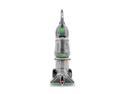
Hoover Max Extract Dual V WidePath Carpet Cleaner F7412900
Pros: Easy to put together. It came with a "use it now" instruction sheet. Put it together in less than 15 minutes and was using it within half an hour. The clean and dirty tanks are insanely easy to remove and replace. In fact, this item is so easy to use that I kept trying to make it harder. It finally dawned on me that there were nothing complicated about it. I cleaned my carpet, that hasn't been cleaned in over three years and the result was awesome. The MaxExtract feature does just that...it sucked up the water until the carpet was just a little damp and dried fairly quickly. I did have to go over the really dirty spots a few times to get them clean, but the overall result was very satisfactory. One spot on my carpet did not get entirely clean was where I had spilled ruby red grapefruit juice three years ago. I will probably have to get an oxy cleaner to finish the job there. My carpet looks great and feels fluffy and new under my feet.
Cons: It's a little heavy but glides back and forth like a dream. It almost feels like it's self-propelled. The instructions say that using any but Hoover cleaning products in the machine will damage it. I would like to have the option to use a cleaner of my choice, but I won't risk damaging the machine. The bottle of cleaner that came with it was just enough to clean the carpet in the whole house so maybe cost of cleaner in the future won't be an issuer. The holder that the furniture cleaner hose wraps around was kinda in the way and fell off a couple of times while I was cleaning the carpet. Only one attachment comes with it so I think I will leave the holder off in the future while I'm cleaning my carpet and just put it on the machine when I store it. It's very easy to put on and remove anyway. The biggest problem I have with New Egg is that the last few times I've ordered from them, the UPS deliveryman left my box on the steps IN THE RAIN. He didn't even ring the doorbell or knock.
Overall Review: Even the cons on this carpet cleaner are no big deal. I'm quite impressed with the design and performance of this relatively inexpensive carpet cleaner. I would recommend this for anyone. New Egg has a fantastic deal on this item. (I checked out WalMart, Hoover, and JCPenney.) I got an instant rebate that made it less that $170.00 This carpet cleaner is so easy to use and does such a fantastic job that I can clean my carpet every week now if I want.
10/27/2010See more detail
It takes finesse...
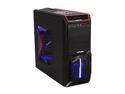
Sentey Extreme Division GS-6000 II Optimus Black SECC ATX Mid Tower Computer Case / SD/MMC Card Reader / USB 3.0 / Fan Control
Pros: It's cheap. It looks good. It has plenty of room. It has a card reader. It has tool-less assembly. Good ventilation with plenty of slots for fans. There's an HDD fan. It has a cool, hidden optical drive bay. It has a side window.
Cons: The manual is a non-manual and bites. It takes an engineer to figure out how to install the optical drive and video card.
Overall Review: Someone mentioned that the PCI slot holders had to be broken to get them off the slots. Not true! Please, do yourself a favor and don't break them. It takes a little maneuvering to get them loose, but when you do it right, it's worth the effort. I have a NZXT case with the same kind of holders and I made the mistake of breaking them off trying to figure them out. Then I couldn't get the screws to thread to hold the video card and and the other slot covers in place. So, please, just take the time to understand how they work. Use a small screw driver and wiggle it GENTLY on the top of the clip to free it from the case and slide it out. You just have to look closely to discern its design. As for the other issues, it's pretty much a crapshoot. You have to just study the design and use common sense. Also, do some google searches and you'll find some forum posts that will give a few tips on how to use the USB pass through and how to connect the card reader.
10/23/2013See more detail
Failure
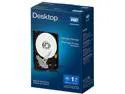
WD Desktop Mainstream WDBH2D0010HNC-NRSN 1TB 7200 RPM 64MB Cache SATA 6.0Gb/s 3.5" Internal Hard Drive Retail Kit
Pros: None
Cons: First of all, this is a 6.0 gb/s HDD, not 3.0 gb/s. Sounds like a deal, except that isn't what I wanted. Second, there was no software. The description says there's free Acronis True Image WD Edition cloning software included. Not. Thirdly, this HDD has caused the computer to crash twice losing valuable data. I will be returning this product.
10/23/2013See more detail
If you need to cook an egg...
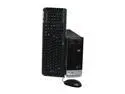
HP Desktop PC Pavilion S3300F(GX615AA) 5000+ 2GB DDR2 500GB HDD NVIDIA GeForce 6150 SE Windows Vista Home Premium
Pros: It's small. You can connect to the internet with either wi-fi or ethernet. It has several card readers easily accessible in the front panel.
Cons: It's so compact with everything so crammed together, especially the power supply that it gets very hot very quickly. The power supply is only 160W but that sucker heats up the top of the case so much that I swear you could fry an egg up there. Mine ultimately shut down because it got so hot. It's been sitting in my closet since 2009. I'd only had it about a year when it became really unreliable. It's OS is Vista and all the hardware is now so obsolete it's almost impossible to update anything.
Overall Review: I dragged it out of the closet and fired it up. It did come right on and I was able to connect it wirelessly to my router immediately. However, since my other computers are running Windows 7 it won't connect to the network because it's running Vista. I was hoping to get the pictures I left behind when it originally died but I'll probably have to burn them to a cd/dvd in order to transfer them. This computer served a purpose when I first bought it. I'm surprised it lasted as long as it did, though, because of the issues with overheating. I'm currently running it on my work bench without the side panel in order to keep it from shutting down again. If you're thinking about buying this computer on another online retailer, don't It's outdated and obsolete.
4/10/2013See more detail
Very nice case, but...
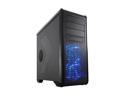
Rosewill Gaming Computer Case - ATX Mid Tower - Top HDD Dock, Side Window Panel, 5 Preinstalled Fans - BLACKHAWK
Pros: Big, roomy case with modular bays. Had the correct configuration of stand-offs already installed for my mobo. Painted black inside. Rubber grommets in the pass-throughs for routing cables. Hard drive docking bay on top of the case. Easy access to all parts of the case. Easy access to both sides of the case. Minimum number of thumbscrews to hold the sides...no screwdriver needed to remove them; quick, easy, on/off. Four feet keep the case up off the floor; this clearance allows air to circulate all through the case top to bottom. Really good price. A lot of bang for the buck.
Cons: I bought this case mainly because of the five, pre-installed fans. When I got into the case I realized that the fans all had 4-pin Molex plugs. Totally NOT compatible with my motherboard. I had to buy all new fans in order to plug them into the mobo for auto control of fans. (And, no, there are no Molex plug to 3- or 4-pin adapters. There are 3- or 4-pin to Molex plugs adapters, though. Not helpful in this situation.) It wasn't all that much to buy the right fans, but I had to wait another week to finish the assembly till the new fans arrived. It doesn't say anywhere in the case description that the fans have Molex plugs. This is crucial information to the home PC builder. Another con is that the rubber grommets in floor of the case pull out easily when routing cables through them and they're just about impossible to reinstall. I had such a hard time that I just left one of them out altogether. Not a big deal. Leaving it out gave me a little more room for the thick wad of cables going through it. It was, however, an annoyance.
Overall Review: Even with the cons described above, I really love this case. It looks nice, has a lot of space for fans and is quite sturdy. I especially like the docking bay on top that allows one to plug in an external hard drive. The cons don't even detract from the awesomeness of this, though. I still give it 5 eggs without reservation. It's features and reasonable price outweigh any cons.
4/8/2013See more detail
Piece of garbage
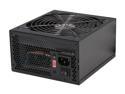
Rosewill RD700 – Stallion Series 700-Watt Power Supply – ATX 12V V2.3, SLI & CrossFire-Ready
Pros: None.
Cons: I finally got most of the parts of the PC I'm building together with everything hooked up. I checked four times to make sure all connections were right. I thought it would be a good idea to test the setup before I took the final step of installing the liquid cooler and fan for my CPU. So, I made one more check of all the connections, plugged the power cord into to PSU and connected it to a wall plug; attached the DVI cord to the video card and to the monitor. Took a deep breath and pushed the PSU power button. Nothing. Turned everything off, rechecked all the connections. Plugged the PSU into another wall plug and tried it again. Still nothing except the case fans that are connected to the mobo turned a few weak rotations and a couple of leds came on. PSU's fan didn't rotate even a little and no sound. This PSU is DOA and a piece of garbage.
3/27/2013See more detail