

Your Browsing History


Don D.
Joined on 05/02/05
0
0
product reviews
- 7
Good monitor
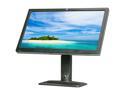
HP Smartbuy ZR2740w Black and Brushed Aluminum 27" 12 ms (GTG) WQHD IPS Panel Height & Pivot Adjustable Widescreen LED-Backlit LCD Monitor 380 cd/m2 1000:1
Pros: Zero bad pixels, zero stuck pixels. Lots of pixels for real estate. Big. I'm used to HP's 24" so this was a small and worthwhile improvement. Affordable vs. the alternatives. Unlike Samsung, HP actually knows how to develop firmware that works with Apple's display port - that's a huge plus. I have both a PC and a MacMini plugged into this monitor and another so that both computers can access both monitors for maximum display options. For those with newer Mac Mini's with the Mini Display Port, you'll need a Mini to Full size Display Port cable. This one works: NewEgg Item#: N82E16812705060 This monitor uses a Full Size Display Port and the included Full-to-full cable isn't going to fit the Mac Mini. Using that mini-to-full Display Port cable WILL enable the Mac Mini to drive this monitor at maximum resolution. Yummy! Yes, as others reported, this display lacks OSD adjustment buttons. The only 4 buttons are source, brightness -/+, power. I'm putting this in the "Pros" category because I actually prefer this simplified button option. I never use all those other buttons that other displays offer and now I don't have to worry about pressing the wrong button and trying to figure out how to get out of that mode. Good job HP! Fewer inputs is also in the "Pros" because I don't like having to cycle through unused connections. HP provides DVI & Full-size Display Port cables, even though for me I couldn't use the full size DP cable because the Mac Mini uses the mini version. Still, good for HP to try. The display and stand are pretty beefy, not cheap plastic that's so common with most other displays.
Cons: Anti-glare coating. I prefer my 24" HP glossy coating to this one. It's hard to explain, but the anti-glare coating reduces the contrast as it washes out the colors. While this monitor is cheaper than alternatives, it's still fairly expensive and I wish the quality was better - which it would be if it had a glossy face. I wish there was some sort of indication where the brightness was at, some sort of scale from 1 to 10? The brightness -/+ buttons have to be held down quite some time or pressed many times to see any significant change in brightness. While that's good to have such fine granularity, I have no idea where I'm at in that scale from min to max. The HP-provided DVI cable is bulky, and it attaches to the bottom (from behind). In fact, since all of the attached cables drop downward I see lots of wires - not hidden. The DVI in particular hits the table, preventing me from lowering the monitor all the way down.
Overall Review: I planned on getting Apple's 27" LED Cinema Display, same size and resolution (glossy - preferred) but I wanted to save $200 - $300, so I got this one. The 30" displays were also tempting but they run almost twice the cost of this, but are 1600 pixels tall instead of 1440 tall. Those extra 10 percent worth of pixels will be missed. Overall I think I'm happy with this purchase. I think I'd be happier with Apple's display, but I didn't want to spend that much.
2/26/2013See more detail
Firmware bad, constant freezing
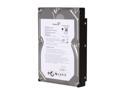
Seagate BarraCuda 7200.11 ST31500341AS 1.5TB 7200 RPM 32MB Cache SATA 3.0Gb/s 3.5" Internal Hard Drive Bare Drive
Pros: Cheap and high capacity
Cons: I've purchased 8 of these drives, over a period of several months. First drives had freeze problems so I installed new firmware and those drives seem fine now. However, newly purchased drives have really bad freezing issues yet I haven't found an update for that firmware as it's newer than the previous drives I purchased. The 3 newest drives I purchased are constantly going off-line. They come back in about 5 to 10 seconds, but it does cause some serious problems. This is what happens when Seagate management fires their talent and tries to do it on the cheap. One has to ask, "what were they thinking?"... and of course, why can't they get it right over the many months!?!?
Overall Review: Seagate has known of these freezing bugs for many months, yet they continue selling drives that don't work. Seagate makes it extremely difficult to get any service. Why can't they just put the freakin patches on their site and make it easy to get? As I said before, I hope Seagate goes bankrupt real soon as punishment for putting this type of (bleep) out on the market and doing extremely little to fix it. I supose they're hoping people don't find out about it so they try to keep quiet.
4/14/2009See more detail
Locks up all the time
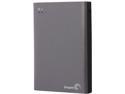
Seagate Wireless Plus STCK1000100 1TB Mobile Device Storage with Built-In Wi-Fi Streaming
Pros: None
Cons: Too man limitations as listed by other reviewers. I'll focus on the problems. It appears as if Seagate's firmware development just doesn't know what they're doing. Hey, Seagate. (knock, knock, knock). Your current firmware development approach isn't working. It must be removed. This thing has more bugs than code written in 3rd world nations. Oh wait, did I just let out a Seagate secret? Anyway, I used the USB to move about 1/3rd of a TB of MP3s. Now when I connect to it via my iPad it says it needs to rebuild the music library. It's stuck at 3 percent. I've tried several restarts, which is only possible after the internal battery dies - good thing it doesn't last anywhere near the 10 hours they claim. Guys, this product wasn't actually ready to deploy into the market. I suggest everyone avoid this product until Seagate starts to take their development seriously. $200 for garbage. If this isn't corrected in the next couple days it goes back with two middle fingers. Yes, it did report it had the latest firmware. There's nothing wrong on my end, it's just (bleep) that doesn't work.
Overall Review: I feel like a fool in believing that Seagate wasn't like all the other companies that push products out the door before they're tested, and they're developed by engineers that just don't know what they're doing as they're being directed by management that will do anything to keep their jobs. It's pathetic.
6/8/2013See more detail
Audio doesn't work
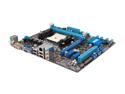
ASUS F2A55-M LK PLUS FM2 AMD A55 (Hudson D2) Micro ATX AMD Motherboard with UEFI BIOS
Pros: Pretty BIOS setup screens
Cons: Audio doesn't work. From the looks of other reviewers for this product it seems as if the Asus manufacturing and testing departments aren't really interested in being taken seriously. I suggest everyone run as fast and far as possible from Asus and consider other brands who do take their products seriously. It also appears as if Asus really doesn't care what the customers have to go through when their products don't work. Return to NewEgg? How about sending me a new motherboard? Who's fault is it that the product doesn't work? Instead of pushing that responsibility onto NewEgg, here's an original thought - deal with customers and returns yourself. If you don't like it, go out of business and find some other people to make angry.
Overall Review: I usually buy from another brand as I never have problems with them. This is my first and last Asus product I'll ever buy. Trust me, buy from other, more reliable sources and send a message to Asus that the market is not interested in defective products.
6/8/2013See more detail
ASUX
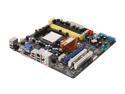
ASUS M3N78-VM AM2+/AM2 NVIDIA GeForce 8200 HDMI Micro ATX AMD Motherboard
Pros: None.
Cons: Board stopped recognizing SATA drives just under a year later. No changes made to the BIOS or anything. For almost a year the board worked, then when I was powering down and swapping the boot disk (via a hard drive carriage to avoid wearing out or breaking SATA ports) about 10 times before this MB stopped recognizing SATA drives completely. NONE of the SATA ports work any longer.
Overall Review: This is a follow-up to my review I made 3 days ago. I received another board from NewEgg to replace this board. All other hardware remained the same, same hard drive, same power supply, same processor, same OS (no new install). The PC now works perfectly. It's an amazing feeling to finally have a motherboard that actually recognizes SATA drives when they're plugged into SATA ports. What a concept!
2/4/2010See more detail
Never buy another ASUS
ASUS M3N78-VM AM2+/AM2 NVIDIA GeForce 8200 HDMI Micro ATX AMD Motherboard
Pros: None
Cons: I had this mobo for just under 1 year and everything seemed fine. I installed a SATA HD enclosure to allow easy HD swaps. Was powering down and swapping drives every couple days between a Vista and a Win2k drive when eventually nothing would boot. Now, about 30 percent of the time the mobo doesn't even POST! When it does POST it detects the SATA drive about 1 percent of the time. That's right, boot 100 times and maybe 1 time it'll see it and boot Vista. If I drop the drive into a SATA-USB converter it'll boot, but since Vista was already installed as C: I get BSD. When it does POST and I get into the BIOS, as I said about 1 percent of the time the SATA doesn't show up. It showed up for just under 1 year and now the BIOS can't find it. I usually use SATA mode but tried RAID and AHCI just for grins -- no help. The built-in video is extremely slow and useless as movie playback is full of glitches and frame drops.
Overall Review: I also tried clearing the BIOS via battery removal and jumper move, and I also tried the latest BIOS update. The update worked fine, but still the mobo doesn't recognize the SATA drive. I can plug that SATA drive into another computer and it works fine, and as mentioned, that same SATA drive shows up fine in the BIOS if using a SATA-USB converter. 450 watt power supply and no other drives so power isn't a problem. Cheap mobo and will never buy again.
2/1/2010See more detail