

Your Browsing History


Scott E.
Joined on 04/25/06
0
0
product reviews
- 2
Met my expectations
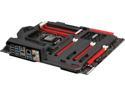
ASUS MAXIMUS VI FORMULA LGA 1150 Intel Z87 HDMI USB 3.0 ATX gaming board with double-sided ROG Armor, 23C-degrees cooler CrossChill and 120dB SNR, 600ohm audio
Pros: The Formula has lived up to all of the hype, for me. I waited on my Haswell build specifically for this motherboard, because I wanted VRM water block, SLI, M.2, and did not want to pay the extra $100 for the overclocking handheld on the Extreme. The ROG armor looks nice, but doesn’t do much for me. The real benefit is that it holds the screws for the metal backplate, that is a heat spreader to the motherboard. I struggled with the SLI initially because I wanted to use my GTX 580’s in SLI plus a Hauppage HD TV tuner. When I added the tuner to the third x16 slot it dropped the two cards out of SLI (x8,x4,x4). What solved this problem was to take all cards out, use the CPU video to bring up the board. Installed the TV tuner in the top x1 slot, then added the two x16 slots one at a time to get SLI and TV tuner working. Leave the third x16 open to keep x8 SLI on the first two. The VRM water block has worked flawlessly with my XSPC 280mm D5 water block kit. VRM temps are within a couple degrees of room temp. I did not win the lottery on my i7-4770k and can only OC to 4.4 (4.5 is not stable for prime95 and I have to push cpu voltage to 1.4v(forums say don’t go over 1.3 for 24/7 usage)). Settled on 4.4 Ghz at 1.35v for gaming and 4.2 at 1.275 24/7. Temps are not a problem with the water block and at 4.4 full load stay in the mid 50 deg C range. XMP setting in the BIOS and my Dominator Platinum RAM at 2400 has been rock solid. I look forward to M.2 SSDs in the future, and adding a water block graphics card.
Cons: Nothing significant.
Overall Review: ASUS Maximus VI Formula I7-4770k (OC 4.4 at 1.35v) XSPC 280mm D5 water block Samsung 840 pro 512 Gb SSD Corsair Dominator Platinum 16Gb 2400 RAM Corsair Obsidian 540 Air SLI Nvidia GTX 580 Hauppage Colosus HD TV tuner (direct tv)
8/30/2013See more detail
I'm embarrased to admit I like it better than the 27" 3D monitor I bought
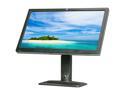
HP Smartbuy ZR2740w Black and Brushed Aluminum 27" 12 ms (GTG) WQHD IPS Panel Height & Pivot Adjustable Widescreen LED-Backlit LCD Monitor 380 cd/m2 1000:1
Pros: The monitor is absolutely gorgeous! I bought two 27" monitors to replace my dead one. The other was a 27" 3D 1920x1080 monitor that worked with Nvidia graphics cards. I play Wow with two Nvidia GTX 580s in SLI. Between the two monitors, I have stopped playing on the 3d monitor and I play on this HP at 2560x1440. The tighter resolution simply looks better. The color accuracy of the IPS panel is better. I did not realize how off the colors were on the 3d monitor until I had these side by side. If you are thinking about this monitor, just get it, you won't be sorry.
Cons: Limited inputs to display port and dual-DVI.
Overall Review: For the price, I think this is the best monitor for games and photo editing. I have used this for a couple months now and have had no dead pixels, no issues with the anti-glare coating. I love this monitor!
1/18/2013See more detail