


Your Browsing History


Joe C.
Joined on 08/18/04
0
0
product reviews
- 18
PERFECT OEM REPLACEMENT!
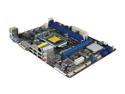
ASRock H61M-DGS LGA 1155 Intel H61 Micro ATX Intel Motherboard
Pros: excellent oem replacement board for hp computer mobo failure
Cons: none so far
Overall Review: 1. this replaced a failed 2008 hp pc mobo failure 2. this board fits in oem case 3. the power headers/connectors are same place as oem board even pin placement is same on case headers 4. pc failed in 2011 was bought in 08, sat collecting dust until upgraded late 2013 even though had to buy new cpu/ram this was a quick cheap upgrade on a failed hp mobo using same case, power supply paired with *using original vista os 32 bit *same stock/oem hdd *upgraded Intel Celeron G1610 Ivy Bridge 2.6GHz *upgraded G.SKILL 2GB (2 x 1GB) 240-Pin DDR 1600 its no rocket however runs much better and faster then what was in it previously
5/30/2014See more detail
Updated review!!
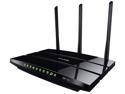
TP-LINK Archer C7 Wireless AC1750 Dual Band Gigabit Router, 450 Mbps on 2.4 GHz + 1300 Mbps on 5 GHz, 1 USB Port, IPv6, Guest Network
Pros: its AC Has not died Excellent 2.4 range in 40mhz mode ONLY INTEL wireless when you get the CORRECT drivers installed 5Ghz stays connected unlike android and broadcom
Cons: 1. POOR POOR firmware 2. updated firmwares breaks more things 3. IPV6 does not grab DNS servers from isp, all other routers tested do. Must Tinker with IPV6 settings every time router is rebooted to grab/bind ipv6 addy and dns 4. ALL android devices i own on 5Ghz range WILL eventually lose connectivity to the router, android 4.4.2-5.01 5. Broadcom wireless laptop 5Ghz will also not maintain consistent connection. 6 Latest "3.14.1 Build 141110" firmware when rebooting router the dhcp will grab ipv4 address however router stays STUCK in "FETCHING/RENEWING" mode causing all sorts of issues with network 7. router must be rebooted roughly once a week as it seems to simply get crippled, then must tinker with ipv6, then fix the fetching/renewing dhcp on wan 8. PARENTAL control needs improvement
Overall Review: TP-Link needs to address known current issues instead of ignoring them and releasing more broken firmwares. Also need to REVAMP parental controls. you guys looking for a router with parental control i advise against this router. I also do a ton of media streaming over my network on AVG 2Tb+ monthly, i have learned big box routers will simply die as it simply not made to transmit this kind of data consistently :( Avg 2.4 range in 20mhz mode, mediocre 5Ghz range overall for price and coverage range router is ok only, however due to horrible firmware update times, and what actually gets fixed and moreover what gets broken i will not be buying another TP-Link router nor would i recommend it
2/5/2015See more detail
not good for raid
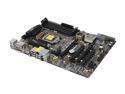
ASRock Z77 Extreme4 LGA 1155 Intel Z77 HDMI USB 3.0 ATX Intel Motherboard
Pros: 1. still works bought 11/2012 2. uefi bios is excellent/nice 3. board has been stable in no raid config. running 24/7 only restarting for windows updates for 6 months now as a file server
Cons: 1. running windows 7, other hdd's in raid, pc simply will not stay/go into hibernated/sleep 2. if pc does happen to sleep/hibernate this mobo goes absolutely nuts, will go into power cycle boot loop, where raided drives will constantly spin up spin down- only way to recover this is power supply reset, BAD!!!!!!! 3. board has 2 different chips for sata which i have learned the hard way is very very bad
Overall Review: if you plan running on board raid stay away from this board new build core i5, 8gigs ram, windows 7
5/30/2014See more detail
JUNK!!!!
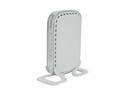
NETGEAR 5-Port Gigabit Unmanaged Switch (GS605NA)
Pros: 1.still works? although max lan speed is 6mbps 2. will no longer buy netgear!
Cons: 1. since buying this thing in 06 always had issues with pc's staying or connecting @ 1g speeds 2. in 2012 does not hold 10mbps network 3. replaced in 2013 with another t@-^ink NO issues with connections staying @ 1gps 4. have had issues with all netgear products purchased 5. will no longer buy netgear!
Overall Review: stay away from netgear imo. to many better options out there. this thing does get very warm
5/30/2014See more detail
was good till WsOd x2 :////
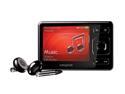
Creative ZEN 2.5" Black 4GB MP3 / MP4 Player
Pros: excellent screen/size easy nav once one gets used to it size batt life! fm radio works well in a huge warehouse
Cons: where to start, the 1st player constant lock ups and or random shutdowns, firmware changes did nothing. owned it for 6 months before WSOD. even tho player worked it had white screen. 2nd player lasted 2 days, i have trashed this player and am now never buying anything "creative" again. tho this player did go into the washer and worked after coming out, it WSOD the next day screen scratches way way to easy. any improper attempt at connecting via usb will send unit into safe mode. usb cable to to short = many improper usb connect attempts. earphones included SUCK, not in sound but IN COMFORT!!!. included software to convert audio video, easy to use but video/audio is hard to get synced correctly, and just plain takes to long to convert video for quality given no continued SD intergration
Overall Review: overall choose a diffrent player for your $$$$ not worth the heartache if you must have it. be prepared to get new headphones "you have been warned" get a screen protector, keep out of pockets with keys and or other simaular objects. make sure to check pockets before washing your cloths :///
10/3/2008See more detail
very good for a budget board look at this over ecs any day
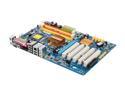
GIGABYTE GA-P35-S3G LGA 775 Intel P35 ATX Intel Motherboard
Pros: nice colors, nice layout, easy setup, QUIET QUIET QUIET, nice sata cables, worked 500% faster then that of an replaced ecs mobo
Cons: pin color is not a standard had to read the big book to find correct pin layout, not a huge con just more time in assembly
Overall Review: this mobo replaced a dead ecs mobo and i must say i do not regreat getting it, one thing i do wish gig*byte would use another provider then realtek <<<----cra**y company/drivers imo. install was smooth and fast and what a diffrence, running all same hardware/ram/cpu, the noise level on this pc cant compare to what it was with the other mobo, you no longer can hear it. the speed diffrence is night and day still stunned at how much faster and quieter this pc is running with this board.
6/30/2008See more detail