
Your Browsing History
 Holiday Shipping Details & Extended Holiday Returns Holiday Shipping Details & Extended Holiday Returns

Joined on 10/16/11
One of the better Stock Case Fans
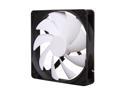
Pros: - Quiet, in fact the quietest of the 16 fans in my system - Very nice for "Stock Case Fans", with 4 included with the Switch 810 - LOVE THE WHITE AND BLACK!! - Wires are easily manipulated and fairly long, allowing for good cable management - No need for a fan speed controller (in my opinion) as they are quiet already - Despite having a sleeve bearing, I have not had any of the four I own exhibit any decreases in speed, increases in sound, unusual motor noise, difficulty spinning-up, or so forth (thus I say that they are "Likely Reliable", but I can't say with any certainty as I have yet to see any fail) - Perfect for an air-cooled system utilizing a large number of case fans, in a case such as the Switch 810 or Phantom 820, where CFM-per-Fan is less important than CFM-Overall - Enough static pressure to overcome the PITA "Honeycomb" grills stamped into case exhaust fan areas, as well as to overcome all "lightweight" fan filters - Cutting out the aforementioned "Honeycomb fan grill" from the rear of the case (tin snips, then a Dremel, then a file; some C-strip Molding around the edges is a good idea too), and using a round-wire grill in its place will dramatically increase the volume of air exhausted by this fan, decrease the noise even further, and look much better Specs as tested are quite similar to "Manufacturer Specifications", something I've found to be true with most of the products from NZXT; a pleasant surprise as typically the only mfgr specs that are anywhere near reliable are those from "Enterprise-oriented" manufacturers (i.e. Delta, Sanyo Denkei, Nidec, Panaflo, etc). I measured: - 61.194cfm @ 1341rpm - 0.7825mmH2O @ 1311rpm - 31.251dB @ 1328rpm (anechoic chamber of 2'x3'x2' with the outside covered by 4" of Dynamat Sound Insulation, and in a "Room-within-a-Room" setup that is isolated from the rest of the home with 16"-spaced walls/floor/ceiling with 12" of various-density rubber materials alternated with different-density fiber-board between the true floor and the floor of the room, and for the walls and ceiling there is 6" of 3-layer ultra-dense rubber sound insulation and 6" of wet-pack blown-cellulose insulation [R-value of 42].... It is my home theater room and with everything turned off, the ambient noise is ~2.2-3.1dB total, and is insulated to where it contains sounds entirely up to 128dB allowing for the use of a true 11.3ch setup with 3x double-subwoofers at 2800W each) I measured the CFM using three different methods, including a calibrated and very expensive unit from work. The SPL was measured using an extremely-high-sensitivity microphone (I do sound recording/mixing/editing) placed exactly 18" from the fan as well as the calibrated SPL meter (0.5-195dB +/-0.01dB accuracy). Static Pressure was obtained by standard methods, and the reported value is at "0cfm", and the fan has a fairly linear SP-to-CFM curve (around 0.415mmH2O @ 35cfm).
Cons: - Sleeve bearings that make it quiet also significantly reduce lifespan compared to FDB or (in my opinion, better) Dual-Ball Bearing motors - Needs lubricated and cleaned every ~2-3mo of 24/7 operation to maintain peak efficiency and lifespan - Airflow will be insufficient if you are using 4 case fans or fewer in anything other than small form-factor cases (i.e. mid-tower and full-tower cases need more airflow) - Low static pressure means that if it is used as an intake fan with fan filters and/or drive bays obstructing the airflow path, the airflow will be reduced significantly (about 15-30% by fan filters, and 35-70% by drive cages) This is NOT A GOOD RADIATOR FAN! - I have tested it with a number of radiators, including: Black Ice SR1, Alphacool NeXXos UT60 and XT45, Coolgate 420, XSPC EX420, Phobya G-Changer 560, Koolance 11fpi and 20fpi 420's, and a few others. With the exception of the EX420 and Koolance 20fpi, these are all LOW-FPI (fins-per-inch) radiators, between ~8fpi and 13fpi, which is about as minimal of restriction as you will get. I compared this fan to the following fans: RF-FX140RB 1-2krpm 140mm, NZXT RF-FZ140RB 140mm, Bgears Blaster 1800rpm 140mm, Thermalright TY-143, BitFenix Spectre PRO PWM 140mm (not yet available here! Come on, love these!), XSPC 140mm, Phobya Blue 140mm, and even a San-Ace 140x38mm (a sixty-thousand penny fan). Results: The San-Ace had the lowest Delta-T of 1.8deg (avg across all rads). Bgears Blasters second-best of 2.3deg The FN140RB was the worst on every rad, with Delta-T's ranging from a low of 5.4C to a high of 14.5C! For comparison, the San Ace had a low of 0.8C and a high of 2.2C, and the Bgears had a low of 1.1C and a high of 3.6C. THESE ARE CASE FANS, NOT RAD FANS!
Overall Review: As my entire system is watercooled (3930K @ 4.8Ghz, 2x GTX670 4-the-Win in SLI, GTX460 for PhysX, Rampage IV Extreme, 16GB G.Skill DDR3-2133 @ 2480 10-11-10-30, Areca PCIe3.0 x8 16-port RAID Controller Card w 4GB DDR3-1333ECC RAM Cache and BBU controlling 6x1TB VR's in RAID0 and 10x2TB WD RE4's in RAID1+0 array for 16TB total available, 256GB Samsung 830 Boot/OS drive, 3x Corsair Neutron GTX 256GB in RAID0 (1Tb total SSD space), and so forth), with Apogee HD block on the CPU, HeatKiller 680 Hole Edition Blocks and backplates on the 670ftw's, MIPS Nickel/POM R4E MB Block Set, HeatKiller Universal block on the RAID controller card, and Alphacool block and backplate on GTX480.... Normally people wouldn't think that case airflow is very important. However, it is even MORE important, because of the immense amount of air required by the radiators, which cannot be "recycled" for cooling the system very well due to its having been heated so significantly. Therefore, when I switched the case fans to BitFenix Spectre Pro PWM 140mm and the new Silverstone FM141 140x38mm fans, at 122cfm and 170cfm respectively, my case temps went from ~35-38C (21-23C ambient) to ~25-27C!!! Everything in the case dropped its temp: - Hard Drives were ~39-45, now 34-36 - RAM was ~40-48, now ~34-36 - MB (not cooled by MIPS) was ~38-45, now 30-33 - RAID Card was ~47-52, now ~39-43 (PCB, chip stays between 29-31) - Professional-level Sound Card was ~42-46, now ~30-32 - SSD's were 29-31, now always 2C over ambient GPU temps dropped from ~39C under 100% load (670's) to 35C under same load, with the 480 going from 43C to 36C. CPU dropped from 56C under full load to 51C. Delta-T (for water) went from 0.475C (Idle) 2.1C (load) to 0.325C (Idle) 1.85C (load)!!! So, air coolers: these are good, but FILL YOUR CASE WITH THEM! Water Coolers: LOOK ELSEWHERE! OVERALL: I cannot fault these fans, they are EXACTLY what they are stated to be.
Limited Appeal, but Good at the Narrow Focus it Has
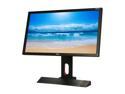
Pros: - No NOTICEABLE motion blur in every game I tried - Significant increase in responsiveness IF YOU CAN KEEP THE FPS AT OR ABOVE 120FPS - The different "gaming modes" are interesting and I can see how they'd be helpful for those looking to win at any cost, although personally I think they look horrible and the HDR-mimic Mode ("shadow-boost") is a hardware hack - Build Quality is above-average, which is a good thing for BenQ; I'd say the build feels about the same as my Dell P2212Hb, falling short of my U2410/U2412HM/U2713H/U3011's. - 120hz is nice to have when you can keep your frame rate at or above 120FPS consistently - Full VESA Height/Swivel Adjustments!!!! Very nice! - Better than most Cheap TN panels - The external controller does give you a nice option, despite being one more thing to clutter up a desk - 3D works surprisingly well; however, I haven't spent extensive time in 3D mode due to it giving me headaches This is a top contender in the 120hz monitor category. If you want something that has no noticeable motion blur, moderately-low input lag, and you don't care about image fidelity so much as gaining that extra 1/10th of a percentile performance edge, then this is an excellent choice. Yes, Motion is Smooth.... If you are someone who does nothing but game on your computer, and you seriously don't care about image quality, then this monitor WILL be your best friend. However, if visual fidelity matters to you, then continue reading....
Cons: - By far the worst Blacks I've seen in probably 5 years or so; they are just terrible! The only "black" you'll ever see with this monitor is when it's turned off. - Absolutely horrific contrast ratio, even after professionally calibrating it (I have 5 different calibration units, tried them all); around 180:1 before calibration, 215-230 after... And that's REAL CONTRAST RATIO, not hyped up nonsense... - Noticeable input lag, unacceptable for a "Pro gaming Monitor" (input lag is worse than my U2312HM, better than U2711) - Very small range-of-adjustment for the backlight; it's essentially "bright", "brighter", and "too bright" - The "screen mode switcher tool" is neat for about 10 minutes, and then it's just another piece of useless clutter on your desk - VERY few people are legitimately "pro-level gamers", and if you aren't already (chances are that no "Pro Gamer" will ever read this), this monitor will not make you into one!!! - The different "monitor modes" are a cheap hardware hack that makes the screen look terrible, just so you can get that extra kill in MW3 or COD:BO2.... - The build quality is not as good as any other monitor I've used in this price range - The A s u s 144hz panel is significantly better in terms of visual quality, gives a faster refresh rate, and is much better built - The 3D is average at best (although to be honest, I think 3D is a gimmick) - OH, and like most TN panels, the viewing angles are absolutely pathetic! In fact, this is worse than many other TN panels, with only about 10deg horizontal/3-5deg vertical before significant distortion! This is the same price, or more than, a number of very good IPS panels, despite being a low-grade 6-bit TN panel that has been overclocked to 120hz. This monitor DOES NOT DISPLAY 16.7MILLION COLORS! It displays 256,000!!! 6-Bit panels + Dithering =/= 8bit color! If you want 16.7mil you need an 8-Bit panel, and if you want 1.07bil you need a 10-Bit panel. Input lag is unacceptable, and while truly there are almost no monitors that can compete with the Ultrasharp U2312HM in that regard (ignoring CRT's, obviously), the way this panel is marketed and priced means it should be significantly better. Even 30 minutes of surfing the web, working on a Word Doc, etc on this display gave me a headache; the dithering is extremely noticeable, and the color profiles are so terrible that it literally was painful. If you intend to do ANYTHING OTHER THAN FAST-PACED GAMING, DO NOT GET THIS MONITOR!!!
Overall Review: As I am both a gamer and a video & picture editor, I have gathered quite the collection of monitors, as well as calibration equipment (just for clarity, I do a full calibration of my monitors every 6 months or every 800hrs, whichever comes first). Some of the monitors I have, and which were used for comparison while I had this monitor (to give you a background on where I'm coming from in my review), are: - Dell U3008WFP - 2x U3011 - U2713H (just got it; beautiful panel! Can't wait for U3014!) - U2711 - 2x U2412H - U2410 - 3x U2312HM (lowest input lag I've ever seen on an IPS) - 3x P2212Hb TN (for P-L-P Surround) - 2x P2412H - HP ZR2740w - LA2405x - 2311xi - 2211xi - Samsung Series9 S27B970D - Asus PB276Q - PB278Q - 2x PA246Q - 2x PB238Q - PA248Q - MX239H - MX279H - VG278H - VG248QE (24" 144Hz, direct competitor to BenQ's display) - BenQ XL2420T - HP DreamColor LP2480zx - DoubleSight DS-275W - NEC PA271W-BK - NEC MultiSync P241W-BK - NEC PA301W-BK - EIZO FlexScan SX2762W-BK - EIZO SX2462W-BK - LACIE 324i - Multiple other Professional Displays - Dell P1230 UltraScan 2048×1536 @ 85Hz (22" CRT/20.6" Viewable) - P1130 + P1110 (21" CRT's/19.8" Viewable) - P991 (19" CRT/18" Viewable) I calibrated the displays using a DataColor Spyder4 ELITE (as some of the higher-end equipment takes significantly longer to use, and the Spyder4E gives fantastic results). This, the 120hz+ panels that have been flooding the market as of late, is the last "hurrah" of the TN Panels, in my opinion, because better tech is not only available, it's dropping significantly in price. This includes: - IPS (and its sub-variants such as AH-IPS, S-IPS, P-IPS, eIPS, etc) - PLS (Samsung's IPS competitor, "Plane-Line Switching", but really the same thing for all intents and purposes) - MVA (specifically c-PVA, A-MVA, P-MVA, and S-MVA; the only panels that can give TRUE blacks; these have the best contrast ratio of any common panel) - OLED (we will see it very soon; as low as 0.01ms G2G time and possible refresh rate as high as 100Khz! No to mention REAL contrast ratios >500,000:1 vs today's 300-1100:1 max) *Testing done using 3x EVGA GTX670FTW 2GB in SLI OC'd to 1348Mhz Core and 7760Mhz Memory, 1x GTX660Ti 2GB SC OC'd to 1286core/7484mem as a PhysX card;CaseLabs TH10 Extended Case, 3930K @ 4.9Ghz, Rampage 4 Extreme, 16GB G.Skill Ripjaws-Z 2133 @ 2400 9-12-10-30 1T, 1x Samsung 830 256GB (Boot), 2x OCZ Vector 256GB RAID0, 1x M4 512GB, 2x 1TB WD VR 10k RAID0, External eSATA/USB3.0 Backup Dual-Drive(2x 3TB HGST Ultrastar RAID1); CPU + 670s + 660 + R4E watercooled (4x UT60 560 P-P, 2x XT45 420 P-P, 4x MCP35X Pumps, HK GPU Blocks, etc) (Data storage in separate "RAIDbox": 48 HDD's via i3-3220 + Asus Z77-Premium MB + 32GB DDR3-1600 7-7-7-18 + 128GB SSD + Intel Dual-10GbEth NIC + 3x Areca 16-port PCI-E3.0 Hardware RAID Cards 4GB DDR3 cache & BBU each, 8x WD 1TB VR 10krpm RAID0, 16x WD RE 4TB RAID6+HS, 16x 3TB in RAID50, etc; 130TB total usa
One of Best Benching RAM Kits You Can Buy New
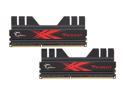
Pros: - All 7 kits I have will run a minimum of 300Mhz(eff) faster than the advertised frequency without any more than 1.675v - All of my kits can run fairly tight to very tight timings, primary + secondary + tertiary, relative to frequency - VERY solidly built! - VERY reliable!!! This is true for ALL G.Skill RAM - Price:Performance Ratio is phenomenal Improving this memory beyond the XMP v1.3 settings requires a fairly strong IMC, so while for example my main benching 3770K (de-lidded w PK-1/PK-3, lapped IHS up to 8000grit; dropped 38C), running at 5.3Ghz using 1.412v vCore + 1.135v VCCSA/VTT can easily push capable sticks to over DDR3-3000 (or run strong IC's @ 2800 9-12-12-32 1T), my 3930K @ 5.1Ghz using 1.385v vCore + 1.175v VCCSA/VTT1 is an extremely cool running, low-voltage requiring, high clocking chip, and it has a phenomenal IMC for SNB-E but it still hits a wall at around 2600 8-11-11. Normally my systems run full custom water loops (CPU + MB VRM/Chipset + RAM + GPU Full Cover blocks and backplates), with ambient water cooling through an overabundance of radiators and powerful push-pull fans (120x25-38mm 2600rpm+, 140x25-38mm 2000rpm+), but... I bench with chilled water (3x Hailea HC-500A 0.5bhp chillers in series, or 2x Hailea HC-2200B 2bhp chillers in series or separate, the latter for cooling the hot-side of 8x 285W TEC's), Thermoelectric aka TEC or Peltier device cooling using it to either as a water-direct cooling hybrid or by using custom TEC's that fit between components and custom blocks. Of course, also Dry Ice (DICE), LN2 (Liquid Nitrogen), evaporative cooling, and other means. Running these sticks on my 3770K benching rig (GA-Z77X-UP7 w full blocks, Raystorm CPU block w Aluminum hold-down, 2x GTX780Ti Classified (binned models) with EK Full Coverage blocks + passive-cooling backplates, EVGA 1300W 80+Plat modular PSU with 100% custom self-made wires individually sleeved, Samsung 840Pro 256GB OS SSD, 840Pro 256GB Bench SSD, WD RE 3TB in USB3.0 enclosure for storing screenshots/backups; for water, MCP35X2 dual pumps, BP 500mL res, 1/2x3/4" tubing w BP custom fittings, 2x Alphacool UT60 560 rads + 2x Monsta 480 rads + 2x HWL Black Ice GTX 360 rads, all Push-Pull with 140x25 2200rpm 122cfm/4.4mmH2O or 120x38 2600rpm 130cfm/7.1mmH2O fans). Ambient Water (H2O Temp: 18C) - DDR3-2688 9-12-9-25 1T @ 1.695v Chilled Water (H2O Temp: -13C) - DDR3-2744 8-11-9-24 1T @ 1.705v DICE (-58C) - DDR3-2884 8-12-8-24 1T @ 1.715v LN2 (-156C) - DDR3-3044 10-12-10-29 1T @ 1.785v VERY IMPRESSIVE!
Cons: - To get seriously good performance from them they need to be COLD!!! I had no issues with the primary or tertiary timings (which are the ones that benefit performance), but getting secondaries right was much more frustrating than usual once running at ~2350 or higher (secondaries are mostly stability). As a result, it took a while to get each OC nailed in, but once it was, they were stable as a rock. Oh, the IC's used in mine didn't match what the Serial Number indicated; SN said they would be premium binned Samsung HYK0, but these ended up being top-shelf binned PSC. No issues, but the first time I've EVER seen a G.Skill kit's IC's not match the serial (and I've got about 90 kits from them....); their use of only the absolute best IC's, whether in cheap Ripjaws X 2x4GB fifty buck kits or similar but hand-binned IC's in premium 2133+ kits, is one (of many) reason(s) that they are so much better than C O R S A I R
Overall Review: If you are a RAM bencher, pick these up; for the price, they do very well!!!
Still Incredible Years Later!
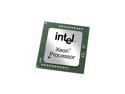
Pros: One of the last overclocking Xeons, in 6C/12T dress, a healthy 12MB L3 Cache, and incredibly flexible: single chip, 2P server/WS, and the legendary SR-2 if you want to have fun. Oh, and ECC/REG or standard DDR3. Both overclock to 4.54Ghz in my SR-2 with Swiftech Apogee HD blocks and the (most incredibly well built) MIPS full coverage SR-2 motherboard block setup. That's with the full 48GB of DDR3, which is running at a very impressive DDR3-2096 6-9-7, 3x EVGA GTX780Ti Kingpins (full coverage blocks and backplates) at 1522/8200, Titanium HD, Intel 2x10Gbit hardware NIC, Areca 1882xi-16i (4GB Cache/battery+NAND backup), hardware PCIe 2.1 x4 to 4+8 External/Internal-header USB3.0, 2x DC S3700 800GB RAID0, 4x Samsung EVO 1TB RAID0, 4x 1TB VR RAID10, 6x 4TB HGST Ultrastar SAS RAID6, and to make sure that the beast can eat, a pair of EVGA 1300WG2 fully-modular PSU's with fully custom made and sleeved cables (a gauge lower/thicker, MDPC-X sleeve). It requires a 20A circuit to itself! Now, that's a setup I threw together to do some ambient water benching (using a custom test bench instead of a case), cooled by 4x Phobya 1260 rads each with 18x 140mm 178cfm/11.9mmH2O fans push+pull and 2x MCP35X2 (four total pumps). Normally, I use these chips in one of my servers, specifically for encoding tracks on the fly while in the middle of a recording session (audio production and mastering, I do music and also television/film). Since I record master tracks at extremely high resolution/bit-rate (48bit/384khz usually), the raw audio takes up a lot of space, and factor in the fact that there are (usually) anywhere from 4 (single vocalist) to 16 (2-4 band members, plus spatial and other mics) simultaneous streams, and the encoding can be pushing significantly more data than a "lossless" 1080p/DTS-HD Blu-Ray! For a while, I was relying on a single machine to encode, but it is frustrating walking into the studio in the morning after a late session to record/mix for a single musician and the previous night's 16+ channel (3-4hr session) still hasn't finished... I ALWAYS work WITH the artist(s) for part of the mixing as I believe that their music should sound how they want, and I do as much as possible to do so, without decreasing the quality of the record, losing the dynamic range (I refuse to participate in the Loudness War, everything I've mastered has a dynamic range limited only by the medium, whether Redbook or DVD-A+ 24/96-192. I had used these chips first for the workstation, and then for some competitive benching which they survived without requiring so much as a voltage bump, and now they're the hearts of the second encoding rig I built (currently have 4; a 4x12C/24T, a 2x6C/12T, and 2 4x8C/16T, and with the half-dozen minimum different medium for distro, even a single record can utilize all four simultaneously).
Cons: The 95W TDP, while understandable, limits these chips along with the multiplier, and the 5680's I have are significantly faster (5Ghz easy). I went through a few trying to find a pair of chips that BOTH worked with all the DIMMs populated on the SuperMicro boards I use for pro work (the 48gigs of the SR-2 is comparatively easy to handle), as even 192GB can be whittled down surprisingly fast, especially when using one or more RAMdisks to cache or buffer writes to any of the HDD arrays that aren't using SSD(s) alongside the 1-4GB RAM courtesy of the Areca/etc controllers. If you are overclocking, the better your RAM, the better the results in my experience, in particular for benching. The G.Skill Pi's I have rated DDR3-2200 7-9-7 provide a lot more flexibility and for some benches, points, than 1600 6-7-6. The catch is that the currently produced DDR3 "enthusiast" kits are not very well suited for these chips, either; IVB/SB-E/HW/IV-E all benefit from very high frequency, but the on-die IMC and insanely fast L3 cache of the newer architecture have greatly reduced the benefits of the super tight timings we see in kits from just a few years ago, when Nehalem was king and the timings greatly impacted latencies. Thus, even a top quality current kit such as Trident X 2400 9-11-11/2666 10-12-12 or Ripjaws Z 2400 9-11-9 (GSkill provides significantly better IC's in their kits than equivalent priced Corsair, and to get similar yet still usually lesser quality from the latter you will spend 150 to 300 more!), can't get the tight timings these Xeons love. Retail is too high considering the advances made since their intro, and I got mine out of servers being sold locally (privately), which for the same amount netted me two pair of these and four X5680, 384GB ECC DDR3 total, 1/ea H700, H800, and 9286 RAID cards, two dozen 150-450GB SAS 15Krpm drives, 2 brand new X25M-E SLC 80gig, a K4000, a FirePro W9000, two 6-tuner capture cards, a box of high end Sanyo Denkei and Delta fans, a couple "playback" video cards (5770, 4670, GTS450, half a dozen HH 4xxx series low end for HDMI)... Just be patient and attentive!
Overall Review: It is a testament to the performance, design, and functionality that you get from Intel when a processor released a few years back for a few-years-dead platform is outperformed only by its successor. These CPU's can be found all over, and with a bit of patience and knowledge, it's actually incredibly easy to match a pair of these 6core/12thread Xeons (or even the faster models) with a full fledged SSI CEB 2P board from SuperMicro or the like, quite likely with 24-96GB DDR3-1333/1600REG-ECC, for less than what I spent on my 3930K, and do the same with the top model of the line for less than my 3970X or 4960X. Why "settle" for an APU or E3/i5 based home server when you can do AMD's "Moar Coarz", but do it right? Sure, it's overkill for an HTPC or (my favorite) your favorite flavor of "Giant Box'O'RAID" storage server, but if you are shopping for a high end processor in the first place, you are probably a fellow member of the "Overkill or No-kill" club. If you are looking for processors for running a number of VM's, or "grown up RAID" (ie not a pointless 2x128GB SSD RAID0, but hardware, onboard caching, battery and ideally NAND backed arrays), then with very few exceptions, 12 cores (24 threads) is ideal for home use, and will provide a fair amount of room to grow arrays for example (I started with 8x 15Krpm HDD + 2x SSD, and in this one machine currently have 3 separate 8x3TB RAID6E arrays (9total drives per array), 2x DC S3700 800GB SSD RAID0 as a write and current-project cache for all parity arrays, 8x 600GB 15Krpm in RAID0 for temp storage, 2x X25M-E RAID0 scratch array, 4 4x4TB WD RE SAS in RAID10, and the motherboard ports hold the 2x M4 128GB RAID0 OS array (OP'ed 40pct), and the rest are filled with misc 1-3TB HDD as single drives). Running bi-directional 10GbEth via Intel HW NIC, even stressing every single storage device, simultaneously reading and writing at about 1.2GB/sec, I run out of bandwidth before the processors even break 20 percent in use. Bottom line: The most economical way to get awesome trapped in a silicon wafer, and every one of the 6 cores is a REAL, FULL CORE with the addition of HT, unlike the 4/6/8/12/16 "core" chips from the other guy, that are 2/3/4/6/8 CORE chips with a variation of HT semi integrated into a small part of the hardware, that lures fanboys out in droves to douse the Internet in a bath of fire from their flamewars.
Excellent, but really shine with a pair of towers

Pros: I do audio engineering and have thus spent quite a bit of time with audio equipment, from the basic five buck PC speakers to true studio monitors and ultra high end home audio equipment and everything in between. These speakers are one of the best bang for your buck audio purchases you can make, at 250 they're a steal and at 180 you are doing it wrong if you don’t get them. Unlike the generic Polk, Klipsch, and countless other "I am not a HTIB I swear!" kits, this is actually a very well designed, well constructed, excellent sounding system. The subwoofer, apparently some have issues with it but not me, is a 10" 360W peak (120rms) unit that integrates extremely well even as you expand the system. It has a selectable crossover but unlike most all competitors, the HK is a dial allowing precision instead of 2-4 preset frequencies. The satellite speakers, while not exactly ideal for a cathedral, competently fill a 20x18 foot room (11' ceiling) with sound. I have not yet done any frequency response measurement, so I will give subjective and update with objective sometime soon. The tweeters are perfectly sized and very well designed, and the woofers throw aside the all too common "bigger is better" and instead are perfectly sized to complement the tweeters without leaving a big gap between the two (the only other 5.1 box set that compares is the Take5). Highs are crisp yet mellow, with no harshness even when strained, and no audible sibilance. The design allows for natural sounding treble, and it is dispersed very well, something that many far more expensive speakers struggle with and which some (Polk) simply cannot figure out. The mids provide excellent clarity of vocals, and because the designers went for function over bigger is better, they're able to handle extremely demanding sounds (meaning that they don't choke when there are 20 explosions and five people talking all at once in a film). I was genuinely surprised to hear how well they handle the mid bass, normally the weakest area by far w 5.1 box systems, which tend to rely too heavily on the inclusion of a subwoofer and leave a glaringly obvious gap between mids and bass. Not these. I have tested these setup as my computer audio for gaming, set them up specifically for music, as well as use them for home theater purposes which is why they were purchased, to get my mother a good home theater setup at her new home without breaking the bank. Paired with two towers serving FL/FR, another pair of the same serving as front wide, these are working exceptionally well as the surround side and rear R/L, and front high is handled by a set of dipole speakers I had. While I don't live with the setup, and have my own dedicated home theater room within a room setup (11.4ch but up to 13.4 w proper source; acoustic treatment in necessary areas, etc), I am genuinely impressed every time I go over there and hear these.
Cons: Apparently people have issues with the sub? Despite the speakers low price, their actual sound quality dictates the use of a higher end receiver for home theater use, so expect to spend 2-3x the cost of the speakers on a receiver to get the full benefits. As good as they are, they truly come alive when you add a pair of towers for the front. I highly recommend the Pioneer FS-51/FS-52 towers, the ones designed by speaker genius Andrew Jones, because not only do they take a dump on $600 per speaker Klipsch or Polk towers while costing just $150, they actually have an extremely similar voice. Despite the glaringly obvious problems with such a design, speaker companies still continue to produce center channel speakers with horizontally aligned drivers... The issue is that it causes phase problems, unless you are sitting in a very specific spot. If you don’t believe me, simply turn it right side up and listen. Better still, use a tower that matches your front main speakers as your center. I do, and I could never go back.
Overall Review: The setup is as follows: LG 65" Local-Dimming LED-LCD TV Pioneer SC-1222K Receiver (HIGHLY recommend this for these speakers! The Onkyo and Denon units don't come close, and thanks to the D3 class amps it actually outputs over 100W/ch, unlike EVERY Onkyo/Denon that's only 100W+ when in stereo and drops to less than half that in surround; oh, and it runs extremely cool, supports 11.2 + Zone2/3, and is actually identical to the Elite SC-63/65 internally except for not having the 12v triggers!) Samsung BD Player w built-in Wi-Fi (Netflix) Xbox360 HD Digital Cable DVR from cable Co Marantz CD Player MLT-2 (this) 4x Pioneer FS-51 tower speakers 2x DefTech Bipolar Radiating Speakers (front highs) ML 10" Subwoofer DefTech 12" Subwoofer (located behind the seating area for the "boomier" bass Mono - Price 12AWG oxygen free copper speaker wire (I sleeve all my wires, EMI/RFI shielded ultra-dense braided sleeving) Mono - Price Banana Clips for everything Mono - Price Quad-Shielded 75ohm Coaxial Cables (subs) Mono - Price 12' RedMere HDMI Cables (1.4b ultra-thin no-loss) Mono - Price 75buck Speaker Stands and Custom Center Channel Mount Asus AC-68 Wireless AC Router and the Access Point Custom HTPC I built for her setup (Fractal case, 3770, 2x8GB DDR3-2133 9-10-10, 650Ti Boost, one of my old RAID cards an Areca 1882ix-16i w 4GB cache, NZXT HALE90V2 850W, LG BD-Burner, Samsung 830 512GB SSD, 5x WD RED 3TB RAID5, 3x WD Blue 1TB WD10EZEX, Phanteks twin tower cooler, all case fans fitted and all are Sanyo Denkei San Ace PWM fans with 3 more on the CPU cooler, 8-Way PWM Hub, 3 2-way PWM splitters, all case fans run off CPU fan PWM header signal but w their own power; and of course, a Hauppauge 4-way TV Tuner w 4-channel recording during playback, and one of my old sound cards an Asus Xonar Essence ST w daughter board) She is beyond happy, and has called me multiple times just to say "wow/expletive", even months later. BOTTOM LINE: Excellent, but You need a great receiver (Pioneer SC-1222K is far and away the best for the money, in fact it beats out 1500US receivers from O/D). Also, get at least one pair of Pioneer FS-51/2's, as these transform into truly exceptional when paired with good towers, and at 150 a pair, you're getting speakers that literally sound like they're worth 900 a piece! Finish with 12AWG wires from Mono - Price and you will love it! Again, I am an audio engineer, and have had over a dozen 20 grand or more setups, yet I consider this to be one of the most well rounded and capable, affordable speaker setups I have EVER heard! Do it right and you have less than a grand into it but it'll sound like 5.
Good for inexpensive storage server
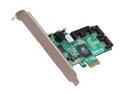
Pros: - have used these for a few years for inexpensive, basic file servers and not lost any data - PCIe x1 means that you can utilize the x8/x16 slots on motherboard which, if you are using it for a storage server or even HTPC, You should have a few of - Software level RAID but it's a basic HBA, not a real RAID card, so I don't have a problem with that. If you want hardware RAID, either spend 3x as much or more per card or get some old PERC5/i or PERC6/i cards but remember that the latter support only 2TB and have board incompatibility issues - Despite the fact that x1 bandwidth is limited to far less than the sum of the 4 SATA2 ports, I have not had any issues with throughput using mechanical drives - You can run this with a Pentium D, Athlon64 X2, or anything like that and it will be more than powerful enough, although if the intended use is an HTPC I would recommend having a dedicated GPU for video playback (you will almost certainly not be able to play 1080p video with the processor acting as the RAID controller combined with the old pathetic integrated graphics of the older processors); pretty much any card from 2009-10 or newer will give you the ability to stream multiple 1080p videos. It does its purpose without any real problems, certainly nothing like what others have been having, and currently I have 5 of these and have used at least 25.
Cons: - Configuration, should difficulties arise, is not straightforward or what I would consider logical - This is NOT A HARDWARE RAID CARD, IT CANNOT COMPARE TO LSI/ADAPTEC/ARECA/3WARE/ATTO/INTEL! - I guess an extension of the above, but as it is a simple HBA, it relies on the CPU and system memory for XOR/Striping calculations, which is perfect for remote file servers or HTPC use, but it is noticeable in terms of performance and resources used, even when I have one hooked up to my 3930K @ 5Ghz with 16GB DDR3-2400 9-10-10, or (slightly less so) my dual-processor board with 2 8-core/16-thread Xeons @ 3.8Ghz w 96GB DDR3-1800 6-7-6 (this is the machine that I have most of my "real" arrays and cards running off of, including a 9286-16i, an Areca with 24-ports and 4GB cache, an Adaptec 20-port w 4GB, and an 1882ix-24i 4GB all w BBU's, SSD caching where possible same with flash based backup) - Have not tried anything larger than 2TB drives - RAID0 with 4x WD10EZEX is slower than what any of my other setups w the same exact drives will do, even my Rampage 4 Extreme native 3Gbps Intel ports are quitea bbit faster (this card maxes out with 3 drives in RAID0 basically)
Overall Review: I am big on recycling old components into new uses, and as such I have most of my storage, file, FTP, and so forth servers running on Core2Duo/Quad (an E8600, Q6600, Q6800, Q9850), Athlon64 X2's (4400+, 5600+, 6800+), Pentium D (960/920), and even a Pentium 4 Extreme Edition 3.6Ghz my old A64 FX-51 + X2 FX-66 chips. Boards are almost all the best of what was available at the time the chips were new, including the Rampage Extreme, Asus Commando, P5D Premium/Deluxe, A8N32-SLI and two $500 boards for my FX chips, etc. All, except for the FX51 (DDR-400 Registered memory is hard to find, especially a matching set to my old Corsair XMS3500RE DDR-450 2.5-3-2 2GB kit), are running either 4GB DDR-400/450 or 8GB DDR2-800/1066/1100, or 8-16GB DDR3-1333 6-6-6 to ensure that the HBA's have plenty of memory access. Most, tho, are only plugged in every month or so to update files, then unplugged (I cycle them), to keep power issues from killing my data. 28TB alone is simply redundant backups with another 14TB as most recent backups. Then I have two I set up for my mother at her house, one as an HTPC (i7-2600K + 8GB DDR3-2000 7-8-7 + Nvidia 550Ti 2GB + Asus Z68 board + TV Tuner Card + LSI 9261-8i + RocketRAID 2300 + Intel Quad GbEth card + Intel X25E SLC NAND 80GB SSD for array caching + Samsung 830 128GB OS drive + Intel 330 180GB program drive + 8x WD RED 3TB in RAID5+HS for videos + 4x WD RE 2TB RAID10 for pictures and documents + LG BD-Burner and LG BD Player + HT Omega Claro Halo with Daughter board because it is much better than HDMI audio although both are connected to the SC-1522K receiver and while the HT is better for music the HDMI is the only way to fully utilize the 11.2 system I built for her or use DTS Master or the not quite as good TrueHD) and the other is a file server designed for redundancy (C2Q QX6800 + 8GB DDR2-800 4-4-4 + Asus 775 Workstation Board + Intel Quad GbEth NIC + AMD HD6790 + 2x LSI 16-port 2GB cards + 1x RR 2300 + 3 4-drive RAID10 arrays w WD RE 3TB + 8x WD Blue WD10EZEX 1TB in RAID6 + 4x Seagate ES.2 2TB in RAID10 on the RR card + Intel 330 90GB SSD system drive + 3x Asus/LG Blu-ray Burners + eSATA External 5-bay enclosure w 5 WD RED 3TB RAID6 for critical files, which is kept in a fireproof safe). Overall of the literally over 150TB of data storage (I'm in the field of Psychopharmacology and have three self-built 4P/4GPGPU systems at home for modeling and crunching, and each project can take 10TB over the months it takes even 12x 10c/20t Xeons + 8x Nvidia Tesla K20C 12GB GK110 compute cards + 4x Quaddro 12GB compute cards + 192GB DDR3-1600RE PER BOARD + 3x IODrive 2.4TB PCIe SSD across the three + 3x PCIe 3.0 x16 24-port RAID cards w 4GB DDR3-1600RE cache and NAND Cache and BBU one per system again + total of 19TB SATA3 SSD space + 60TB HDD space). Oh, and yes when I don't need them for work, I use them for Folding @ Home, and I reached 1mil points in a couple days I believe! So, I am trying to cure diseases twofol