
Your Browsing History


Stephen L.
Joined on 09/15/13
0
0
product reviews
- 8
Picture quality is great after adjustment
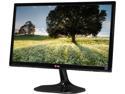
LG 23MP55HQ-P Black 23" 5ms HDMI Widescreen LED Backlight LCD Monitor IPS 250 cd/m2 DFC 5,000,000:1 (1000:1)
Pros: 1. Picture quality is great after adjustment 2. Menu options are straight-forward and correspond to the buttons underneath.
Cons: 1. Picture quality is absolutely horrible out of the box 2. Stand is glossy so it is super-reflective 3. Stand does not need to be so big 4. Stand is a bit wobbly but not as bad as others 5. Connections are lacking with only one HDMI and one VGA 6. Power supply is one of this brick ones that attaches to the power outlet which could obstruct other outlets if connected to a power strip
Overall Review: My settings for best picture quality: Brightness: 100 Contrast: 90 Response Time: High Black Level: Low Game: Gamma2 Red: 48 Green: 40 Blue: 52 Six Color adjustments are maxed out for all colors
7/27/2014See more detail
Does its job but buggy
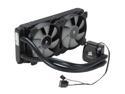
CORSAIR Hydro Series H100i Extreme Performance Water/Liquid CPU Cooler. 240mm
Pros: 1) Looks great 2) Does its job 3) Corsair Link software is quite good after you figure it out
Cons: 1) Fans are extremely loud upon startup 2) Loud pump noise upon startup and wake from sleep 3) LED Corsair logo cycles colors upon wake from sleep 4) Pump and fans are on maximum RPM at startup which...is unnecessary 5) Corsair Link software needs more explanation of its different features. For example, I still don't know what the divider for the pump is supposed to do. It also does not feature pictures for all of Corsair's cases. I need one of my 250D.
Overall Review: I bought the H100i because no other cooler would look good in the Corsair 250D case. I read a lot of mixed reviews about buggy software, loud fans, and loud pump. However, I decided to take the plunge on the off chance that Corsair has fixed many of these issues, and no other cooler would look as good in the case I want to use. Many of the issues that people have are true, but the pump luckily, for my unit, is only noisy upon startup and wake from sleep. The fans do need to be replaced if noise is a high priority for you. I replaced the SP120L with the SP120 Quiet Edition. This replacement makes me wonder if Corsair intentionally uses loud fans to get customers to buy another one of their products. The startup noise from these fans is not pleasant at all since they sound like a jet engine. The reason for this is because the H100i initiates with pump and fans at maximum RPM, and the SP120L fans have a high maximum RPM. I also don't understand why the LED Corsair logo cycles colors upon wake from sleep. Basically, the H100i does its job but does so with some caveats. I would not be using this cooler if it does not look good and can perform decently.
7/15/2014See more detail
Great Monitor Bad Stand
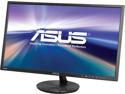
ASUS VN248H-P 24" (Actual size 23.8") Full HD 1920 x 1080 VGA, 2x HDMI MHL Compatible Built-in Speakers Super Narrow Frame Design LED Backlit IPS Monitor
Pros: 1) Awesome picture quality 2) A lot of options for picture adjustment 3) Ready to go out of the box without any adjustments 4) Preset modes for different viewing circumstances like "Movie" 5) 2 HDMI ports is useful for connecting a PC and game console.
Cons: 1) The stand is quite wobbly if your desk is wobbly or you shake your desk. 2) VGA is present but no DVI
Overall Review: This monitor is an awesome value after promo code and rebate. It is worth the regular price though if you want a great monitor and are unwilling to wait. The picture quality is the best you will find in 1080p 16:9 IPS monitors in the sub-200 dollar range. You may be able to argue that another is better but only marginally and significantly more expensive. That is when diminish returns kick in. The picture quality is very impressive but I do wish the stand is better. The wobbly stand prevents the monitor from being "whole." This isn't always a problem though unless you shake your desk. Besides that, it's great that there are two HDMI ports, but it's strange there's VGA instead of DVI. That's it really. Great IPS monitor.
7/15/2014See more detail
Indeed a no compromises ITX case
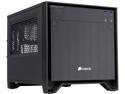
Corsair Obsidian Series 250D (CC-9011047-WW) Black Brushed Aluminum and Steel Mini-ITX Computer Case ATX (not included) Power Supply
Pros: 1) Looks as good as it can get with the cubic design 2) Can fit high end components, staying true to the no compromises slogan 3) Dust filters on the side differentiates this small-form-factor case from other cases in the category 4) Side vents for intake of fresh air is very logical
Cons: 1) Side doors can be difficult to fit back 2) The front fan intake does not make much sense as it blows much of the air onto the power supply and RAM which are components which are self-cooled or do not need much air. 3) The back upper corners are a bit sharp. 4) The included 140mm fan produces clicking noises at low RPM. 5) One of the pins for the tool-less SSD bay popped out, and I do not know how to put it back. 6) If you are good at cable management, you will notice that there is quite a bit of room at the front in between the power supply and the fan grill. I can understand that Corsair provided more room for those with non-modular power supplies and those who just want to stuff all their cables in this space, but, personally, I think this area could be made smaller to produce a smaller case.
Overall Review: I wanted a small-form-factor case and was deciding between the one by EVGA or Corsair's 250D. I ultimately decided that EVGA's offering was risky due to its included power supply so I chose the 250D. The 250D is certainly bigger than other ITX cases on the market, but Corsair is about no compromises. This case certainly lives up to that value, and this is certainly a very good case for what it is. I only have a few minor criticisms that you can see in the "Cons" section. I would like to see Corsair try an even smaller ITX case from a tower design.
7/15/2014See more detail
Supposed High Quality
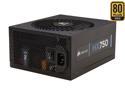
CORSAIR HX Series HX750 750 W ATX12V 2.3 / EPS12V 2.91 SLI Ready CrossFire Ready 80 PLUS GOLD Certified Modular Active PFC Power Supply New 4th Gen CPU Certified Haswell Ready
Pros: 1) Power supply tier lists list the HX series as a Tier 2a which tells me that this is very high quality 2) All Japanese capacitors supposedly means high quality 3) Fan is not in use until under a certain load 4) Comes with very nice cloth bag for modular cables 5) Packaging is very, very nice.
Cons: 1) When fan turns on during "load" it can be annoying as it is noticeable because it turns from silent to not. It is audible but not loud. 2) Fan turns on during "load", but I it would sometimes turn on while I am just browsing the internet. During the first week of using it I was overclocking my CPU so I understand that it would turn on under load. However, I don't understand why it would not just stay on during stress tests. I would turn on and on intermittently. 3) Some of the modular cables like for PCIe have blue colored connectors which ruin the black, sleek look of the interior of my system and PSU.
Overall Review: This is supposedly a high quality power supply with the main feature of the fan inactive during low loads. The fan can certainly be audible during load, but it is not loud. I wonder if it is at all possible the fan can spin slower for quieter operation though.
7/15/2014See more detail
Overclocked to R9 270X
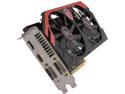
MSI R9 270 GAMING 2GB 256-Bit GDDR5 HDCP Ready CrossFireX Support Video Card
Pros: 1) Quiet 2) Minimum fan speed is not restricted to it can be adjusted to as low of a level as you want. 3) Overclocked to R9 270X levels 4) Great value if on sale
Cons: 1) Instability when overclocked too high will cause computer to crash and restart.
Overall Review: I bought this card with promo code and rebate which came out to be a great value for mid to high range card. I could play last year's games, like Borderlands 2, and earlier at 1080p with maximum fps at 60 and minimum at 25. When overclocked, this R9 270 comes up to R9 270x levels and can play the same games with elevated minimum fps. It is interesting to note that on AMD cards that I have owned, they will crash and restart your computer if overclocked too high. NVIDIA cards will crash just the program. This is a bit of an annoyance but it's not worth taking an egg off. My overclocked settings on MSI Afterburner are below: Power Limit: +20 Core Clock: 1105 Memory Clock: 1565
7/15/2014See more detail