


Your Browsing History


Christopher H.
Joined on 07/12/11
0
0
product reviews
- 3
Built to last
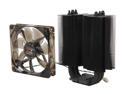
XIGMATEK Dark Knight II SD1283 Night Hawk Edition CPU Cooler with Stealth Aerospace Industry Thermal conductive ceramic coating LGA1150 Haswell Compatible
Pros: I'd say the most underrated feature of this cooler, especially compared to stock, is its durable construction. As a full-time student, I move a lot. After my last move, I found the plastic screws on my Core i7 2600K's stock cooler too bent-out-of-shape to fix without snapping them off. Given that this cooler boasts forward-compatibility with Haswell and Broadwell, the steel screws, nuts and brackets add a lot of value.
Cons: Installation was rather complicated -- took me a full day. Printed instructions were unhelpful, since they're written for several different cooler models, and there's no sign of whether you had "Type 1", "Type 2" or "Type 3". Also contained confusing typos such as "paste the backplate".
Overall Review: Go to http://www.xigmatek.com/console/uploadfiles/Image/product/DarkKnightSD1283NightHawk/2011UserManual.pdf for a more useful installation guide. It's specific to the model and has the typos corrected; as long as you know what socket model you're using, it'll be helpful.
6/29/2013See more detail
Disappointing in support for closed-loop coolers
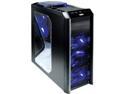
Antec Twelve Hundred V3 Black Steel ATX Full Tower Unbeatable Gaming Case
Pros: Light switch will let me sleep while PC is running in my room. 6 fans; takes a standard 120mm fan in the unused 7th fan port.
Cons: Claims of support for water cooling are deceptive. Mounting a radiator in a drive bay requires drilling, and even then wouldn't put the radiator in series with a fan: the top fan is too far back, and the front fans are vertical while the radiator would be horizontal. My Thermaltake Water 2.0's radiator doesn't fit in front of the uppermost rear fan (the top fan is in the way) or right against the back wall (the other rear fan gets in the way). Liquid cooling ports are provided, but they can't be used with a closed-loop water cooler (which would be possible if the surrounding grille unscrewed from the rest of the case and into 3 pieces).
5/31/2015See more detail
"Custom colors" is misleading
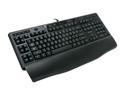
Logitech G110 LED Backlighting Gaming Keyboard
Pros: Good, responsive, reasonably comfortable keyboard. LEDs are visible in darkness without being distracting in light. LEDs turn on even for BIOS setup.
Cons: Claim of "custom colors" is misleading: implies that I could e.g. gave WASD red and rest of keys blue. Only the entire keyboard's lighting colour can be changed. One of the support legs broke off after less than a year of use; spares should have been included.
Overall Review: Pressing any of the G keys while in BIOS setup hangs my machine (I have a Gigabyte mobo), although I'm not sure this is Logitech's fault.
11/19/2013See more detail