
Your Browsing History


Brayden M.
Joined on 03/14/07
0
0
product reviews
- 4
Quality RAM should last for years to come
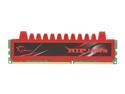
G.SKILL Ripjaws Series 4GB DDR3 1333 (PC3 10666) Desktop Memory Model F3-10666CL9S-4GBRL
Pros: I've been running 4 of these stick in my computer for very nearly 3 years without a single error. Overclocked well to 1800MHz on 10-10-10-26 timings and 1.35V. Overall I'm actually quite impressed, especially since the OC was achieved at 0.15V below the 1.5V rating, and barely any change to the timings. Truly impressive, G.Skill.
Cons: Only rated for 1333MHz, but considering it overclocked to 1800MHz with nary a change in timings, I'm not really sure this is a con.
Overall Review: If you want RAM that can achieve 1800MHz stably, and don't feel like spending another $10 per stick, I would recommend this in a heartbeat. I haven't attempted anything higher than 1800MHz, and don't plan to. Frankly, just having a full dual channel kit at 1333MHz should suffice for whatever it is you're doing, whether it be gaming, virtualization, whatever. This RAM should last you years. However, for future-proofing, I would highly recommend getting at LEAST 8GB.
5/30/2015See more detail
Excellent Overclocking Platform
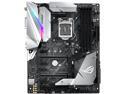
ASUS ROG Strix Z370-E Gaming LGA 1151 (300 Series) Intel Z370 HDMI USB 3.1 ATX Intel Motherboard
Pros: - Gorgeous! This board is quite a looker, even without the RGB! Fits perfectly with the rest of my black/white/silver build! - UEFI BIOS is easy to use, and has a plethora of options available for an optimized OC. Updating is easy, and I wasn't required to apply multiple updates in a row to get the most current. - M.2_2 slot uses chipset PCIe lanes in either x2 or x4 modes, rather than CPU lanes, though this means you'll give up SATA ports 5 and 6. This means you can install an M.2 PCIe SSD to this slot without affecting the lanes available to your GPU. This is mainly a pro for overclockers who cannot afford the losses in performance in highly-sensitive benchmarks. For reference, with an SSD in the M.2_1 slot I was receiving scores of around 3000 in Superposition with a 1070 ti, whereas I achieved a score of 4457 with the SSD in the M.2_2 slot. SSD performance remained within margin of error between either slot. YMMV - AURA has worked incredibly well for me. It controls both the motherboard lighting, as well as the lighting on my RAM (G.Skill Trident Z) without a flaw. Coordinating lighting between the two works wonderfully, and being able to turn the lighting on both off from the same software is excellent. I understand it doesn't support everything though, so keep that in mind if RGB lighting is a big part of your build. - Power delivery is top-notch. I'm definitely not an electrical engineer, nor am I willing to rip the heatsink off, but I think it's safe to say the power delivery is more than adequate when I'm able to achieve 5GHz on an 8700k with very little in the way of additional voltage.
Cons: - I/O shield is a bit annoying, as usual, but without it you'll have a nice multicolored spotlight coming out of the back of your PC. Definitely recommend installing it. - M.2 shield covering the M.2_1 slot is enormous and annoying to deal with. Additionally, since there's very little chance there's direct airflow on the shield, it's more likely to make your SSD warmer rather than cooler. That's actually a good thing for the NAND itself, but not so much the controller. - I've been having trouble with the onboard analog audio crackling in the left channel that I was only able to resolve by using the front panel jack instead. Fairly annoying, but I'm not willing to put up with ASUS' terrible replacement process. I cannot be without my PC for several weeks due to a hardware audio issue that I've already worked around. I admit I'm going on my GPU replacement experience (hint: it was bad enough that I bought an MSI card this time around), but I don't have faith that their motherboard replacement policy will be any less terrible. This is why I docked an egg.
Overall Review: - AIO Pump header is a confusing addition. In my case, it's actually harmful to the experience. Plugging a Corsair AIO into left me stuck booting into the POST screen with a message telling me there's no CPU fan plugged in. This is due to the fact that Corsair AIOs only use one header, and the fans connect to a splitter coming out of the pump housing. I don't consider this a con because I can see many instances where this would actually be helpful. Unfortunately, it's a useless addition for my usecase. TL;DR: Overall, this is an excellent board in terms of both form and function. I can't speak to the effectiveness of the cooling on the power delivery, but as I stated in the pros, the power delivery itself is fantastic. UEFI is easy to navigate, especially if you have semi-recent experience with ASUS boards. M.2_2 slot uses chipset lanes, so you still get x16 to your GPU. 4-6 SATA ports available depending on M.2 configuration. I would buy this board again without hesitation.
2/12/2018See more detail
Underpowered? No, underappreciated

Raspberry Pi 83-14421 Computer - Model B (512M RAM)
Pros: Incredibly easy to get running with Raspbian, streams 1080p video flawlessly, and has a near-infinite number of uses.
Cons: None. At all.
Overall Review: I see a lot of complaints that it's "underpowered." It's not. It's a $35 fully-functioning computer. The key here is $35. This thing is more than you should expect to get out of $35. Also, the Pi is available through a number of other retailers for $35. For some, shipping might make it more expensive than Newegg, for others it'll be cheaper. Just check out alliedelec.com or element14.com ; both a reputable retailers and offer the pi at $35, however neither offer free shipping.
11/4/2013See more detail
Sheer power!
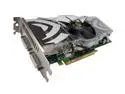
PNY Quadro FX 5500 VCQFX5500-PCIE-PB 1GB 256-bit GDDR2 PCI Express x16 Graphics Card
Pros: Absolute powerhouse. Renders everything I've thrown at it beautifully and far faster than any previous card I've used. As previously stated, it will struggle at 15GB+, but I rarely get projects that large anyway. Chews through videos rendered with Sony Vegas Pro 8, getting roughly 350fps with 1080p video. Not shabby at all.
Cons: Certainly not meant to be in SLI. Productivity dropped with 2 cards. NOT FOR GAMING!!
Overall Review: ^ read that.
7/15/2008See more detail