
Your Browsing History
 Holiday Shipping Details & Extended Holiday Returns Holiday Shipping Details & Extended Holiday Returns

Joined on 09/21/13
Nice Piece
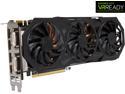
Pros: Runs within a very specific fan speed and temperature range which I like. I play Assetto Corsa 1.0.9RC on maximum graphics and it runs around 120-160FPS in a career race with 9 cars. It plays COD Ghosts way better than my GTX760 ever did. I haven't purchased too many new games but I think it'll handle GTAV just fine on my 4K monitor.
Cons: Mine had a little coil whine at the beginning but I actually used it for what it's meant to be used for, gaming, and that went away quickly. It is rather large, I have a Corsair 400R case and it fits just fine.
Overall Review: I can't compare it to the GTX980 so I don't know how they would differ in performance. I also use this card for rendering extremely large SolidWorks, AutoCAD, and ESPRIT files for my engineering work.
Failed after 6 months.
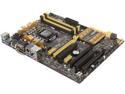
Pros: Looks cool, works as long as it works, fast as long as it works, nice board for as long as its short lifespan is.
Cons: Failed, short lifespan, Failed, low quality, did I mention it failed? BSOD's, bad BIOS chip...it failed.
Overall Review: Originally, I posted a review on 10/6/2013 about a week after I built my brand new gaming system for graphics intensive programs such as SolidWorks and some gaming on the side (I'm a Mechanical Engineer so it had to be powerful, fast, and, most importantly, reliable). The system I built is no slouch with an i7-4770K, Asus Z87+, Corsair Vengeance 1866 16GB, 6TB of HDD space with a 128 Corsair Force GS boot SSD, H90, Gigabyte Windforce GTX760 OC, and more. I did no overclocking because I need the reliability between work and school, I can't be without a machine. The fact that only six months later the motherboard fails shows me that ASUS was clearly the WRONG choice in motherboards. The ASUS Blu-Ray drive I have is pretty cruddy too. It's loud and slow, mainly. But this is about the board, not that drive. What happens is I get recurring BSOD's citing multiple things, PFN_LIST_CORRUPT, PAGE_FAILURE_IN_NON_PAGED_AREA, and MEMORY_MANAGEMENT are a few of the BSOD's. There is also an issue with the USB ports not working on 3 separate reboots after BSOD occurences. I had brought it in for diagnosing and the guy working on it updated the BIOS which helped so that now it will BSOD once and I will actually be able to restart it and log in again. Before it would BSOD then continually BSOD on POST, boot, and anywhere in between even in safe mode. In all fairness, there isn't enough characters in this text box to describe the whole problem. I'd be here for a day typing. But with my computer knowledge, I know the board is at fault. I haven't been able to pinpoint what is wrong with the board exactly but I am 99% sure it is this garbage board after all I've seen and been through. I've narrowed it to the DIMM slots, integrated sound card, BIOS chip, or the CPU socket but that last one is a long shot. It could also be a bad connection on the PCB. Now I'm stuck having to start running through RMA's with ASUS. That does, indeed, leave me with NO computer for weeks. I think I'm just going to go buy a brand new one of these boards from my local fry electronics, install it, and hope for the best because I don't have time to waste waiting for a refurbished board come back and fail on me like this one. Or worse, have the one I'm using "fixed." At least with my local fry electronics I can exchange it right there for another one instead of having the RMA it with ASUS and waste my time. Hopefully round 2 with this garbage board will be better. My advice; read these reviews like a bible. I see other boards that are nowhere near as shoddy with better specs for slightly less and MUCH BETTER reviews. Try to steer clear of this junk and get something that won't fail on you in six months.
Burned after 6 months at factory speeds
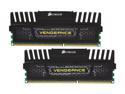
Pros: Fast, Looks, American, Corsair, Fast, Fast, did I mention fast? Great customer service too!
Cons: Burned after 6 months with BIOS set to stock timings and frequency.
Overall Review: This is a follow up to my review of the same name posted on 10/6/2013. I managed to burn out these sticks of ram under some heavy use. Mostly gaming and solidworks/CAD applications. I think they got too hot and the IC's just melted. Luckily, this issue got me to realize the WiFi driver and PCI card I had weren't compatible along with the Blu-Ray drive I had installed but after that, I finally pulled well over 700,000 errors on these sticks with memtest86 v5.0 and got them RMA'd through Corsair. Quick and painless except for the downtime of my system. Props to Corsair on their wonderfully simple and fast RMA process! I clocked them in my BIOS to factory timings and frequency. I guess 6 months of good use at factory settings was too much. Otherwise good stuff, real quick, I like. Is nice. I might go for some Dominator Platinum gaming grade stuff that comes with the little fan circulator attachment if I burn out my replacement sticks in about 6 months again.
PSA: if you are receiving a BSOD, check this:

Pros: Windows, not apple, not mac
Cons: Specific BSOD event.
Overall Review: If you are receiving the BSOD error "PAGE_FAULT_IN_NONPAGED_AREA" and have some tech knowledge, look in your update history and see if an optional system update "KB2670838" is installed. If it is, there is a high chance that update is your BSOD causing culprit. Seeing as my system has sped up after taking that update off, it is likely it was my problem. Happy cleaning!
Some work, some don't...for long.
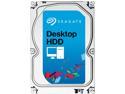
Pros: Quick, Spacious, it's a 1TB HDD what can I say?
Cons: Fialures, Skips, Motor Failures, other failures...
Overall Review: So I have this drive in my gaming desktop. It works fine for me (I think, I might be starting to have issues) for storing and playing games from. It has a few programs on it also but not many. It works in my computer. I had to redo a review here because I built a business desktop for my grandfather and after about 1 month the spool motor failed. The drive would not spool up at all. The drive was out of RMA time and I had to get another drive for his desktop. A large nuisance since I'm at school in CA and he was without a computer in AZ. I had to change to 3 eggs because I have this drive in my gaming rig and it works fine...for now. But my grandfather got about a month out of it. That goes with the 60% success rate these reviews seem to have.
Great Performance
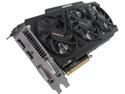
Pros: Performance, PERFORMANCE, PERFORMANCE!!!!! Price, Perfection!
Cons: No. None. Nada. Don't even think about it.
Overall Review: Look, I've had this thing running for a couple months now and it is just awesome. For the price, you can't do better. Every single game I've played (including Arkham Origins) it runs at MAXIMUM GRAPHICS with at least 45FPS. Seriously...who could want more? Actually, I'd love to have the 3GB model just for future proofing but this one is clearly more than sufficient. Buy it. You'll love it.