here!
here!
I’m your shopping assistant for PC builds, upgrades, and everything tech.
Got questions? Ask away!
Start a conversation
here!
I’m your shopping assistant for PC builds, upgrades, and everything tech.
Got questions? Ask away!
Start a conversation













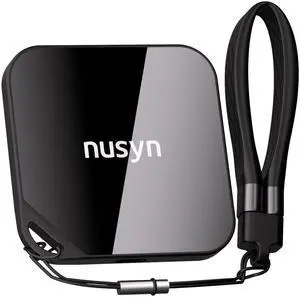
Explore a wide selection of NVMe, SATA, PCIe 4.0/5.0 internal and external SSDs from top brands like Samsung, WD, and Crucial, perfect for upgrading your PC, gaming console, or adding secondary storage to your portable devices. Whether you're building a new system or replacing an older drive, find the SSDs that fit your needs and budget.
The shift from traditional SATA to PCIe-based SSDs revolutionizes speed and responsiveness in modern PCs. PCIe Gen 4.0 SSDs offer read/write speeds beyond 5,000 MB/s, cutting load times dramatically, which is crucial for demanding pro workloads like 4K video editing or large-scale data processing. For those planning ahead or building bleeding-edge rigs, PCIe Gen 5.0 SSDs represent the frontier, doubling bandwidth over Gen 4 to deliver exceptional throughput and future-proofing your system. Selecting the right PCIe generation ensures you strike the perfect balance between budget, compatibility, and raw performance.
Professionals who need reliability combined with speed should explore Enterprise SSDs. These drives handle continuous heavy workloads with superior error correction and power-failure safeguards, making them ideal for servers, workstations, and intensive AI computations. Developers working with virtual machines or large databases also benefit from SSDs with high endurance and ultra-low latency, especially when paired with NVMe protocols on PCIe Gen 4.0 or Gen 5.0 platforms, ensuring smoother multitasking and faster data access.
Newegg shopping tip: When shopping for an SSD, compare the interface type—NVMe drives offer faster speeds than SATA but may cost more. Also, check the capacity, read/write speeds, and compatibility with your system to make sure the drive meets your performance needs.
Carry lightning-fast NVMe speeds anywhere with rugged, bus-powered portable SSDs featuring USB-C or Thunderbolt connectivity for seamless file transfers on the go.
Unlock ultra-low latency and peak throughput with PCIe Gen 4.0 SSDs, perfect for heavy editing and pro workloads craving read/write speeds beyond 5,000 MB/s.
Get ready for next-level performance with PCIe Gen 5.0 SSDs, delivering up to double the bandwidth of Gen 4 for future-proofing gaming rigs and content creation PCs.
Solid State Drives (SSDs) are a game-changer for anyone looking to upgrade or build a faster PC. Unlike traditional hard drives, SSDs use flash memory which means quicker startups, snappier app launches, and smoother multitasking. For beginners, the most common types to start with are SATA 2.5" SSDs, which offer a straightforward upgrade path for older laptops and desktops without requiring special motherboard support. If you want something more advanced, internal SSDs with M.2 form factors offer higher speeds and are widely used in modern systems. Whether you’re looking to breathe new life into your existing rig or build a new one, an SSD is the go-to for performance boosts.
Gamers benefit enormously from SSDs engineered specifically to handle intense gaming workloads. Gaming SSDs are optimized for low latency and high random read/write speeds, reducing load times in AAA titles and minimizing stuttering during extended play sessions. These SSDs often come in PCIe Gen 4.0 SSD form factors, providing a huge bandwidth upgrade over older drives—perfect for the latest consoles and gaming PCs craving peak performance. Upgrading your storage to a premium Gaming SSD can be the difference between waiting at load screens and jumping straight into the action.
If you need storage that travels with you, portable SSDs are a must-have. These rugged, bus-powered drives connect via USB-C or Thunderbolt, offering lightning-fast transfer speeds so you can move large files or backups quickly between devices. Whether you're a content creator capturing footage in the field or just want to expand your laptop or console’s storage space without opening it up, Portable SSD solutions offer unparalleled convenience and durability for mobile storage needs.
Research more: When choosing an SSD, consider your device’s interface and speed requirements, like SATA for affordable upgrades or PCIe 4.0/5.0 for top performance. For deeper insights and detailed comparisons, check out the Newegg Insider SSD buying guides to make a well-informed decision.
Last Updated: October 2026 | Newegg SSD Buying Guide
NVMe SSDs are noticeably faster than SATA SSDs, especially for heavy tasks like gaming or video editing, but for everyday web browsing and basic computing, SATA drives still perform well and cost less.
If speed matters most, like for loading apps or games quickly, go with the faster SSD even if it’s smaller. But for storing lots of files, a bigger drive, even if slower, gives you more space without breaking the bank.
SSDs use flash memory to store data, which makes them much faster and more durable than traditional hard drives that rely on spinning disks and read/write heads. This results in quicker boot times and faster file access.
You’ll want to verify the form factor and interface compatibility, usually SATA or NVMe for most laptops, and make sure your system supports the SSD size you choose. Also, check for available storage capacity that fits your needs.
If your motherboard supports NVMe, go for it because it's way faster than SATA. But if you’re on a budget or just need basic storage upgrades, SATA SSDs still offer solid speed improvements over traditional hard drives.
Bigger SSDs are faster and last longer due to more memory cells, so if you can stretch your budget, it’s a smart move. However, if you just need something for everyday tasks, a smaller SSD paired with an external drive can do the job without breaking the bank.
Most SSDs can easily last several years, often 5 to 7 years, depending on usage. Keep an eye on the drive’s health using monitoring tools since wear on the memory cells is the main cause of failure.
Pay attention to reported issues about data retention and sustained performance under heavy load. Also, look for feedback on the manufacturer’s warranty and customer support in case something goes wrong.
Power down your PC, open the case, and connect the SSD to an available SATA port with a data cable and to the power supply using a SATA power connector. Then, secure the drive in a mounting bracket or bay, close the case, and power it back on to format the new SSD.
Make sure your system’s TRIM command is enabled and avoid defragmenting the SSD, since that can reduce its lifespan. Also, consider moving your pagefile and temporary files off the SSD if you want to reduce unnecessary write operations.
“ But in todays market putting out an NVME that people can afford makes the EVO a reasonable option. ”
SAMSUNG 990 EVO PLUS SSD 2TB, PCIe Gen 4x4 | Gen 5x2 M.2 2280, Speeds Up-to 7,250 MB/s, Upgrade Storage for PC/Laptops, HMB Technology and Intelligent Turbowrite 2.0 (MZ-V9S2T0B/AM)“ I have been using Samsung for years and this one is the newest great toy. ”
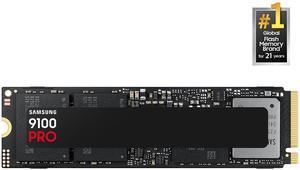
SAMSUNG SSD 9100 PRO 2TB, PCIe 5.0x4 M.2 2280, Seq. Read Speeds Up to 14,700MB/s, Best for AI Computing, Gaming, and Heavy Duty Workstations (MZ-VAP2T0B/AM)“ benchmarks at about 11-12,000 MB/s in Linux disk benchmark vs 500MB/s with the 870 Evo SATA. ”
SAMSUNG SSD 9100 PRO 1TB, PCIe 5.0x4 M.2 2280, Seq. Read Speeds Up to 14,800MB/s, Best for AI Computing, Gaming, and Heavy Duty Workstations (MZ- VAP1T0B/AM)“ I've been very happy with all my Samsung SSDs. ”
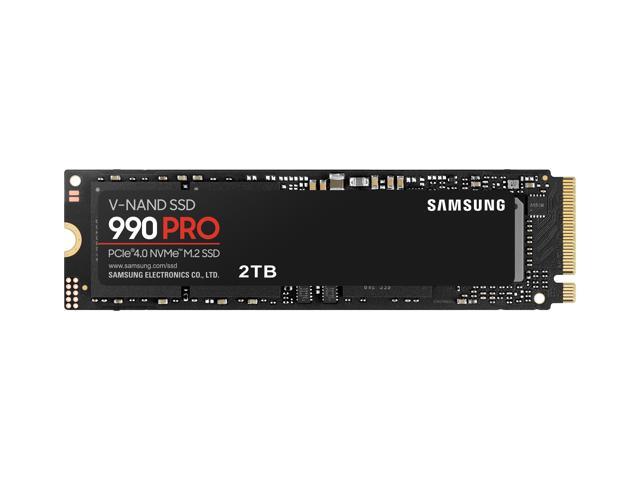
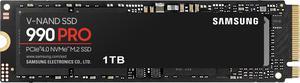
SAMSUNG 990 PRO SSD 1TB PCIe 4.0 M.2 2280 Internal Solid State Hard Drive, Seq. Read Speeds Up to 7,450 MB/s for High End Computing, Gaming, and Heavy Duty Workstations, MZ-V9P1T0B/AM“ This WD drive did the trick! ”
WD_BLACK 4TB SN850X NVMe Internal Gaming SSD Solid State Drive - Gen4 PCIe, M.2 2280, Up to 7,300 MB/s - WDS400T2X0E“ It works good and it's really fast and it's TLC so it's a realy good upgrade option for older 2019 or 2020 laptops that came with 256 GB m.2 nvme ssds. ”
Team Group T-FORCE G50 M.2 2280 512GB PCIe 4.0 x4 with NVMe 1.4 TLC Internal Solid State Drive (SSD) TM8FFE512G0C129“ I highly recommend the Samsung EVO series SSD ”
Samsung 870 EVO SATA III SSD 1TB 2.5 Internal Solid State Drive, Upgrade PC or Laptop Memory and Storage for IT Pros, Creators, Everyday Users, MZ-77E1T0B/AM“ if you're in need of a rock-solid high capacity NVMe SSD, this is definitely it. ”
WD_BLACK 4TB SN850X NVMe Internal Gaming SSD Solid State Drive - Gen4 PCIe, M.2 2280, Up to 7,300 MB/s - WDS400T2X0E