here!
here!
I’m your shopping assistant for PC builds, upgrades, and everything tech.
Got questions? Ask away!
Start a conversation
here!
I’m your shopping assistant for PC builds, upgrades, and everything tech.
Got questions? Ask away!
Start a conversation



Any questions? Ask CelesteSM will help you find out quickly.


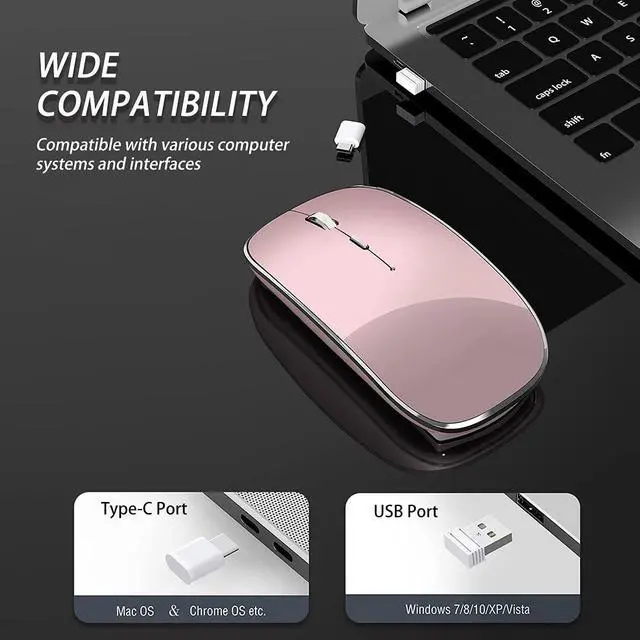
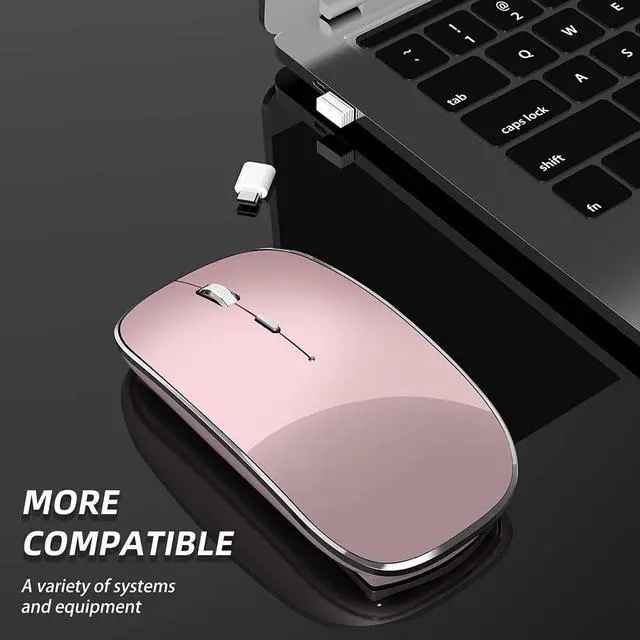
The included USB-A and USB-C nano receivers support plug-and-play operation; no extra switching is required for the Type-C receiver. It works seamlessly with all computers equipped with USB-A or Type-C ports, including laptops.
Note: Only one mode can be active at a time. The two connections cannot function simultaneously.
Compatible Windows XP / 7/8/10 +, Mac OS X 10.10+. Very suitable for computers with USB or Type-C ports, such as MacBook Pro, MacBook air, Google ChromeBook, laptops, desktops, PCs, etc.
The package includes:
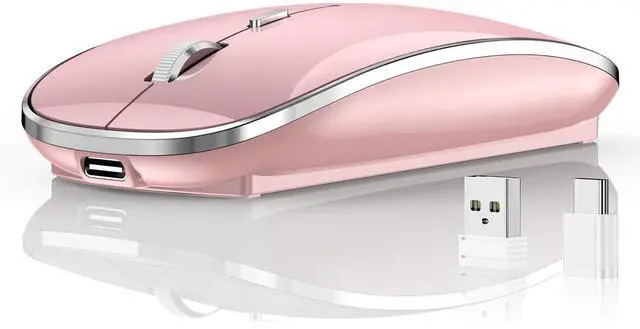
1 wireless mouse 1 USB-A receiver 1 USB- C receiver 1 USB charging cable and 1 user manual

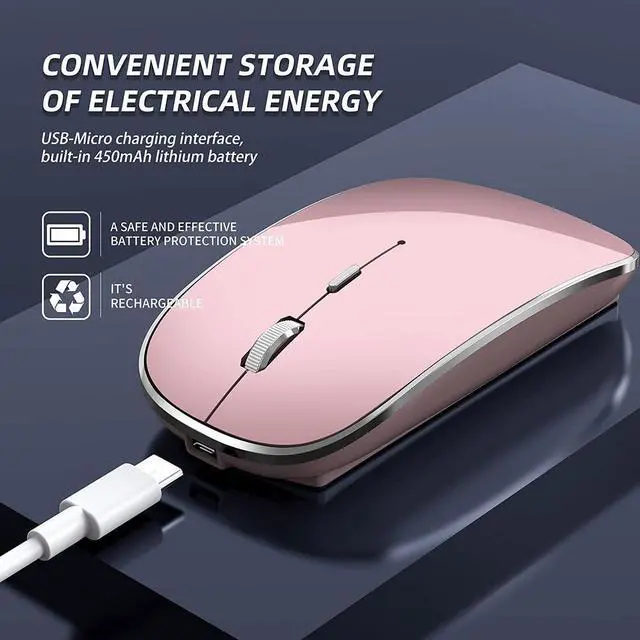
Built-in 450mAh rechargeable lithium-ion battery for the Halpilt Q23S Wireless Mouse. Charge easily with the supplied USB-C cable — no frequent battery changes required. It supports charging while in use.
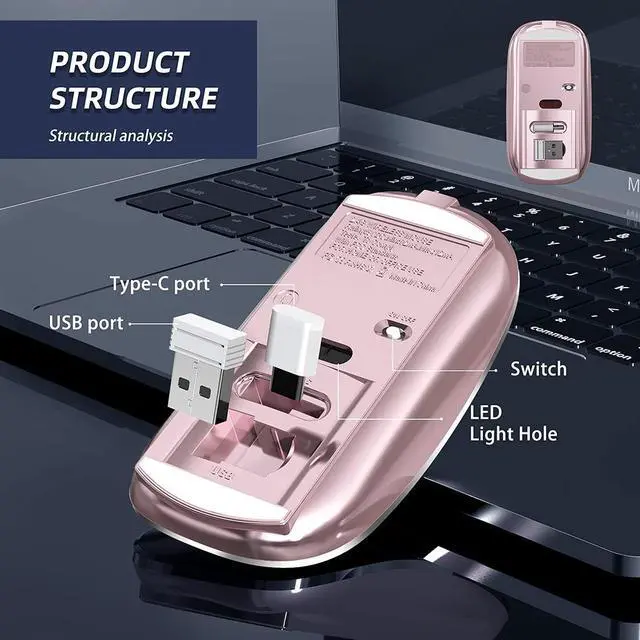
Prior to first use, charge for 1–2 hours. The red light by the scroll wheel activates while charging. When fully charged, the red light switches off and the green light turns on.

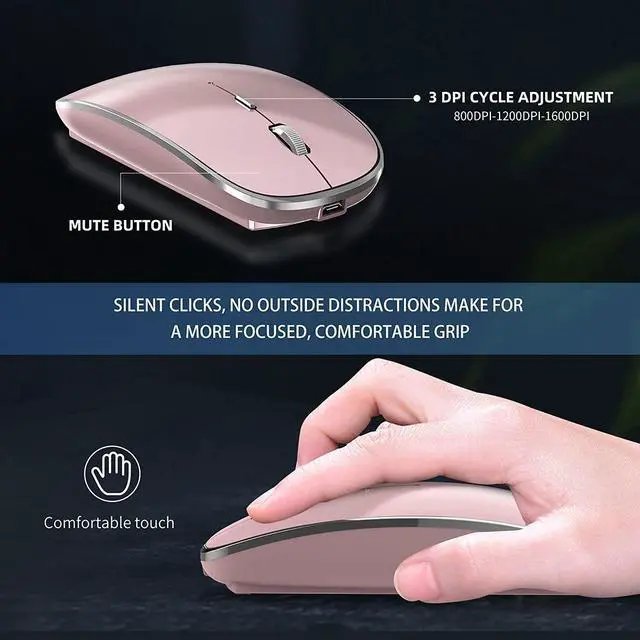
Halpilt Q23S Wireless Mouse with 3-Speed Adjustable DPI (1000 / 1200 / 1600). Freely tune cursor speed for studying, working and gaming.
Automatically sleeps after 10 minutes of idle time. Wake it by pressing any button. The built-in on/off switch saves energy and prolongs battery runtime.Low Power Consumption

The Halpilt Q23S Wireless Mouse comes with silent switches. The left, right and scroll wheel buttons reduce clicking noise, so you can work, study or game quietly without disturbing others.
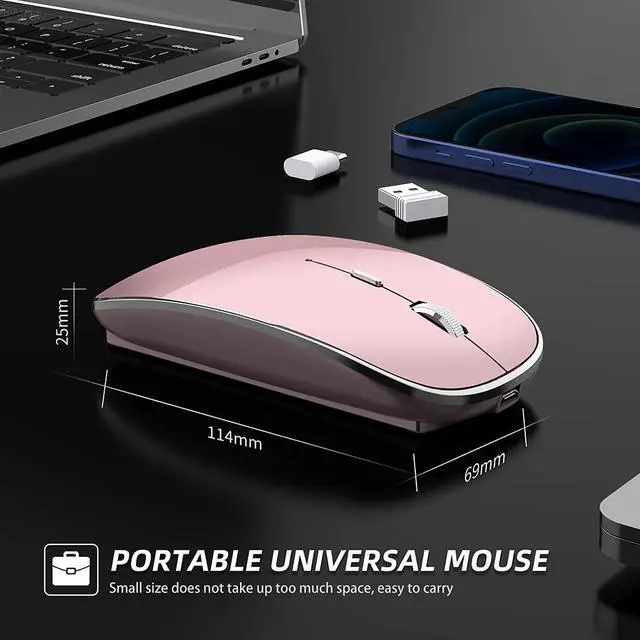
With a smooth matte finish and skin-friendly ergonomic design, it offers a comfortable grip for extended use. Its compact portable size fits easily inside laptop bags for travel.

Ultra-thin Halpilt Q23S Wireless Mouse. Boasting an exquisite, compact and stylish appearance, it adopts premium vacuum silver plating craft and skin-friendly matte texture for distinctive charm.

Halpilt Q23S Wireless Mouse | Meet Your Various Needs
Works with USB-A or USB-C devices.
USB-A & USB-C receivers store neatly in the storage slot on the mouse bottom.

Halpilt Q23S Wireless Mouse for Left & Right Hand Use.
Slim ergonomic build with a smooth surface brings great usability. The symmetrical design fits either hand for easy operation.

Simple Troubleshooting
Mouse Fails to Operate
1. Ensure the receiver is firmly inserted into your computer USB port.
2.Check Device Manager to confirm the receiver driver is installed and recognized.
(New hardware notifications will appear when plugging/unplugging the receiver.)
3. Toggle on the mouse and check the red indicator light.
• Light on: Power works, but pairing failed. Re-seat the receiver or switch USB ports.
• Light stays on but the mouse is undetected: Reboot your computer and re-pair.
Cursor Lag
Lag is typically caused by low battery power. Fully charge the mouse before use.
This mouse features button-free automatic pairing.
For any malfunctions: Power off the mouse, re-plug the receiver, then power the mouse on. This re-pairs the device, refreshes the pairing code and restores default settings.
The included USB-A and USB-C nano receivers support plug-and-play operation; no extra switching is required for the Type-C receiver. It works seamlessly with all computers equipped with USB-A or Type-C ports, including laptops.
Note: Only one mode can be active at a time. The two connections cannot function simultaneously.
Compatible Windows XP / 7/8/10 +, Mac OS X 10.10+. Very suitable for computers with USB or Type-C ports, such as MacBook Pro, MacBook air, Google ChromeBook, laptops, desktops, PCs, etc.
The package includes:
1 wireless mouse 1 USB-A receiver 1 USB- C receiver 1 USB charging cable and 1 user manual
Built-in 450mAh rechargeable lithium-ion battery for the Halpilt Q23S Wireless Mouse. Charge easily with the supplied USB-C cable — no frequent battery changes required. It supports charging while in use.
Prior to first use, charge for 1–2 hours. The red light by the scroll wheel activates while charging. When fully charged, the red light switches off and the green light turns on.
Halpilt Q23S Wireless Mouse with 3-Speed Adjustable DPI (1000 / 1200 / 1600). Freely tune cursor speed for studying, working and gaming.
Automatically sleeps after 10 minutes of idle time. Wake it by pressing any button. The built-in on/off switch saves energy and prolongs battery runtime.Low Power Consumption
The Halpilt Q23S Wireless Mouse comes with silent switches. The left, right and scroll wheel buttons reduce clicking noise, so you can work, study or game quietly without disturbing others.
With a smooth matte finish and skin-friendly ergonomic design, it offers a comfortable grip for extended use. Its compact portable size fits easily inside laptop bags for travel.
Ultra-thin Halpilt Q23S Wireless Mouse. Boasting an exquisite, compact and stylish appearance, it adopts premium vacuum silver plating craft and skin-friendly matte texture for distinctive charm.
Halpilt Q23S Wireless Mouse | Meet Your Various Needs
Works with USB-A or USB-C devices.
USB-A & USB-C receivers store neatly in the storage slot on the mouse bottom.
Halpilt Q23S Wireless Mouse for Left & Right Hand Use.
Slim ergonomic build with a smooth surface brings great usability. The symmetrical design fits either hand for easy operation.
Simple Troubleshooting
Mouse Fails to Operate
1. Ensure the receiver is firmly inserted into your computer USB port.
2.Check Device Manager to confirm the receiver driver is installed and recognized.
(New hardware notifications will appear when plugging/unplugging the receiver.)
3. Toggle on the mouse and check the red indicator light.
• Light on: Power works, but pairing failed. Re-seat the receiver or switch USB ports.
• Light stays on but the mouse is undetected: Reboot your computer and re-pair.
Cursor Lag
Lag is typically caused by low battery power. Fully charge the mouse before use.
This mouse features button-free automatic pairing.
For any malfunctions: Power off the mouse, re-plug the receiver, then power the mouse on. This re-pairs the device, refreshes the pairing code and restores default settings.