• $17.99
  • Price alert
    Sold by AnLiOuMaoYi

    Shipped by AnLiOuMaoYi

    Shop it at NeweggBusiness.

    Meet Your Seller

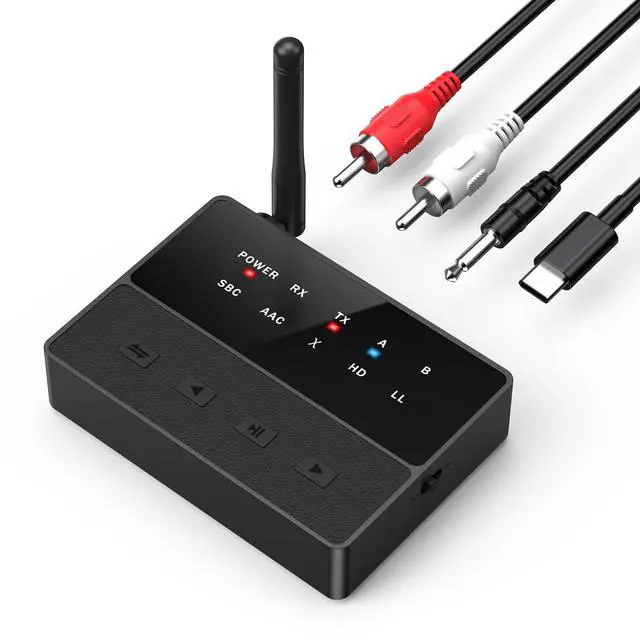
    Bluetooth Audio Adapter, Bluetooth 5.3 AUX Adapter, 2 in 1 Transmitter Receiver with aptX Low Latency and Adaptive, Pairs 2 Devices for TV/Car/Home Stereo/PC

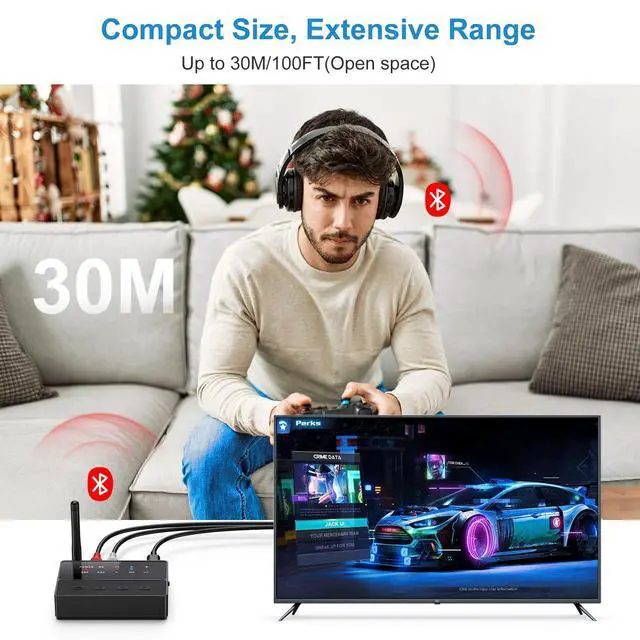
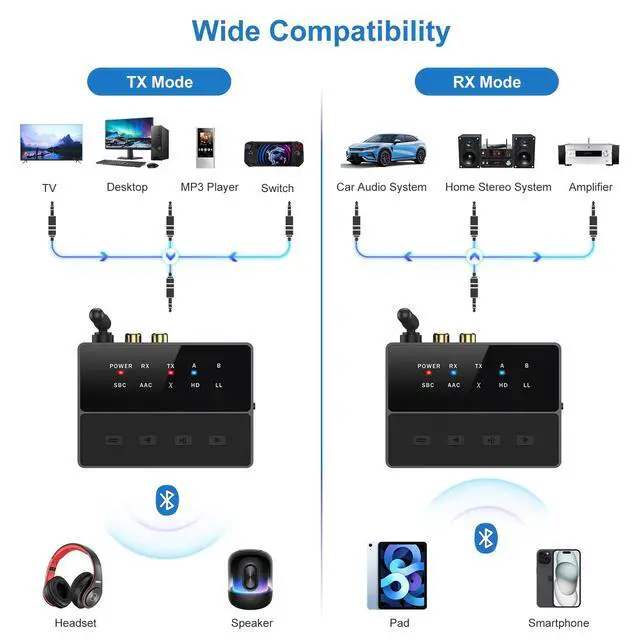
    • [Dual-Function Design]Our bluetooth audio adapter combines both TX (transmitter) and RX (receiver) functions. Use TX mode with desktop computers and TVs, while RX mode is ideal for connecting legacy audio devices like amplifiers, enabling versatile connectivity across modern and traditional systems
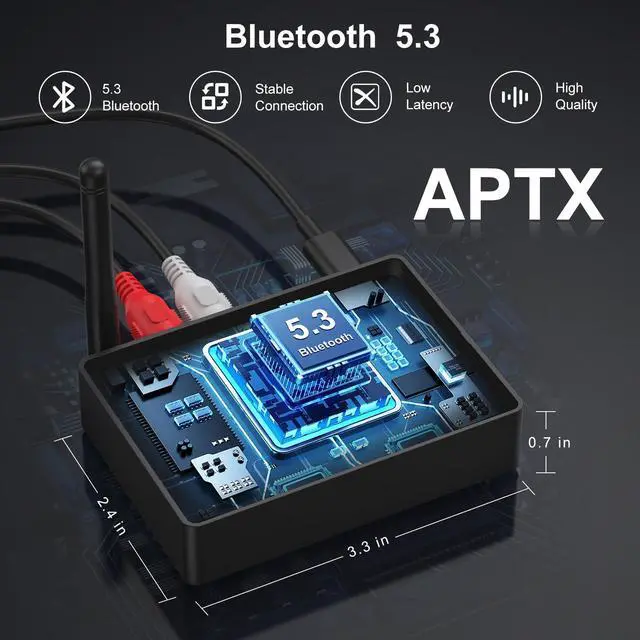
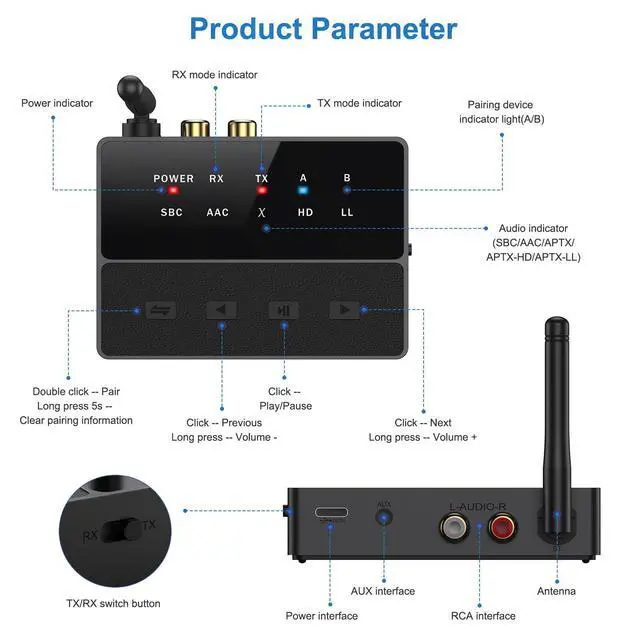
    • [Advanced Bluetooth 5.3 Technology]Equipped with the latest bluetooth v5.3 chipset, it delivers zero-latency audio transmission, faster data transfer speeds, and instant reconnection. Compatible with high-resolution audio codecs including SBC, MP3, AAC, aptX, aptX-LL, and aptX-HD, this adapter achieves CD-quality stereo reproduction. (Note: aptX support requires compatibility on both the adapter and paired device.)
    • [Exceptional Sound Quality]Engineered to decode multiple lossless formats including MP3, WAV, WMA, FLAC, and APE, the adapter features advanced CVC noise-cancellation technology for studio-grade audio clarity and immersive listening experiences
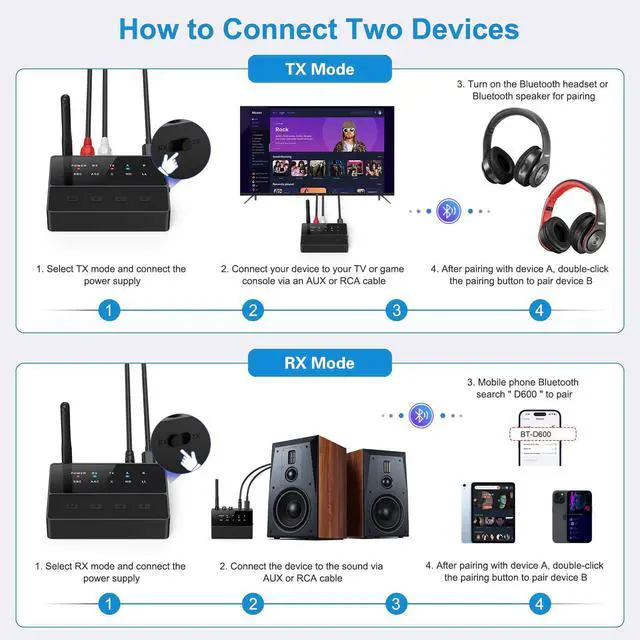
    • [User-Friendly Operation]Simply power on the device and connect via AUX or RCA cable for instant pairing. The intuitive one-touch mode selector allows seamless switching between functions without complex setup procedures
    +
    +
    Overview
    Specs
    Reviews
    avatar

    Any questions? Our AI beta will help you find out quickly.

    Questions and Answers

    Why is there still latency? To achieve low latency, your Bluetooth headset or speaker must support aptX low latency. If they use a different codec (e.g., SBC, AAC, or standard aptX), this can result in 70-200ms of audio latency.
    Does it work on a TV? Make sure your TV is equipped with a 3.5mm audio out port or RCA audio out port. The port plugged into the TV must be the output port.
    Can't connect? To pair with Ankilo Bluetooth adapter, turn off nearby devices' Bluetooth, ensure headphones/speakers aren't connected to other devices, keep close during pairing. If not connected, reset headphones/speakers' Bluetooth and turn on Ankilo adapter.
    Is there static noise? Static noise is caused by the AUX/RCA cable being connected only to the product and not to the device on the other end (speakers or TV). Make sure both ends of the device appear to be connected. Turn off interfering devices around you.
    Can't connect the TV? Some TVs need to open the TV's setup function after connecting, then select audio output so that there will be sound.
    No sound from the TV? Make sure the AUX cable is securely connected to the “Audio Out” or headphone jack on your TV and verify that the two devices are properly paired. Then, change the TV's sound settings from “TV Speakers” to “Audio Out”.
    Note None of our Bluetooth adapters are compatible with Sony headphones.
    1
    1

    1

    Merchant Video

    Questions and Answers

    Why is there still latency? To achieve low latency, your Bluetooth headset or speaker must support aptX low latency. If they use a different codec (e.g., SBC, AAC, or standard aptX), this can result in 70-200ms of audio latency.
    Does it work on a TV? Make sure your TV is equipped with a 3.5mm audio out port or RCA audio out port. The port plugged into the TV must be the output port.
    Can't connect? To pair with Ankilo Bluetooth adapter, turn off nearby devices' Bluetooth, ensure headphones/speakers aren't connected to other devices, keep close during pairing. If not connected, reset headphones/speakers' Bluetooth and turn on Ankilo adapter.
    Is there static noise? Static noise is caused by the AUX/RCA cable being connected only to the product and not to the device on the other end (speakers or TV). Make sure both ends of the device appear to be connected. Turn off interfering devices around you.
    Can't connect the TV? Some TVs need to open the TV's setup function after connecting, then select audio output so that there will be sound.
    No sound from the TV? Make sure the AUX cable is securely connected to the “Audio Out” or headphone jack on your TV and verify that the two devices are properly paired. Then, change the TV's sound settings from “TV Speakers” to “Audio Out”.
    Note None of our Bluetooth adapters are compatible with Sony headphones.
    1
    1

    1

    Merchant Video

    Experience seamless wireless audio with this versatile Bluetooth 5.3 adapter that functions as both a transmitter and receiver. In TX mode, connect it to your TV or desktop computer; in RX mode, breathe new life into your legacy audio systems and amplifiers. This advanced adapter supports multiple audio codecs including SBC, MP3, AAC, aptX, aptX-LL, and aptX-HD, delivering crystal-clear sound quality. The device features convenient one-touch operation for mode switching and can simultaneously connect to two devices, allowing effortless switching between them with a double-click. Compatible with various audio formats including MP3, WAV, WMA, FLAC, and APE, it ensures superior sound reproduction with CVC noise reduction technology. The adapter comes equipped with status indicator lights for easy monitoring and includes both AUX and RCA connection options. Simply power up the device, connect your audio cables, and enjoy enhanced wireless audio capabilities on your existing equipment.


    Product information

    Special Feature Bluetooth Transmitter And Receiver, Cvc Noise Reduction, Dual Device Connection, High-fidelity Audio
    Brand Criacr
    Connectivity Technology AUX, Bluetooth, Rca
    Power Source Usb Powered
    Material Plastic
    Package Dimensions 4.69 x 3.94 x 1.77 inches
    Item Weight 5 ounces
    Item model number CP321-RTUS
    Date First Available January 17, 2025
    Manufacturer Criacr

    Additional Features

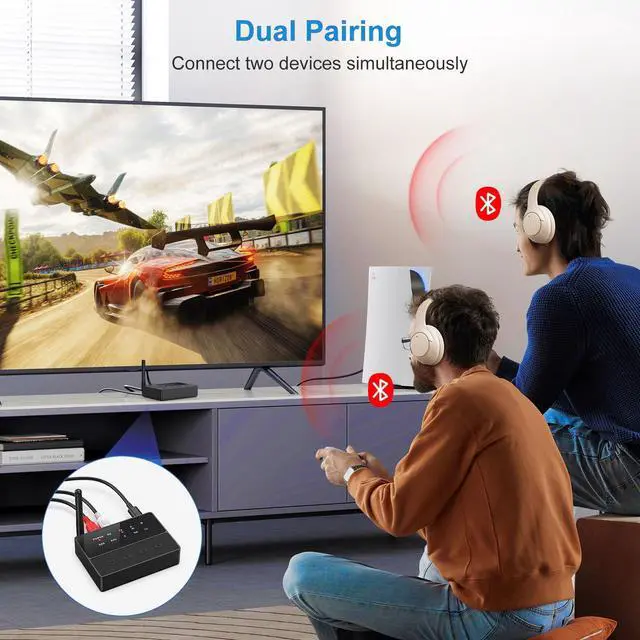
    • [Intelligent Dual-Device Connection]Simultaneously pair two bluetooth-enabled devices (e.g., smartphone + tablet or dual headphones) through intelligent channel management. After initial pairing, double-click the multi-function button to activate secondary device connection while maintaining active control over both audio sources

    Warranty & Returns

    Warranty, Returns, And Additional Information

    Warranty

    • Please contact the Seller directly for warranty information. Warranty information may also be found on the Manufacturer's website.
    • CONTACT

    Return Policies

    Manufacturer Contact Info

    LOADING...