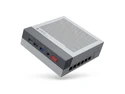
here!
here!
I’m your shopping assistant for PC builds, upgrades, and everything tech.
Got questions? Ask away!
Start a conversation
here!
I’m your shopping assistant for PC builds, upgrades, and everything tech.
Got questions? Ask away!
Start a conversation




Any questions? Ask CelesteSM will help you find out quickly.


Product information
| Brand | Rmatamini |
| Operating System | Windows 11 |
| CPU Model | Core e5 |
| CPU Speed | 2.3 GHz |
| Cache Size | 20 MB |
| Memory Storage Capacity | 256GB |
| Specific Uses For Product | Personal |
| Personal computer design type | Computer Tower |
| Screen Size | |
| Ram Memory Installed Size | 16 GB |
| Standing screen display size | |
| Processor | 2.3 GHz core_e5 |
| RAM | 16 GB |
| Memory Speed | 2133MHz |
| Graphics Card Ram Size | 8 GB |
| Wireless Type | 2.4 GHz Radio Frequency |
| Number of USB 2.0 Ports | 4 |
| Number of USB 3.0 Ports | 2 |
| Series | P99 |
| Item model number | RMATAMINI |
| Hardware Platform | PC |
| Item Weight | 8.25 pounds |
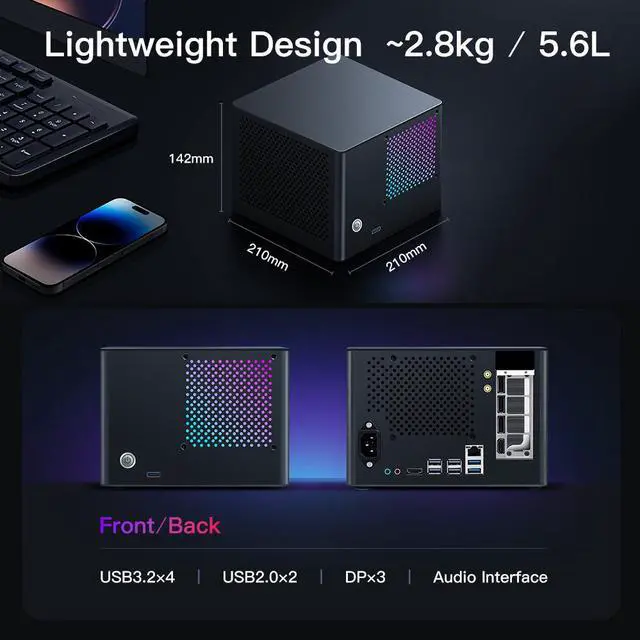
| Product Dimensions | 7.87 x 7.87 x 5.51 inches |
| Item Dimensions LxWxH | 7.87 x 7.87 x 5.51 inches |
| Color | Grey |
| Processor Brand | i5 |
| Number of Processors | 10 |
| Computer Memory Type | DDR3 SDRAM |
| Hard Drive Interface | PCIE x 4 |
| Hard Drive Rotational Speed | |
| Optical Drive Type | CD-R |
| Date First Available | December 30, 2025 |
Additional Features
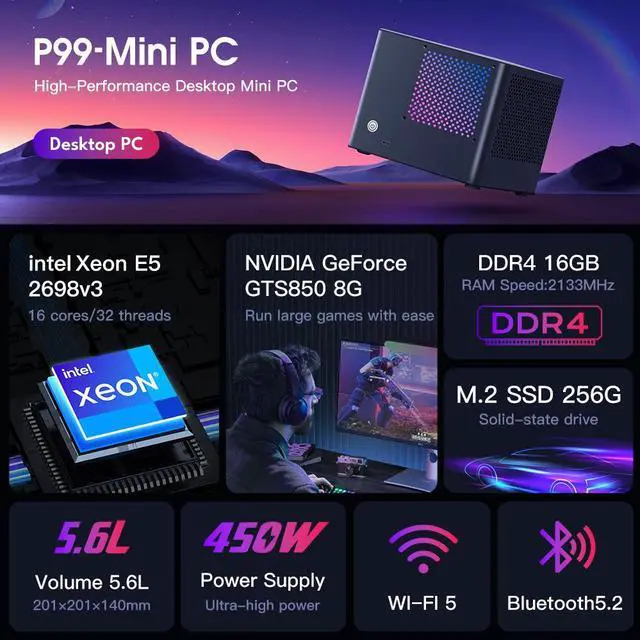
The RMATAMINI P99S is a compact 5.6L Windows 11 gaming desktop with an Intel Xeon processor, 16GB dual-channel DDR4 memory, GeForce GTX850 8GB graphics, and a 256GB SSD, making it suitable for multitasking, office work, HD video editing, casual gaming, streaming, and home entertainment.
| Attribute | Value |
|---|---|
| Best For | Personal computing, multitasking, media use, and casual gaming with a 16-core Xeon processor, 16GB memory, GeForce GTX 850 8GB graphics, and a 256GB SSD |
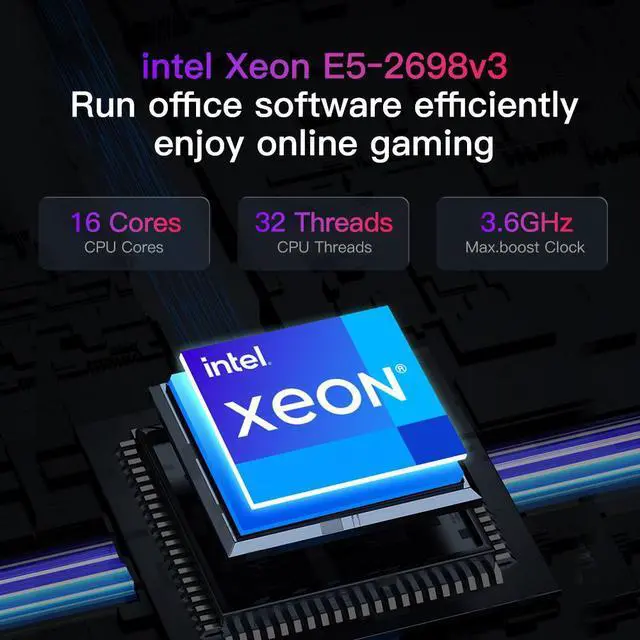
| Processor And Core Count | Intel Xeon E5-2698 v3 processor with 16 cores, a 2.3GHz listed speed, 20MB cache, and an LGA 2011-3 socket |
| GPU And Graphics | GeForce GTX 850 graphics with 8GB GDDR5 memory and a PCI Express graphics interface |
| Memory Configuration | 16GB DDR4-2133 memory with dual-channel, two-channel operation and a listed 16GB maximum |
| Storage And Expansion | 256GB SSD using a PCIe x4 interface, with one listed expansion slot |
| Ports And Display Output | Six USB ports consisting of four USB 2.0 and two USB 3.0 ports, plus two HDMI outputs with a listed maximum resolution of 1440 × 900 |
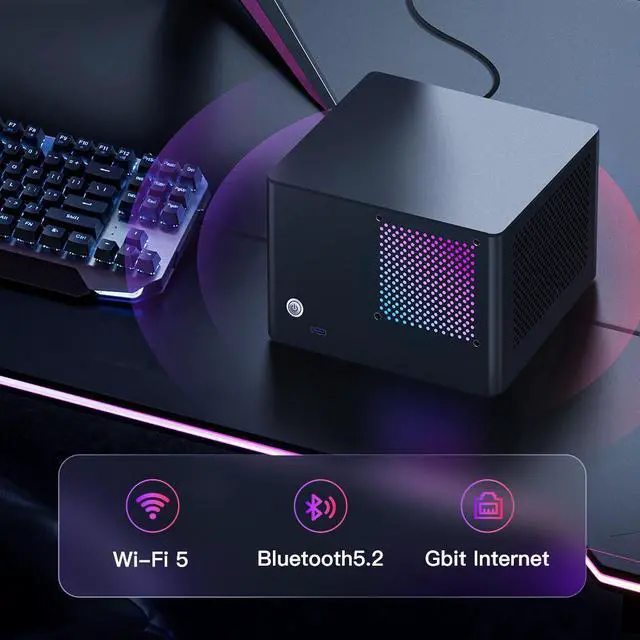
| Wired And Wireless Networking | Wi-Fi 5 wireless networking through 802.11ac at 2.4GHz, with Bluetooth 5.2 support |
| Cooling And Power | Air cooling with 450W power consumption and a North American Type A two-pin plug |
| Operating System And Input | Windows 11 operating system with a standard wired QWERTY keyboard |
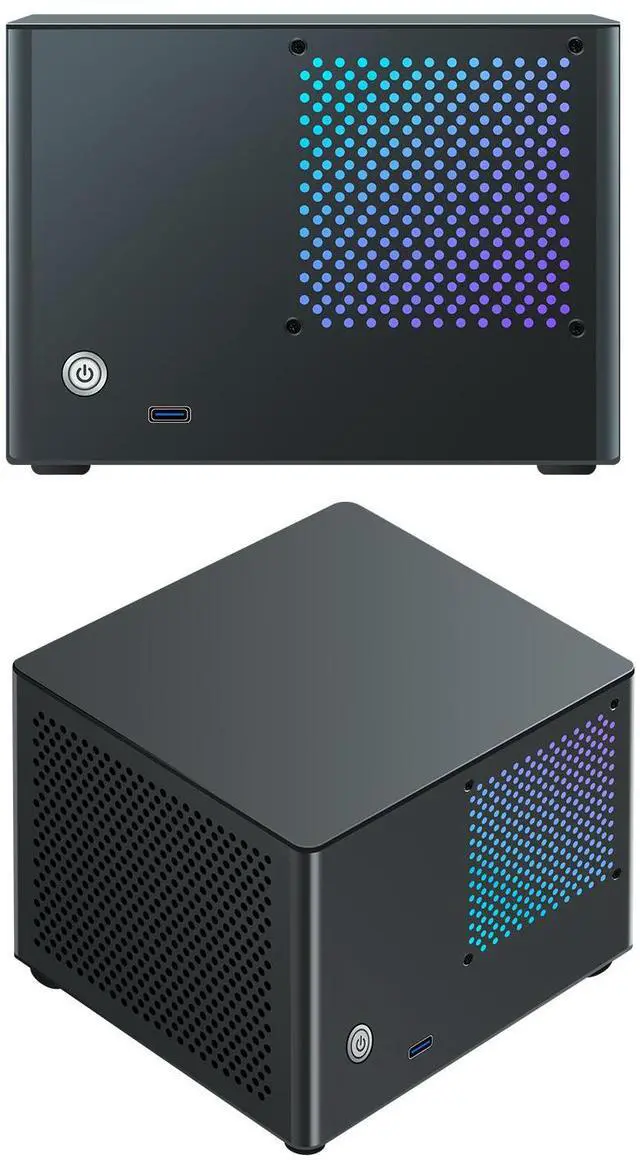
| Chassis And Lighting | Grey Mini PC design with built-in RGB lighting |
| Model Identifiers | RMATAMINI P99S, with the 2698Bv3-GTX850 model name and RMATAMINI model designation |
Q: Is the RMATAMINI P99 better than a current Ryzen 9 mini PC such as the MINISFORUM UM790 Pro?
A: Choose the RMATAMINI P99 only if you specifically want its listed discrete GTX 850 graphics card and larger 5.6L chassis. Choose the MINISFORUM UM790 Pro for a newer platform, Ryzen 9 7940HS processor, Radeon 780M graphics, DDR5 memory, PCIe 4.0 storage support, Wi-Fi 6E, and USB4 connectivity. The UM790 Pro is the more modern choice for general productivity, integrated-graphics gaming, and compact portability, while the P99 may be preferable when its discrete GPU and upgradeable desktop-style design are confirmed. The P99 listing should be verified before purchase because it identifies the processor as an Intel Xeon E5-2698 v3 in one section but also shows an incompatible hybrid-core description elsewhere. Intel lists the E5-2698 v3 as a 16-core/32-thread Haswell server processor launched in 2014. ([intel.com](https://www.intel.com/content/www/us/en/products/sku/81060/intel-xeon-processor-e52698-v3-40m-cache-2-30-ghz/specifications.html?utm_source=openai))
Q: Should I choose this P99 over a basic Intel N100 mini PC for everyday work?
A: Choose the P99 for heavier multitasking, CPU-intensive applications, or workloads that can use its listed discrete graphics card. Choose an Intel N100 mini PC for lower-power office work, web browsing, media playback, and simple home-server duties. Intel lists the N100 as a 4-core/4-thread, 6W processor with integrated Intel UHD Graphics, while the E5-2698 v3 is a 16-core/32-thread, 135W server processor. The P99 therefore offers a higher stated compute ceiling, but an N100 system is typically the better fit when low power consumption, quiet operation, and basic productivity are the priorities. ([intel.com](https://www.intel.com/content/www/us/en/products/sku/81060/intel-xeon-processor-e52698-v3-40m-cache-2-30-ghz/specifications.html?utm_source=openai))
Q: Is the P99 suitable for modern PC gaming, or should I buy a higher-tier gaming desktop?
A: Buy a higher-tier gaming desktop if your priority is current AAA gaming, high refresh rates, modern graphics features, or predictable game performance. Consider the P99 for older games, esports titles at modest settings, game streaming, and general entertainment only after confirming the exact GPU model, video memory, power supply, and driver support. The P99 PDP lists a GTX 850 8G, but it does not provide a verifiable manufacturer GPU specification or independent gaming benchmarks. Its advertised ray-tracing wording should not be treated as proof of hardware ray-tracing support. A newer desktop GPU is the clearer choice when gaming performance and feature support are the main requirements.
Q: Is the P99 a better travel computer than a smaller modern mini PC?
A: Choose the P99 when you need a compact desktop with a discrete GPU and can accept a 5.6L chassis, 256GB SSD, and older DDR4 platform. Choose a smaller modern mini PC when backpack portability, lower weight, lower power use, and newer connectivity matter more. For example, the MINISFORUM UM790 Pro measures approximately 130 × 126 × 52.3 mm and includes DDR5 support, dual PCIe 4.0 M.2 slots, Wi-Fi 6E, and USB4. The P99 may provide more graphics expansion flexibility if its components are confirmed, but the UM790 Pro is the more portability-focused design. ([ca.minisforum.com](https://ca.minisforum.com/products/minisforum-um790-pro?utm_source=openai))
Q: Is this mini PC suitable for travel and business trips?
A: It is suitable for portable desktop use because the 5.6-liter chassis is compact and weighs about 8.25 pounds. However, it is not a laptop: you must also have access to a monitor or portable display, keyboard, mouse, and power outlet at your destination.
Q: Is it good for office work, meetings, note-taking, and multitasking?
A: Yes. Windows 11, a 16GB dual-channel memory configuration, an SSD, Wi-Fi 5, Bluetooth 5.2, and a 16-core Xeon processor make it suitable for office applications, web meetings, note-taking, streaming, and switching between multiple everyday programs. Video editing and other sustained workloads may be limited by the older platform and compact design.
Q: Can this mini PC handle gaming?
A: It is best suited to casual gaming and games that do not require the newest high-end graphics hardware. The dedicated 8GB GeForce GTX 850 graphics card can help with gaming and graphics workloads, but the listing does not provide game-specific frame-rate results, so performance will vary by title, resolution, and graphics settings.
Q: Is 256GB of storage enough?
A: The 256GB SSD is sufficient for Windows 11, office software, and everyday files, but it may fill quickly with large games, videos, or creative projects. The system includes USB connectivity, so an external SSD or hard drive can be used for additional storage; verify the preferred expansion method before purchase.
Q: Who is this mini PC best suited for?
A: It is best suited for buyers who want a compact Windows 11 desktop for office work, multitasking, streaming, casual gaming, and space-constrained setups. It is less suitable for users who need a built-in display and battery, extensive internal upgrade options, a large included game library, or clearly documented performance for demanding modern games.
Q: Is this PC a good choice for gaming?
A: It is better suited to older, esports, and casual games than demanding modern AAA titles. The 16-core Xeon can support gaming, but it is an older server processor with weaker per-core performance, and the listed GTX 850 8GB graphics card is the main performance constraint. Exact frame rates for this prebuilt are not established. ([youtube.com](https://www.youtube.com/watch?v=8tb5W_D8lJs&utm_source=openai))
Q: Is it worth buying compared with a newer mainstream PC?
A: It is most defensible when priced substantially below a newer system and when the small 5.6-liter case, included Windows 11 setup, and high core count are important. A newer mainstream PC is generally the safer choice for gaming responsiveness, application compatibility, efficiency, and future upgrades. ([reddit.com](https://www.reddit.com/r/pcmasterrace/comments/16fexqk?utm_source=openai))
Q: Is it suitable for work, multitasking, or video editing?
A: It can handle office work, multitasking, and heavily threaded encoding, supported by its 16-core Xeon and 16GB of dual-channel DDR4 memory. However, the older architecture has lower per-core performance, so interactive editing and responsiveness may be slower than on a newer Core or Ryzen system. The 256GB SSD also provides limited space for large video projects. ([reddit.com](https://www.reddit.com/r/handbrake/comments/swneps?utm_source=openai))
Q: Can it work as a NAS or home media server?
A: It can serve as a compact file server or direct-play media system, but it is not a complete NAS solution as listed: the specification includes only a 256GB SSD and does not identify additional NAS hard drives or a storage array. Xeon systems can handle server workloads, but hardware video transcoding may be less efficient because no integrated graphics engine is listed. ([reddit.com](https://www.reddit.com/r/PleX/comments/18xum90?utm_source=openai))