








As one of the earliest professional external optical drive manufacturers invited to join , ROOFULL has sold over 3,240,000 pieces of CD/DVD drives since 2015.
We prioritize exceptional product quality, with each drive undergoing rigorous testing. Additionally, we are ready to assist with any inquiries or issues, ensuring support and satisfaction at every step.
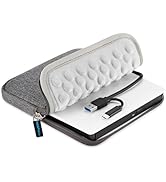
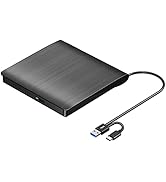
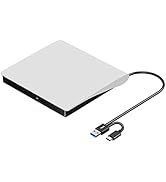
Best CD/DVD Drive for PC & Mac
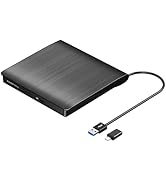
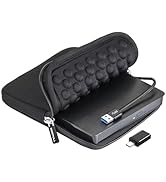
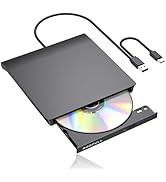
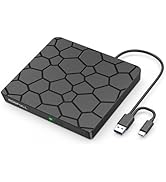
Cost-effective CD/DVD Drive
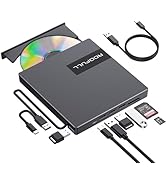
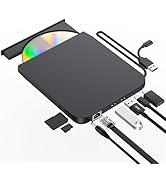
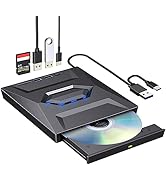
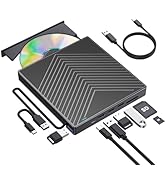
Top All-in-One CD DVD Drive
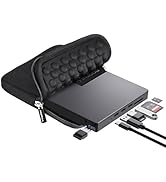
Top All-in-One DVD Drive+Case


ROOFULL 8-In-1 External CD/DVD Drive Reader Burner for Windows & Mac Laptops
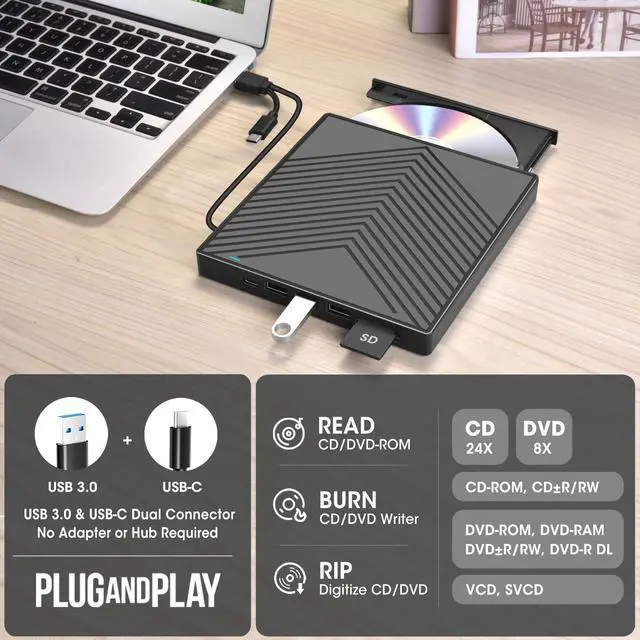
If your laptop or desktop lacks an internal optical drive, this reliable ROOFULL external CD/DVD drive, which is recommended by 93% of users, is the perfect solution for enjoying your old music albums and DVD collections. With this USB CD/DVD-ROM, you can not only play music CDs and movie DVDs, but also burn your music CDs, digitize your old music CDs, convert them to MP3, copy audio files to your computer, create custom mixtapes or back up your photos and videos, install software or games from a disk, or have a reliable solution for data transfer and system backups. It supports various disc formats, including CD-R/RW, DVD±R/RW, DVD-RAM, VCD, and SVCD, making it a versatile tool for multimedia tasks.
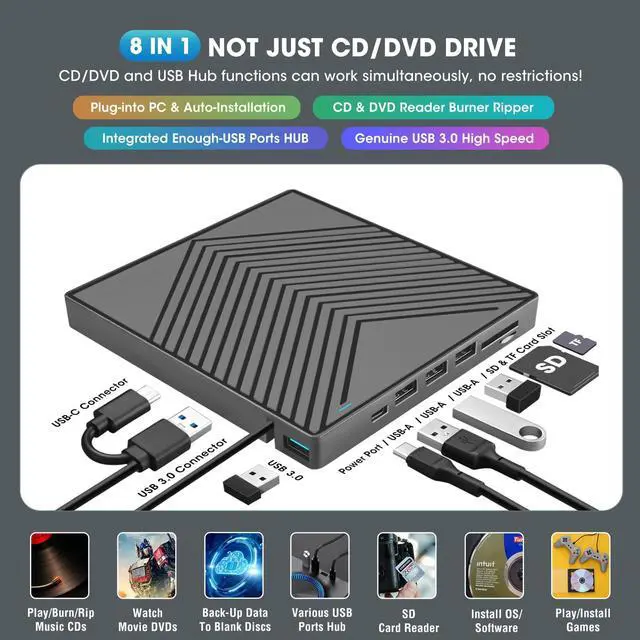
To be thinner and lighter, the latest laptops provide fewer and fewer ports or even cancel the USB-A port. However, we still need enough USB-A ports to connect external devices like 2.4G wireless receivers, Bluetooth adapters, wired mice/ keyboards, etc. To address this issue, this 8-in-1 external CD/DVD optical drive also integrates multiple extension USB ports and SD/TF card slots that make it easy for you to access videos from cameras or surveillance systems.
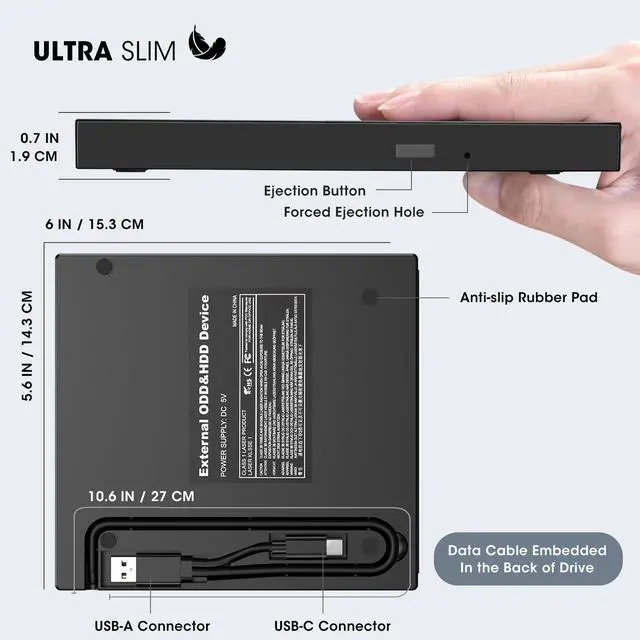
Designed for portability, this ultra-slim drive is lighter and thinner than most conventional DVD drives, slipping easily into your travel bag—perfect for DVD lovers on the go.

Enhanced USB 3.0 High Speed, Supported Disc Type, and Max Read/Write Speed
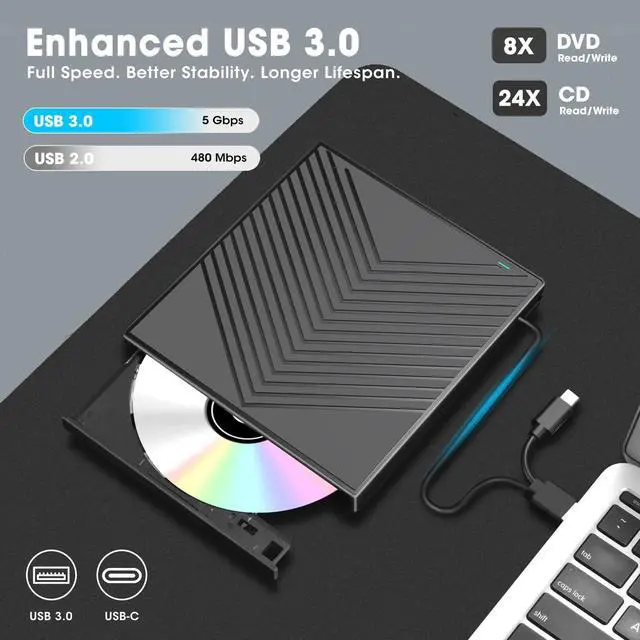
Upgraded USB 3.0 not only supports high-speed transfers up to 5 Gbps — 10 times faster than USB 2.0 — with DVD 8X and CD 24X max read/write, but also offers smooth, stable, and reliable operation with enhanced error correction and noise reduction for long-lasting use.
Supported Disc Types: Support the reading, burning (writing/rewriting), and ripping (digitizing) of multiple types of discs, including CD-ROM, CD-R, CD±RW, DVD-ROM, DVD-RAM, DVD±R, DVD±RW, DVD±R DL, VCD, SVCD. (Blu-ray, 4K, and some M-discs are NOT supported)
Max Read/Write Speeds: CD-ROM 24x, CD-R 24x, CD±RW 8x, DVD-ROM 8x, DVD±R 8x, DVD±RW 8x, DVD±R DL 4x. (Tips: The drive gradually increases speed from the inner to the outer edge, with a slower startup speed that reaches maximum performance as it progresses.)
Safe Burning & Ripping Speed: While the maximum read/write speeds for CDs are 24X and 8X for DVDs, we recommend burning or ripping at 10X or lower for CDs, and 4X to 8X for DVDs. Slower speeds, such as 4X or 8X, are ideal for ensuring data integrity, especially with high-capacity or dual-layer discs. These speeds enable more precise data encoding, reducing the risk of read errors.

USB 3.0 & USB-C Data Cable
The data cable embedded under the drive has USB 3.0 & USB-C two kinds of connectors on the end, making it easier to connect different laptop or desktop computers without an adapter required and no worries about losing the data cable.
* Due to the limitation of the design, the data cable length is about 27 cm/ 10.6 inches.

Separate Power Supply Cord
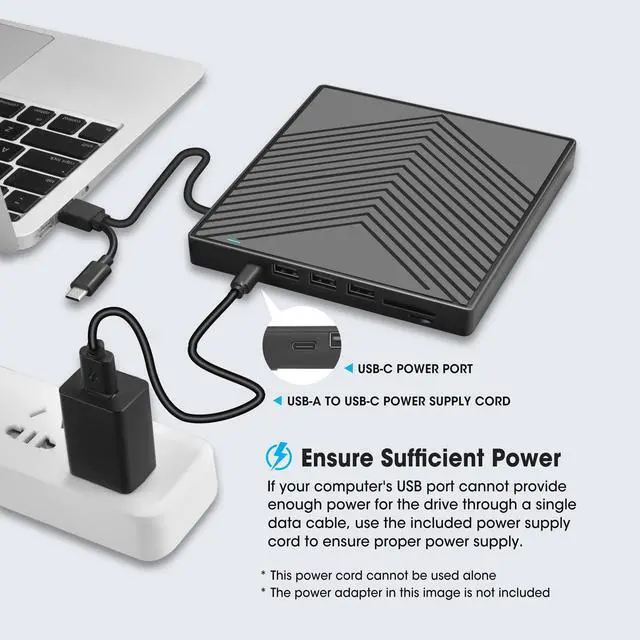
In addition to the data cable, this drive also comes with a USB to micro-USB power supply cord. If the USB ports on your computer cannot supply enough power via a single data cable, you can connect this separate power supply cord to a 5V USB power bank or power adapter to ensure sufficient power supply.
* The power cord is not a data cable, avoid using it independently.

Integrated USB Hub/SD Card Slot
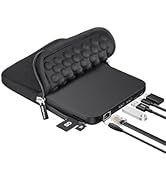
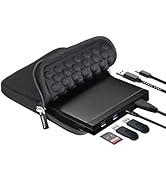
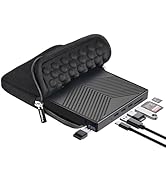
It's not only a CD/DVD optical drive burner but also equipped with additional 3 USB 2.0 ports, 1 USB 3.0 port, 1x SD card slot, and 1 micro-SD card reader to hook up your other external devices and SD/micro-SD card, alleviating the trouble of insufficient interfaces on your computer.
* SD card slot and micro-SD card slot cannot be used at the same time.

Ultra-Slim & Package Contains
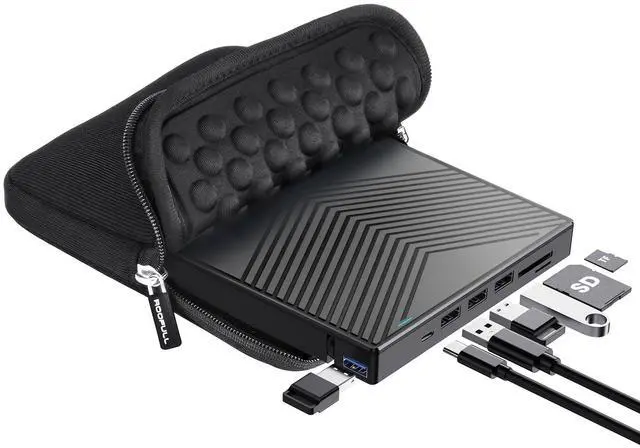
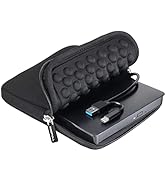
Compact and portable design, making it easy to take with you wherever you go (home, office, or on the go). It comes with a thicker protective carrying case sleeve that ensures your device is protected from dust, water, and drops.
Package Contains: 1*External CD/DVD Drive + 1*User Manual + 1*USB-A to USB-C Power Supply Cord + 1* Protective Storage Carrying Case

Compatibility, Incompatibility, Recommended Software, and Usage Instructions
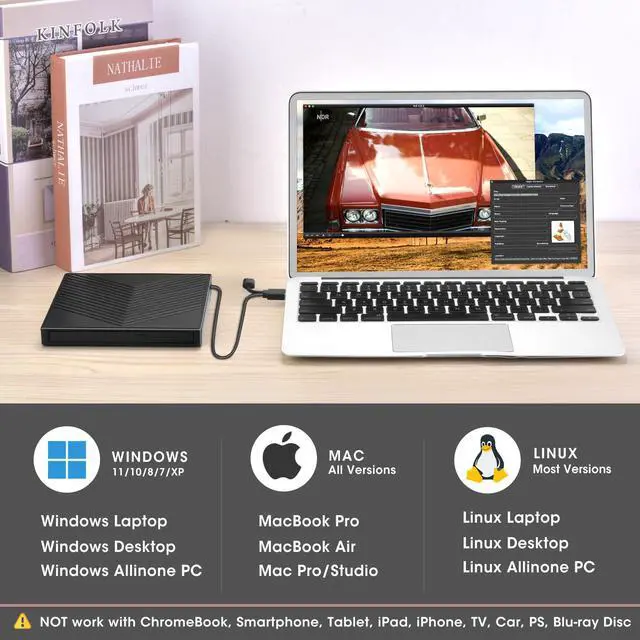
Compatibility: This USB external CD/DVD player for PC is compatible with Windows laptops and desktops (11, 10, 8, 7, Vista, XP), Linux computers, and Apple devices including MacBook Pro, MacBook Air, iMac, Mac mini, and Mac Studio (including M1, M2, M3, and M4 chips).
Incompatibility: This drive is not compatible with Chrome OS (Chromebooks), TVs, cars, trucks, projectors, tablets, iPads, smartphones, gaming consoles (PS4/PS5, Xbox, Nintendo Switch), and it cannot play Blu-ray discs.
How to Use on Windows Computers: Prepare playback, burning, or ripping software based on your needs, and network connection for Windows 11 > Connect the data cable (located under the drive) to your computer's USB-A or USB-C port directly, or through a self-powered USB hub > The system will automatically install the necessary driver, and a “DVD RW” icon will appear in Windows Explorer > For video DVDs, make sure to set the DVD region code to match your disc (e.g., Region 1 for US/Canada); CDs do not require a region setting > Insert the CD or DVD, then use your chosen software to play, burn, or rip > When finished, eject the disc by pressing the physical button or right-clicking the icon and selecting “Eject.”
Trusted Free Software for Windows: For audio CD playback, use Windows Media Player or VLC; for video DVD playback, try VLC, Kodi, or 5KPlayer; to burn audio CDs, use CDBurnerXP or ImgBurn; for burning video DVDs, use ImgBurn, BurnAware Free, or CDBurnerXP; to rip audio CDs, consider Windows Media Player, iTunes, Exact Audio Copy (EAC), or Fre:ac; to rip video DVDs, use HandBrake or MakeMKV.
How to Set the Region Code in Windows: Right-click the "DVD-RW Drive" icon and select "Properties" > Go to the "Hardware" tab and select your CD/DVD drive > Click "Properties" at the bottom > Open the "DVD Region" tab > Choose the correct region (e.g. Region 1 for US/Canada) and click "OK". (Note: You can only change the region code 4~5 times.)
How to Use it on Apple Mac Computers: Open Finder > Settings (or Preferences, depending on your macOS version) > Ensure "CDs, DVDs, and iOS Devices" is checked in the General Tab and Sidebar Tab if available > Prepare the media player, burning, or ripping software based on your needs (not all) > Plug the data cable (located under the drive) into your computer's USB-A or USB-C port directly or a self-powered USB hub > Insert your CDs or DVDs > The disc drive icon will appear on the desktop after a disc is successfully read > Use your installed software to play, burn, or rip the disc > After playback/burning, the tray cannot open via the button due to macOS limitations. To eject a disc on Mac computers after playback/burning, right-click on the desktop icon and select "eject," or choose "File" > "Eject" from the menu.
Trusted Free Software for Apple Mac: For audio CDs, use Apple Music, iTunes, or VLC; for video DVD playback, use VLC or Apple DVD Player; for burning audio CDs, try Apple Music, Burn, or Express Burn; to burn video DVDs, use Burn for Mac, HandBrake, DVDStyler, or iDVD (for older systems); to rip audio CDs, use Apple Music, X Lossless Decoder (XLD), or HandBrake; to rip video DVDs, use MakeMKV or HandBrake with VLC (to read protected DVDs).
What's the Burning & Ripping: “Burning” means copying music, videos, or files from your computer onto a blank CD or DVD, while “ripping” means copying content from a CD or DVD onto your computer. These processes let you create custom discs or save physical media digitally.
Note Before Burning Discs: Before burning, ensure your blank disc capacity is sufficient (CD-R/CD-RW: 700MB or 80 min audio; DVD-R/DVD+R: 4.7GB or 2 hours video; Dual Layer DVD: 8.5GB for long videos), use the proper burning software, set a safe burning speed (10X or lower for CDs and 4X to 8X for DVDs), and confirm the file format is compatible with the blank disc (Supported audio formats: WAV, MP3, WMA, AAC [M4A]. For car or home CD players, burn in CD-DA format; Use MPEG-2, VOB, or MPG for DVD-Video.). To convert files into disc-compatible formats, use Burn (for Mac), DVDStyler (for Windows & Mac), or CDBurnerXP (for Windows). If burning a data disc for storage, you can include any standard file types without format conversion.
About Photo/Image Discs: Some photos cannot be viewed or downloaded on Mac and Windows due to incompatible disc formats, unsupported image files, copy protection, or disc damage. Both systems support JPEG, PNG, TIFF, BMP, GIF, HEIF, and most RAW formats, but some RAW files may need Preview, Photos, or third-party software to open.
About Data Cable & Power Supply Cord: The USB-A/C data cable is integrated into the bottom of the drive and connects to your computer. If the computer’s USB port does not supply enough power, use the included power cable to connect the drive to a 5V USB charger or power bank to ensure stable operation and prevent read or burn errors.

Troubleshooting Steps
[Windows OS] If your Windows computer recognizes the CD/DVD drive writer, you can see the DVD RW icon in Windows Explorer. If your Windows laptop PC cannot recognize this CD/DVD burner drive, please try the following suggestions:
1. Use the Type A and Type C cables on the back (bottom) of the optical drive to connect your computer's USB port or a self-powered USB hub. For Windows 11/10, please make sure a network connection and a media player software (Such as Windows media player for audio CDs, VLC player for audio CDs and video DVDs)
2. Try different USB: Move the data cable to different USB ports on your computer.
3. Reinstall the driver: 1. Right-click the Windows Start Button in the lower left corner of the screen, or press the Windows Logo + X key combination on the keyboard, from the list, and click to select Device Manager. 2. Click View. 3. Click Show Hidden Devices. 4. Fine this DVD/CD-ROM drive or similar name. 5. Right-click and select Uninstall. 6. Reboot your computer and replug the external drive, Windows will detect the drive and then reinstall it. If it is not solved, reach out to us for a driver troubleshooting tool, the download link is not allowed here.
[Windows OS] This drive supports CDs and DVDs. If this USB DVD drive can only play audio CDs but cannot play video/movie DVDs on your Windows PC, please try the methods below:
1. Use the right media player software (such as VLC player). Some media players, such as Windows Media Player, cannot play video DVDs.
2. Before playing video DVDs, please set the region code to number 1 to play the U.S. or CA DVDs. Steps: 1. Right-click the "DVD-RW Drive" icon and select "Properties". 2. Go to the "Hardware" tab and select your CD/DVD drive. 3. Click "Properties" at the bottom. 4. Open the "DVD Region" tab. 5. Choose the correct region (e.g., USA is 1) and click "OK". (Note: You can only change the region code 4-5 times.)
[Mac OS] The Mac computer will show the device icon after the disc is placed in the optical drive. If your MacBook, iMac, or Mac Pro/Studio cannot recognize this CD/DVD drive, please try the following suggestions:
1. Open Finder > Settings (or Preferences, depending on your macOS version) > Ensure "CDs, DVDs, and iOS Devices" is checked in General Tab and Sidebar Tab if available.
2. The Mac OS computer will not display the device icon until the disc is placed in the optical drive and the disc is read successfully.
3. Move the data cable to different USB ports on your mac computer, and try different discs.
 ROOFULL External CD DVD Drive Player Burner CD/DVD-ROM +/-RW Optical Disk Dri... |  ROOFULL External CD DVD +/-RW Drive USB 3.0 & USB-C CD Burner DVD Player Read... | 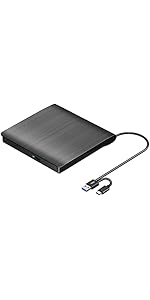 ROOFULL External CD DVD +/-RW Drive USB 3.0 & USB-C Portable CD/DVD ROM Playe... | 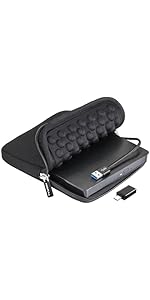 ROOFULL External CD/DVD Drive USB 3.0 Portable CD DVD Player Burner Reader Wr... |  ROOFULL External CD DVD Drive USB 3.0 Portable DVD & CD-ROM +/-RW Player Burn... |  ROOFULL External CD DVD Drive USB 3.0 & USB-C, 8 IN 1 CD/DVD-ROM Player Burne... | |
|---|---|---|---|---|---|---|
| Customer Reviews | — | — | — | — | — | — |
| Price | — | — | — | — | — | — |
| Connector Type | USB 3.0 Type-A & USB Type-C | USB 3.0 Type-A & USB Type-C | USB 3.0 Type-A & USB Type-C | USB 3.0 Type-A & USB Type-C Adapter | USB 3.0 Type-A | USB 3.0 Type-A & USB Type-C |
| Compatible OS | Windows 11 / 10 / 8.1 / 8 / 7 / XP, Linux, All versions of Mac OS | Windows 11 / 10 / 8.1 / 8 / 7 / XP, Linux, All versions of Mac OS | Windows 11 / 10 / 8.1 / 8 / 7 / XP, Linux, All versions of Mac OS | Windows 11 / 10 / 8.1 / 8 / 7 / XP, Linux, All versions of Mac OS | Windows 11 / 10 / 8.1 / 8 / 7 / XP, Linux, All versions of Mac OS | Windows 11 / 10 / 8.1 / 8 / 7 / XP, Linux, All versions of Mac OS |
| Compatible Devices | Laptops & Desktop PCs | Laptops & Desktop PCs | Laptops & Desktop PCs | Laptops & Desktop PCs | Laptops & Desktop PCs | Laptops & Desktop PCs |
| Supported Disc | CD-R, CD-ROM, CD+/-RW, DVD-ROM, DVD-R, DVD+/-RW, DVD-R DL | CD-R, CD-ROM, CD+/-RW, DVD-ROM, DVD-R, DVD+/-RW, DVD-R DL | CD-R, CD-ROM, CD+/-RW, DVD-ROM, DVD-R, DVD+/-RW, DVD-R DL | CD-R, CD-ROM, CD+/-RW, DVD-ROM, DVD-R, DVD+/-RW, DVD-R DL | CD-R, CD-ROM, CD+/-RW, DVD-ROM, DVD-R, DVD+/-RW, DVD-R DL | CD-R, CD-ROM, CD+/-RW, DVD-ROM, DVD-R, DVD+/-RW, DVD-R DL |
| Max R/W Speed | 24xCD / 8xDVD | 24xCD / 8xDVD | 24xCD / 8xDVD | 24xCD / 8xDVD | 24xCD / 8xDVD | 24xCD / 8xDVD |
| Read & Burning & Ripping | ? | ? | ? | ? | ? | ? |
| Automatic Installation | ? | ? | ? | ? | ? | ? |
| Incompatible | Android Phone & Tablet / Chromebook / iPhone / iPad / TV / Car / Truck | Android Phone & Tablet / Chromebook / iPhone / iPad / TV / Car / Truck | Android Phone & Tablet / Chromebook / iPhone / iPad / TV / Car / Truck | Android Phone & Tablet / Chromebook / iPhone / iPad / TV / Car / Truck | Android Phone & Tablet / Chromebook / iPhone / iPad / TV / Car / Truck | Android Phone & Tablet / Chromebook / iPhone / iPad / TV / Car / Truck |
| Extra USB Ports & SD Slot | ? | no data | no data | no data | no data | ? |
ROOFULL 8-In-1 External CD/DVD Drive Reader Burner for Windows & Mac Laptops
If your laptop or desktop lacks an internal optical drive, this reliable ROOFULL external CD/DVD drive, which is recommended by 93% of users, is the perfect solution for enjoying your old music albums and DVD collections. With this USB CD/DVD-ROM, you can not only play music CDs and movie DVDs, but also burn your music CDs, digitize your old music CDs, convert them to MP3, copy audio files to your computer, create custom mixtapes or back up your photos and videos, install software or games from a disk, or have a reliable solution for data transfer and system backups. It supports various disc formats, including CD-R/RW, DVD±R/RW, DVD-RAM, VCD, and SVCD, making it a versatile tool for multimedia tasks.
To be thinner and lighter, the latest laptops provide fewer and fewer ports or even cancel the USB-A port. However, we still need enough USB-A ports to connect external devices like 2.4G wireless receivers, Bluetooth adapters, wired mice/ keyboards, etc. To address this issue, this 8-in-1 external CD/DVD optical drive also integrates multiple extension USB ports and SD/TF card slots that make it easy for you to access videos from cameras or surveillance systems.
Designed for portability, this ultra-slim drive is lighter and thinner than most conventional DVD drives, slipping easily into your travel bag—perfect for DVD lovers on the go.
Enhanced USB 3.0 High Speed, Supported Disc Type, and Max Read/Write Speed
Upgraded USB 3.0 not only supports high-speed transfers up to 5 Gbps — 10 times faster than USB 2.0 — with DVD 8X and CD 24X max read/write, but also offers smooth, stable, and reliable operation with enhanced error correction and noise reduction for long-lasting use.
Supported Disc Types: Support the reading, burning (writing/rewriting), and ripping (digitizing) of multiple types of discs, including CD-ROM, CD-R, CD±RW, DVD-ROM, DVD-RAM, DVD±R, DVD±RW, DVD±R DL, VCD, SVCD. (Blu-ray, 4K, and some M-discs are NOT supported)
Max Read/Write Speeds: CD-ROM 24x, CD-R 24x, CD±RW 8x, DVD-ROM 8x, DVD±R 8x, DVD±RW 8x, DVD±R DL 4x. (Tips: The drive gradually increases speed from the inner to the outer edge, with a slower startup speed that reaches maximum performance as it progresses.)
Safe Burning & Ripping Speed: While the maximum read/write speeds for CDs are 24X and 8X for DVDs, we recommend burning or ripping at 10X or lower for CDs, and 4X to 8X for DVDs. Slower speeds, such as 4X or 8X, are ideal for ensuring data integrity, especially with high-capacity or dual-layer discs. These speeds enable more precise data encoding, reducing the risk of read errors.
USB 3.0 & USB-C Data Cable
The data cable embedded under the drive has USB 3.0 & USB-C two kinds of connectors on the end, making it easier to connect different laptop or desktop computers without an adapter required and no worries about losing the data cable.
* Due to the limitation of the design, the data cable length is about 27 cm/ 10.6 inches.
Separate Power Supply Cord
In addition to the data cable, this drive also comes with a USB to micro-USB power supply cord. If the USB ports on your computer cannot supply enough power via a single data cable, you can connect this separate power supply cord to a 5V USB power bank or power adapter to ensure sufficient power supply.
* The power cord is not a data cable, avoid using it independently.
Integrated USB Hub/SD Card Slot
It's not only a CD/DVD optical drive burner but also equipped with additional 3 USB 2.0 ports, 1 USB 3.0 port, 1x SD card slot, and 1 micro-SD card reader to hook up your other external devices and SD/micro-SD card, alleviating the trouble of insufficient interfaces on your computer.
* SD card slot and micro-SD card slot cannot be used at the same time.
Ultra-Slim & Package Contains
Compact and portable design, making it easy to take with you wherever you go (home, office, or on the go). It comes with a thicker protective carrying case sleeve that ensures your device is protected from dust, water, and drops.
Package Contains: 1*External CD/DVD Drive + 1*User Manual + 1*USB-A to USB-C Power Supply Cord + 1* Protective Storage Carrying Case
Compatibility, Incompatibility, Recommended Software, and Usage Instructions
Compatibility: This USB external CD/DVD player for PC is compatible with Windows laptops and desktops (11, 10, 8, 7, Vista, XP), Linux computers, and Apple devices including MacBook Pro, MacBook Air, iMac, Mac mini, and Mac Studio (including M1, M2, M3, and M4 chips).
Incompatibility: This drive is not compatible with Chrome OS (Chromebooks), TVs, cars, trucks, projectors, tablets, iPads, smartphones, gaming consoles (PS4/PS5, Xbox, Nintendo Switch), and it cannot play Blu-ray discs.
How to Use on Windows Computers: Prepare playback, burning, or ripping software based on your needs, and network connection for Windows 11 > Connect the data cable (located under the drive) to your computer's USB-A or USB-C port directly, or through a self-powered USB hub > The system will automatically install the necessary driver, and a “DVD RW” icon will appear in Windows Explorer > For video DVDs, make sure to set the DVD region code to match your disc (e.g., Region 1 for US/Canada); CDs do not require a region setting > Insert the CD or DVD, then use your chosen software to play, burn, or rip > When finished, eject the disc by pressing the physical button or right-clicking the icon and selecting “Eject.”
Trusted Free Software for Windows: For audio CD playback, use Windows Media Player or VLC; for video DVD playback, try VLC, Kodi, or 5KPlayer; to burn audio CDs, use CDBurnerXP or ImgBurn; for burning video DVDs, use ImgBurn, BurnAware Free, or CDBurnerXP; to rip audio CDs, consider Windows Media Player, iTunes, Exact Audio Copy (EAC), or Fre:ac; to rip video DVDs, use HandBrake or MakeMKV.
How to Set the Region Code in Windows: Right-click the "DVD-RW Drive" icon and select "Properties" > Go to the "Hardware" tab and select your CD/DVD drive > Click "Properties" at the bottom > Open the "DVD Region" tab > Choose the correct region (e.g. Region 1 for US/Canada) and click "OK". (Note: You can only change the region code 4~5 times.)
How to Use it on Apple Mac Computers: Open Finder > Settings (or Preferences, depending on your macOS version) > Ensure "CDs, DVDs, and iOS Devices" is checked in the General Tab and Sidebar Tab if available > Prepare the media player, burning, or ripping software based on your needs (not all) > Plug the data cable (located under the drive) into your computer's USB-A or USB-C port directly or a self-powered USB hub > Insert your CDs or DVDs > The disc drive icon will appear on the desktop after a disc is successfully read > Use your installed software to play, burn, or rip the disc > After playback/burning, the tray cannot open via the button due to macOS limitations. To eject a disc on Mac computers after playback/burning, right-click on the desktop icon and select "eject," or choose "File" > "Eject" from the menu.
Trusted Free Software for Apple Mac: For audio CDs, use Apple Music, iTunes, or VLC; for video DVD playback, use VLC or Apple DVD Player; for burning audio CDs, try Apple Music, Burn, or Express Burn; to burn video DVDs, use Burn for Mac, HandBrake, DVDStyler, or iDVD (for older systems); to rip audio CDs, use Apple Music, X Lossless Decoder (XLD), or HandBrake; to rip video DVDs, use MakeMKV or HandBrake with VLC (to read protected DVDs).
What's the Burning & Ripping: “Burning” means copying music, videos, or files from your computer onto a blank CD or DVD, while “ripping” means copying content from a CD or DVD onto your computer. These processes let you create custom discs or save physical media digitally.
Note Before Burning Discs: Before burning, ensure your blank disc capacity is sufficient (CD-R/CD-RW: 700MB or 80 min audio; DVD-R/DVD+R: 4.7GB or 2 hours video; Dual Layer DVD: 8.5GB for long videos), use the proper burning software, set a safe burning speed (10X or lower for CDs and 4X to 8X for DVDs), and confirm the file format is compatible with the blank disc (Supported audio formats: WAV, MP3, WMA, AAC [M4A]. For car or home CD players, burn in CD-DA format; Use MPEG-2, VOB, or MPG for DVD-Video.). To convert files into disc-compatible formats, use Burn (for Mac), DVDStyler (for Windows & Mac), or CDBurnerXP (for Windows). If burning a data disc for storage, you can include any standard file types without format conversion.
About Photo/Image Discs: Some photos cannot be viewed or downloaded on Mac and Windows due to incompatible disc formats, unsupported image files, copy protection, or disc damage. Both systems support JPEG, PNG, TIFF, BMP, GIF, HEIF, and most RAW formats, but some RAW files may need Preview, Photos, or third-party software to open.
About Data Cable & Power Supply Cord: The USB-A/C data cable is integrated into the bottom of the drive and connects to your computer. If the computer’s USB port does not supply enough power, use the included power cable to connect the drive to a 5V USB charger or power bank to ensure stable operation and prevent read or burn errors.
Troubleshooting Steps
[Windows OS] If your Windows computer recognizes the CD/DVD drive writer, you can see the DVD RW icon in Windows Explorer. If your Windows laptop PC cannot recognize this CD/DVD burner drive, please try the following suggestions:
1. Use the Type A and Type C cables on the back (bottom) of the optical drive to connect your computer's USB port or a self-powered USB hub. For Windows 11/10, please make sure a network connection and a media player software (Such as Windows media player for audio CDs, VLC player for audio CDs and video DVDs)
2. Try different USB: Move the data cable to different USB ports on your computer.
3. Reinstall the driver: 1. Right-click the Windows Start Button in the lower left corner of the screen, or press the Windows Logo + X key combination on the keyboard, from the list, and click to select Device Manager. 2. Click View. 3. Click Show Hidden Devices. 4. Fine this DVD/CD-ROM drive or similar name. 5. Right-click and select Uninstall. 6. Reboot your computer and replug the external drive, Windows will detect the drive and then reinstall it. If it is not solved, reach out to us for a driver troubleshooting tool, the download link is not allowed here.
[Windows OS] This drive supports CDs and DVDs. If this USB DVD drive can only play audio CDs but cannot play video/movie DVDs on your Windows PC, please try the methods below:
1. Use the right media player software (such as VLC player). Some media players, such as Windows Media Player, cannot play video DVDs.
2. Before playing video DVDs, please set the region code to number 1 to play the U.S. or CA DVDs. Steps: 1. Right-click the "DVD-RW Drive" icon and select "Properties". 2. Go to the "Hardware" tab and select your CD/DVD drive. 3. Click "Properties" at the bottom. 4. Open the "DVD Region" tab. 5. Choose the correct region (e.g., USA is 1) and click "OK". (Note: You can only change the region code 4-5 times.)
[Mac OS] The Mac computer will show the device icon after the disc is placed in the optical drive. If your MacBook, iMac, or Mac Pro/Studio cannot recognize this CD/DVD drive, please try the following suggestions:
1. Open Finder > Settings (or Preferences, depending on your macOS version) > Ensure "CDs, DVDs, and iOS Devices" is checked in General Tab and Sidebar Tab if available.
2. The Mac OS computer will not display the device icon until the disc is placed in the optical drive and the disc is read successfully.
3. Move the data cable to different USB ports on your mac computer, and try different discs.
ROOFULL External CD DVD Drive Player Burner CD/DVD-ROM +/-RW Optical Disk Dri... | ROOFULL External CD DVD +/-RW Drive USB 3.0 & USB-C CD Burner DVD Player Read... | ROOFULL External CD DVD +/-RW Drive USB 3.0 & USB-C Portable CD/DVD ROM Playe... | ROOFULL External CD/DVD Drive USB 3.0 Portable CD DVD Player Burner Reader Wr... | ROOFULL External CD DVD Drive USB 3.0 Portable DVD & CD-ROM +/-RW Player Burn... | ROOFULL External CD DVD Drive USB 3.0 & USB-C, 8 IN 1 CD/DVD-ROM Player Burne... | |
|---|---|---|---|---|---|---|
| Customer Reviews | — | — | — | — | — | — |
| Price | — | — | — | — | — | — |
| Connector Type | USB 3.0 Type-A & USB Type-C | USB 3.0 Type-A & USB Type-C | USB 3.0 Type-A & USB Type-C | USB 3.0 Type-A & USB Type-C Adapter | USB 3.0 Type-A | USB 3.0 Type-A & USB Type-C |
| Compatible OS | Windows 11 / 10 / 8.1 / 8 / 7 / XP, Linux, All versions of Mac OS | Windows 11 / 10 / 8.1 / 8 / 7 / XP, Linux, All versions of Mac OS | Windows 11 / 10 / 8.1 / 8 / 7 / XP, Linux, All versions of Mac OS | Windows 11 / 10 / 8.1 / 8 / 7 / XP, Linux, All versions of Mac OS | Windows 11 / 10 / 8.1 / 8 / 7 / XP, Linux, All versions of Mac OS | Windows 11 / 10 / 8.1 / 8 / 7 / XP, Linux, All versions of Mac OS |
| Compatible Devices | Laptops & Desktop PCs | Laptops & Desktop PCs | Laptops & Desktop PCs | Laptops & Desktop PCs | Laptops & Desktop PCs | Laptops & Desktop PCs |
| Supported Disc | CD-R, CD-ROM, CD+/-RW, DVD-ROM, DVD-R, DVD+/-RW, DVD-R DL | CD-R, CD-ROM, CD+/-RW, DVD-ROM, DVD-R, DVD+/-RW, DVD-R DL | CD-R, CD-ROM, CD+/-RW, DVD-ROM, DVD-R, DVD+/-RW, DVD-R DL | CD-R, CD-ROM, CD+/-RW, DVD-ROM, DVD-R, DVD+/-RW, DVD-R DL | CD-R, CD-ROM, CD+/-RW, DVD-ROM, DVD-R, DVD+/-RW, DVD-R DL | CD-R, CD-ROM, CD+/-RW, DVD-ROM, DVD-R, DVD+/-RW, DVD-R DL |
| Max R/W Speed | 24xCD / 8xDVD | 24xCD / 8xDVD | 24xCD / 8xDVD | 24xCD / 8xDVD | 24xCD / 8xDVD | 24xCD / 8xDVD |
| Read & Burning & Ripping | ? | ? | ? | ? | ? | ? |
| Automatic Installation | ? | ? | ? | ? | ? | ? |
| Incompatible | Android Phone & Tablet / Chromebook / iPhone / iPad / TV / Car / Truck | Android Phone & Tablet / Chromebook / iPhone / iPad / TV / Car / Truck | Android Phone & Tablet / Chromebook / iPhone / iPad / TV / Car / Truck | Android Phone & Tablet / Chromebook / iPhone / iPad / TV / Car / Truck | Android Phone & Tablet / Chromebook / iPhone / iPad / TV / Car / Truck | Android Phone & Tablet / Chromebook / iPhone / iPad / TV / Car / Truck |
| Extra USB Ports & SD Slot | ? | no data | no data | no data | no data | ? |
As one of the earliest professional external optical drive manufacturers invited to join , ROOFULL has sold over 3,240,000 pieces of CD/DVD drives since 2015.
We prioritize exceptional product quality, with each drive undergoing rigorous testing. Additionally, we are ready to assist with any inquiries or issues, ensuring support and satisfaction at every step.
Best CD/DVD Drive for PC & Mac
Cost-effective CD/DVD Drive
Top All-in-One CD DVD Drive
Top All-in-One DVD Drive+Case