- Free 30-day Returns
Meet Your Seller
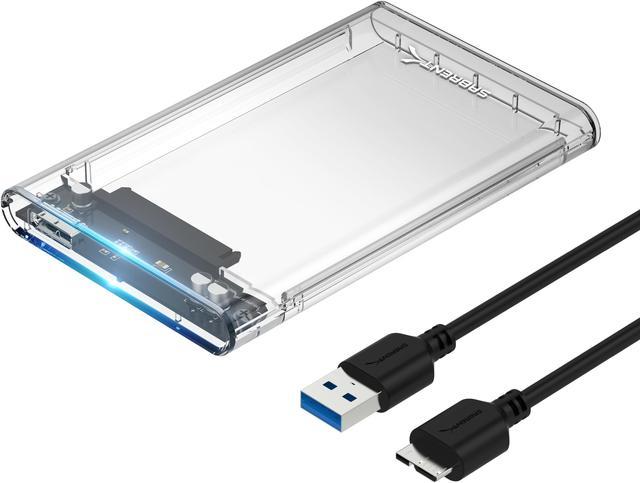
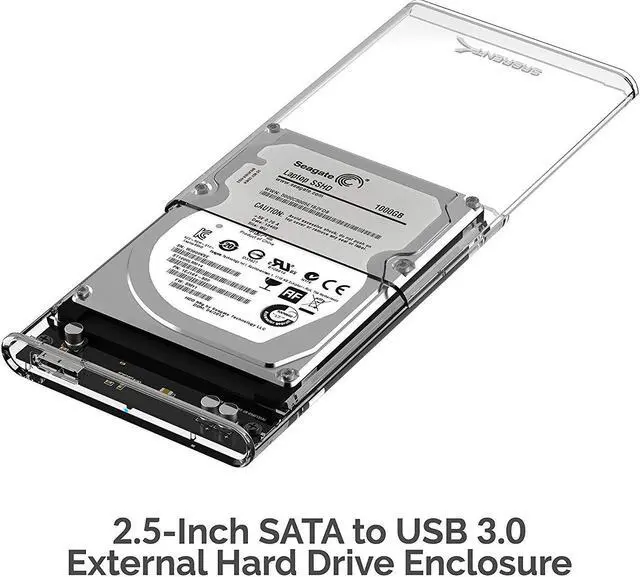
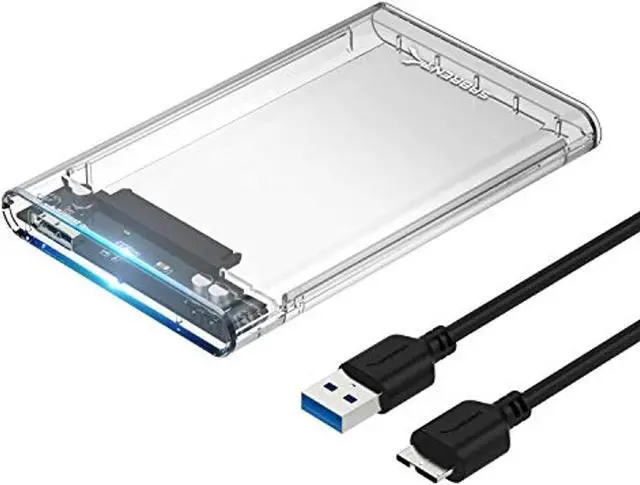
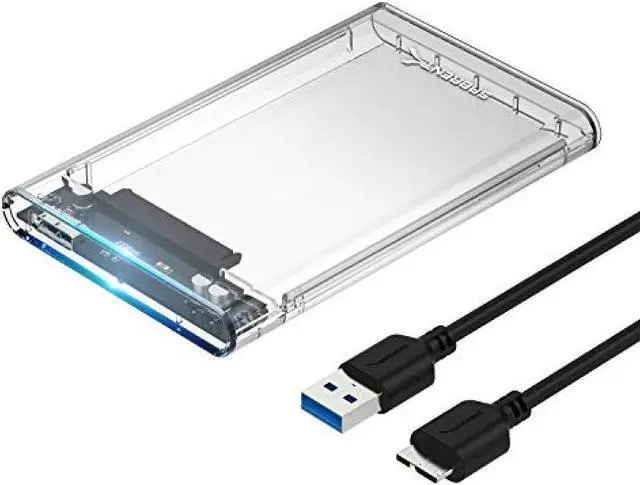
SABRENT 2.5-Inch SATA to USB 3.0 Tool-Free Clear External Hard Drive Enclosure [Optimized for SSD, Supports UASP SATA III] (EC-OCUB)
- Plug & Play, Hot-Swappable. Tool-free design, easy to install.
- Hi-Speed USB 3.0 to SATA interface.
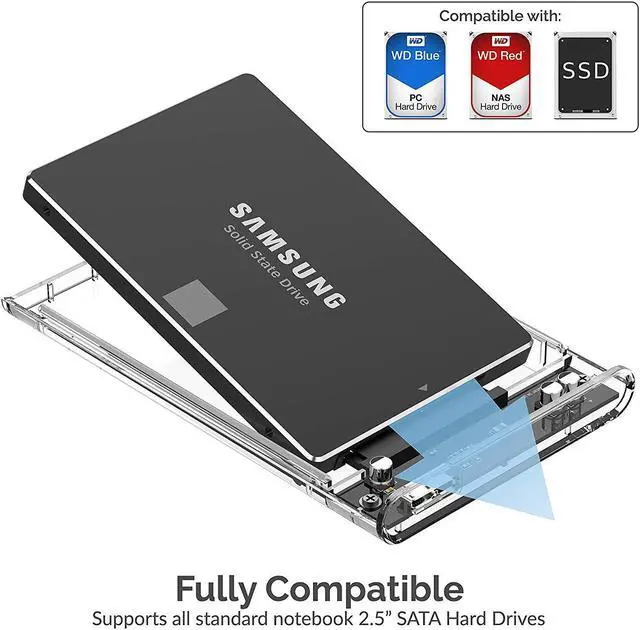
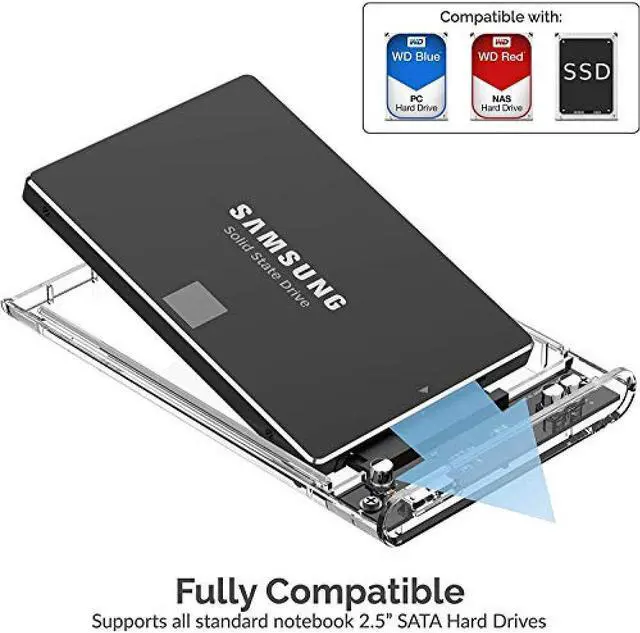
- Compatible with 2.5” SATA hard drives. Optimized for SSD, Supports UASP SATA III.
- No driver needed. Supports 7mm/9.5mm thickness HDD.
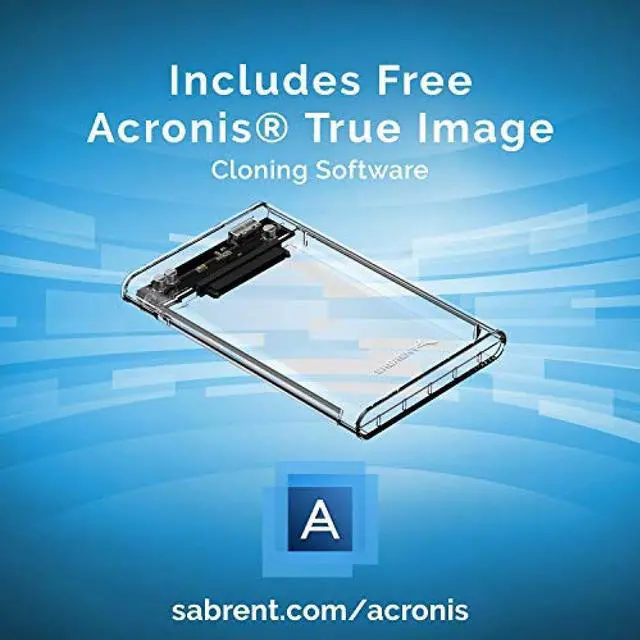
- This enclosure comes with a free download of Acronis True Image for Sabrent software for easy cloning.
Any questions? Ask CelesteSM will help you find out quickly.
Product Description:
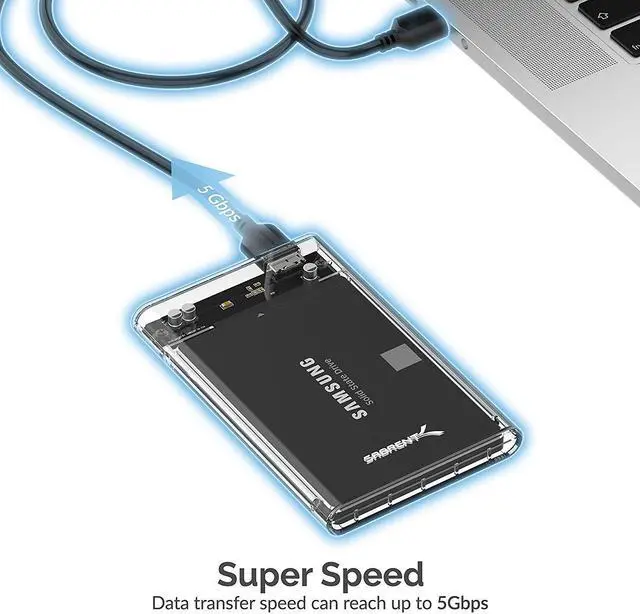
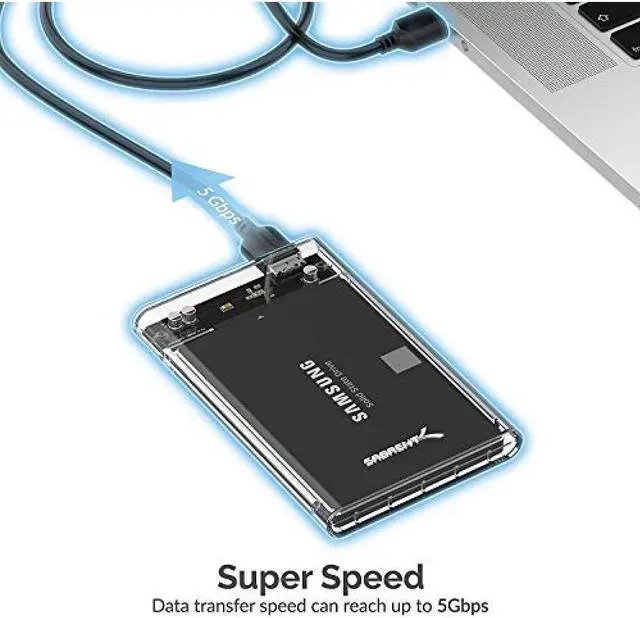
The Sabrent 2.5-Inch SATA to USB 3.0 Tool-free Clear External Hard Drive Enclosure [Optimized For SSD, Support UASP SATA III] (EC-OCUB) allows you to take advantage of the lightning speed Of USB 3.0 to quickly transfer files up to 5 Gbps!
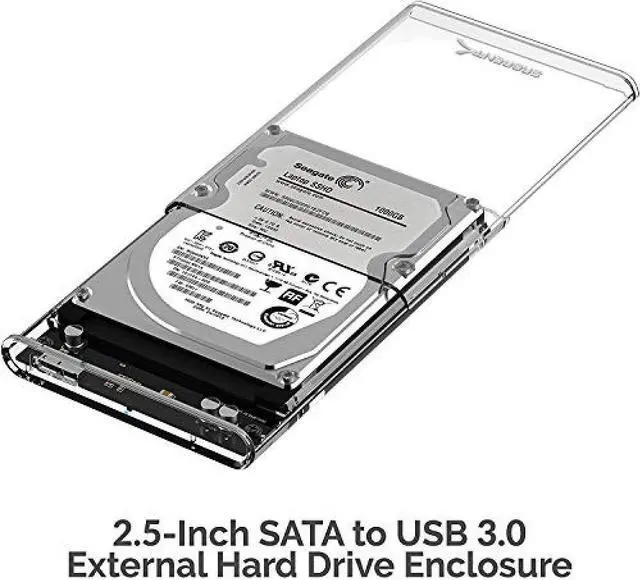
Connect any 2.5” Serial ATA (SATA) or SATA II Hard Drive to your computer through an available USB 3.0 port on your desktop or laptop.
By formatting this case with a drawer function, there is now extra protection for your hard drive. Reverse compatible with USB 2.0 and 1.1, this enclosure is a perfect solution for data transfers Or data backup!
• Plug & Play, Hot-Swappable. Tool free design, easy to install.
• Hi-Speed USB 3.0 to SATA interface.
• Compatible with 2.5” SATA hard drives. Optimized for SSD, Supports UASP SATA III.
• Supports 7mm/9.5mm thickness HDD.
• No driver needed.
Features:
• Supports Standard Notebook 2.5″ SATA and SATA II Hard drives.
• Transfer Rates Up to 5 Gbps when connected to a USB 3.0 port.
• Transfer Rates Up to 480 Mbps when connected to a USB 2.0 port.
• Hot-swappable, plug and play, no drivers needed.
• Backwards-Compatible with USB 2.0 or 1.1.
What's in the box?:
• Sabrent EC-UASP Hard Drive Enclosure
• User Manual
System Requirements::
• Available USB 3.0 port on the computer to achieve full 5 Gbps transfer speeds.
• Available USB 2.0 port on the computer to achieve full 480 Mbps transfer speeds.
• Windows 11
• Windows 10
• Windows 8.1/8
• Windows 7
• Windows Vista
• Windows XP
• Windows 2000
• Linux 2.4 or Above
• Mac OS 8.6 or Above
Warranty & Returns
Warranty, Returns, And Additional Information
Warranty
- Please contact the Seller directly for warranty information. Warranty information may also be found on the Manufacturer's website.
- Read full details
- CONTACT
Return Policies
- Return for refund within: 30 days
- Return for replacement within: 30 days
- This item is covered by SABRENTDirect Return Policy
Manufacturer Contact Info
- For a directory of all our manufacturers, please click below.
- Manufacturers Directory
The SABRENT EC-OCUB is a tool-free USB 3.0 enclosure for 2.5-inch SATA drives, with UASP support for SATA III SSDs; it suits users who want to connect or reuse a compatible drive as external storage.
Recommended For
- Laptop owners replacing a 2.5-inch SATA drive who want to reuse the removed HDD or SSD as portable backup storage.
- DIY troubleshooters retrieving files from a laptop that no longer works, provided its 2.5-inch SATA drive is still functional.
- PC helpers or repair-minded users transferring files from old 2.5-inch SATA drives to a newer computer, then keeping the drive for extra storage.
- People with a spare 2.5-inch SATA SSD who want a compact USB external drive for everyday file access or backups, without installing it inside a computer.
Real-World Use Scenarios
- When a laptop stops working, place its compatible 2.5-inch SATA drive in the enclosure and connect it to another computer to try to retrieve files; this depends on the drive itself still working and the data being accessible.
- After replacing a laptop’s hard drive with an SSD, reuse the removed SATA drive as external backup storage; it connects over USB, so the old drive can hold copies of files instead of sitting unused.
- To carry files between computers, install a 2.5-inch SATA HDD or SSD and connect the enclosure to each computer as needed; it turns the internal drive into removable USB storage.
- When upgrading storage, use the enclosure to connect a compatible 2.5-inch SATA drive over USB for a backup or cloning workflow; Sabrent lists downloadable Acronis software, but the cloning process still depends on the software and drive setup.
- For occasional access to an old SATA SSD or hard drive, insert it when needed and connect the enclosure by USB; this offers a compact way to use spare storage, though transfer speeds depend on the drive and the computer’s USB connection.
Spec Summary
| Attribute | Value |
|---|---|
| Best For | Connecting a single 2.5-inch SATA drive as external USB storage, including for laptop use |
| Drive Compatibility And Capacity | For 2.5-inch drives; listed storage capacity is 16 TB |
| Interface And Data Transfer | USB 3.0 with UASP and SATA III connectivity, with a listed transfer rate of 5 Gbps |
| Design And Build | Clear transparent plastic enclosure |
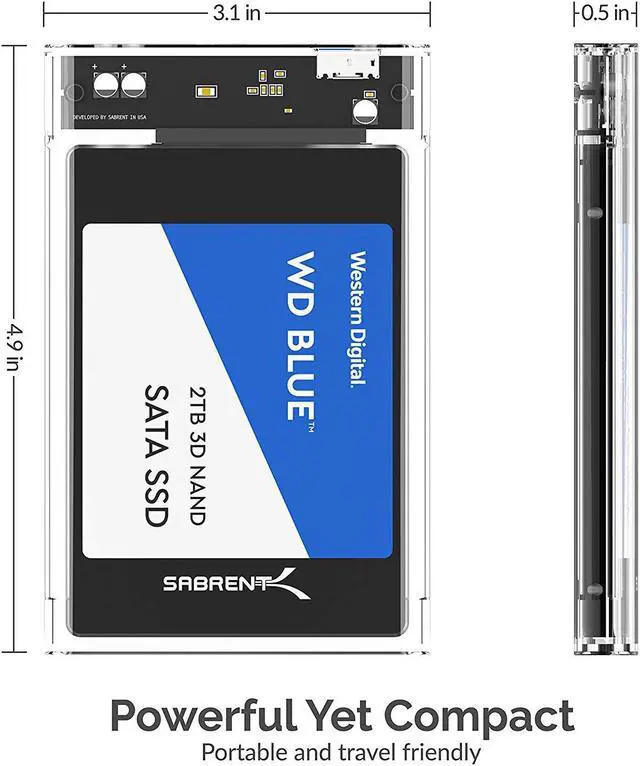
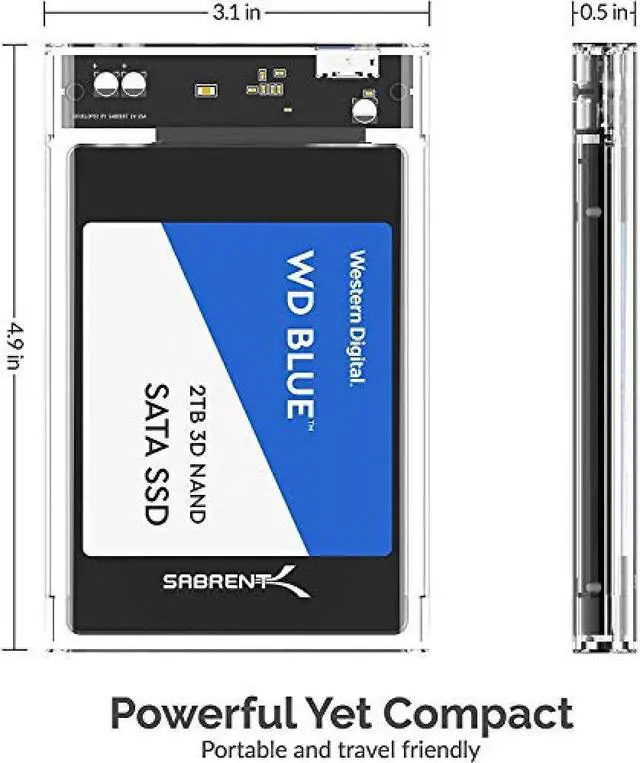
| Dimensions And Weight | 4.9 × 3.1 × 0.5 inches; weighs 40 grams |
| Included Accessories | USB cable included |
| Model Identifiers | SABRENT EC-OCUB |
Reference Q&A
Q: Sabrent EC-OCUB or EC-SNVE: which enclosure should I use for my SSD?
A: Choose the EC-OCUB for a 2.5-inch SATA SSD or hard drive and USB 3.0 connectivity. Choose the EC-SNVE for an M.2 SATA or NVMe SSD and a USB-C connection with a rated interface speed of up to 10 Gbps. The EC-SNVE is a different drive format and interface, rather than a direct upgrade for a 2.5-inch SATA drive.
Q: Sabrent EC-OCUB or EC-KSL3: which one supports more drive sizes?
A: Choose the EC-KSL3 if you want one enclosure for both 2.5-inch and 3.5-inch SATA drives; it has an aluminum shell with an ABS drive tray. Choose the EC-OCUB for a 2.5-inch SATA drive in a clear, tool-free enclosure.
Q: Sabrent EC-OCUB or EC-UK30: should I choose the clear case or aluminum?
A: Choose the EC-OCUB for its clear, tool-free 2.5-inch SATA enclosure design. Choose the EC-UK30 if you prefer an aluminum case for a 2.5-inch SATA drive; both models use a USB 3.0 connection.
Q: Will this enclosure fit my 2.5-inch SATA SSD or laptop hard drive?
A: Yes. It supports 2.5-inch SATA HDDs and SSDs that are 7mm or 9.5mm thick. It is not specified for drives that exceed those thicknesses or for non-SATA drives.
Q: Can I use it to access files on an old laptop drive?
A: Yes, if the drive is a working 2.5-inch SATA drive no thicker than 9.5mm. Install it in the enclosure and connect it by USB to access its files or use it as external storage. The enclosure does not include a drive.
Q: Will it work with a 3.5-inch desktop hard drive?
A: No. This enclosure is for 2.5-inch SATA drives. A 3.5-inch desktop drive needs an enclosure designed for that size and its power requirements.
Q: Does it need drivers, and can I use it to clone a drive?
A: No driver is needed, and the tool-free design is intended for easy installation. The product information also includes a free download of Acronis True Image for Sabrent for cloning; the enclosure itself does not include a storage drive.
Q: Can I use this enclosure with a 2.5-inch SATA SSD for portable storage?
A: Yes. The product information says it supports 2.5-inch SATA SSDs and connects over USB 3.0. A Reddit discussion mentions this exact enclosure in an SSD-based external-storage setup, though it does not confirm a tested result for this specific enclosure.
Q: Will a Mac recognize an SSD in this enclosure?
A: It may, but the available discussion does not establish reliable Mac compatibility: one user reported that a Mac detected the enclosure over USB but not the SSD, and the issue remained unresolved in the post. The product information says no driver is needed, but does not specify Mac compatibility.
Q: Is this enclosure a confirmed option for Tesla dashcam or Sentry Mode storage?
A: The discussion mentions this exact enclosure as an option for an SSD-based Tesla setup, but does not confirm that the enclosure itself was tested successfully. The thread also notes that enclosing an SSD may reduce heat dissipation compared with using a bare adapter, which may matter in a hot car.


![Main image of SABRENT 2.5-Inch SATA to USB 3.0 Tool-Free Clear External Hard Drive Enclosure [Optimized for SSD, Supports UASP SATA III] (EC-OCUB)](https://c1.neweggimages.com/productimage/nb640/AME8S22020914T1319E.jpg)
![Alt view image 2 of 16 - SABRENT 2.5-Inch SATA to USB 3.0 Tool-Free Clear External Hard Drive Enclosure [Optimized for SSD, Supports UASP SATA III] (EC-OCUB)](https://c1.neweggimages.com/productimage/nb640/AME8_1_20191111787226968.jpg)
![Alt view image 3 of 16 - SABRENT 2.5-Inch SATA to USB 3.0 Tool-Free Clear External Hard Drive Enclosure [Optimized for SSD, Supports UASP SATA III] (EC-OCUB)](https://c1.neweggimages.com/productimage/nb640/AME8S191209kdN9b.jpg)
![Alt view image 4 of 16 - SABRENT 2.5-Inch SATA to USB 3.0 Tool-Free Clear External Hard Drive Enclosure [Optimized for SSD, Supports UASP SATA III] (EC-OCUB)](https://c1.neweggimages.com/productimage/nb640/AME8_1_20191111792606579.jpg)
![Alt view image 5 of 16 - SABRENT 2.5-Inch SATA to USB 3.0 Tool-Free Clear External Hard Drive Enclosure [Optimized for SSD, Supports UASP SATA III] (EC-OCUB)](https://c1.neweggimages.com/productimage/nb640/AME8_1_201911111823202884.jpg)
![Alt view image 6 of 16 - SABRENT 2.5-Inch SATA to USB 3.0 Tool-Free Clear External Hard Drive Enclosure [Optimized for SSD, Supports UASP SATA III] (EC-OCUB)](https://c1.neweggimages.com/productimage/nb640/AME8_1_20191111919445276.jpg)
![Alt view image 7 of 16 - SABRENT 2.5-Inch SATA to USB 3.0 Tool-Free Clear External Hard Drive Enclosure [Optimized for SSD, Supports UASP SATA III] (EC-OCUB)](https://c1.neweggimages.com/productimage/nb640/AME8_1_201911111512824149.jpg)
![Alt view image 8 of 16 - SABRENT 2.5-Inch SATA to USB 3.0 Tool-Free Clear External Hard Drive Enclosure [Optimized for SSD, Supports UASP SATA III] (EC-OCUB)](https://c1.neweggimages.com/productimage/nb640/B4AMD22061910ONRX2D.jpg)
![Alt view image 9 of 16 - SABRENT 2.5-Inch SATA to USB 3.0 Tool-Free Clear External Hard Drive Enclosure [Optimized for SSD, Supports UASP SATA III] (EC-OCUB)](https://c1.neweggimages.com/productimage/nb640/B7RAD220713052KTHE6.jpg)
![Alt view image 10 of 16 - SABRENT 2.5-Inch SATA to USB 3.0 Tool-Free Clear External Hard Drive Enclosure [Optimized for SSD, Supports UASP SATA III] (EC-OCUB)](https://c1.neweggimages.com/productimage/nb640/B7RAD220713052KW075.jpg)
![Alt view image 11 of 16 - SABRENT 2.5-Inch SATA to USB 3.0 Tool-Free Clear External Hard Drive Enclosure [Optimized for SSD, Supports UASP SATA III] (EC-OCUB)](https://c1.neweggimages.com/productimage/nb640/B7RAD220713052L3I9B.jpg)
![Alt view image 12 of 16 - SABRENT 2.5-Inch SATA to USB 3.0 Tool-Free Clear External Hard Drive Enclosure [Optimized for SSD, Supports UASP SATA III] (EC-OCUB)](https://c1.neweggimages.com/productimage/nb640/B7RAD220713052MH43F.jpg)
![Alt view image 13 of 16 - SABRENT 2.5-Inch SATA to USB 3.0 Tool-Free Clear External Hard Drive Enclosure [Optimized for SSD, Supports UASP SATA III] (EC-OCUB)](https://c1.neweggimages.com/productimage/nb640/B7RAD220713052NOIF3.jpg)
![Alt view image 14 of 16 - SABRENT 2.5-Inch SATA to USB 3.0 Tool-Free Clear External Hard Drive Enclosure [Optimized for SSD, Supports UASP SATA III] (EC-OCUB)](https://c1.neweggimages.com/productimage/nb640/B7RAD220713052L4H70.jpg)
![Alt view image 15 of 16 - SABRENT 2.5-Inch SATA to USB 3.0 Tool-Free Clear External Hard Drive Enclosure [Optimized for SSD, Supports UASP SATA III] (EC-OCUB)](https://c1.neweggimages.com/productimage/nb640/B7RAD220713052L7L30.jpg)
![Alt view image 16 of 16 - SABRENT 2.5-Inch SATA to USB 3.0 Tool-Free Clear External Hard Drive Enclosure [Optimized for SSD, Supports UASP SATA III] (EC-OCUB)](https://c1.neweggimages.com/productimage/nb640/B7RAD23061600QPSL03.jpg)