Meet Your Seller
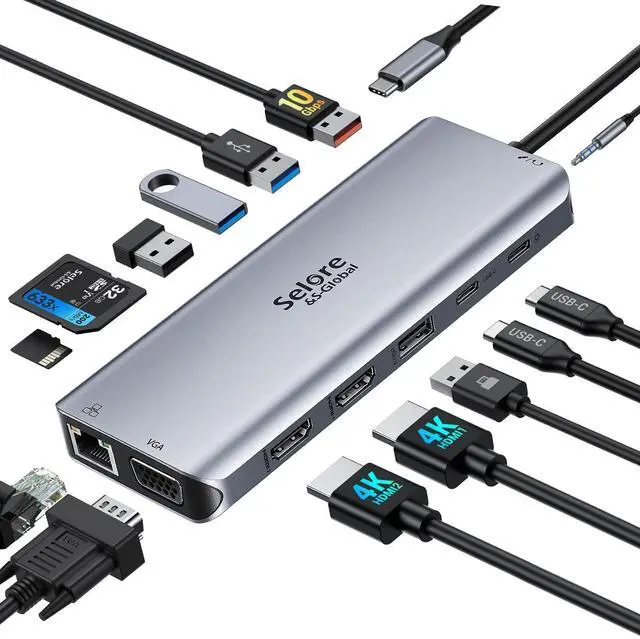
USB C Docking Station Dual Monitor 14-in-1 Triple Display Dual HDMI & VGA | 10Gbps Data Transfer, 100W PD, Gigabit Ethernet, SD/microSD Card Reader, Audio, USB-C Hub for Dell HP Lenovo MacBook
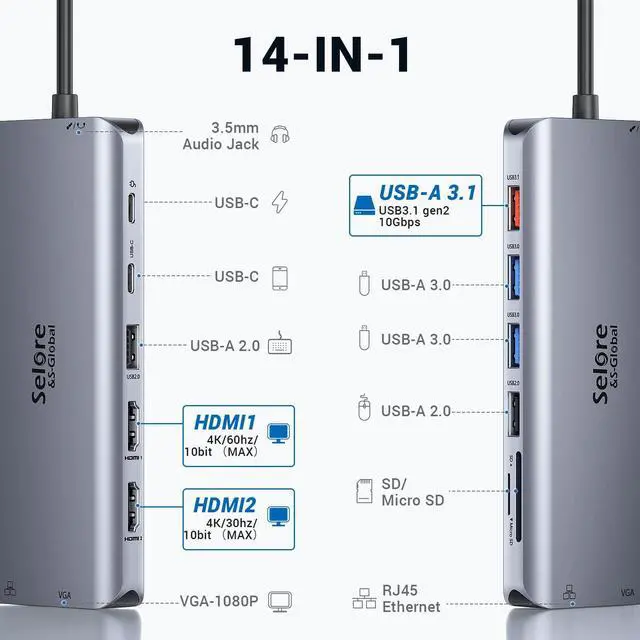
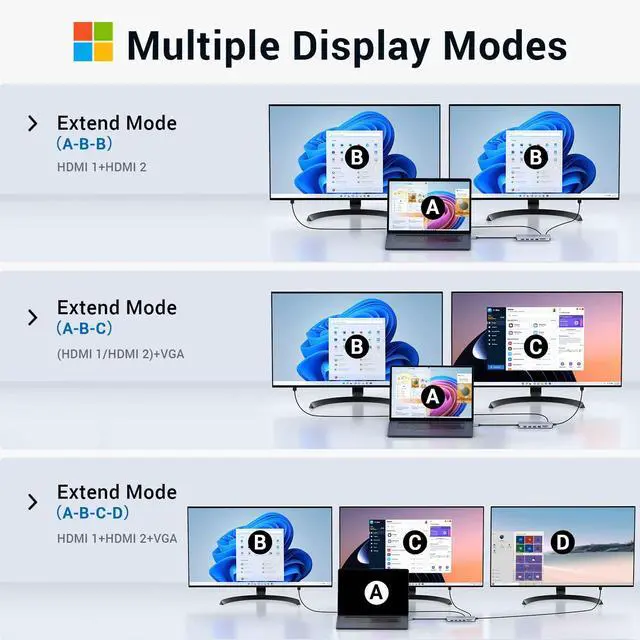
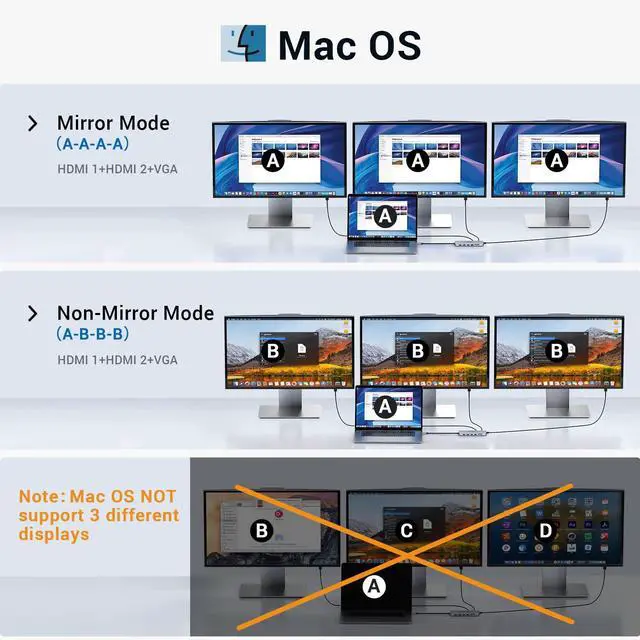
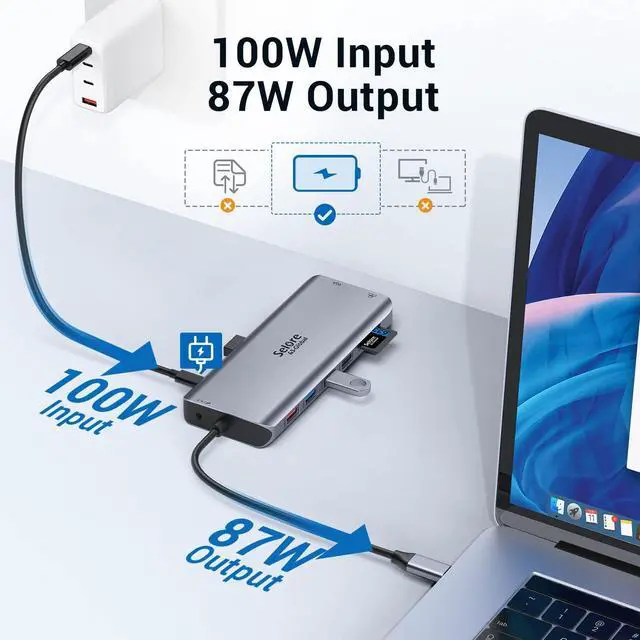
- 14-in-1 Triple Display Docking Station:Connect via one USB-C to get: 2×HDMI (4K@30Hz each), VGA (1080p/60Hz), 10Gbps USB-C & USB-A, 2×USB 3.0 (5Gbps), 2×USB 2.0 (480Mbps), Gigabit Ethernet, SD & micro SD slots, 3.5mm audio, PD 3.0 (100W input, 87W output). Windows supports triple display via MST (2 HDMI + VGA or laptop screen). macOS supports dual extended display (MST not supported). Note: Triple display requires MST support; macOS does not support MST
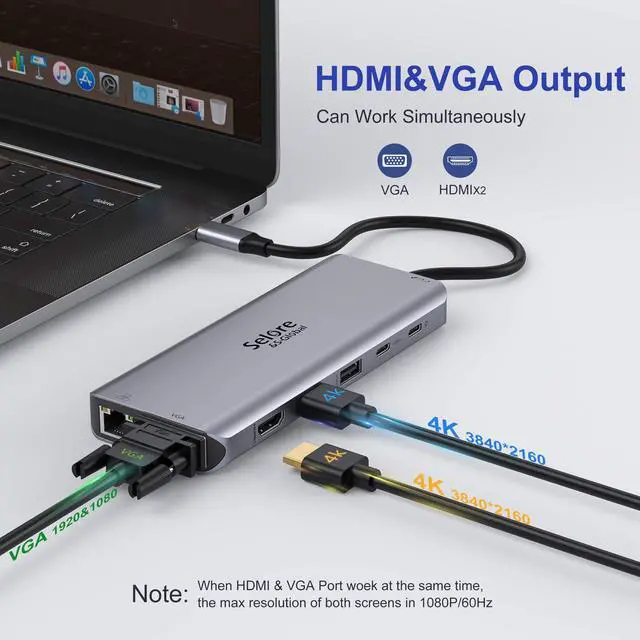
- 4K HDMI & VGA Video Output:Dual HDMI ports deliver 4K resolution at 30Hz, while the VGA port supports 1080p at 60Hz. On Windows, you can use HDMI + VGA together with the laptop's built-in screen for three displays. On macOS, connect two external monitors (HDMI+HDMI or HDMI+VGA) for an extended workspace. Perfect for presentations and multitasking. Note: 4K@30Hz ensures smooth playback; VGA requires compatible monitors or projectors
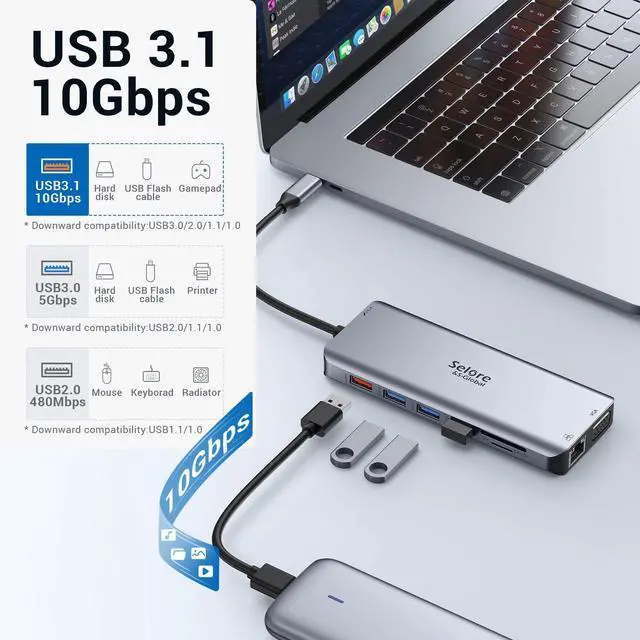
- 10Gbps Fast Data Transfer:The USB-C 3.1 and USB-A 3.1 ports support data transfer up to 10Gbpsideal for moving large files in seconds. Two USB 3.0 ports (5Gbps) and two USB 2.0 ports (480Mbps) provide flexible connectivity for peripherals. SD & microSD card slots support up to 5Gbps and cards up to 512GB
Any questions? Ask CelesteSM will help you find out quickly.
Attention 1. Please plug in the Laptop's power adapter to the USB-C Power Delivery port before connecting an external hard drive or multiple display purpose. 2. The Type C PD Charging port for power passing-thru only. 3. SD and the microSD card cannot use at the same time. 4. Each monitor will be limited to a maximum resolution of 1920 x 1080@60Hz when connecting a dual or triple monitor. 5. Power will be a community between all dock-connected USB C devices. For a fast charge result, please choose Adapter that is over 72W to charge. 6.EDID(Extended Display Identification Data) may blackout for a few seconds(1 minute at max, depends on Laptop and monitor) when data transfer; Please be patient wait for the data completed.
Warranty & Returns
Warranty, Returns, And Additional Information
Warranty
- Please contact the Seller directly for warranty information. Warranty information may also be found on the Manufacturer's website.
- CONTACT
Return Policies
- Return for refund within: 30 days
- Return for replacement within: 30 days
- This item is covered by Hoevine Home Return Policy
Manufacturer Contact Info
- For a directory of all our manufacturers, please click below.
- Manufacturers Directory