





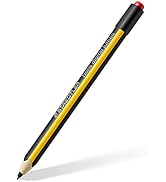
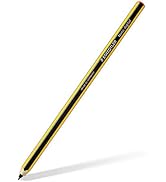
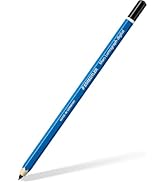
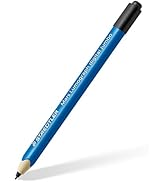

Lumograph digital jumbo
Stylus for digital writing, drawing and erasing on EMR equipped displays

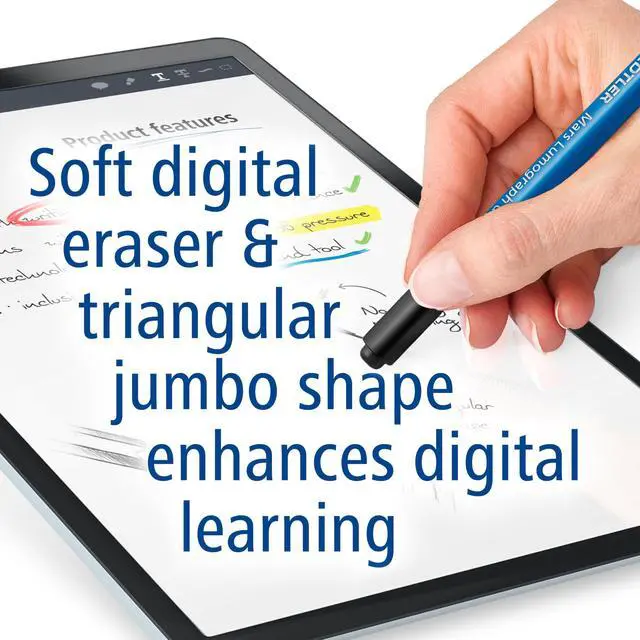
The eraser at the end of the stylus is so soft that using it on displays feels familiar - like using an eraser on a sheet of paper.

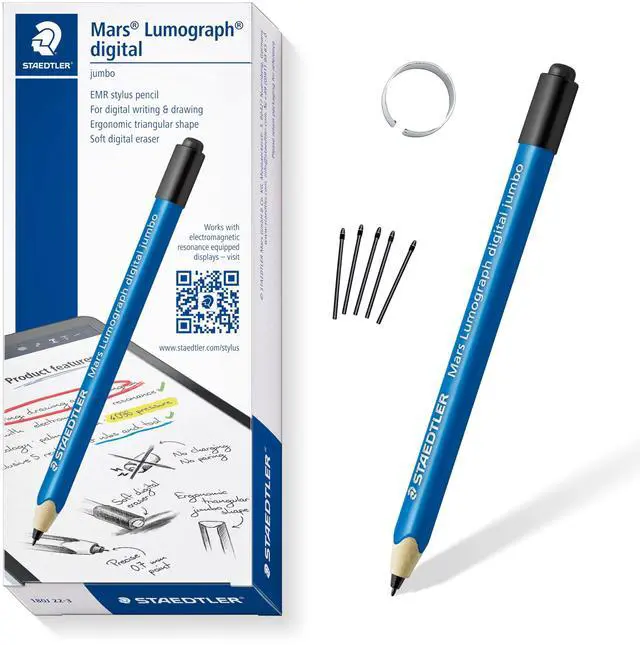
At first glance, the STAEDTLER Lumograph digital looks just like a normal pencil and feels like one too - but it is actually a stylus for tablets, smartphones and notebooks
Designed for people, who are looking for a handwriting experience on digital devices.
It is used on displays in the same way a traditional pencil is used on paper.
Compatibility
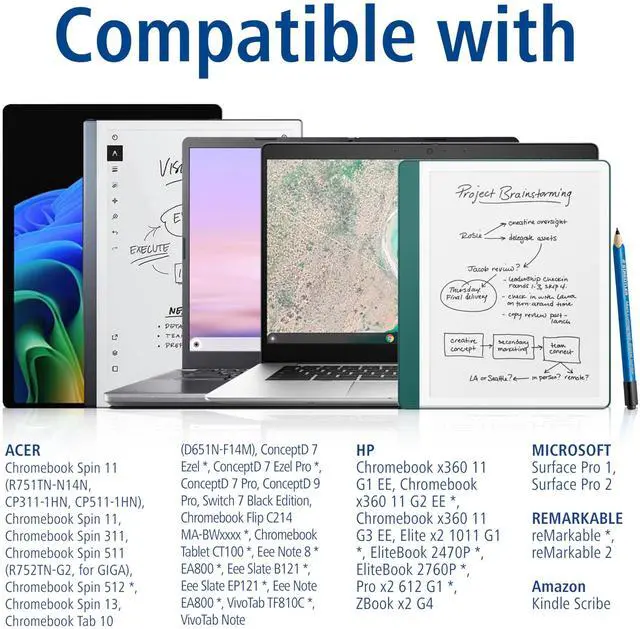
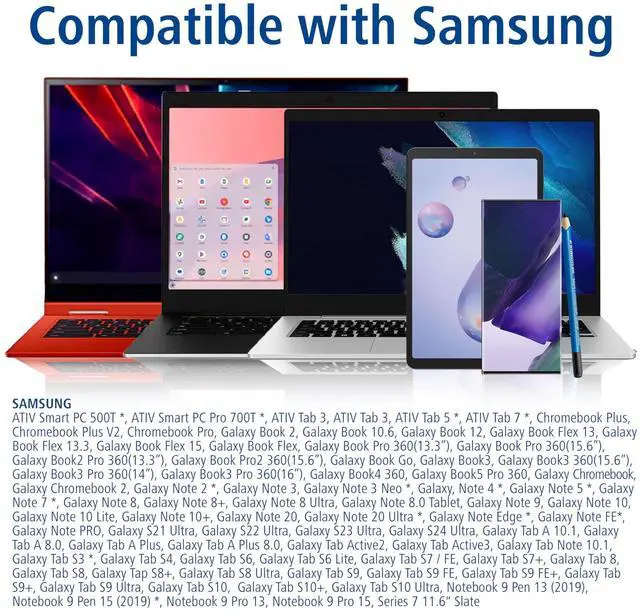
A PDF sheet with information about compatibility can be downloaded at „Product guides and documents“ / "Application Guide" or on the STAEDTLER homepage
Lumograph digital jumbo is the enhanced version of our Lumograph digital classic.
The analogue pencil design has been maintained and supplemented with a soft digital eraser.
Unique feel
The Lumograph digital has an ergonomic, triangular and comfortable thick shape. The soft digital eraser allows you to delete text and drawings on the display and to correct errors simply by turning the stylus around.
Digital learning
Thanks to its thicker shape, it is particularly suitable for children's hands and is therefore ideal for their first writing and drawing exercises on digital devices. Kids will simply not want to put it down.
- Draw and paint
- Create quick notes
- Correct errors
- Operate devices
- Do your homework
- Write longer notes
- Edit presentations
- Highlight text

Clever
Brilliant technology
The key component of the Lumograph digital is the innovative EMR lead from our partner WACOM. This technology enables the stylus to use an electromagnetic field generated by the display of the device (tablet, smartphone or notebook) and to interact with it inductively.
Easy writing
This technology allows you to place your palm on the display to make writing more comfortable, just as you would do with paper (function depends on the app). Because of this and the ergonomic shape of the Lumograph digital, you can write without your hand getting tired. You can highlight text and make notes in PDFs, e.g., on lecture notes, and then share them without having to print out several pages. This doesn’t just save paper, it also saves time.

Creative
Feels just like a pencil
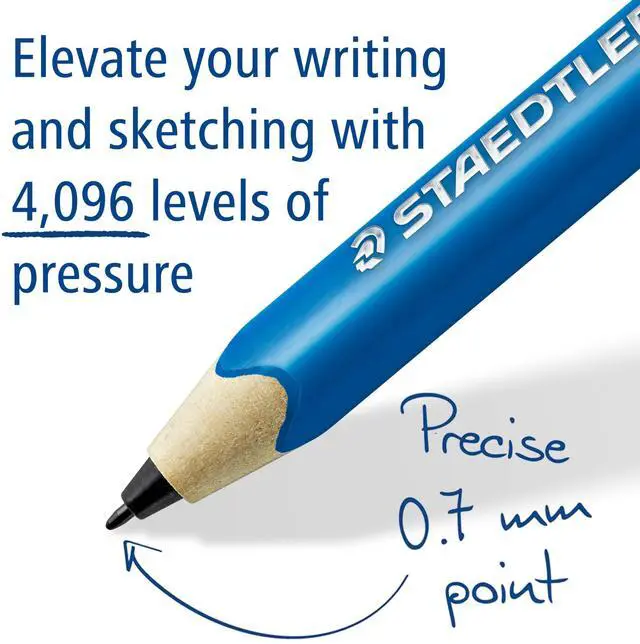
Like our pencils and colored pencils, the stylus is made of the wood-based material WOPEX. Thanks to the 4,096 pressure levels, you can intuitively vary the line width of a stroke, just like with a pencil. Simply press harder or more softly with the stylus (this function depends on the app you are using). Even the precise 0.7 mm writing point was modelled on a classic pencil.
Natural inspiration
The entire look and feel of the stylus is based on an analogue pencil. This means that this is the ideal tool for digital artists. Let your creativity run wild and create sketches, detailed drawings or your next artwork.

Independent
No empty batteries or annoying cables
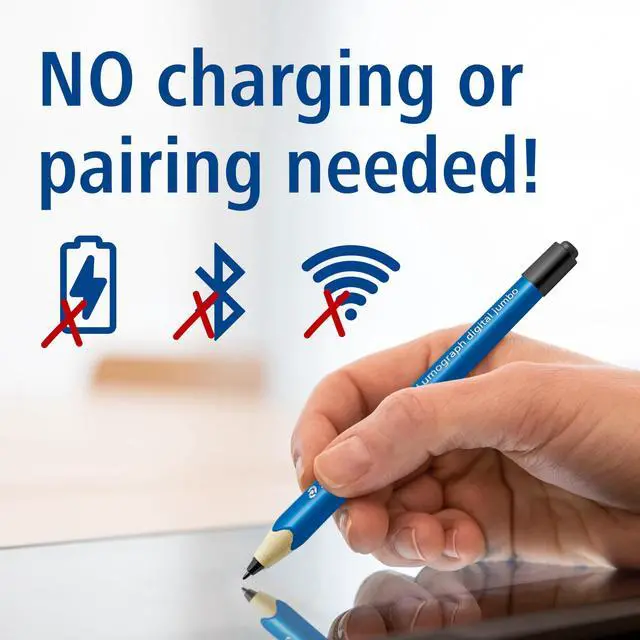
Thanks to its advanced technology, the stylus does not need a battery and so never needs to be charged. In addition, it does not need to be paired with your device or require a driver to be installed.
Comfortable use
The Lumograph digital can be used anytime and anywhere. Whether you're at home, at school, in the office or even on the road - just unpack it and get started.

Effective
Familiar handling
The writing angle of the Lumograph digital is very flexible (between 40 and 140º). It immediately feels familiar, meaning you can use your device naturally and giving you full control over your display inputs.
Effective presentation
Anyone who picks up the Lumograph digital can use it intuitively. Use it to make your presentations and talks more creative and effective - even live in meetings.
 Lumograph Digital Classic |  Lumograph Digital Jumbo |  Replacement Nibs | |
|---|---|---|---|
| Customer Reviews | — | — | — |
| Price | — no data | — | — |
| Find the right stylus | The classic! The familiar hexagonal shape, for more control when making handwritten entries on displays. | Enhanced! The comfortable thick triangular shape is particularly suitable for children's hands, is also comfortable for adults and allows you to write without getting tired. | Easy replacement for used or broken tips. |
| Shape | Hexagonal | Triangular | no data |
| Non-slip soft surface | ? | ? | no data |
| Palm rejection | ? | ? | no data |
| Number of pressure levels | 4,096 | 4,096 | no data |
| Five 0.7mm replacement nibs and a tool for the replacement | ? | ? | no data |
| Dimensions | approx. 175 x 7.5 mm | approx. 140 x 9.1 mm | no data |
| Weight | approx. 8.7 g | approx. 10 g | no data |
| Made in Germany | ? | ? | no data |

FAQ
What does EMR stand for? Electromagnetic resonance (patented WACOM technology). This technology enables the pencil to use an electromagnetic field generated by the display of the device (tablet, smartphone or notebook) and to interact with it inductively. As a result, the device always knows exactly where the point of the Lumograph digital is, which means you can rest your palm on the display. Because the stylus uses the energy from the device in this way, it never needs to be charged or paired with the device.
What devices is the Lumograph digital compatible with? For a device to be compatible with the Lumograph digital, it must have EMR technology built into its display. We have listed the compatible devices we know of in our list with information on compatibility. Please note, however, that the model numbers of the devices may differ depending on the country. In addition, with some manufacturers the same models are available with different display versions - with and without EMR support. The list should give you an indication of whether your device might be compatible. Please make sure that EMR technology is built into your device's display before purchasing the Lumograph digital.
Can the stylus also be used on Apple devices and Pixelbooks? No. These devices use a different display technology, not the EMR technology. Therefore, they are not compatible with our Lumograph digital.
Do I need to install a driver or software to use the pen on devices with EMR technology? No. So long as the WACOM EMR technology is built into a device’s display, you can start using the Lumograph digital straight away.
Why doesn't the pen work although EMR is built into my end device's display? If a stylus is included with your device, you may need to remove it from the device. It is also possible that on some devices the stylus function has to be activated in the system settings first. This is the case, for example, with the SAMSUNG Galaxy Note range.
How many pressure levels does the stylus have?The EMR point of the Lumograph digital has 4,096 pressure levels. Therefore, when you are using the stylus, the line becomes broader or narrower depending on the pressure applied, just like a real pencil. This doesn’t just enable extremely precise drawing, it also ensures a very natural writing experience. Please note that the line width variation depends on the app used.
Does the stylus have a side button like the S Pen?No. We wanted our Lumograph digital to provide an experience as close as possible to the experience of writing with a real pencil and this is what we focused on when designing it. A lot of customers find our stylus more comfortable because they cannot accidentally press a button.
Does the Lumograph digital have or need a battery?No. Thanks to the EMR technology, the Lumograph digital works inductively with the energy from the end device and doesn’t require tiresome charging.
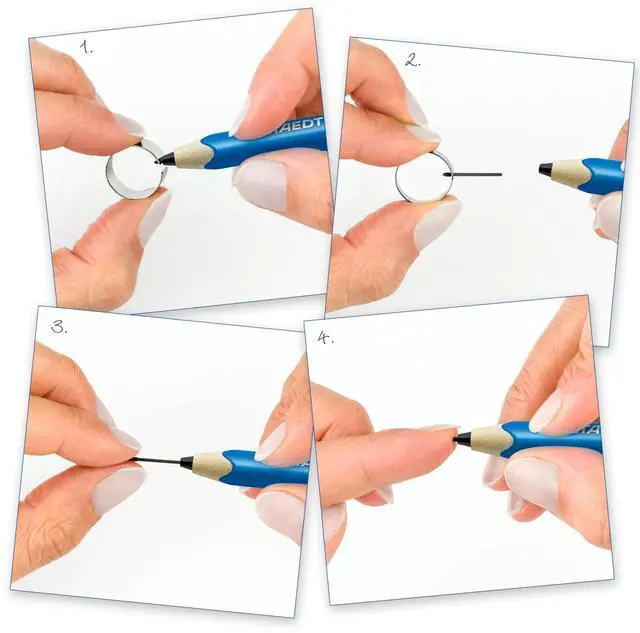
Why does the point have to be changed regularly?Depending on use and the properties of your device’s display or its protective film, the point may be worn away over time. The point can be replaced very quickly and independently. Please follow the step-by-step instructions for replacing the point. The Lumograph digital comes with 5 replacement points and a tool for carrying out the replacement.
Are additional replacement points available?The Lumograph digital comes with 5 points and a tool to make their replacement easy. In addition, replacement points can also be purchased separately, to be found under ASIN B07QZ3XZ4Y or article number 18022 SN.
Will using the Lumograph digital scratch the display of my device?No. When the point becomes worn, you may feel a scratching sensation, but your device's display will not be damaged. In this case, we recommend replacing the point.
Lumograph digital jumbo
Stylus for digital writing, drawing and erasing on EMR equipped displays
Lumograph digital jumbo is the enhanced version of our Lumograph digital classic.
At first glance, the STAEDTLER Lumograph digital looks just like a normal pencil and feels like one too - but it is actually a stylus for tablets, smartphones and notebooks
Designed for people, who are looking for a handwriting experience on digital devices.
It is used on displays in the same way a traditional pencil is used on paper.
Compatibility
A PDF sheet with information about compatibility can be downloaded at „Product guides and documents“ / "Application Guide" or on the STAEDTLER homepage
The eraser at the end of the stylus is so soft that using it on displays feels familiar - like using an eraser on a sheet of paper.
The analogue pencil design has been maintained and supplemented with a soft digital eraser.
Unique feel
The Lumograph digital has an ergonomic, triangular and comfortable thick shape. The soft digital eraser allows you to delete text and drawings on the display and to correct errors simply by turning the stylus around.
Digital learning
Thanks to its thicker shape, it is particularly suitable for children's hands and is therefore ideal for their first writing and drawing exercises on digital devices. Kids will simply not want to put it down.
- Draw and paint
- Create quick notes
- Correct errors
- Operate devices
- Do your homework
- Write longer notes
- Edit presentations
- Highlight text
Clever
Brilliant technology
The key component of the Lumograph digital is the innovative EMR lead from our partner WACOM. This technology enables the stylus to use an electromagnetic field generated by the display of the device (tablet, smartphone or notebook) and to interact with it inductively.
Easy writing
This technology allows you to place your palm on the display to make writing more comfortable, just as you would do with paper (function depends on the app). Because of this and the ergonomic shape of the Lumograph digital, you can write without your hand getting tired. You can highlight text and make notes in PDFs, e.g., on lecture notes, and then share them without having to print out several pages. This doesn’t just save paper, it also saves time.
Creative
Feels just like a pencil
Like our pencils and colored pencils, the stylus is made of the wood-based material WOPEX. Thanks to the 4,096 pressure levels, you can intuitively vary the line width of a stroke, just like with a pencil. Simply press harder or more softly with the stylus (this function depends on the app you are using). Even the precise 0.7 mm writing point was modelled on a classic pencil.
Natural inspiration
The entire look and feel of the stylus is based on an analogue pencil. This means that this is the ideal tool for digital artists. Let your creativity run wild and create sketches, detailed drawings or your next artwork.
Independent
No empty batteries or annoying cables
Thanks to its advanced technology, the stylus does not need a battery and so never needs to be charged. In addition, it does not need to be paired with your device or require a driver to be installed.
Comfortable use
The Lumograph digital can be used anytime and anywhere. Whether you're at home, at school, in the office or even on the road - just unpack it and get started.
Effective
Familiar handling
The writing angle of the Lumograph digital is very flexible (between 40 and 140º). It immediately feels familiar, meaning you can use your device naturally and giving you full control over your display inputs.
Effective presentation
Anyone who picks up the Lumograph digital can use it intuitively. Use it to make your presentations and talks more creative and effective - even live in meetings.
Lumograph Digital Classic | Lumograph Digital Jumbo | Replacement Nibs | |
|---|---|---|---|
| Customer Reviews | — | — | — |
| Price | — no data | — | — |
| Find the right stylus | The classic! The familiar hexagonal shape, for more control when making handwritten entries on displays. | Enhanced! The comfortable thick triangular shape is particularly suitable for children's hands, is also comfortable for adults and allows you to write without getting tired. | Easy replacement for used or broken tips. |
| Shape | Hexagonal | Triangular | no data |
| Non-slip soft surface | ? | ? | no data |
| Palm rejection | ? | ? | no data |
| Number of pressure levels | 4,096 | 4,096 | no data |
| Five 0.7mm replacement nibs and a tool for the replacement | ? | ? | no data |
| Dimensions | approx. 175 x 7.5 mm | approx. 140 x 9.1 mm | no data |
| Weight | approx. 8.7 g | approx. 10 g | no data |
| Made in Germany | ? | ? | no data |
FAQ
What does EMR stand for? Electromagnetic resonance (patented WACOM technology). This technology enables the pencil to use an electromagnetic field generated by the display of the device (tablet, smartphone or notebook) and to interact with it inductively. As a result, the device always knows exactly where the point of the Lumograph digital is, which means you can rest your palm on the display. Because the stylus uses the energy from the device in this way, it never needs to be charged or paired with the device.
What devices is the Lumograph digital compatible with? For a device to be compatible with the Lumograph digital, it must have EMR technology built into its display. We have listed the compatible devices we know of in our list with information on compatibility. Please note, however, that the model numbers of the devices may differ depending on the country. In addition, with some manufacturers the same models are available with different display versions - with and without EMR support. The list should give you an indication of whether your device might be compatible. Please make sure that EMR technology is built into your device's display before purchasing the Lumograph digital.
Can the stylus also be used on Apple devices and Pixelbooks? No. These devices use a different display technology, not the EMR technology. Therefore, they are not compatible with our Lumograph digital.
Do I need to install a driver or software to use the pen on devices with EMR technology? No. So long as the WACOM EMR technology is built into a device’s display, you can start using the Lumograph digital straight away.
Why doesn't the pen work although EMR is built into my end device's display? If a stylus is included with your device, you may need to remove it from the device. It is also possible that on some devices the stylus function has to be activated in the system settings first. This is the case, for example, with the SAMSUNG Galaxy Note range.
How many pressure levels does the stylus have?The EMR point of the Lumograph digital has 4,096 pressure levels. Therefore, when you are using the stylus, the line becomes broader or narrower depending on the pressure applied, just like a real pencil. This doesn’t just enable extremely precise drawing, it also ensures a very natural writing experience. Please note that the line width variation depends on the app used.
Does the stylus have a side button like the S Pen?No. We wanted our Lumograph digital to provide an experience as close as possible to the experience of writing with a real pencil and this is what we focused on when designing it. A lot of customers find our stylus more comfortable because they cannot accidentally press a button.
Does the Lumograph digital have or need a battery?No. Thanks to the EMR technology, the Lumograph digital works inductively with the energy from the end device and doesn’t require tiresome charging.
Why does the point have to be changed regularly?Depending on use and the properties of your device’s display or its protective film, the point may be worn away over time. The point can be replaced very quickly and independently. Please follow the step-by-step instructions for replacing the point. The Lumograph digital comes with 5 replacement points and a tool for carrying out the replacement.
Are additional replacement points available?The Lumograph digital comes with 5 points and a tool to make their replacement easy. In addition, replacement points can also be purchased separately, to be found under ASIN B07QZ3XZ4Y or article number 18022 SN.
Will using the Lumograph digital scratch the display of my device?No. When the point becomes worn, you may feel a scratching sensation, but your device's display will not be damaged. In this case, we recommend replacing the point.
Bring creative ideas to life!
We craft high quality writing, painting, drawing and modeling products - to help people around the world realize and share their ideas.
Shop Best Sellers
Shop Digital Stylus
Shop Pens & Markers
Shop Modeling Clay
Shop Art Pencils
Shop UHU Glue