




 here!
here!
I’m your shopping assistant for PC builds, upgrades, and everything tech.
Got questions? Ask away!
Start a conversation
here!
I’m your shopping assistant for PC builds, upgrades, and everything tech.
Got questions? Ask away!
Start a conversation




Any questions? Ask CelesteSM will help you find out quickly.
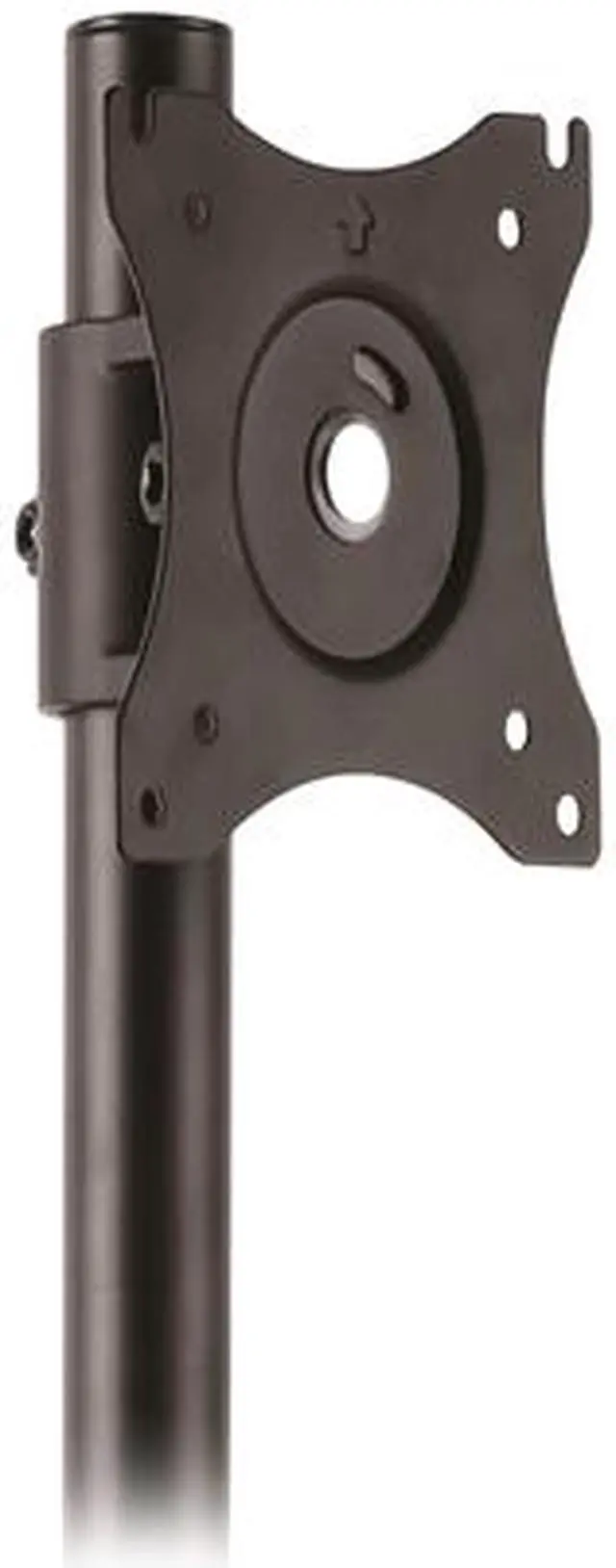
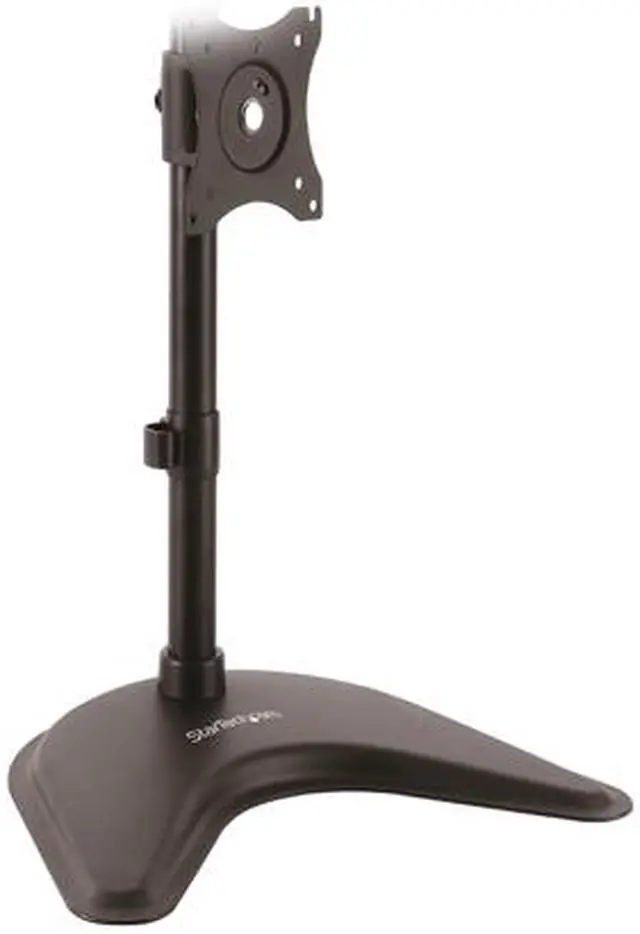
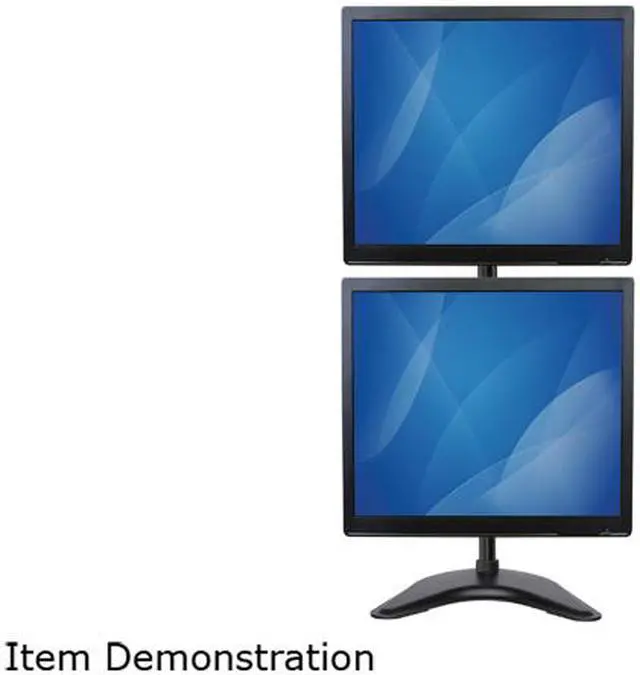
The StarTech ARMBARDUOV is a freestanding vertical dual-monitor stand for people who want to stack two VESA-compatible 13–27-inch displays and free up desk space; it supports up to 22.1 lb per monitor and offers adjustable height, tilt, swivel, and 360-degree rotation.
| Attribute | Value |
|---|---|
| Best For | A desktop setup with two vertically stacked monitors to save workspace |
| Display Compatibility And Capacity | Supports two 13–27-inch monitors with 75 × 75 mm or 100 × 100 mm VESA mounting, up to 22.1 lb (10 kg) per monitor |
| Mounting And Adjustability | Freestanding desktop stand with pole-mounted height adjustment; monitors rotate 360°, tilt ±45°, and swivel ±45° |
| Construction And Cable Management | Heavy-duty steel construction with cable management |
| Dimensions | 18.19 × 12.80 × 4.06 inches (H × W × D) |
| Model Identifiers | StarTech.com ARMBARDUOV |
Q: Should I choose the StarTech ARMBARDUOV or ARMDUALV for two stacked monitors?
A: Choose the ARMBARDUOV if you need a freestanding base and do not want to attach a mount to the desk. Choose the ARMDUALV if you want a desk-edge clamp or grommet mount to keep a stand base off the desktop. Both support two vertically stacked displays up to 27 inches and 22.1 lb per monitor; StarTech also lists ultrawide support up to 34 inches for both.
Q: StarTech ARMBARDUOV or VIVO STAND-V002F—which fits two 27-inch monitors better?
A: Both are freestanding steel stands for two VESA monitors up to 27 inches and about 22 lb per display. The ARMBARDUOV is a good fit if you want its taller 32.2-inch pole for vertically stacked screens; VIVO lists a wider tilt range, up to +90°/-90°, compared with StarTech’s +45°/-45°. Check the monitor dimensions and desired screen positions before choosing.
Q: Is the ARMBARDUOV or a clamp-mounted dual monitor arm better for desk space?
A: Choose the ARMBARDUOV if you want vertically stacked monitors on a freestanding stand and prefer not to clamp or grommet-mount anything to the desk. A clamp-mounted arm, such as StarTech’s ARMDUAL2, is the better fit if clearing the stand base from the desktop matters more and you want articulating arms for more flexible screen placement. Confirm that your desk supports the clamp or grommet installation.
Q: Will this stand fit my two monitors?
A: It supports two monitors, each 13–27 inches and up to 22.1 lb (10 kg). Each monitor must have a VESA 75 × 75 mm or 100 × 100 mm mounting pattern. Check both the weight and VESA pattern before buying.
Q: Can I stack two monitors vertically with this stand?
A: Yes. This stand is designed to hold two VESA-compatible monitors one above the other. It is intended for screens up to 27 inches and 22.1 lb (10 kg) each; confirm that both monitors meet those limits.
Q: Can I adjust the height and viewing angle of each screen?
A: The monitors’ height can be adjusted along the pole. The stand also supports 360-degree rotation, plus or minus 45-degree tilt and swivel, so you can change screen orientation and viewing angle.
Q: Who is this vertical monitor stand suitable for?
A: It suits desk-based users who want two monitors stacked to save side-to-side desk space, such as people reviewing documents or working across multiple windows. It is a desktop stand, so it occupies desk space and is not a wall mount.
Q: Will the ARMBARDUOV support two 34-inch ultrawide monitors?
A: It is not specified for two 34-inch displays. The provided product information rates it for monitors from 13 to 27 inches and up to 22.1 lb (10 kg) per monitor. A Reddit discussion about stacking two 34-inch ultrawides linked this stand, but that does not establish support beyond its stated limits.
Q: Is this a good choice if I want the top monitor to tilt independently and sit close to the lower one?
A: It may not suit that specific positioning preference. In a Reddit discussion where the stand was suggested, the original poster raised concerns about the upper screen’s fit and alignment. The product data lists height, tilt, swivel, and rotation adjustments, but does not establish whether it can achieve the exact gap-free alignment discussed.
Q: Do users report that the stand stays stable with stacked monitors?
A: One Reddit commenter reported no issues after about two weeks of use. That is a limited, anecdotal report, not a general stability guarantee. For a supported setup, check that each monitor is no larger than 27 inches and weighs no more than 22.1 lb (10 kg).


![AOACE Gaming PC AMD Ryzen 7 5700X [8-Core 4.6GHz], RTX 5060 8GB GDDR7, DLSS 4, VR Ready, WiFi 6E, 32GB DDR4, 1TB PCIe4 NVMe, 6 ARGB, Win11 Home](https://c1.neweggimages.com/ProductImageCompressAll60/C545S2607150J6GDT09.jpg "AOACE Gaming PC AMD Ryzen 7 5700X [8-Core 4.6GHz], RTX 5060 8GB GDDR7, DLSS 4, VR Ready, WiFi 6E, 32GB DDR4, 1TB PCIe4 NVMe, 6 ARGB, Win11 Home")