Your Browsing History
Best Sellers
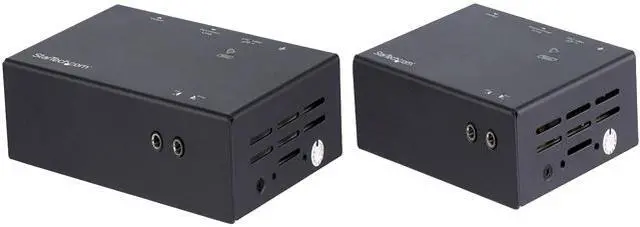
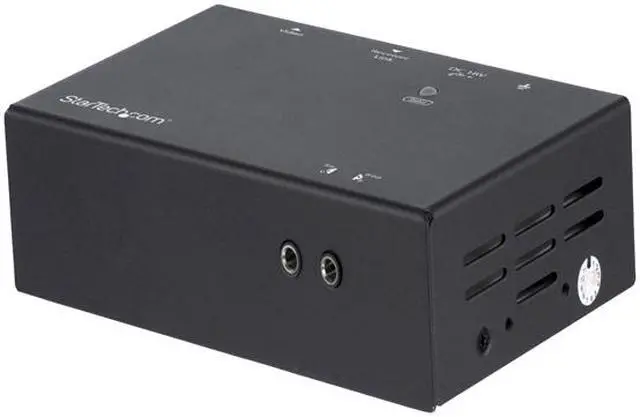
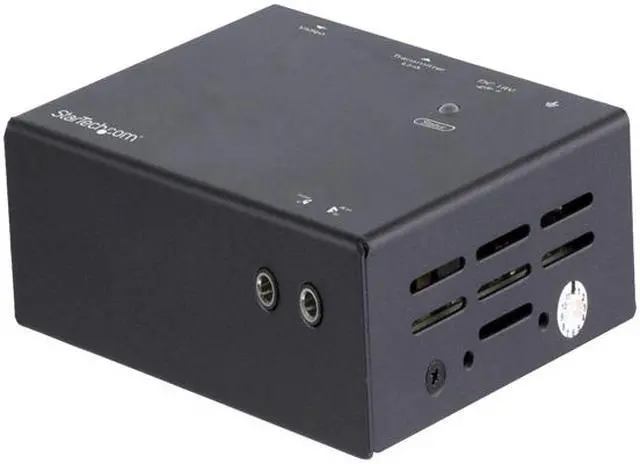
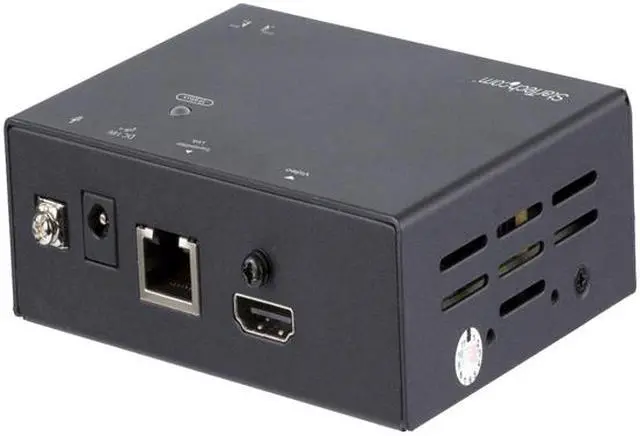
StarTech.com HDMI Over CAT6 Extender - Power Over Cable - Up to 100m (330 ft.) ST121HDBT20L
- Extend HDMI over CAT5/CAT6 cabling to a remote location with support for 4K 60Hz at 70m / 230 ft. and 1080p 60 Hz at 100m / 330 ft.
- Hassle-free setup with video and power over a single CAT5e or CAT6 cable
- Sleek professional installation with optional mounting hardware included with the 4K HDMI extender over CAT6
- HDMI extender over CAT6 / 4K HDMI over CAT6 / HDMI extender over CAT5 / 4K HDMI over CAT5 / 4K HDMI over Ethernet / HDMI signal booster / HDMI repeater / Video extender
+
+
Overview
Specs
Reviews
See all Q & A
Any questions? Ask CelesteSM will help you find out quickly.
Try me now
Extend HDMI over CAT6 cabling to a remote location with support for 4K60Hz at 23
Warranty & Returns
Warranty, Returns, And Additional Information
Warranty
- Limited Warranty period (parts): 2 years
- Limited Warranty period (labor): 2 years
- Read full details
Return Policies
- Return for refund within: 30 days
- Return for replacement within: 30 days
- This item is covered by Newegg.com's 30-Day Return Policy.
- Read full return policy for details.
Manufacturer Contact Info
- Manufacturer Product Page
- Manufacturer Website
- Support Phone: 1-800-265-1844
- Support Email: support@startech.com
- Support Website
- View other products from STARTECH
LOADING...
LOADING...
The StarTech.com ST121HDBT20L is an HDMI-over-CAT5e/CAT6 extender for sending video to a remote display, supporting 4K at 60 Hz up to 70 m (230 ft.) or 1080p at 60 Hz up to 100 m (330 ft.). It suits home, office, and professional AV setups that need long-distance display connections over one cable.
Recommended For
- AV installers fitting a conference room, classroom, or similar space can place an HDMI source away from a remote display and carry the signal over an existing Cat5e/Cat6 cable run.
- Digital-signage operators who need to locate a display far from its HDMI source can use one Cat5e/Cat6 cable for the connection, with 4K at 60Hz supported up to 70m and 1080p at 60Hz up to 100m.
- Installers working where the remote display has limited access to power can benefit from Power over Cable, which lets the transmitter and receiver share a single power adapter connected at either end.
- Users who need to control a source device from the display location, such as a presenter using equipment installed elsewhere in the room, can use the included IR receiver and blaster for remote-control extension.
Real-World Use Scenarios
- In a school or meeting room, connect a presentation source at one end of the room to a distant projector or display; the Cat cable carries the HDMI signal without requiring a long HDMI run.
- For digital signage in a large building, keep the media player in a convenient equipment area and send its picture to a remote screen over existing Cat5e or Cat6 cabling; the displayed resolution depends on the cable distance.
- In a retail, stadium, school, or hospital installation, place a display far from the video source without running a long HDMI cable; this can simplify connecting screens across a building.
- Where there is limited access to power near the receiver, power the extender through the Cat cable from the other unit; this avoids needing a separate outlet for the receiver, but not for the display itself.
- When the source device is stored away from the screen, use the included IR accessories to control that source from the remote display location.
Spec Summary
| Attribute | Value |
|---|---|
| Best For | Extending HDMI video to a remote display over CAT5e or better cabling, with support for 4K at up to 70 m or 1080p at up to 100 m |
| Video Resolution And Distance | Supports 4096 × 2160 (4K) at 60 Hz up to 70 m and 1080p at 60 Hz up to 100 m; also lists 3840 × 2160 at 60 Hz, 2560 × 1600, 1920 × 1200 at 60 Hz, and 1280 × 720. Maximum cable length is listed as 328.4 ft. and maximum distance as 330 ft. |
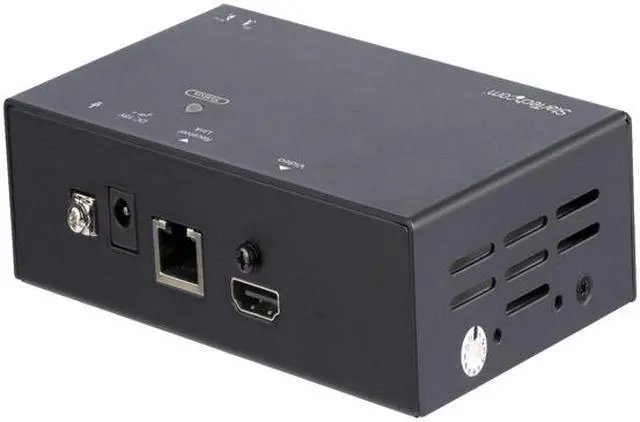
| Connections And Signal Extension | Transmitter has one female HDMI input and one female RJ-45 output; receiver has one female RJ-45 input and one female HDMI output. Uses CAT5e UTP or better cabling and supports IR extension for remote source control |
| Audio Support | Supports audio, including 7.1-channel surround sound |
| Power And Consumption | Includes an AC adapter; 100–240 V AC input, 18 V DC output at 1 A, 0.6 A input current, and 18 W power consumption |
| Design And Installation | Black aluminum housing; includes transmitter and receiver, universal power adapter, IR blaster and receiver, two mounting brackets, eight rubber feet, and a quick-start guide |
| Dimensions And Weight | 4 × 3 × 1 in. and 0.24 lb. |
| Operating Environment | Operating temperature: 0–40 °C; storage temperature: −10–60 °C; humidity: 0–80% RH, non-condensing |
| Status Indicators | One status LED on the local unit and one on the remote unit |
| Model Identifiers | StarTech.com ST121HDBT20L |